A point of sale built for the way Cambodia sells
BrownPOS isn’t a foreign system translated into Khmer. It was built in Cambodia for shops that take dollars and riel, accept KHQR, print in Khmer and need to keep selling when the internet drops.
What your cashier uses every day
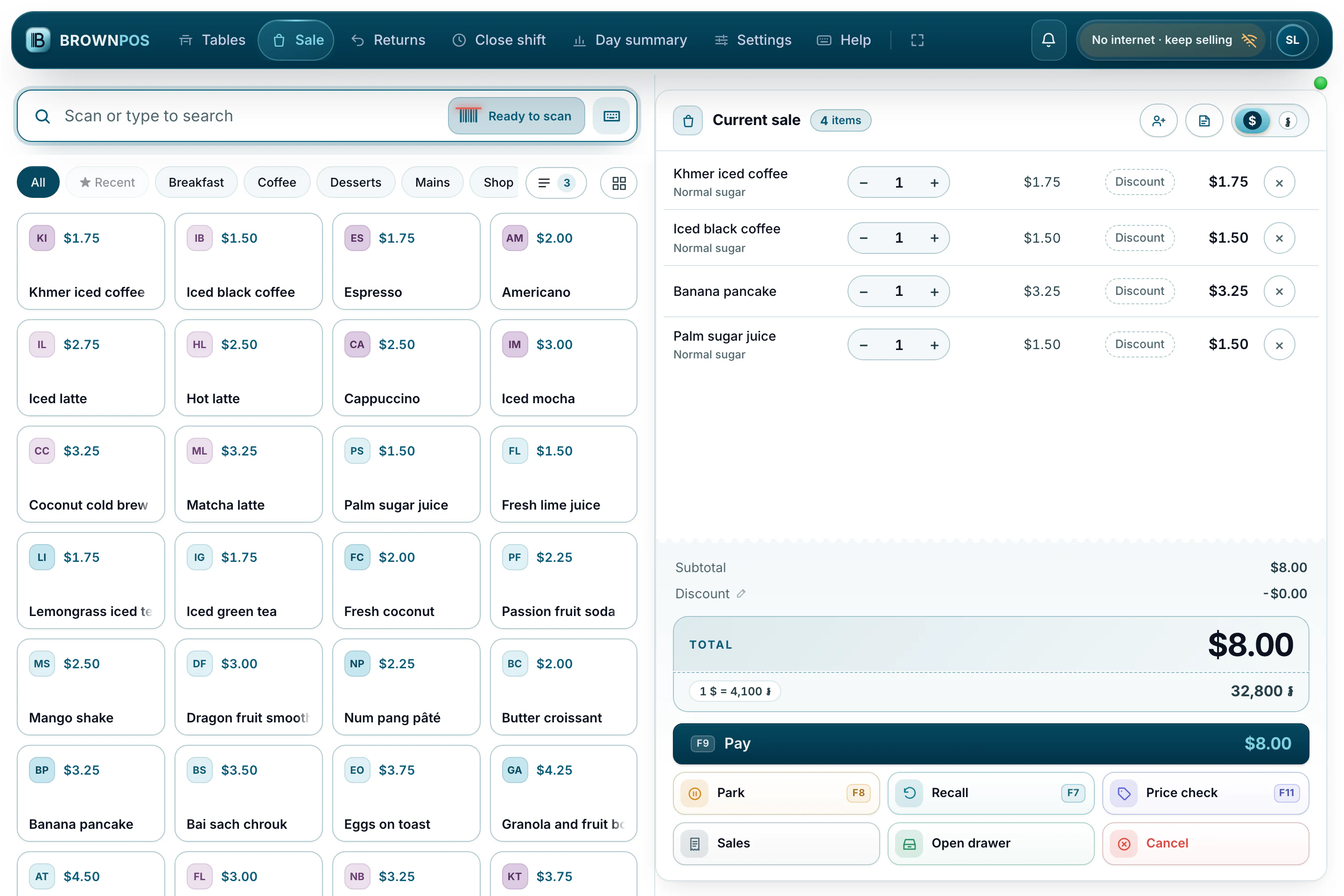
Sells without internet
Your products are stored on the device. Sales wait in order and send themselves when the connection comes back.
Read more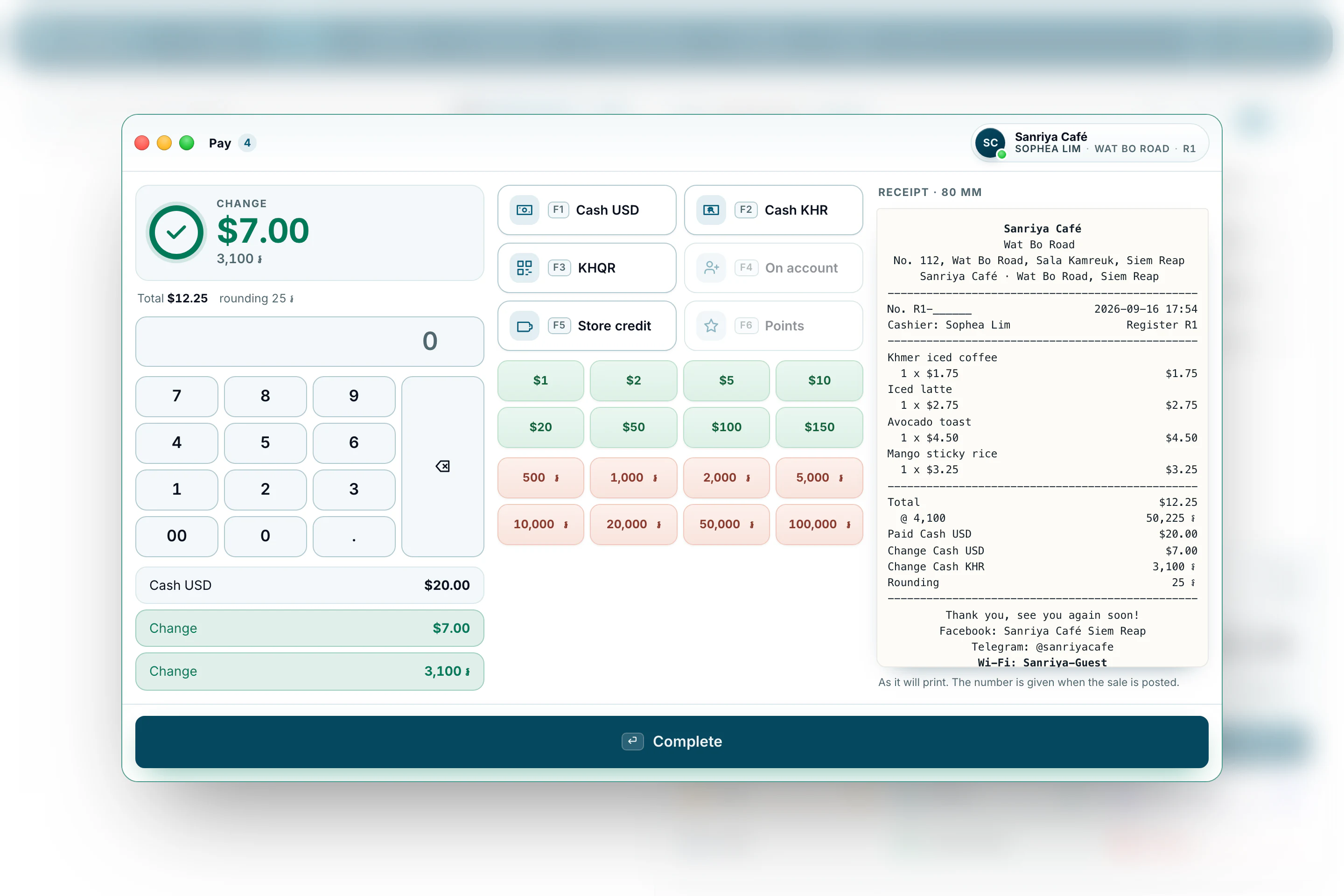
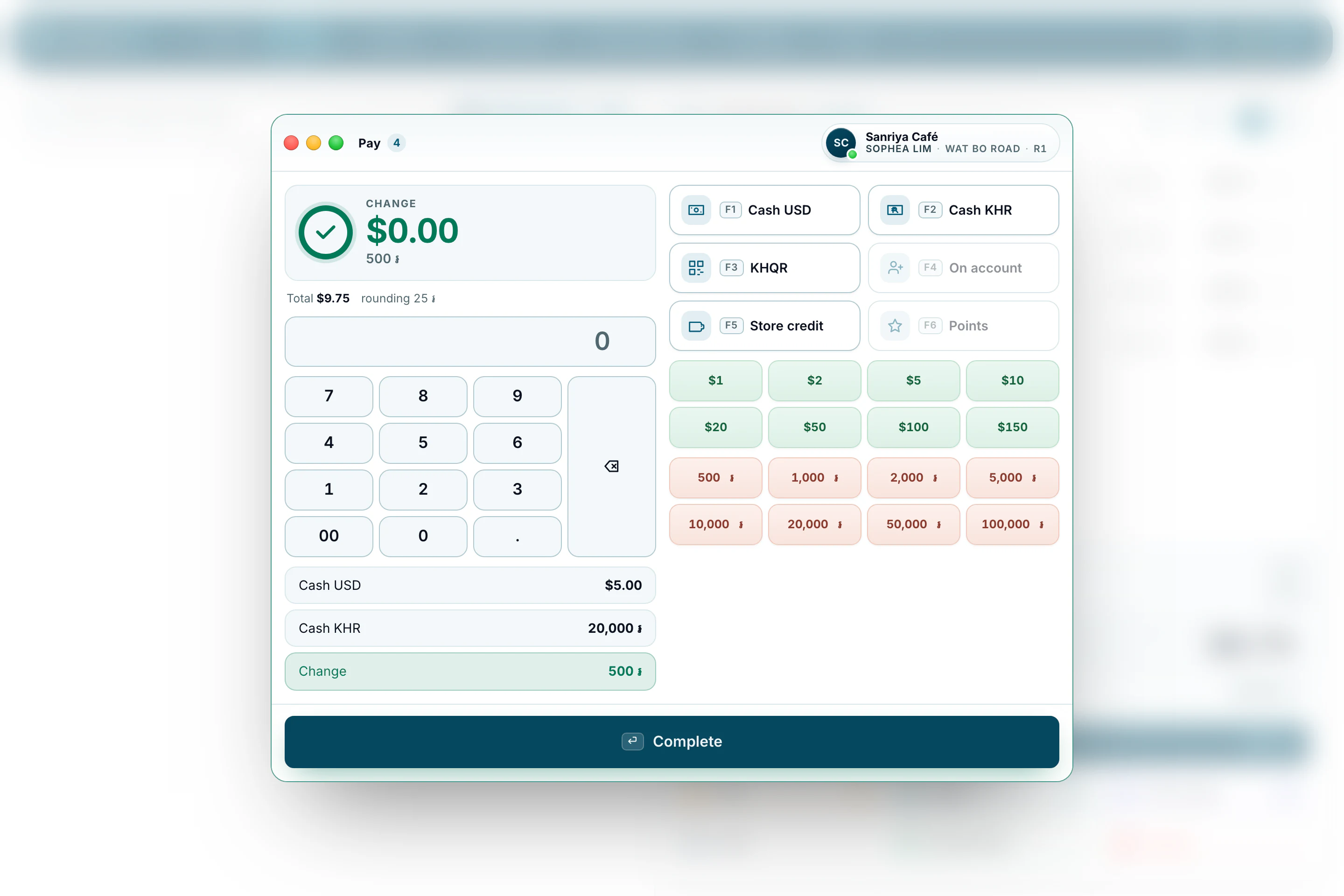
Dollars and riel
Set your own exchange rate. Take one currency and give change in the other, in the same sale.
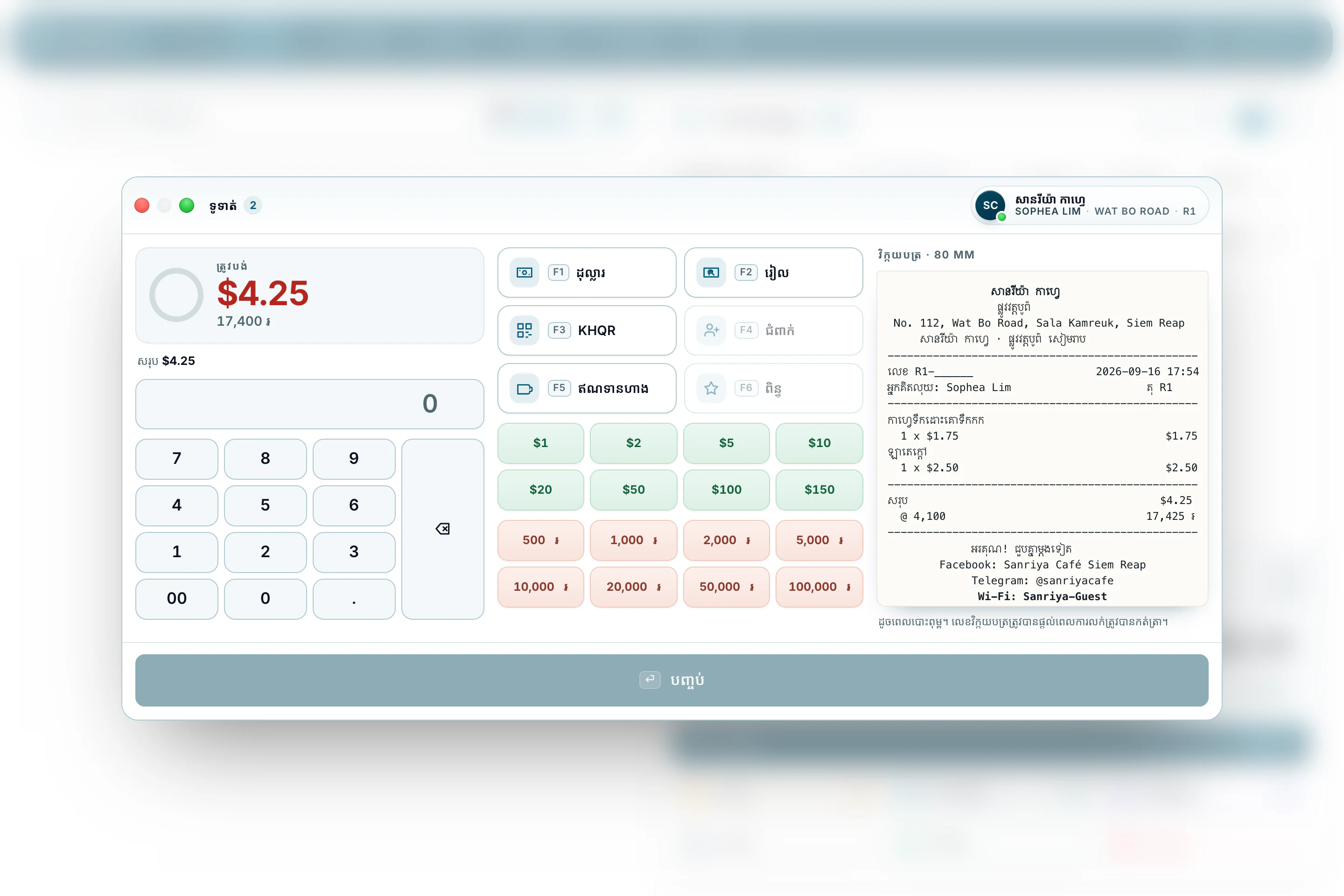
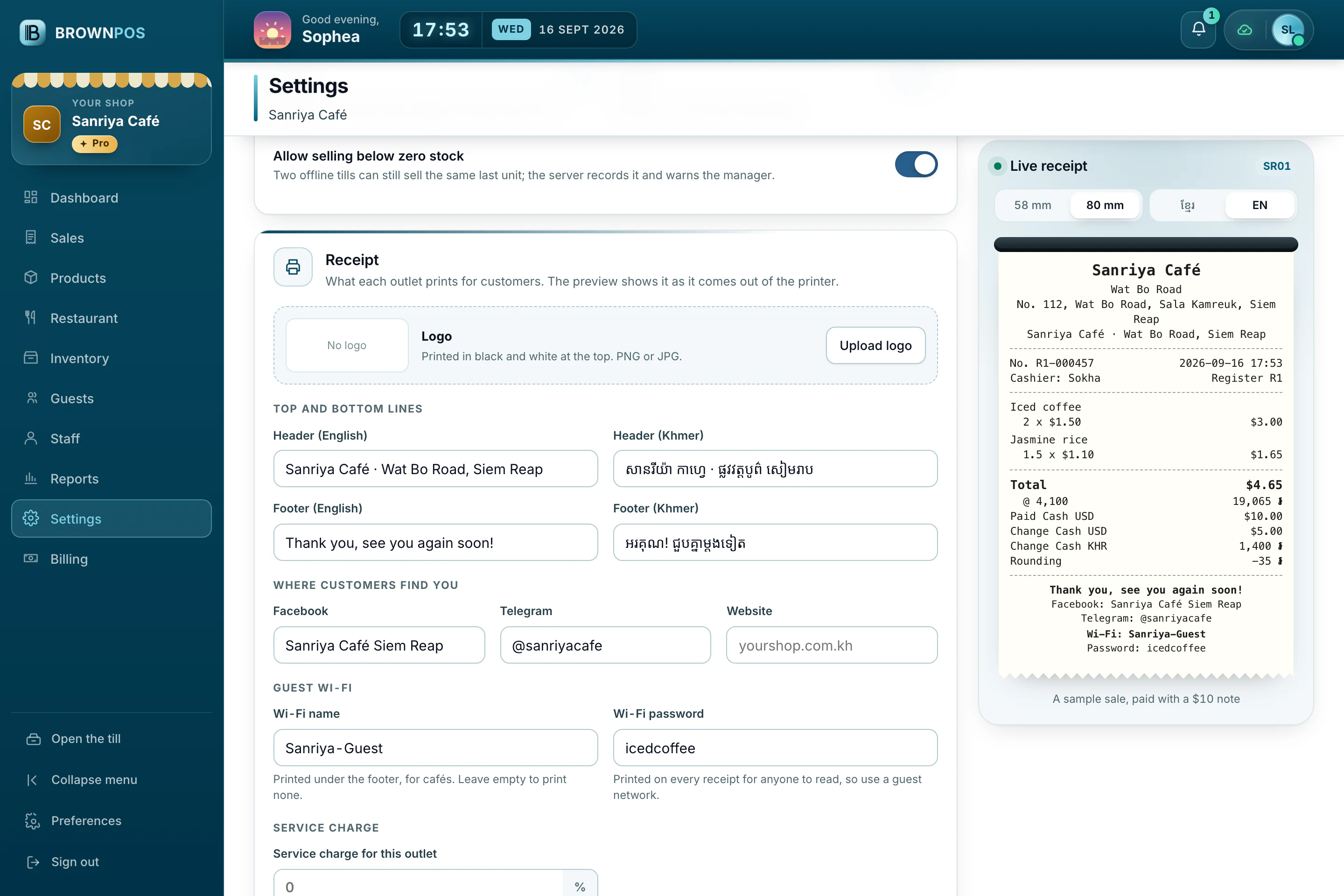
Khmer receipts
Print on 58 mm or 80 mm paper by USB, Bluetooth or your shop’s network.
Read more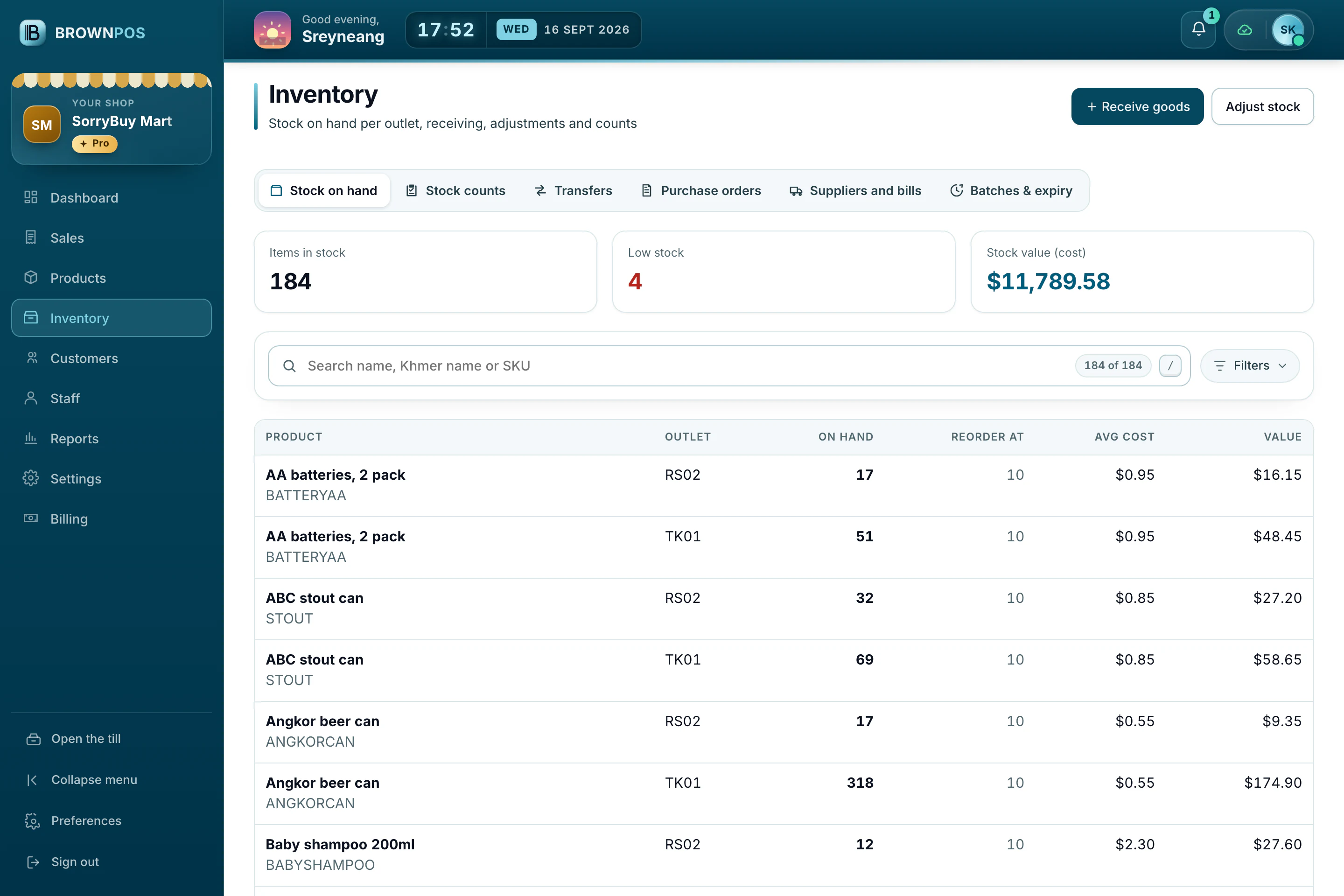
Stock that counts itself
Every sale reduces stock, and you’re warned before something runs out.
Read more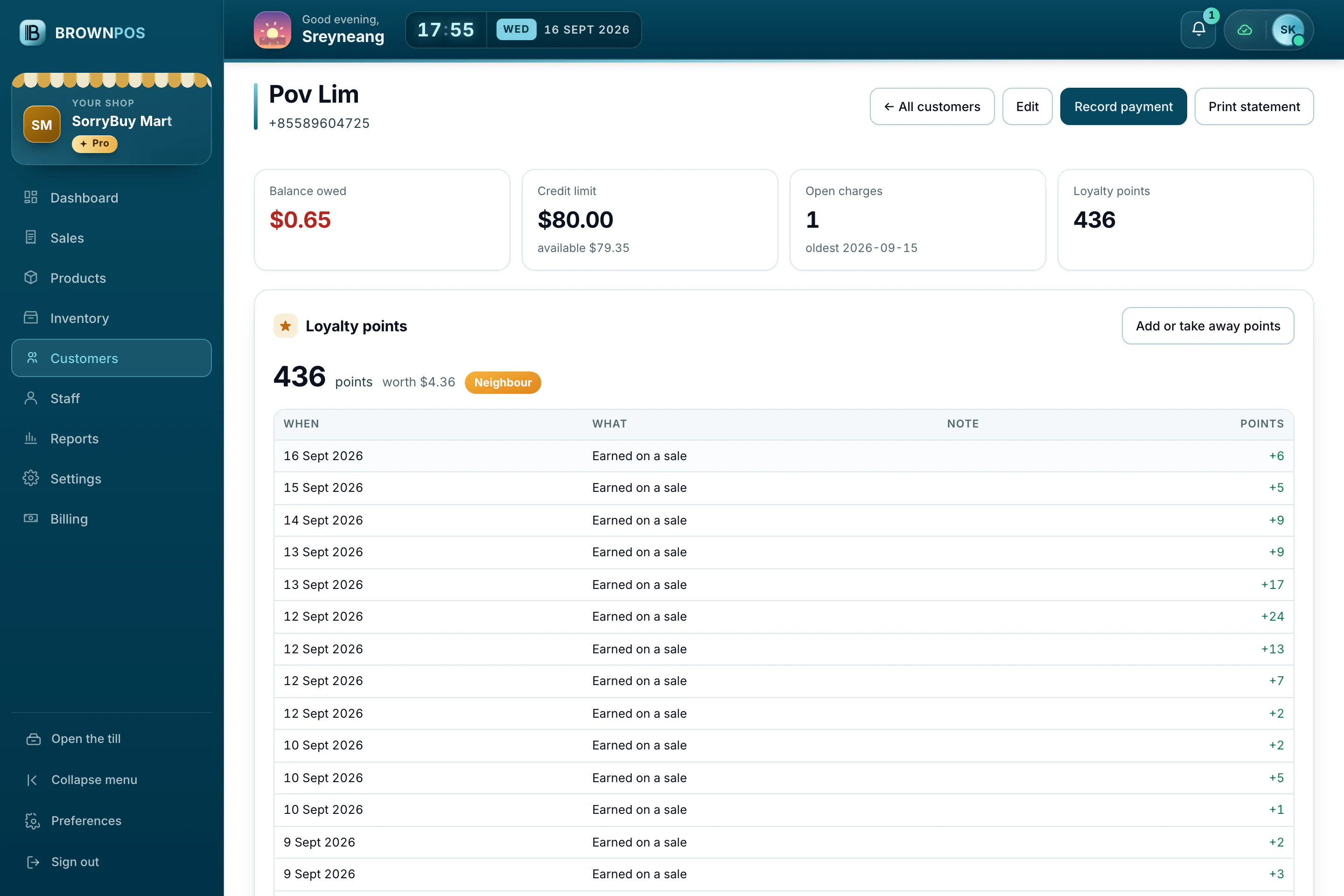
Customers and credit
See who owes what in a clear ledger, and record repayments against it.
Read morePictures on the buttons
Add a photo to a product in the back office so cashiers can find it at a glance.
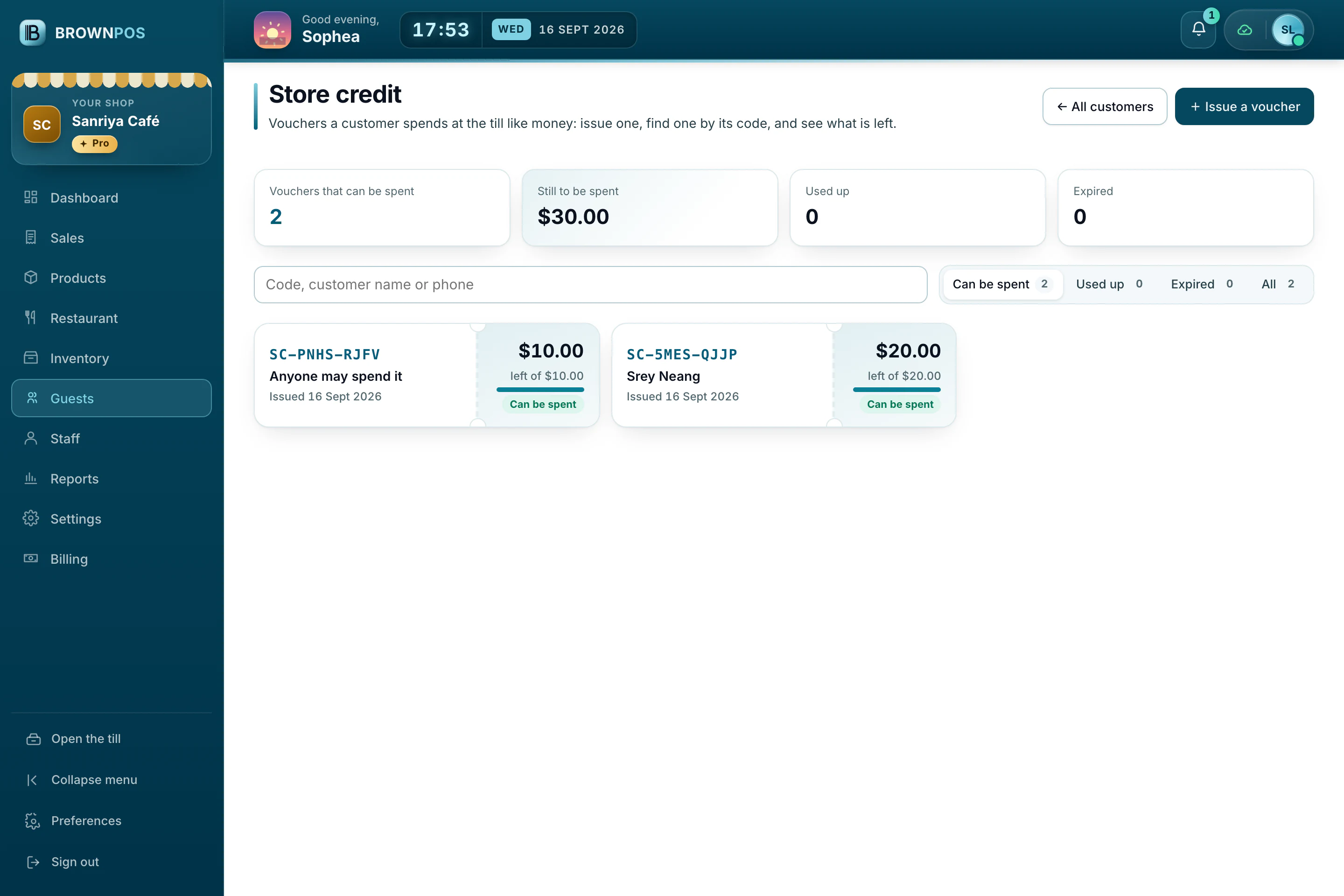
Store credit
Give customers a voucher to spend at the till, and see what’s left on each one.
Your QR on the receipt
Print your own ABA or ACLEDA payment QR on bills and receipts.
What the owner works with
Real screens from our demo shops: products and stock, customers and credit, and the people who run the shop.
Stock that counts itself
Each sale takes stock down. Low stock turns red before it runs out, and the value is always to hand.
- Reorder points per product
- Average cost kept up to date
- Counts, transfers and adjustments
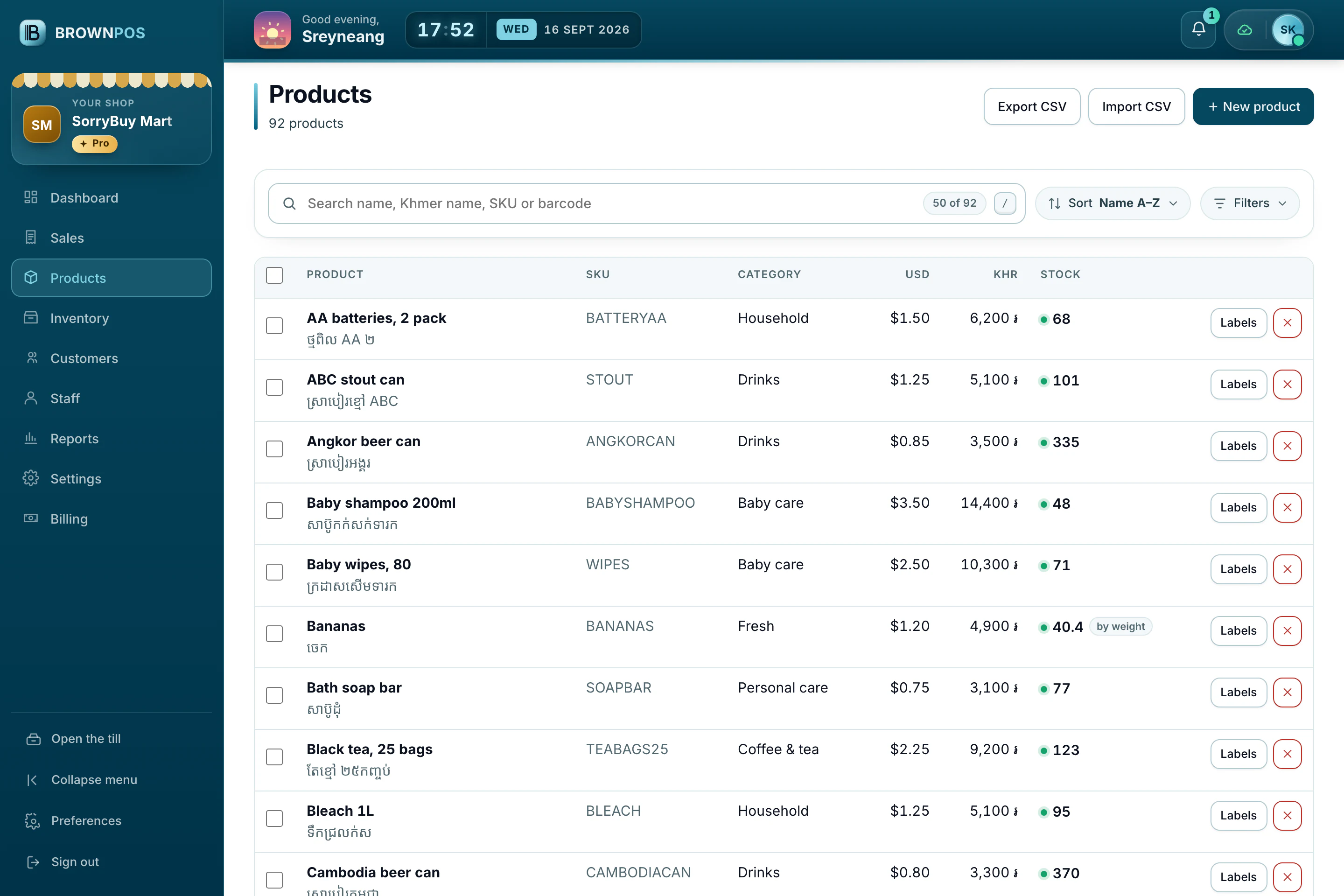
Your whole menu and shelf
Every product with its category, its price in dollars and riel, and stock for the items that track it.
- Search by name, Khmer name or barcode
- Import from a spreadsheet
- Print barcode labels
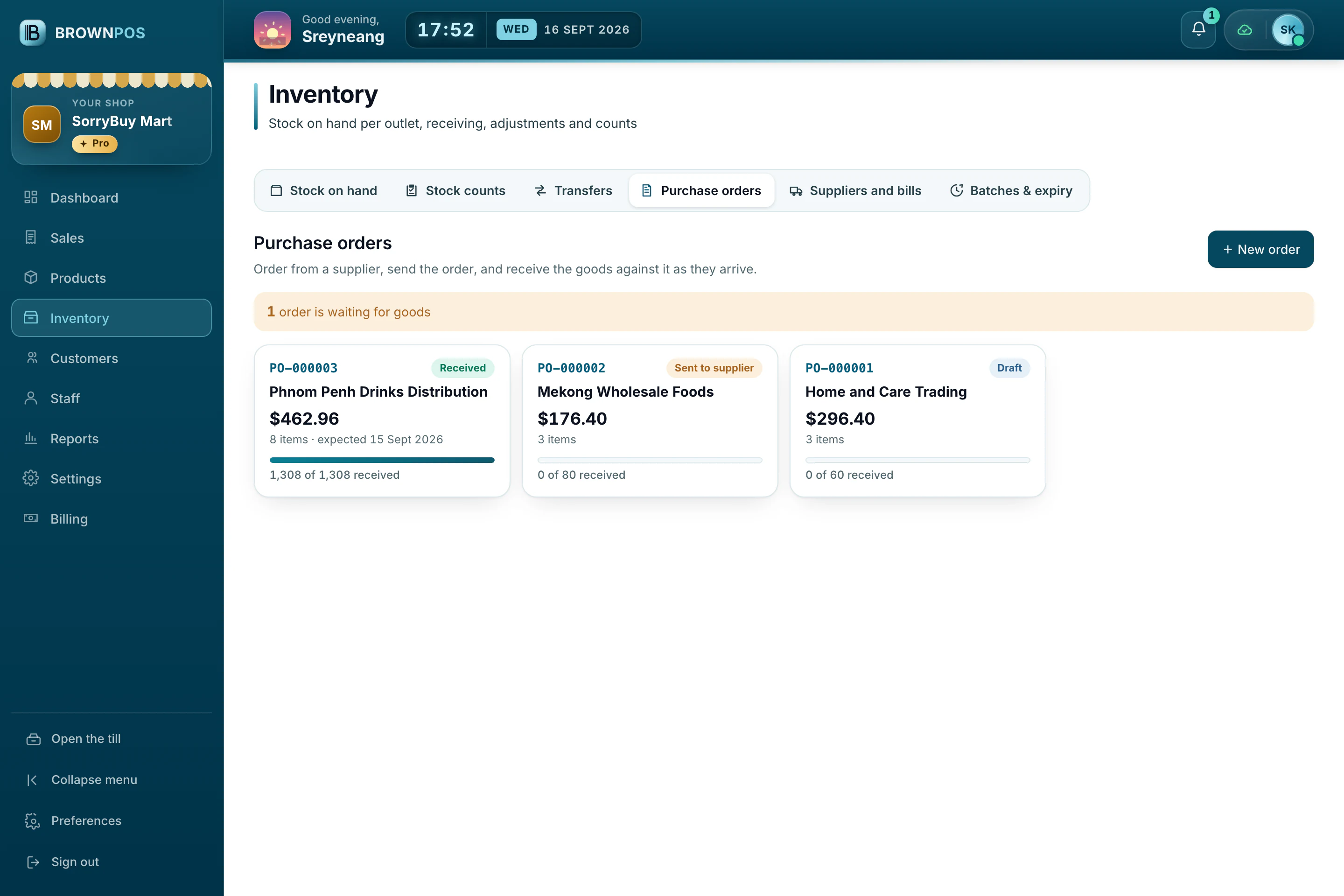
Order, receive, pay
Send an order to a supplier, receive the goods against it, and keep track of what you still owe.
- Suppliers and their bills
- Receive part of an order
- Batches and expiry dates
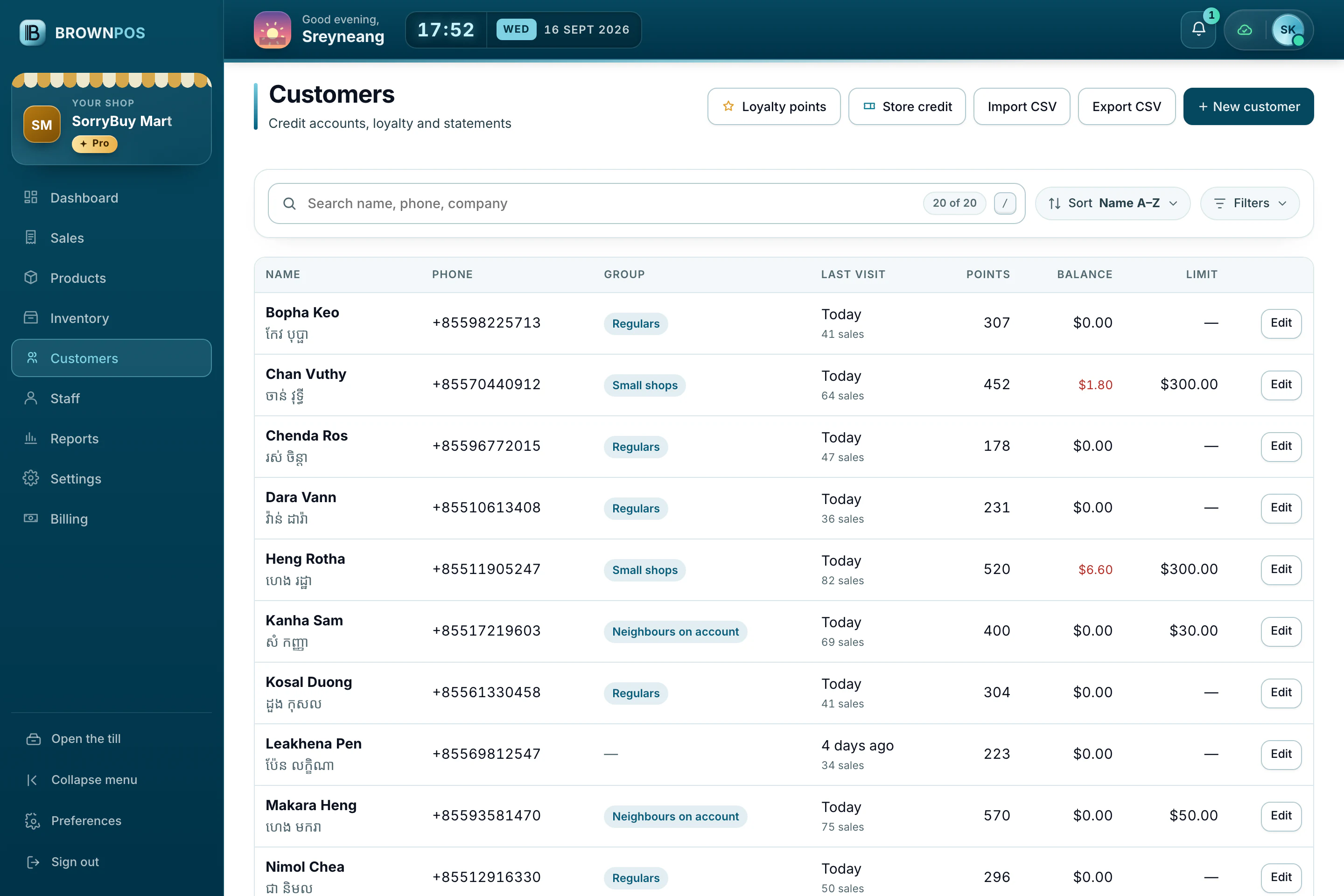
Know your regulars
Groups, credit limits, balances and when each customer last came, all in one list you can filter.
- Filter by owed, points or last visit
- Statements to print or send
- Import from a spreadsheet
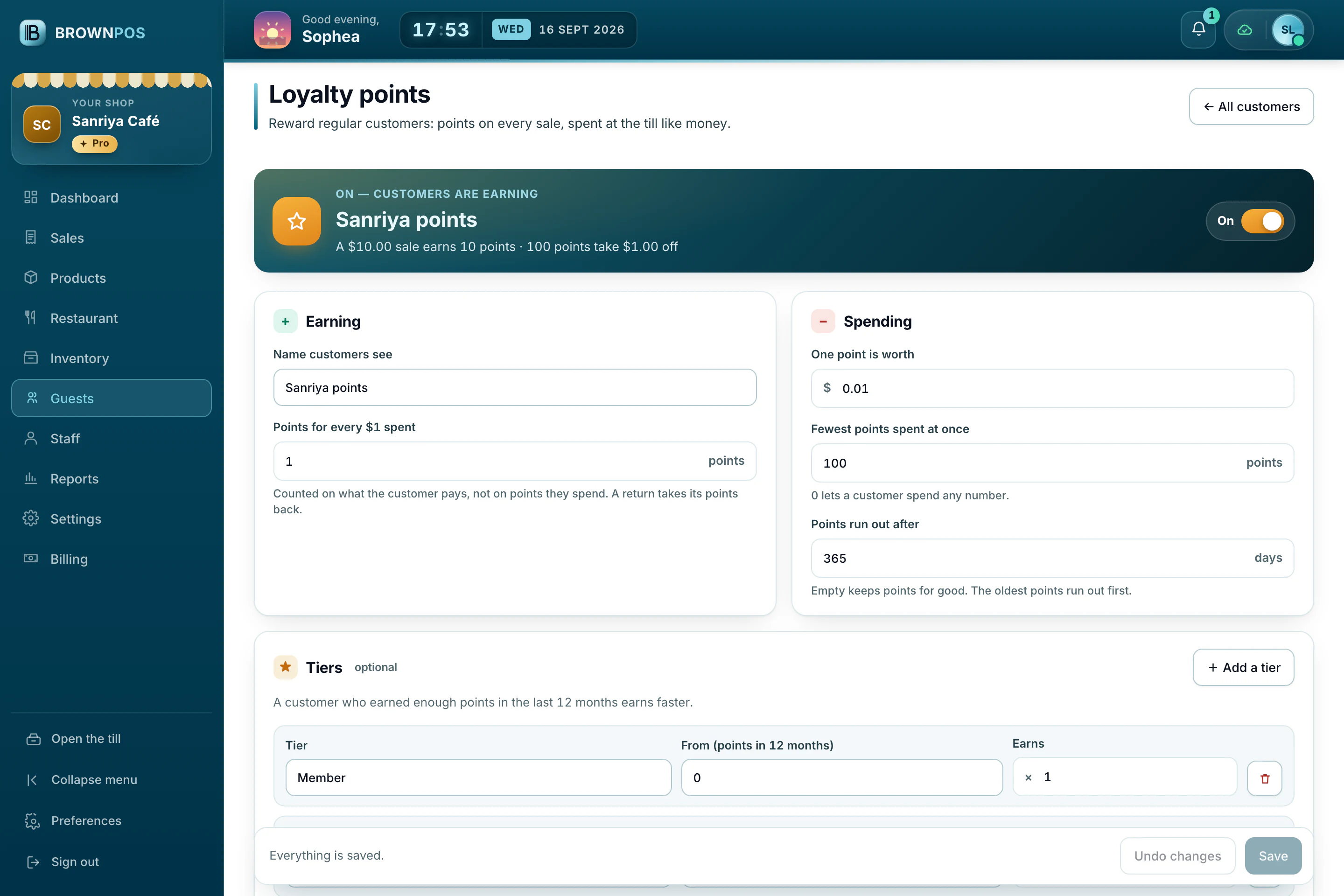
Points that bring them back
Customers earn points on every sale and spend them at the till. Switch points on or off whenever you like.
- Choose what a point is worth
- A minimum to spend at once
- Points that expire, if you want
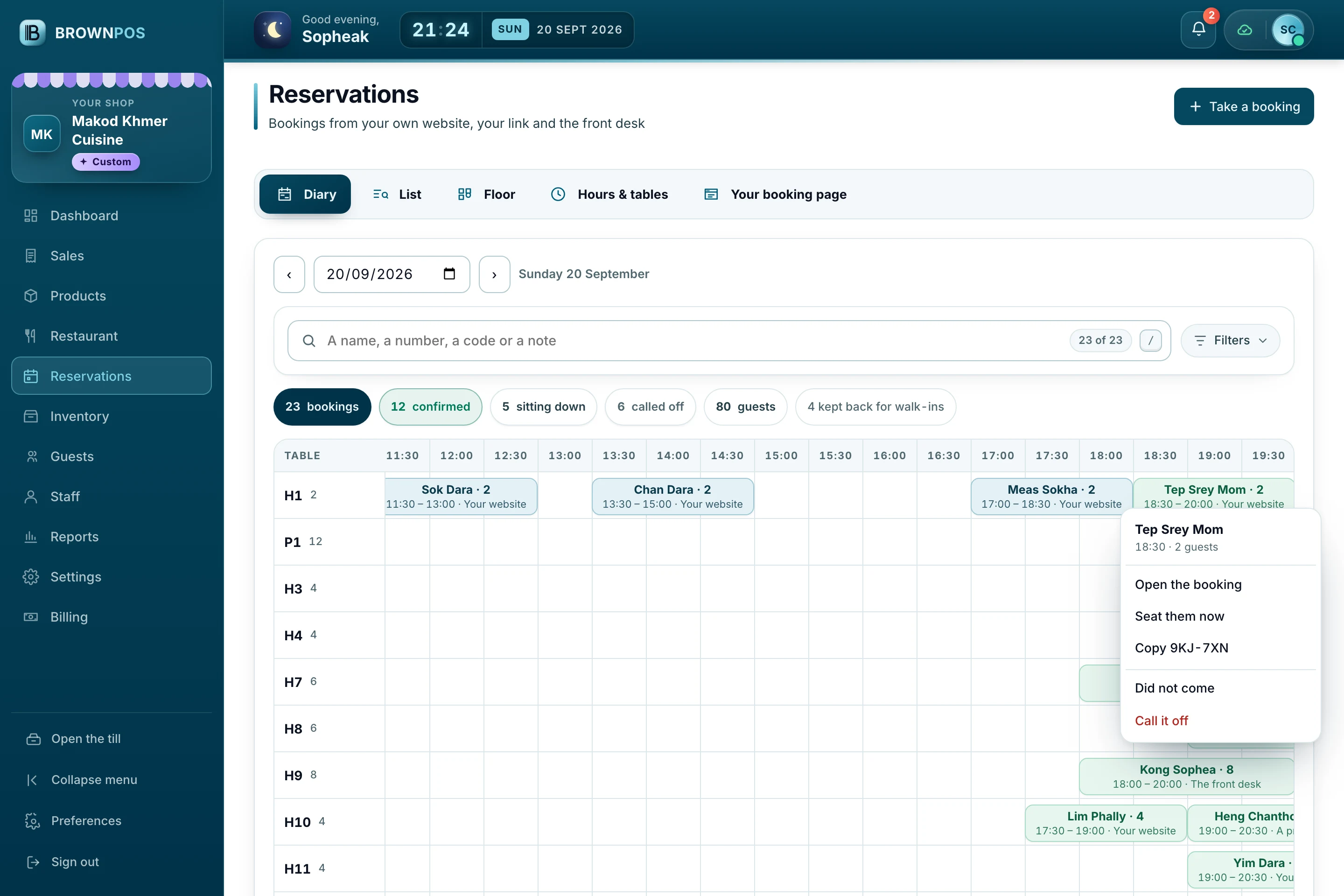
The book, table by table
Every booking on the table it is for, half hour by half hour, wherever it came from. Right-click one for everything a host does with it.
- Bookings, guests and tables kept back, counted
- Website, link, QR and the front desk in one book
- The table column stays put while the day scrolls
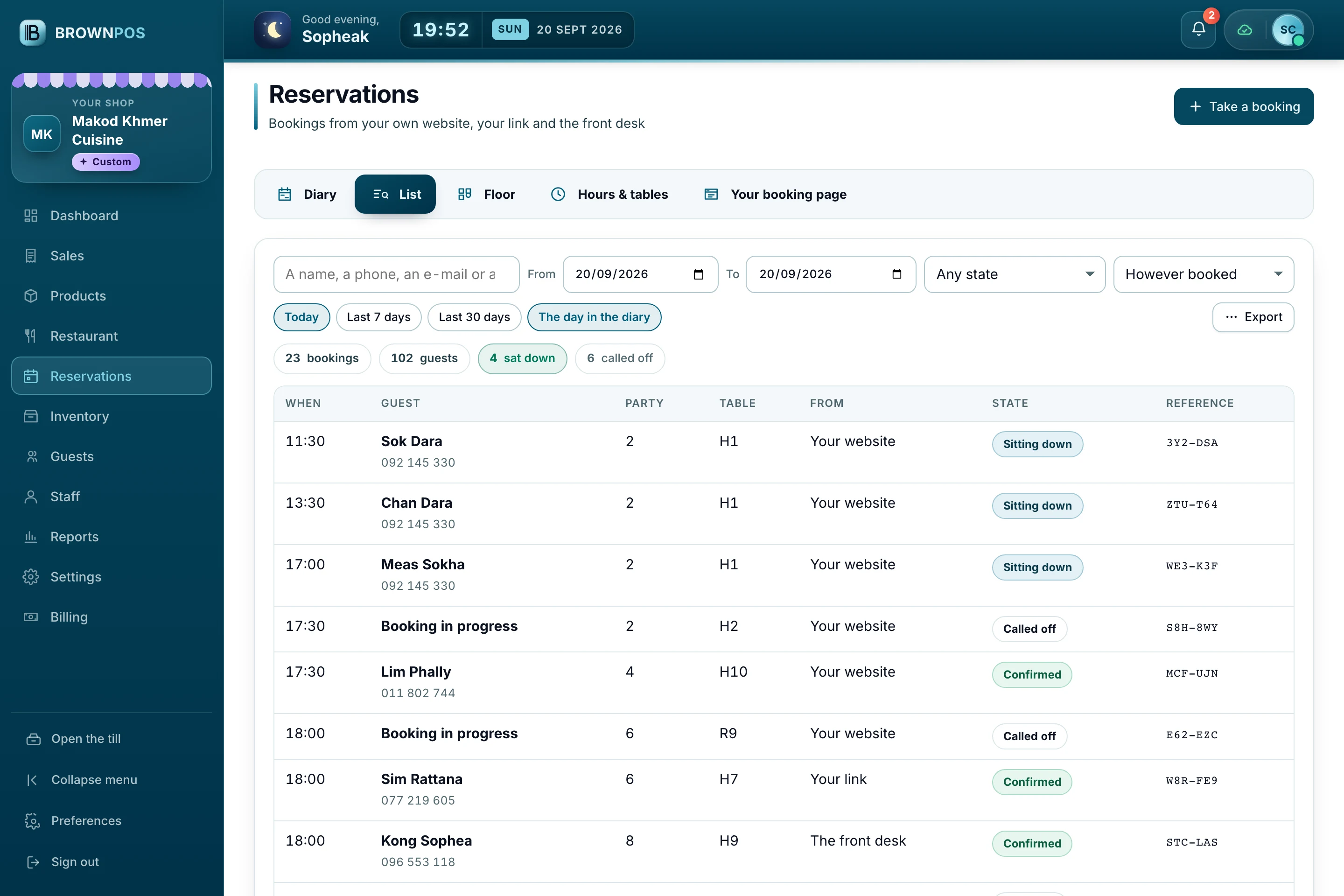
Every booking, searchable
Guest, phone, party, table, how it was booked and its reference — across days, not just the one the diary is showing.
- Filter by state and by how it came
- Search a name, a number or a reference
- Export for a spreadsheet or an accountant
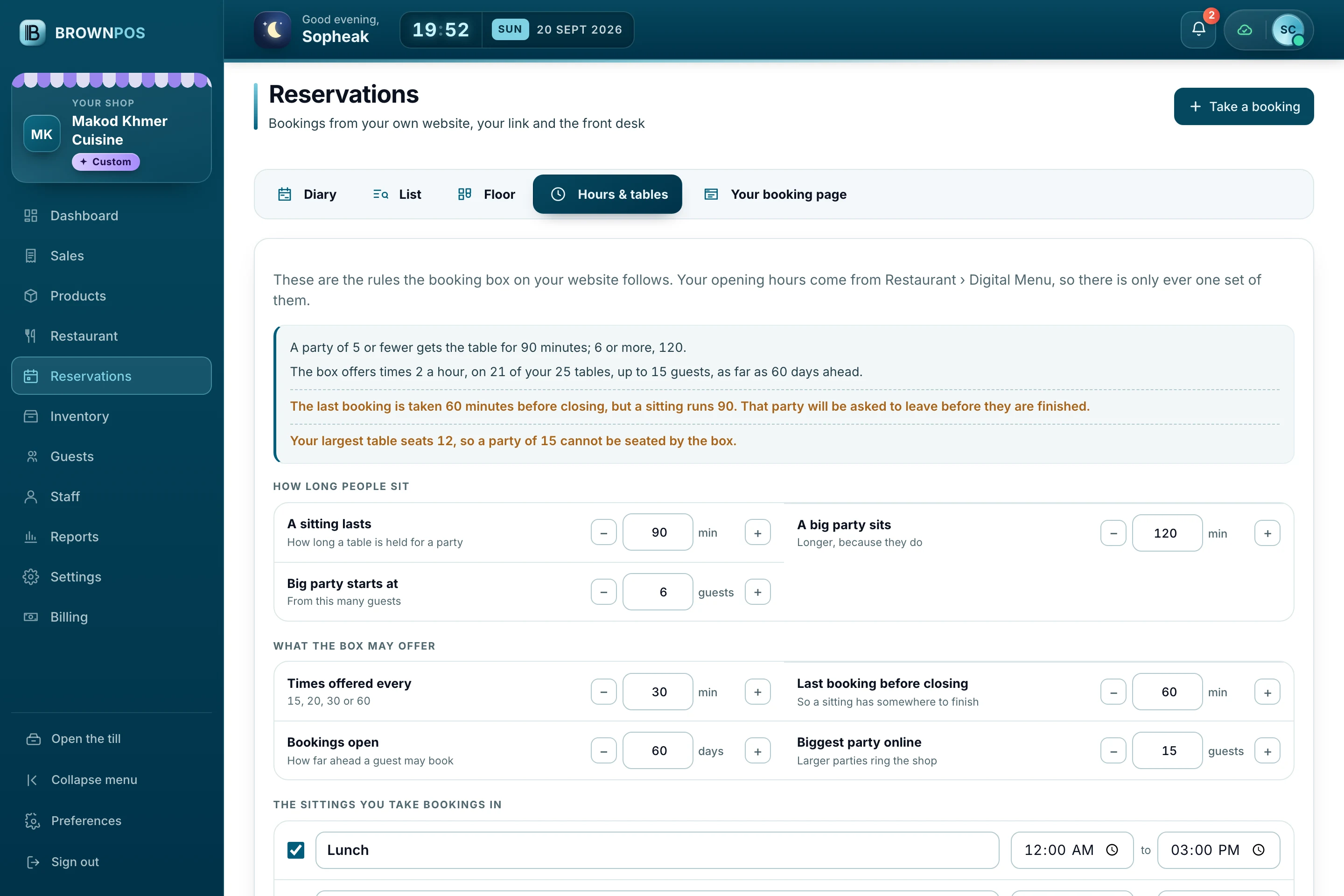
The rules are your rules
How long a sitting lasts, how far ahead guests may book, the biggest party online, and the tables you keep back for walk-ins.
- Warnings where two rules disagree
- Opening hours come from your menu
- The last booking before closing
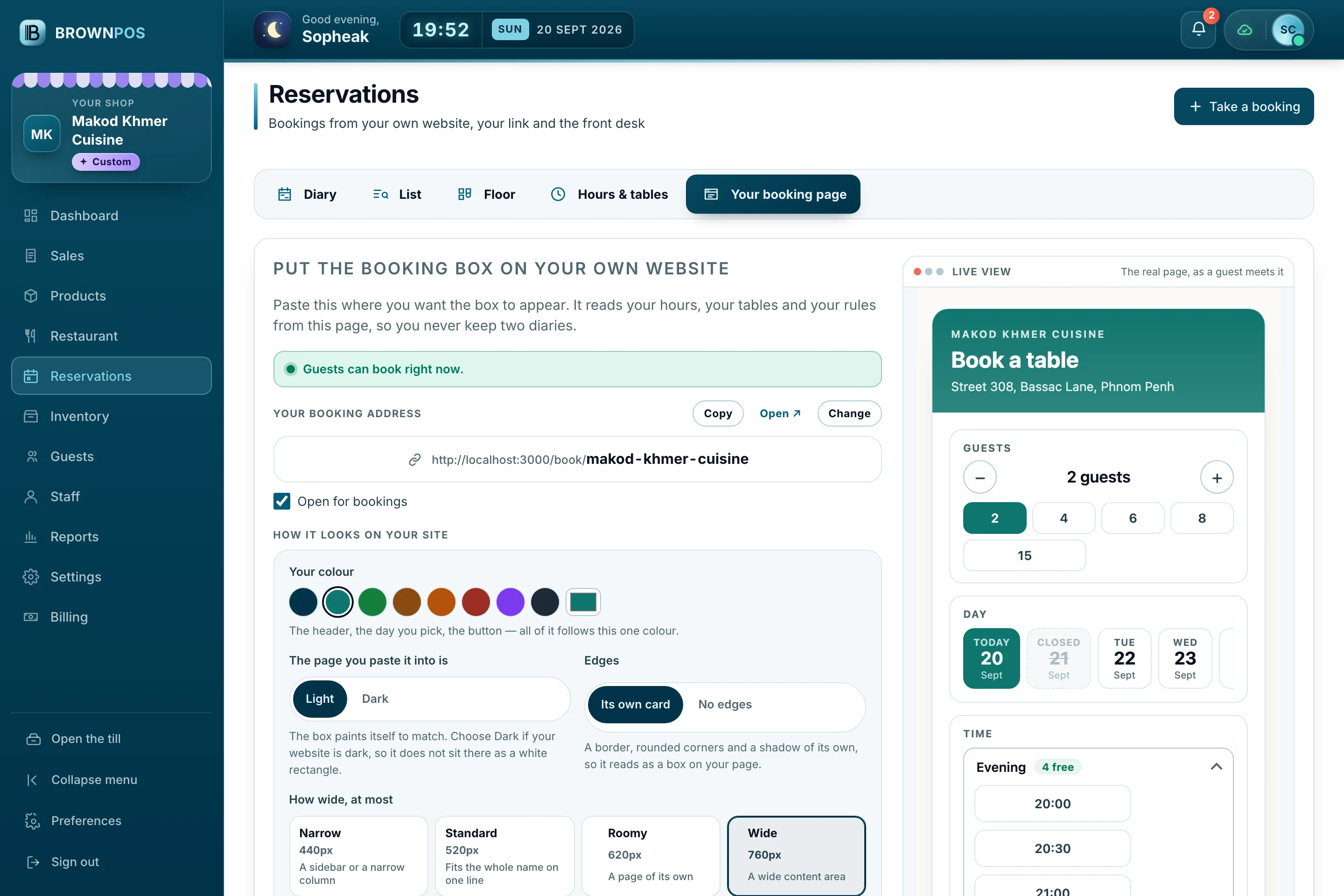
A booking page of your own
Your booking address to copy, your shop’s colour, light or dark, and a line of embed code for the website you already have.
- A live view of the real page beside it
- Choose how wide the box may grow
- No commission on what it takes
Vouchers with their own code
Give a voucher as a gift or a refund, let it be spent at the till, and always see what is left on it.
- For one customer or anyone
- Every use kept in its history
- What is still waiting to be spent
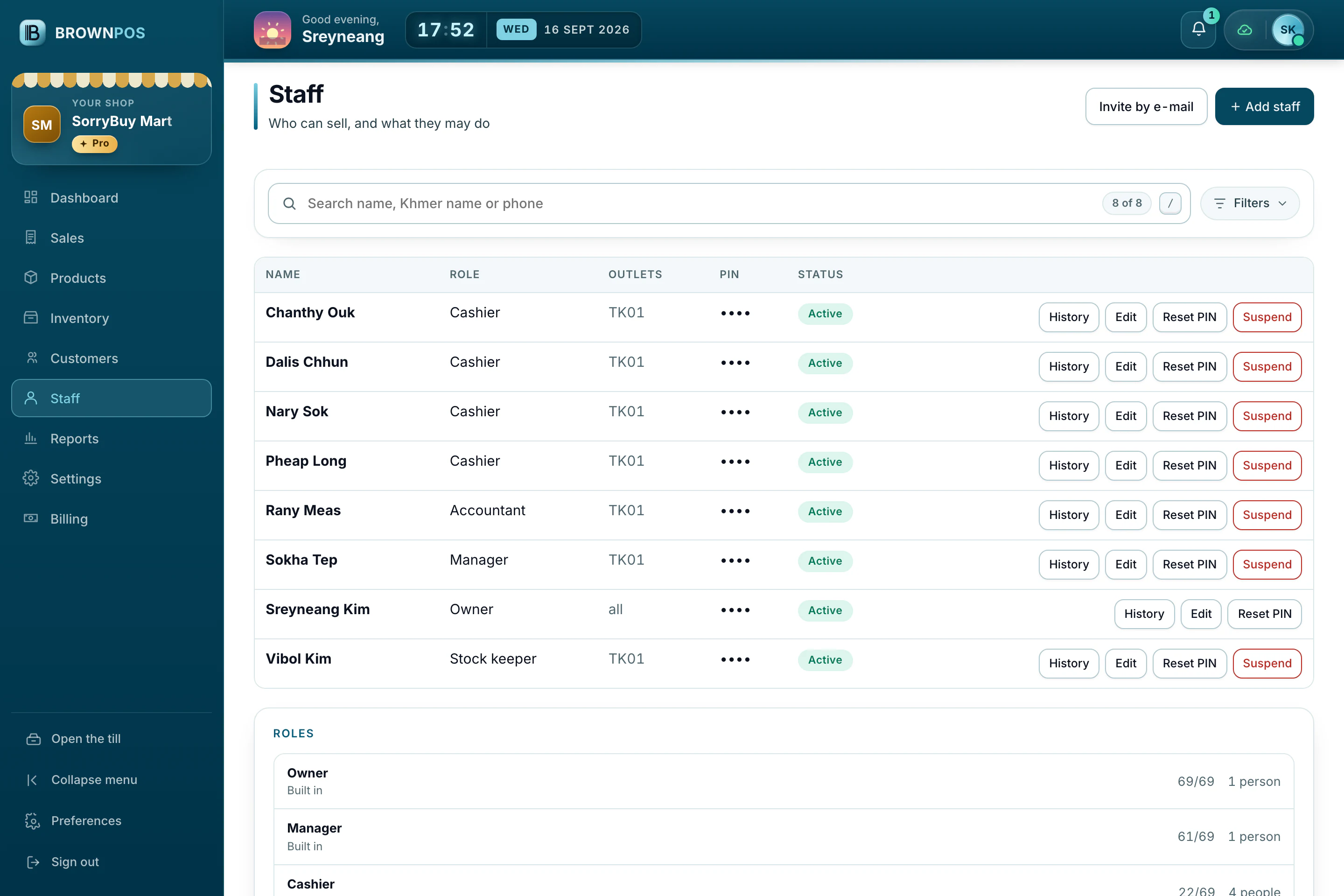
Everyone signs in as themselves
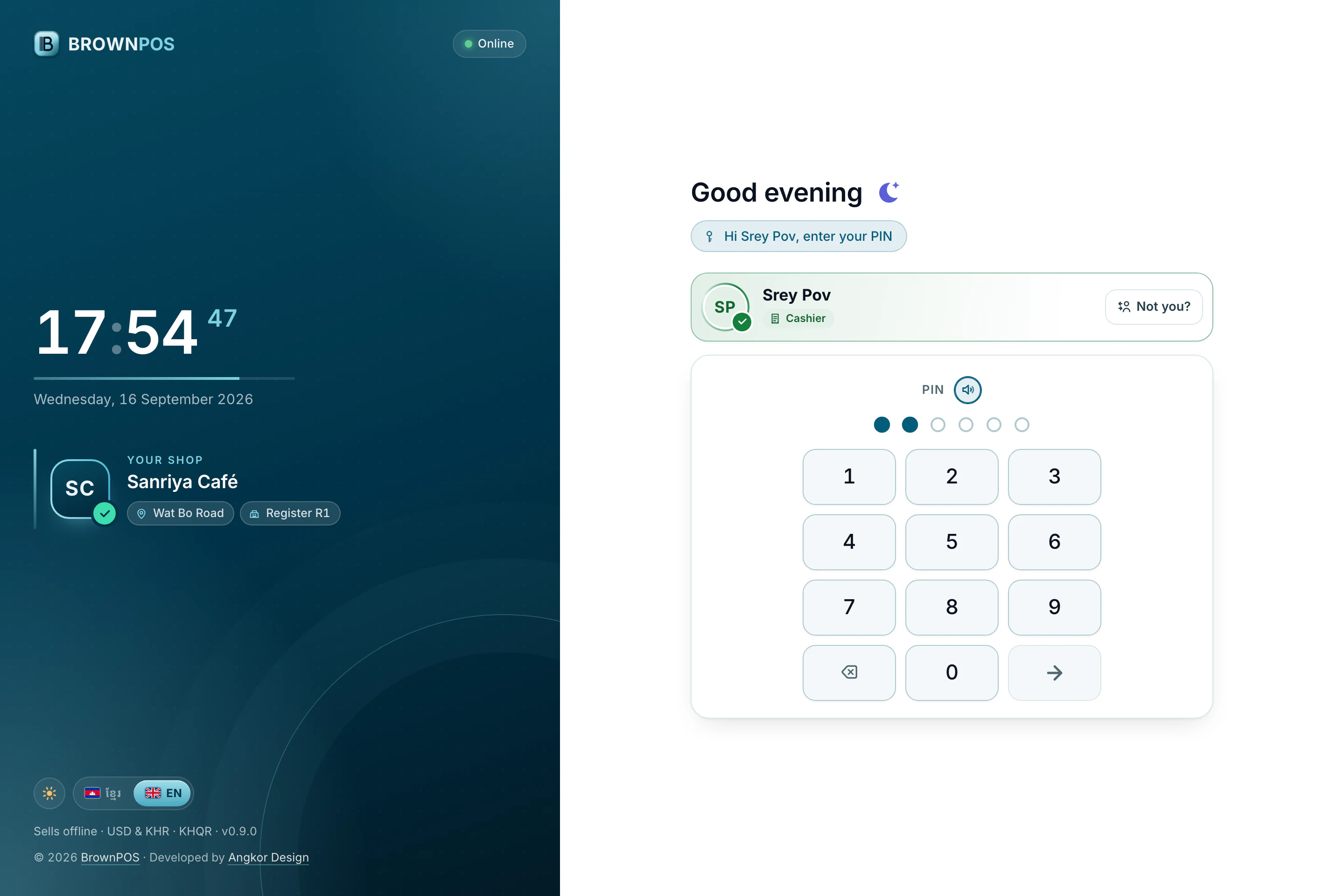
Each person has a PIN and a role, so every sale, discount and void is theirs.
- Roles from ready-made positions
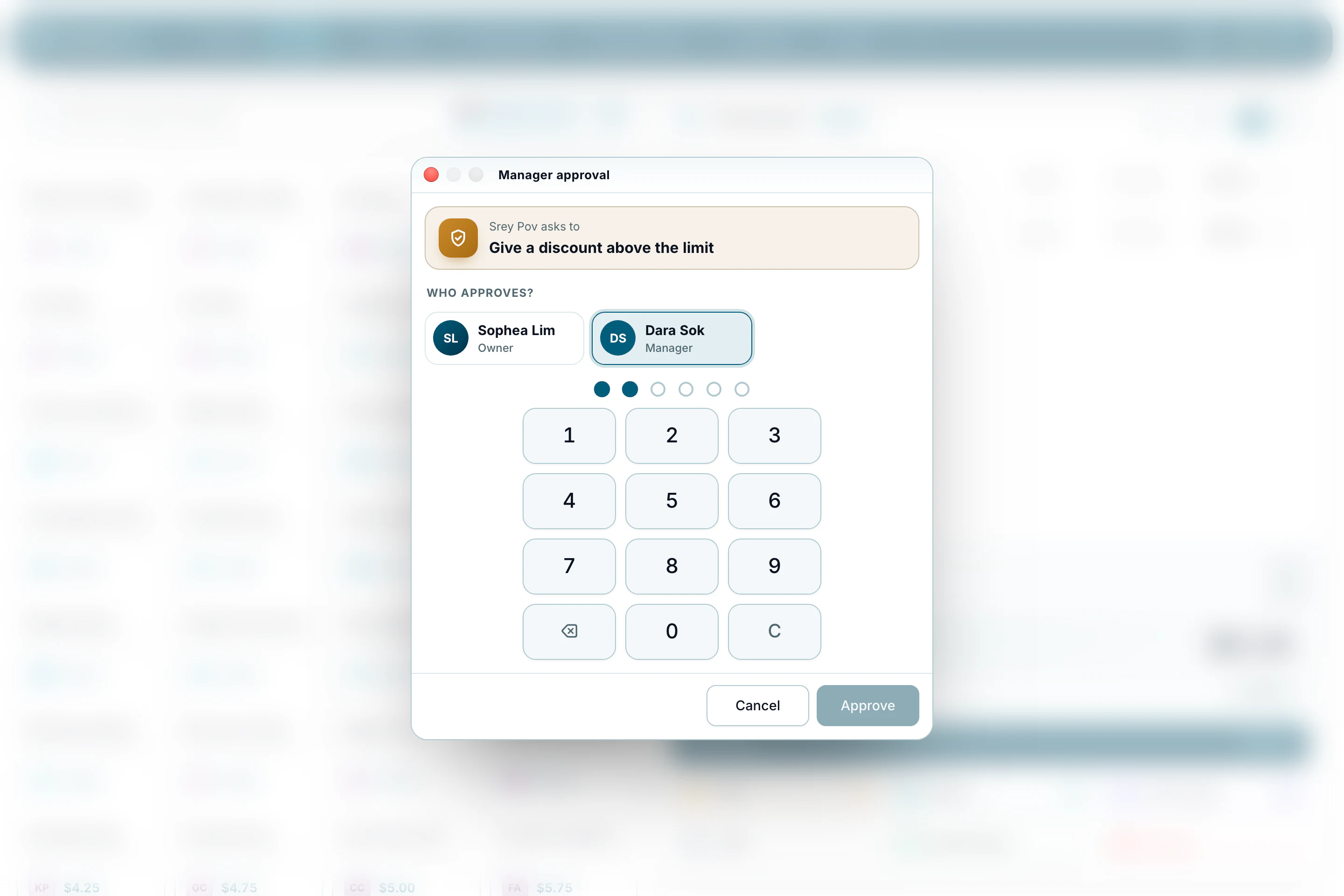
- Manager approval for risky actions
- Suspend or reset a PIN in one tap
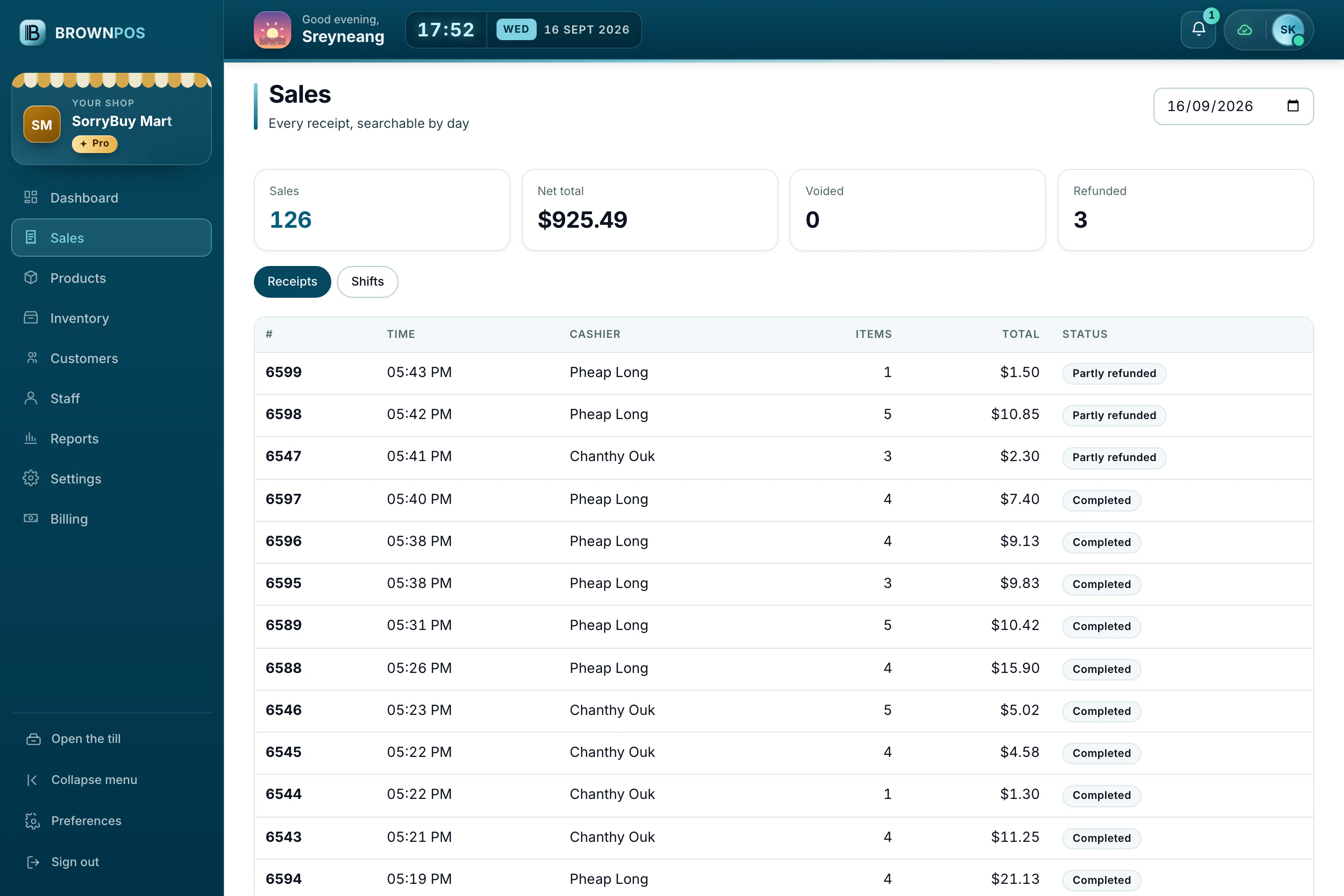
Every receipt of the day
Find any sale by time, cashier or amount, and open it to see exactly what was sold and how it was paid.
- Receipts and shifts side by side
- Refunds and voids kept, never erased
- Export when you need it
What the owner sees
The day, totalled
What sold, how much came in as cash and as KHQR, and who made each sale.
Read more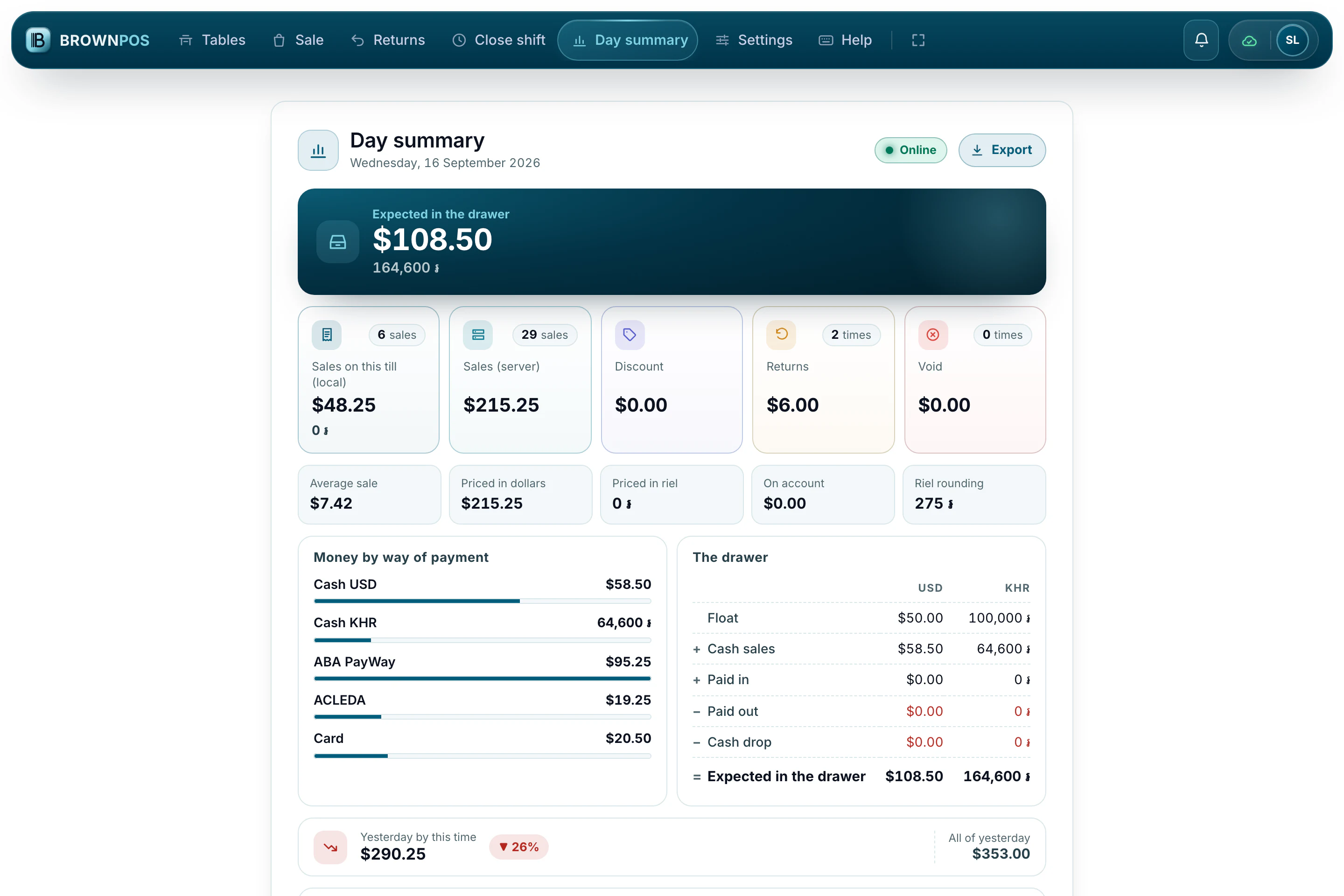
A summary in Telegram
The day’s totals and important alerts, sent to your Telegram.
More than one shop
Each branch keeps its own stock and figures, all under one account.
Each person signs in with their own PIN
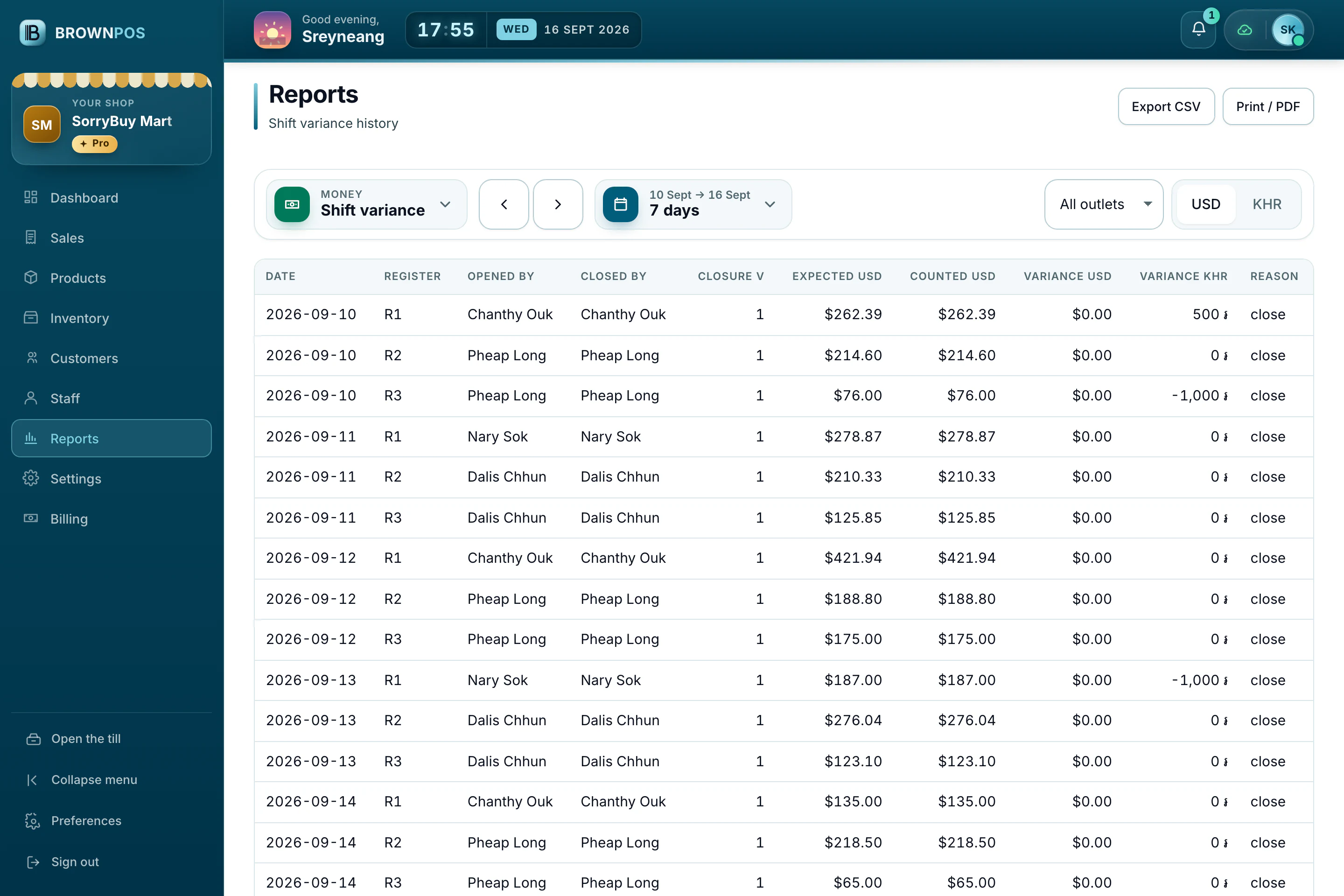
Everyone at the till has their own PIN, so every sale, discount and void is linked to the person who made it.
- Roles decide who can give discounts or void a sale
- Risky actions need a manager’s approval first
- A record of who used the till, and when
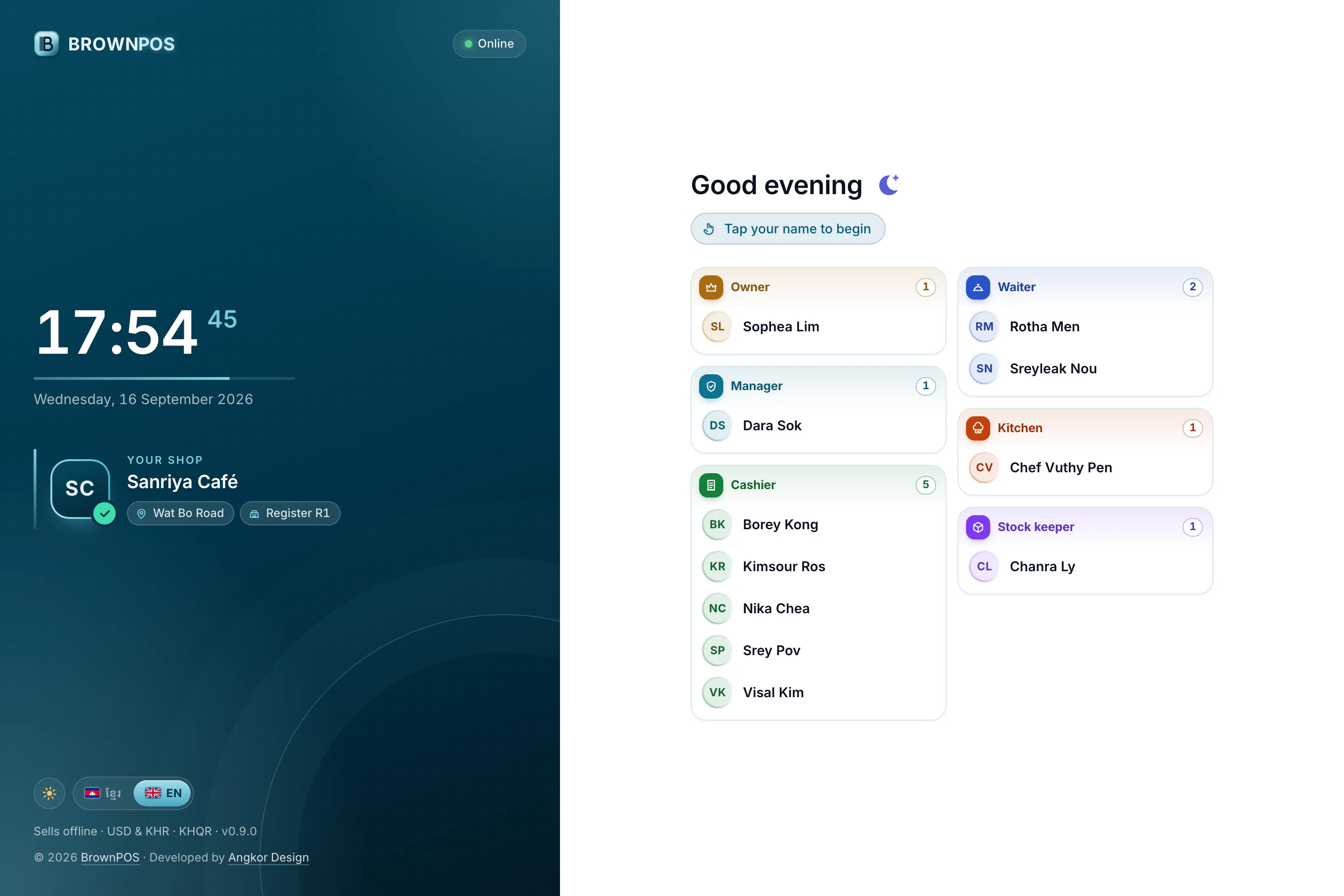
The till lists the team grouped by what they do, so each person finds their own name at once.
Put BrownPOS on your counter this week
Sell offline, take KHQR and print in Khmer. See it all in a demo, end to end. Your data belongs to you from the first sale.