Know what’s on the shelf without walking to it
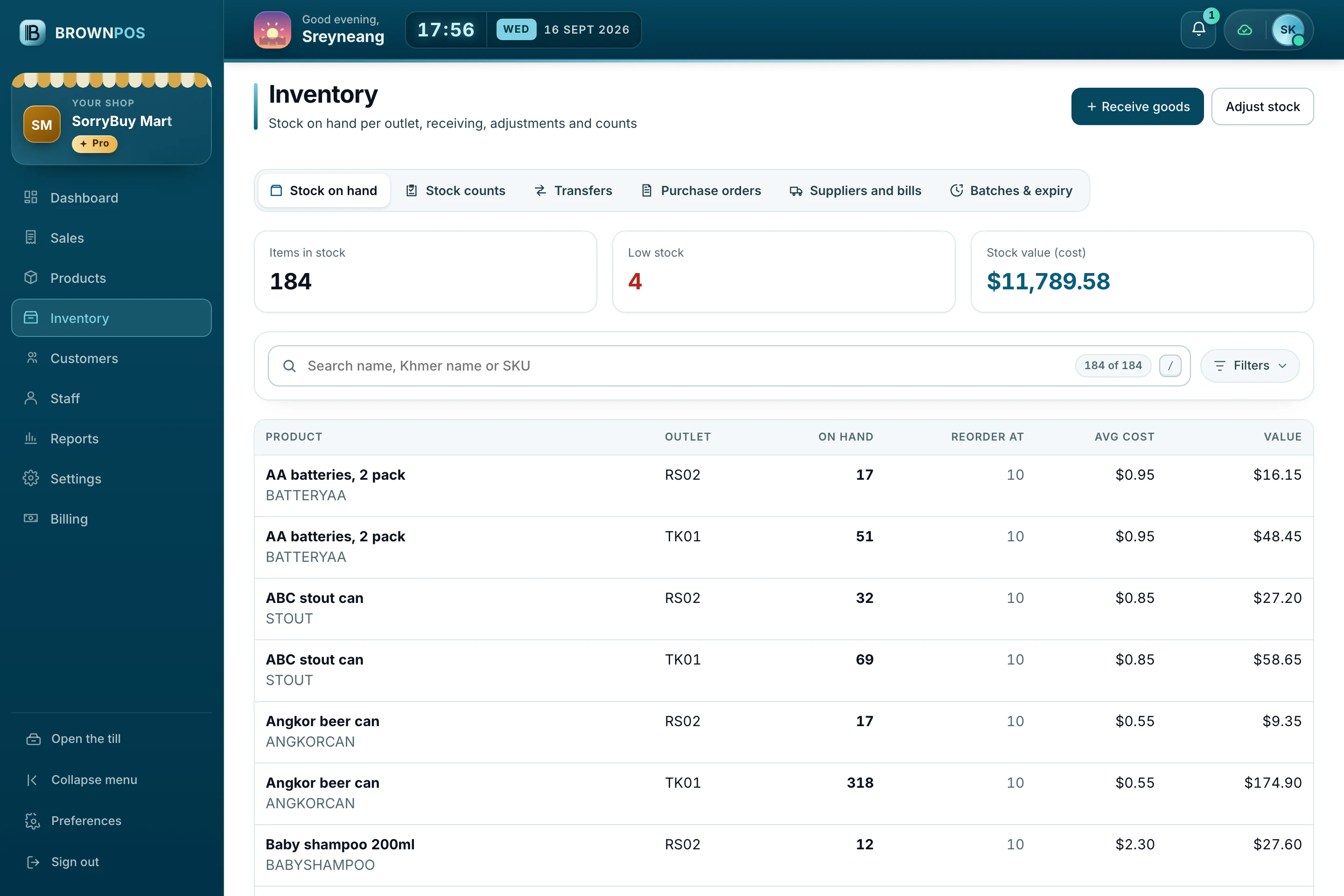
Stock isn’t a separate job. It updates by itself with every sale, return and delivery.
Stock that looks after itself
Counts down as you sell
Every sale reduces stock straight away, even when the internet is off.
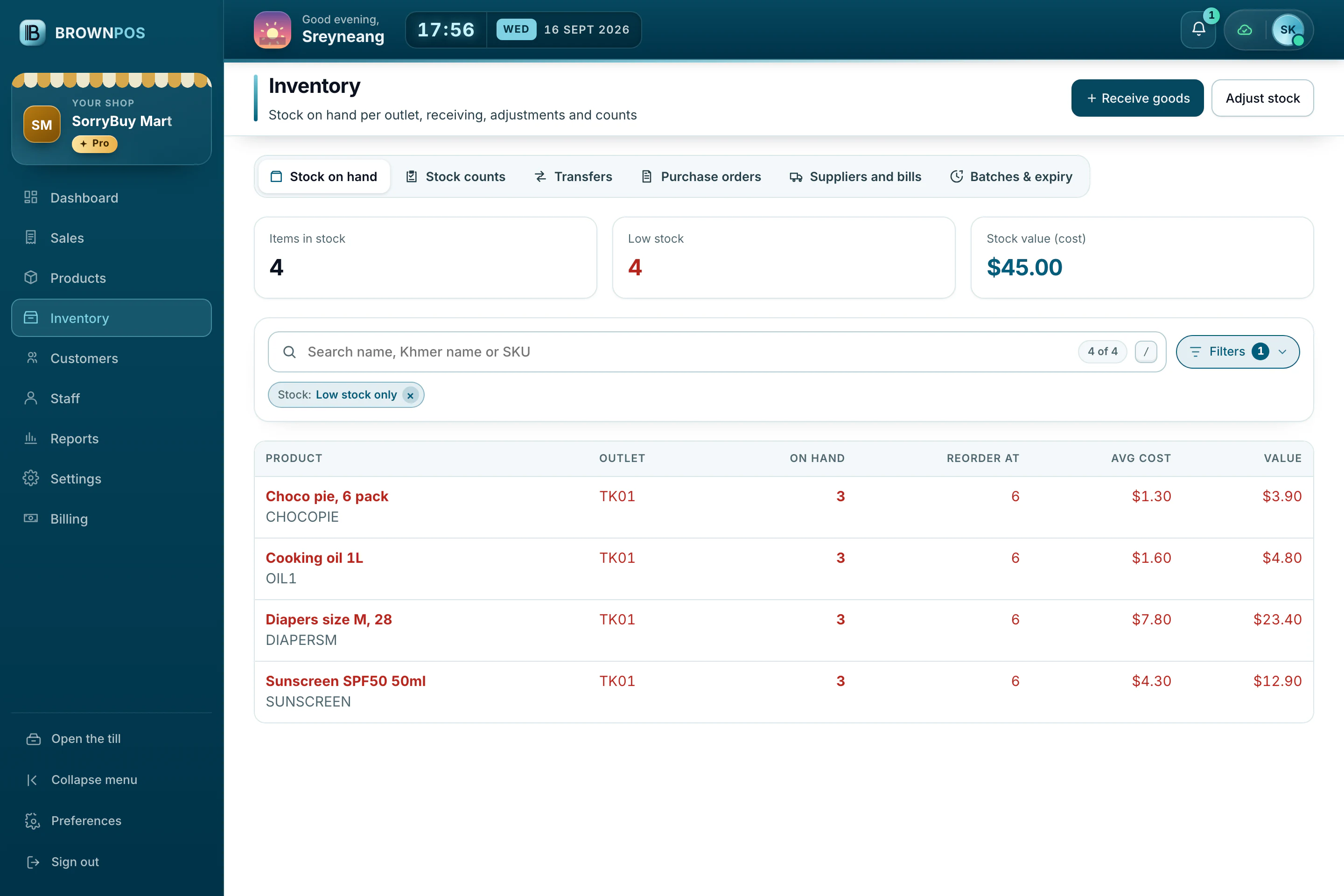
Warns you first
Set a minimum for each product and you’ll be warned before it runs out.
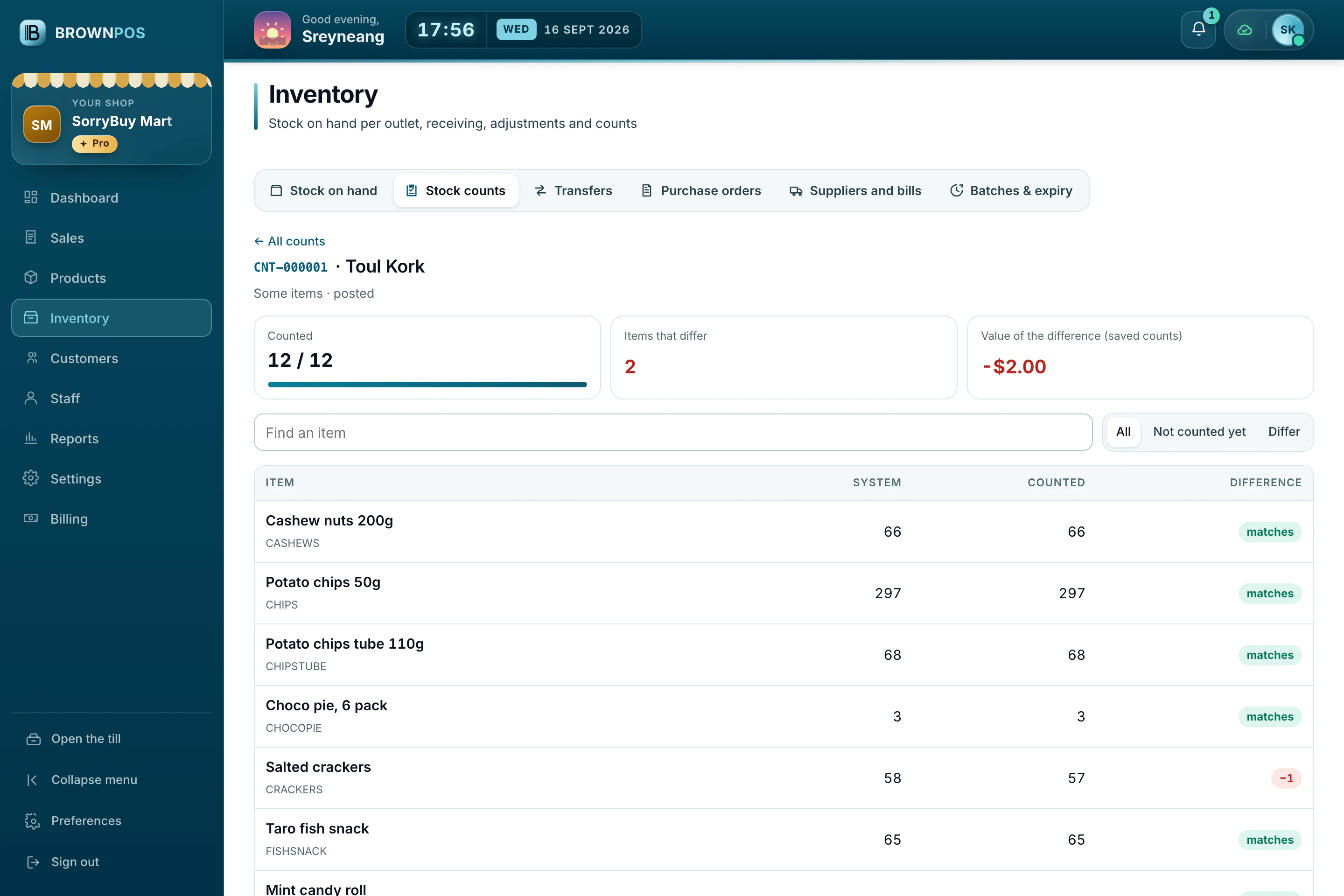
Count when you need to
Start a count, enter what’s really on the shelf, see the differences and fix them in one step.
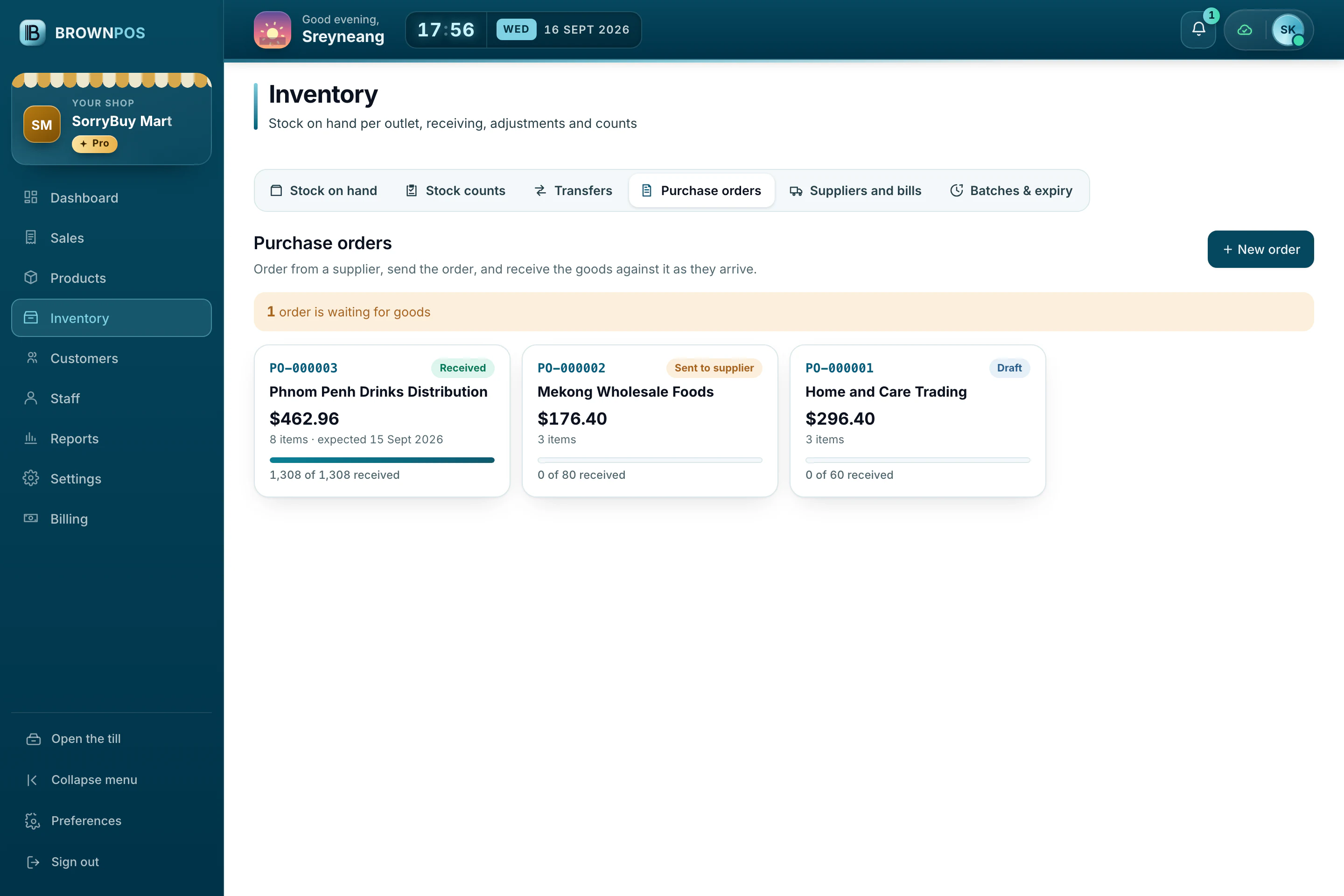
Purchase orders and supplier bills
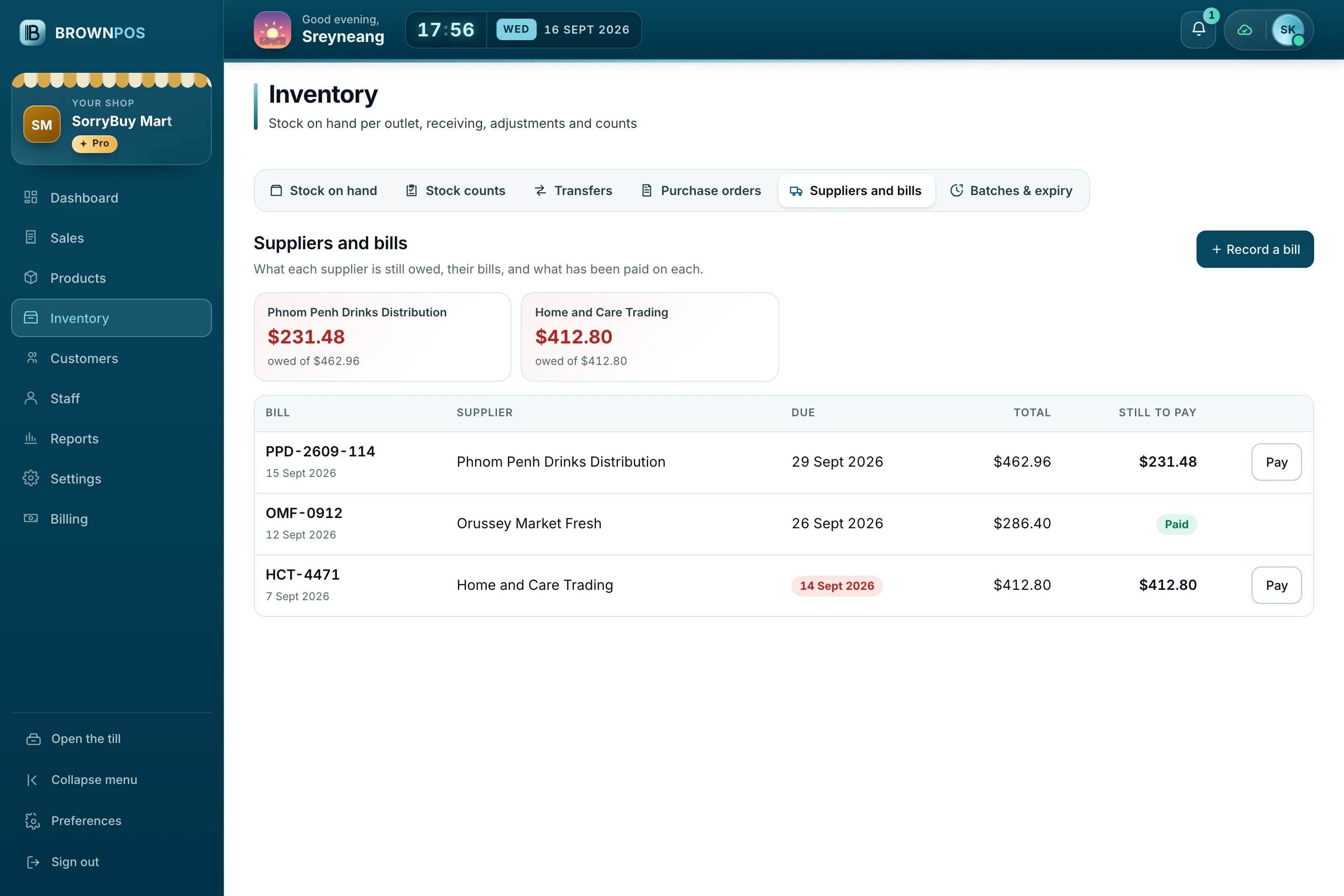
Order from a supplier, receive the goods against the order, and see what you still owe on each bill.
Batches and expiry dates
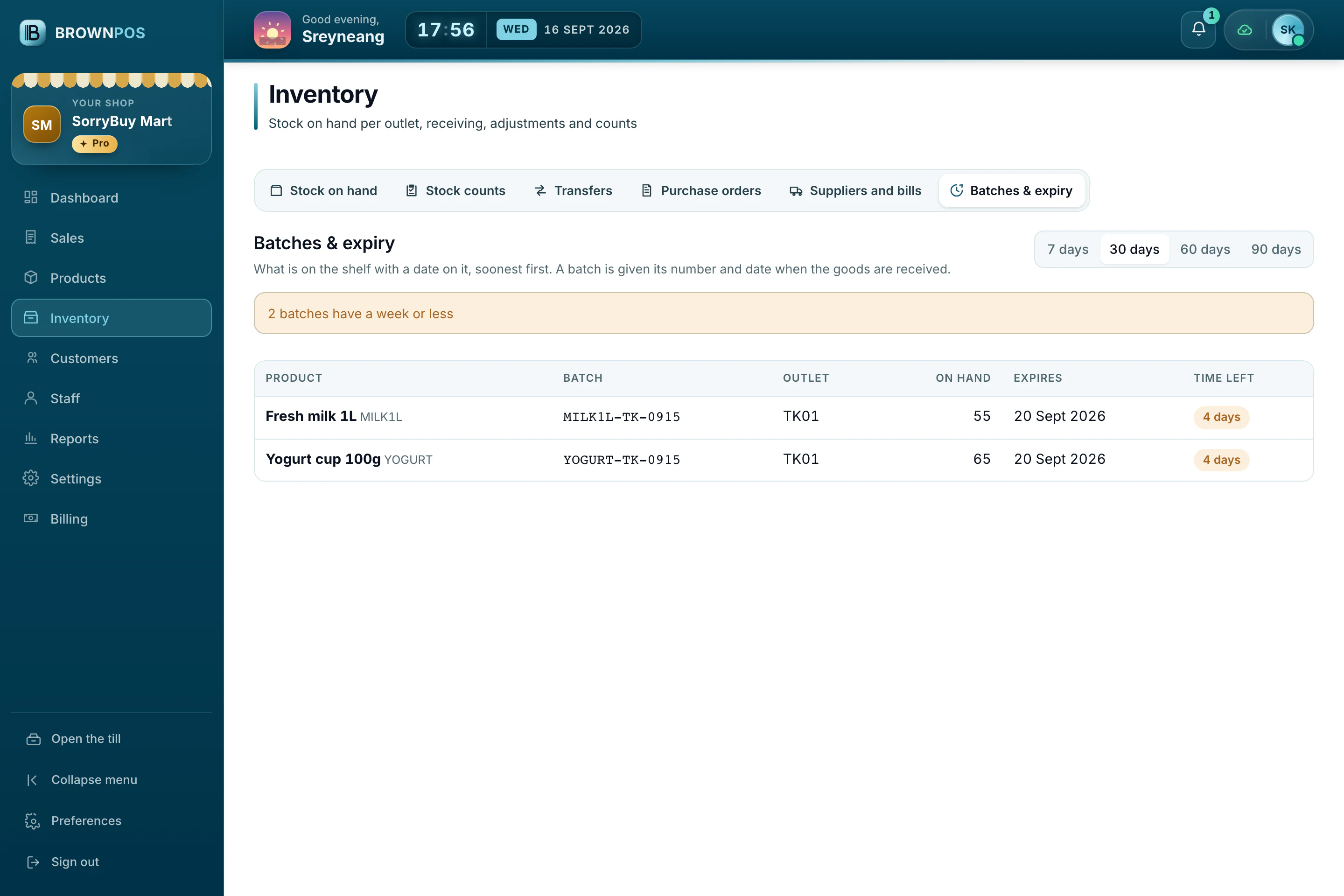
Keep batches with their expiry dates and see which ones are running out of time.
Stock value and reorder list
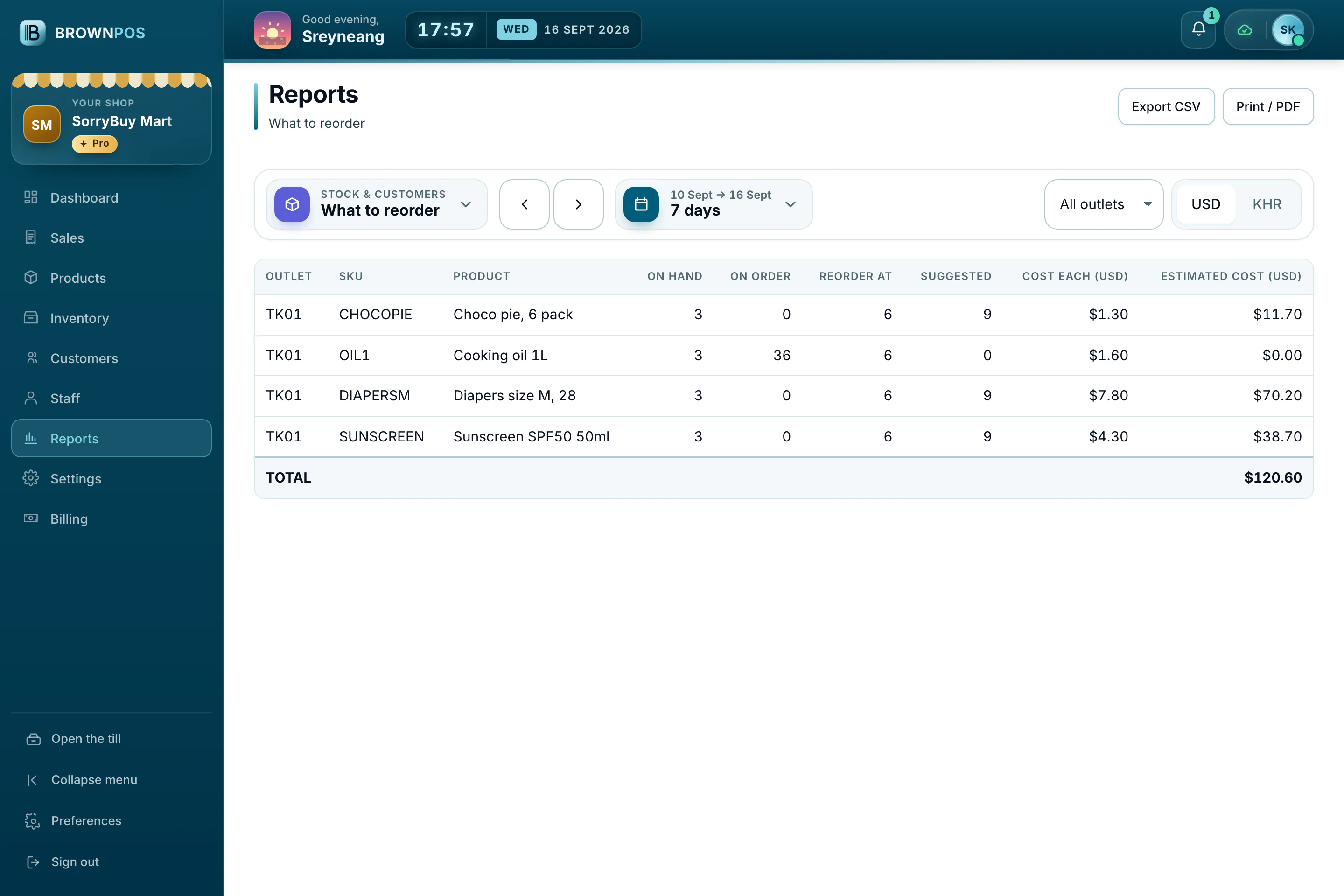
See what your stock is worth, and a suggested list of what to order next.
Each branch keeps its own stock
The same product can have different counts in different branches, and the reports show both.
- Send stock from one branch to another, and receive it at the other end
- Low-stock warnings for each branch
Every sale takes it off the shelf the moment it is rung up, at every branch, even with the internet down.
Stop walking to the shelf to check what’s left
Every sale updates stock, low stock warns you first, and each branch counts its own. See it in a demo, on a shop already selling.