Khmer that prints properly
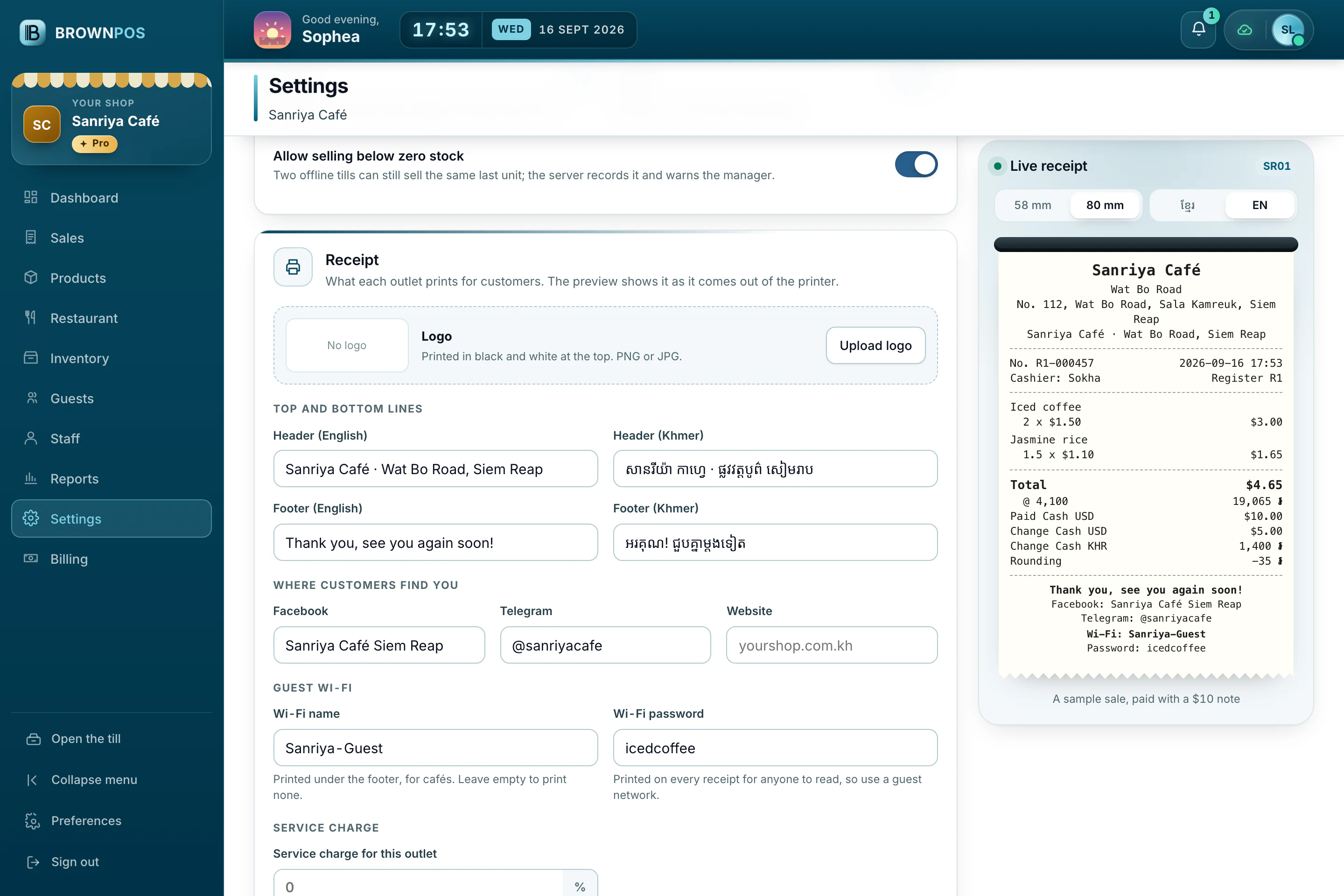
Many receipt printers can’t print Khmer properly. We solved that, so your receipts read clearly in Khmer or English.
On narrow paper and wide
58 mm and 80 mm
Choose your paper size and the layout adjusts itself.
Dollars and riel
Both totals, with the exchange rate used.
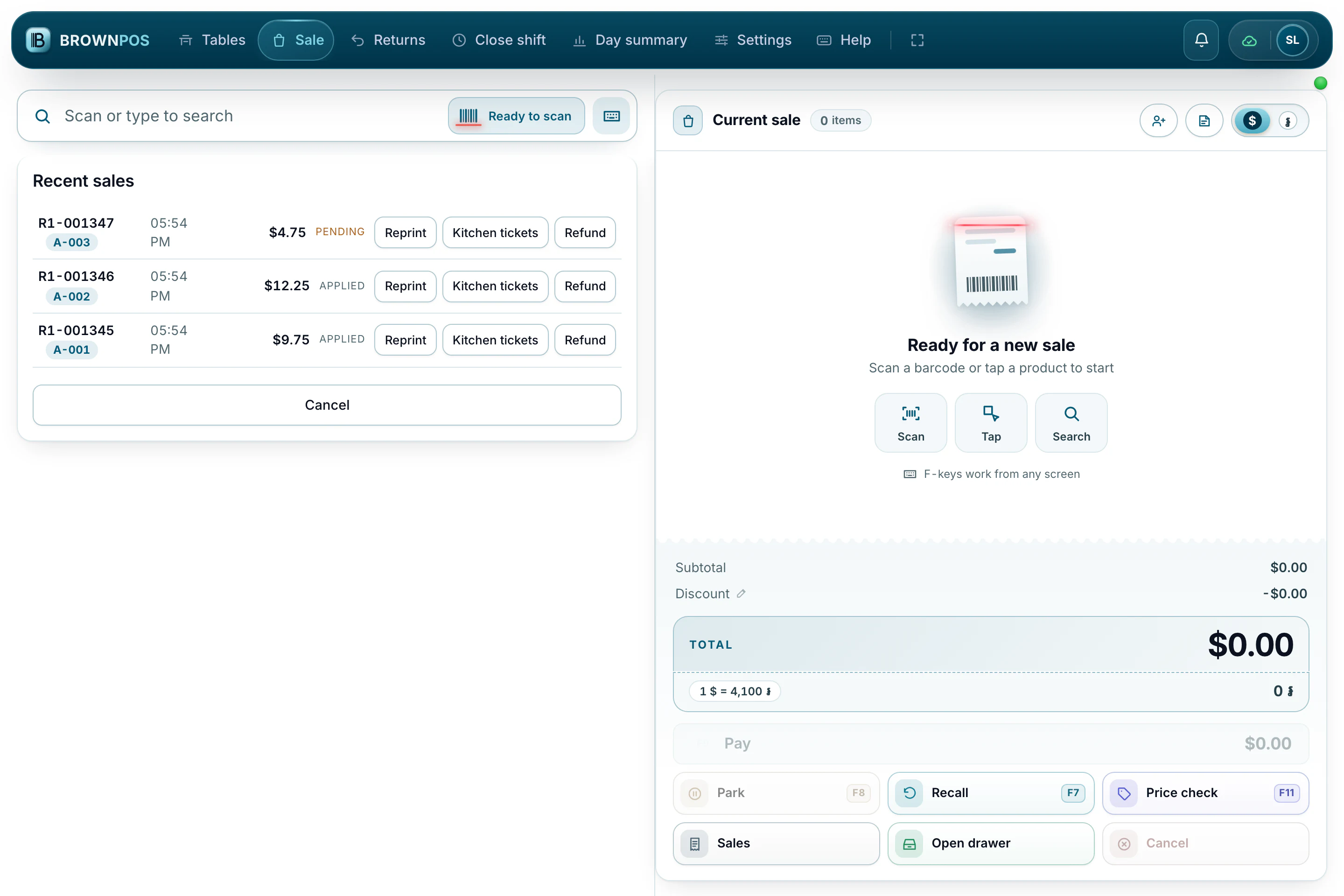
Prints automatically
After every sale, or only when you ask.
Your own payment QR
Upload the QR from your ABA, ACLEDA or other bank app, and print it on bills, receipts or both.
Your logo, at your size
Add your logo, then choose small, medium or large for the logo and the payment QR.
Wi-Fi and social links
Add a header and footer, your Facebook, Telegram or website, and the guest Wi-Fi password.
Three ways to connect
Even with no printer at all, the receipt still shows on screen, so you can keep trading.
- A USB cable, straight in
- Bluetooth or serial
- A network printer, shared by more than one till
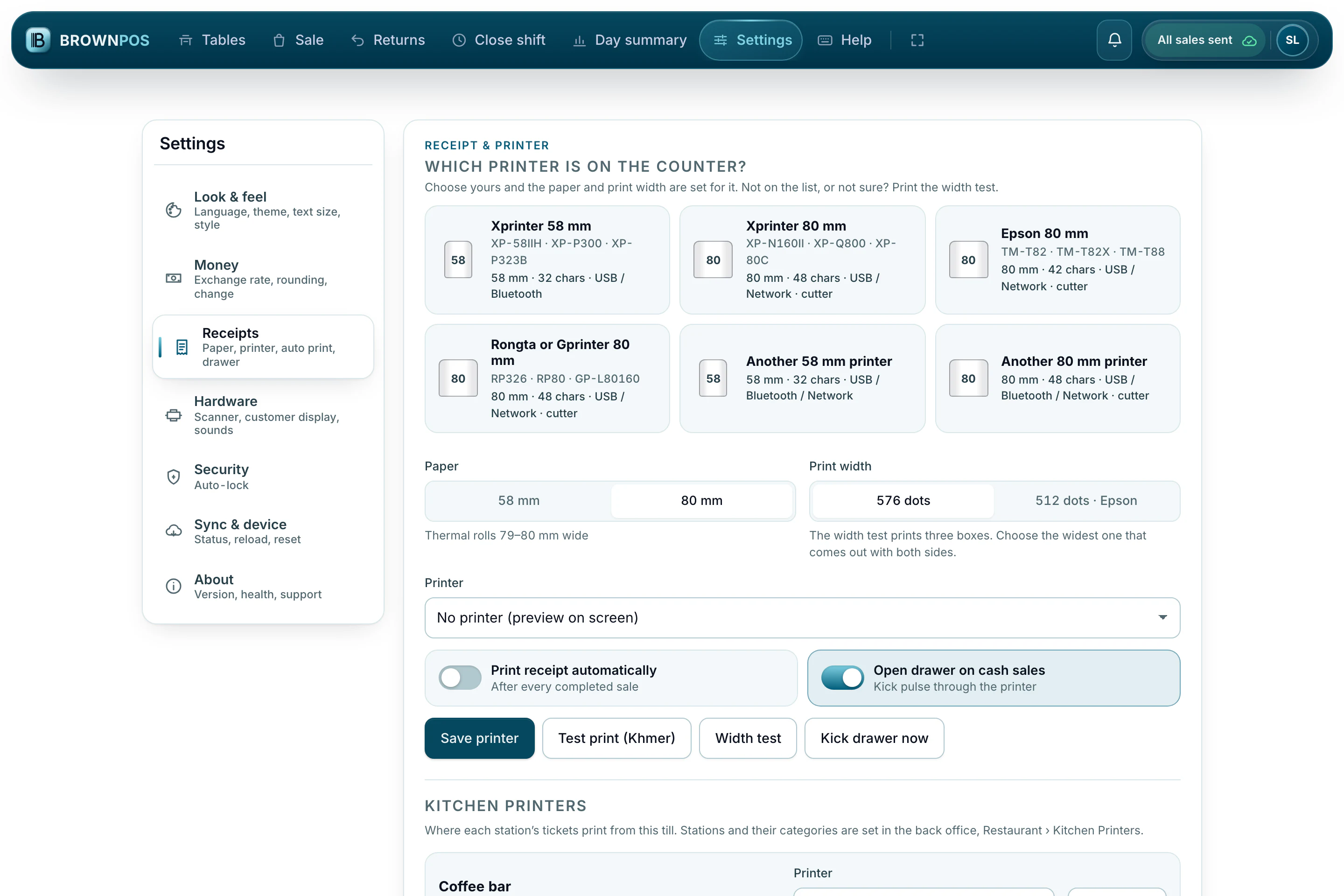
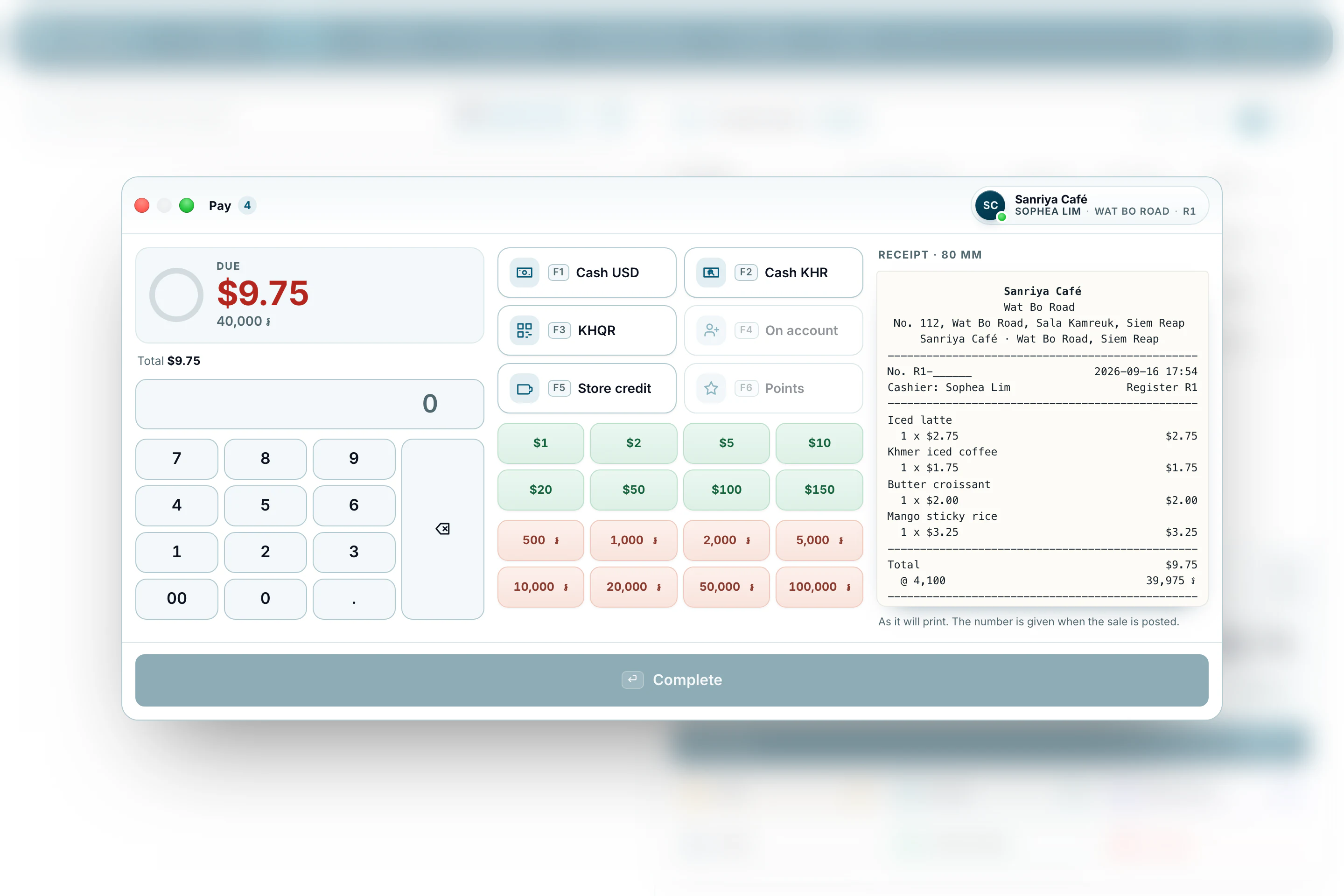
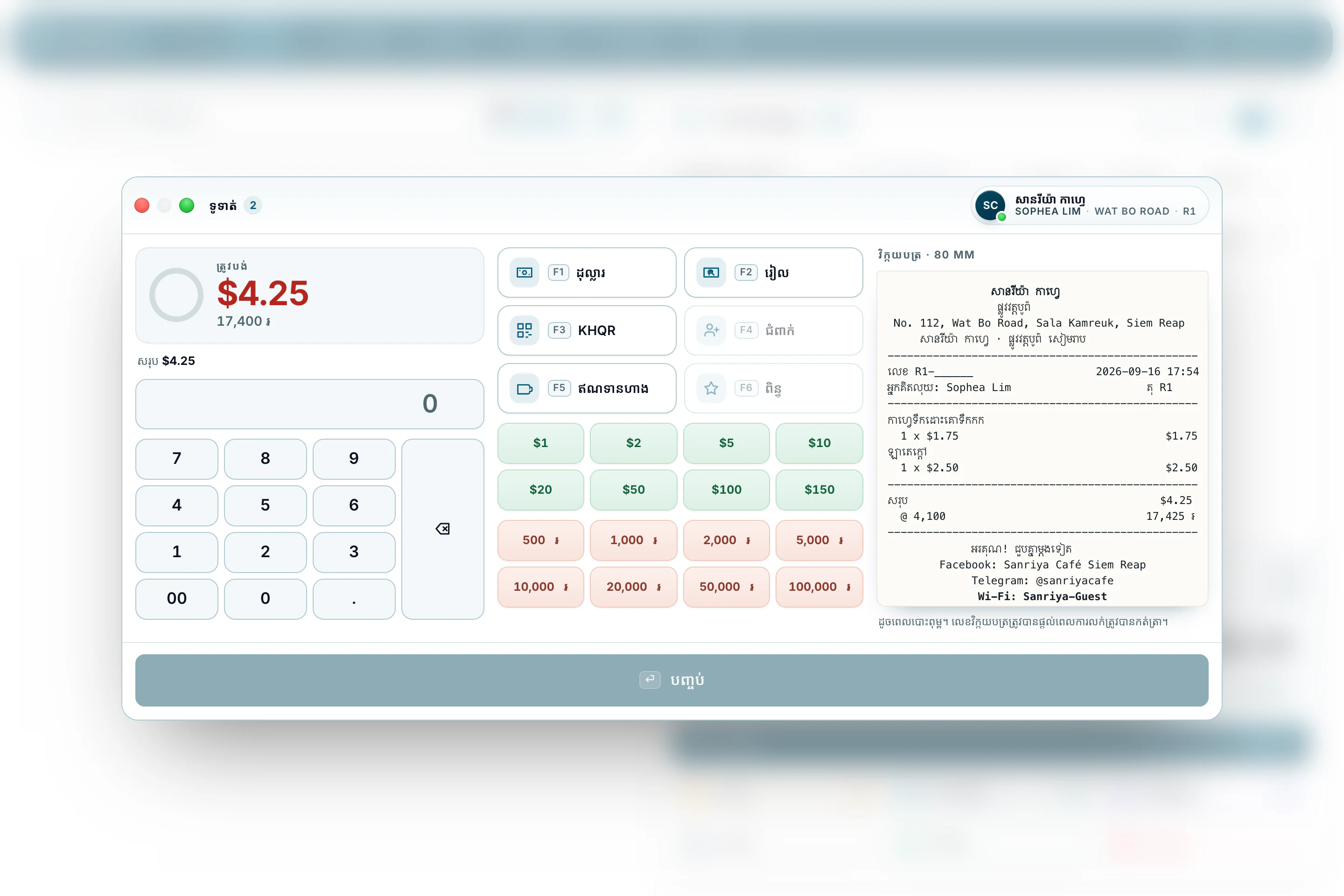
Choose your model, the paper and the print width, then how it connects. With no printer at all, the till keeps selling.
Print a Khmer receipt that reads clearly
58 mm or 80 mm, by USB, Bluetooth or network, with both currencies and the rate used. Ask for a demo and print one yourself.