The connection drops. The queue does not.
Every product, price and customer is already on the device before the day starts. When the internet goes down, the till works the same way and your cashier doesn’t need to do anything different.
Three simple ideas
Offline isn’t a mode you have to turn on. It’s how the till is built, so nobody has to remember anything when the line drops.
Your shop is stored on the device
Products, prices, barcodes, customers and their balances are downloaded when you sign in and kept up to date in the background. Nothing at the counter waits for a server.
Sales wait in order
Each finished sale is saved on the device first and added to a queue. The queue is numbered in order, so no sale can jump ahead, repeat or go missing.
It sorts itself out
When the connection comes back, the queue sends itself in order and the server confirms each sale. There’s no sync button to press, because you don’t need one.
What your cashier sees
The top bar shows that the internet is down. Everything else on the screen stays the same.
- Products, prices and discounts work exactly the same.
- Receipts still print, with the same numbers they’ll have on the server.
- Change in dollars and riel is worked out on the device.
- Settings show how many sales are waiting to send, so nobody has to guess.
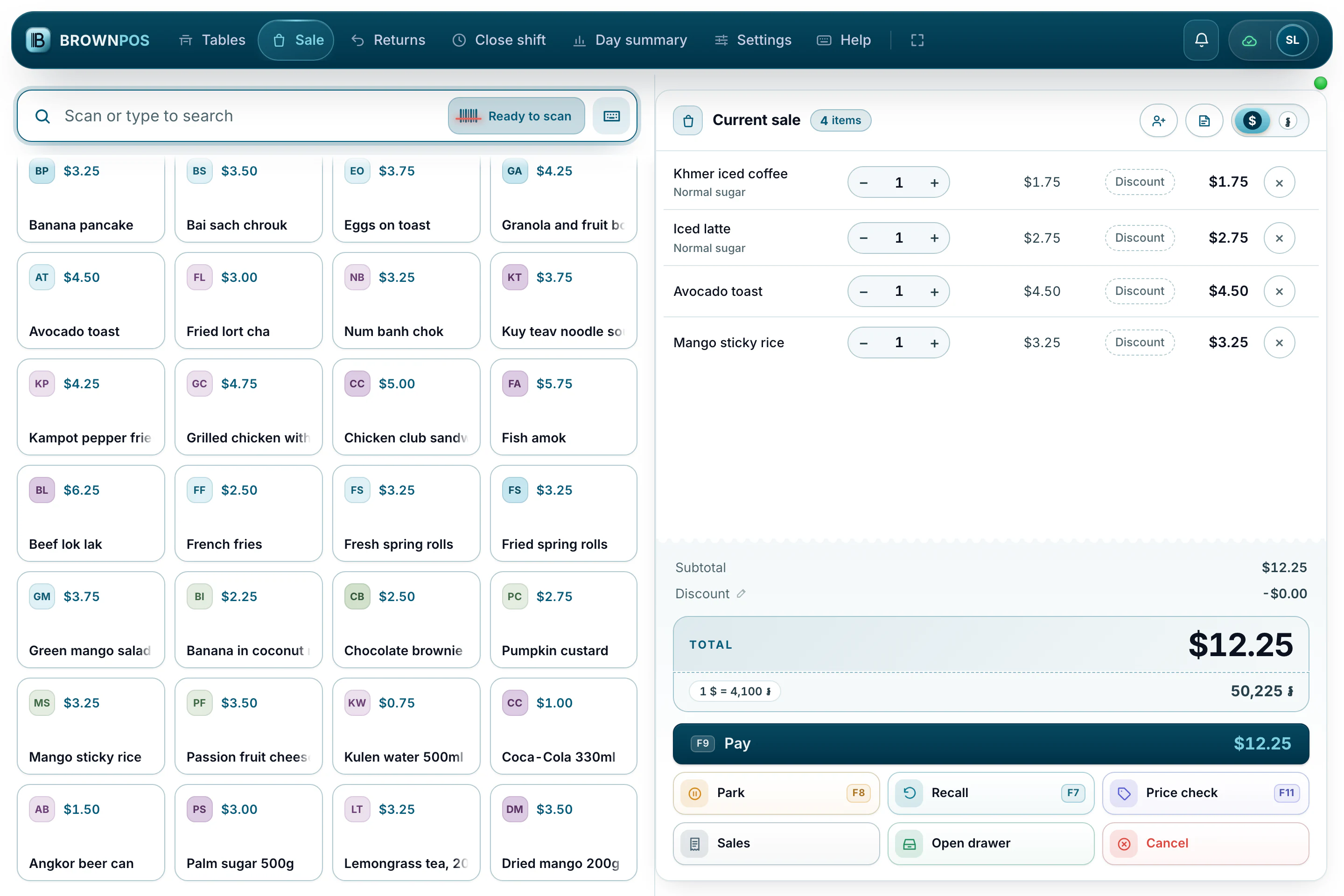
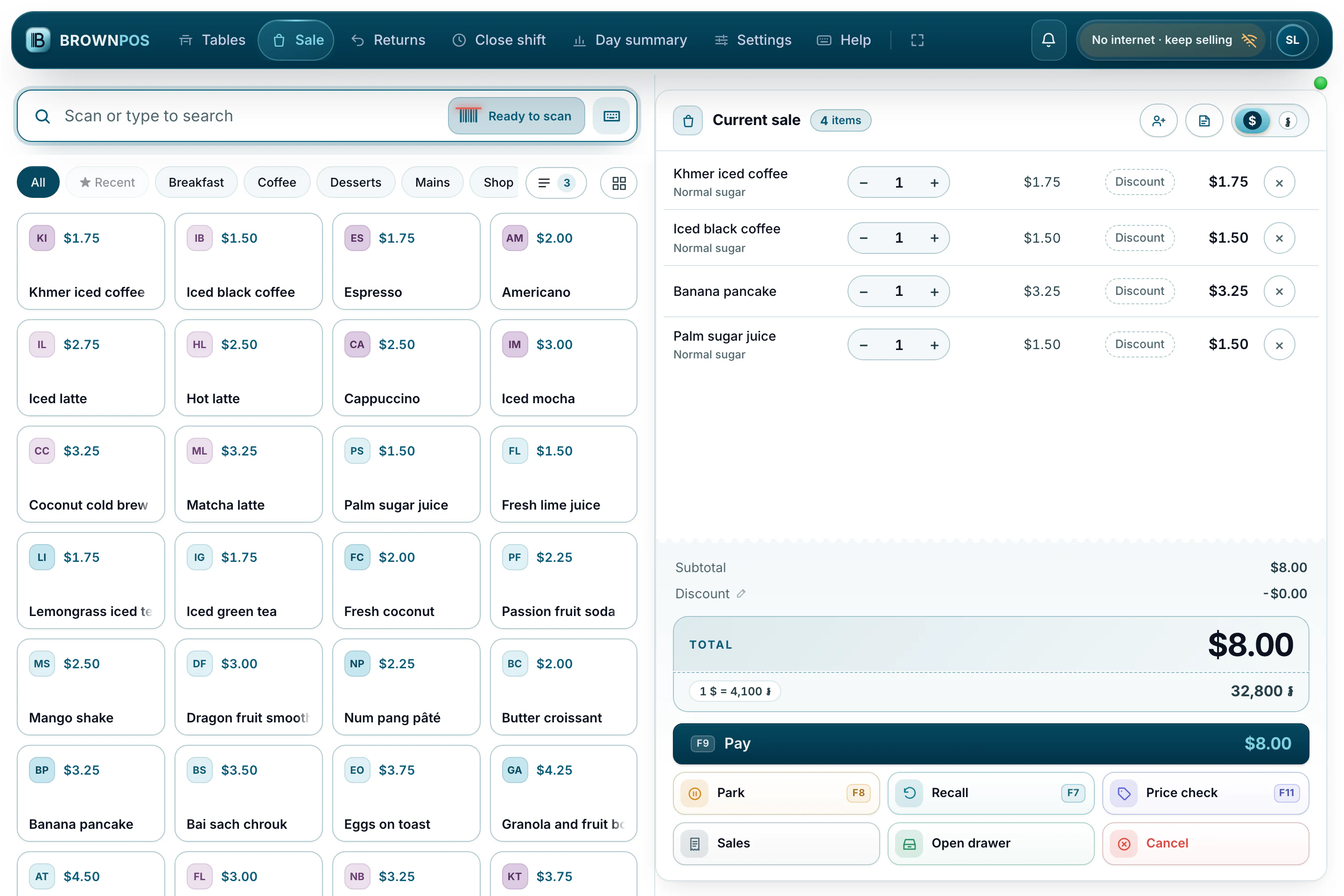
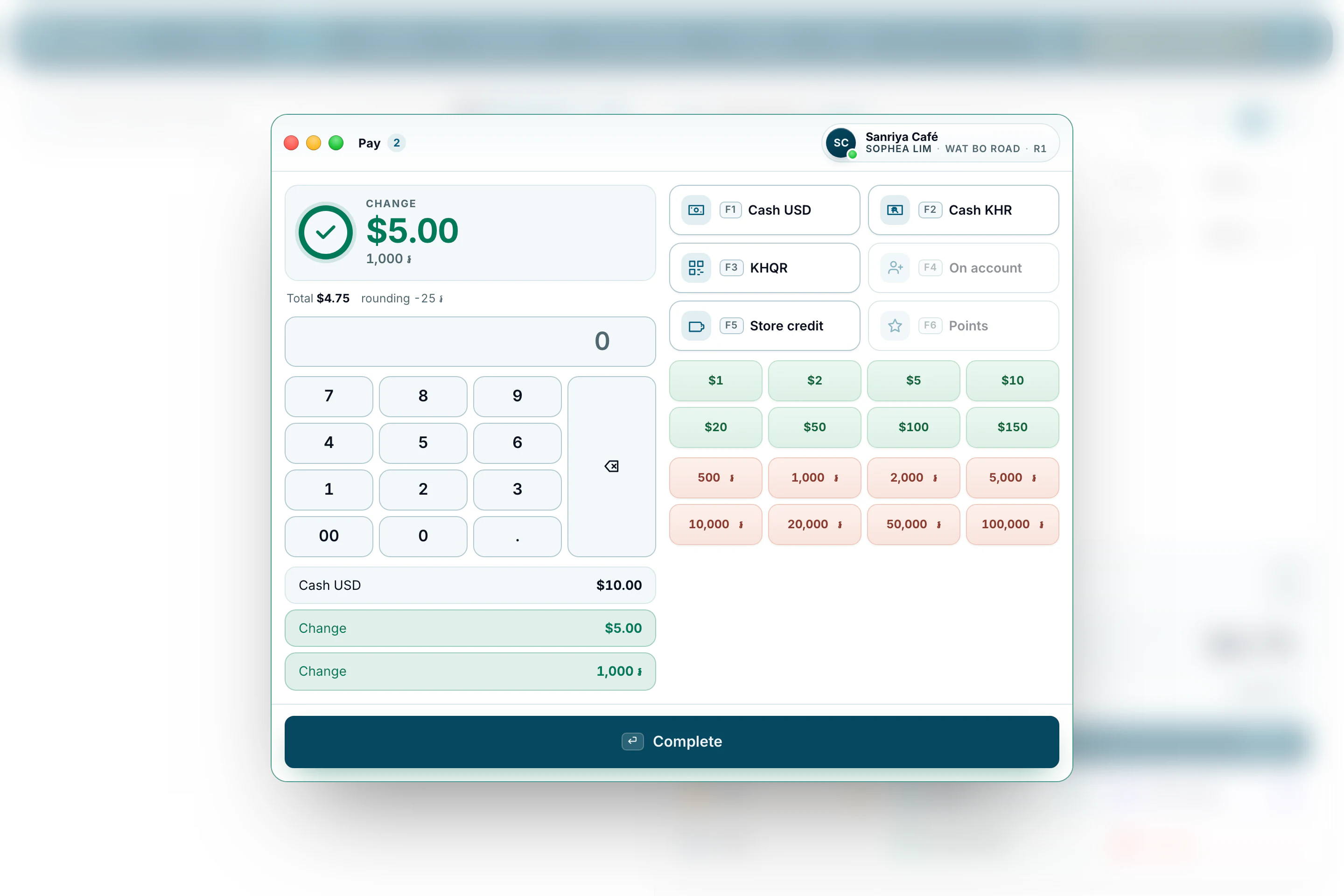
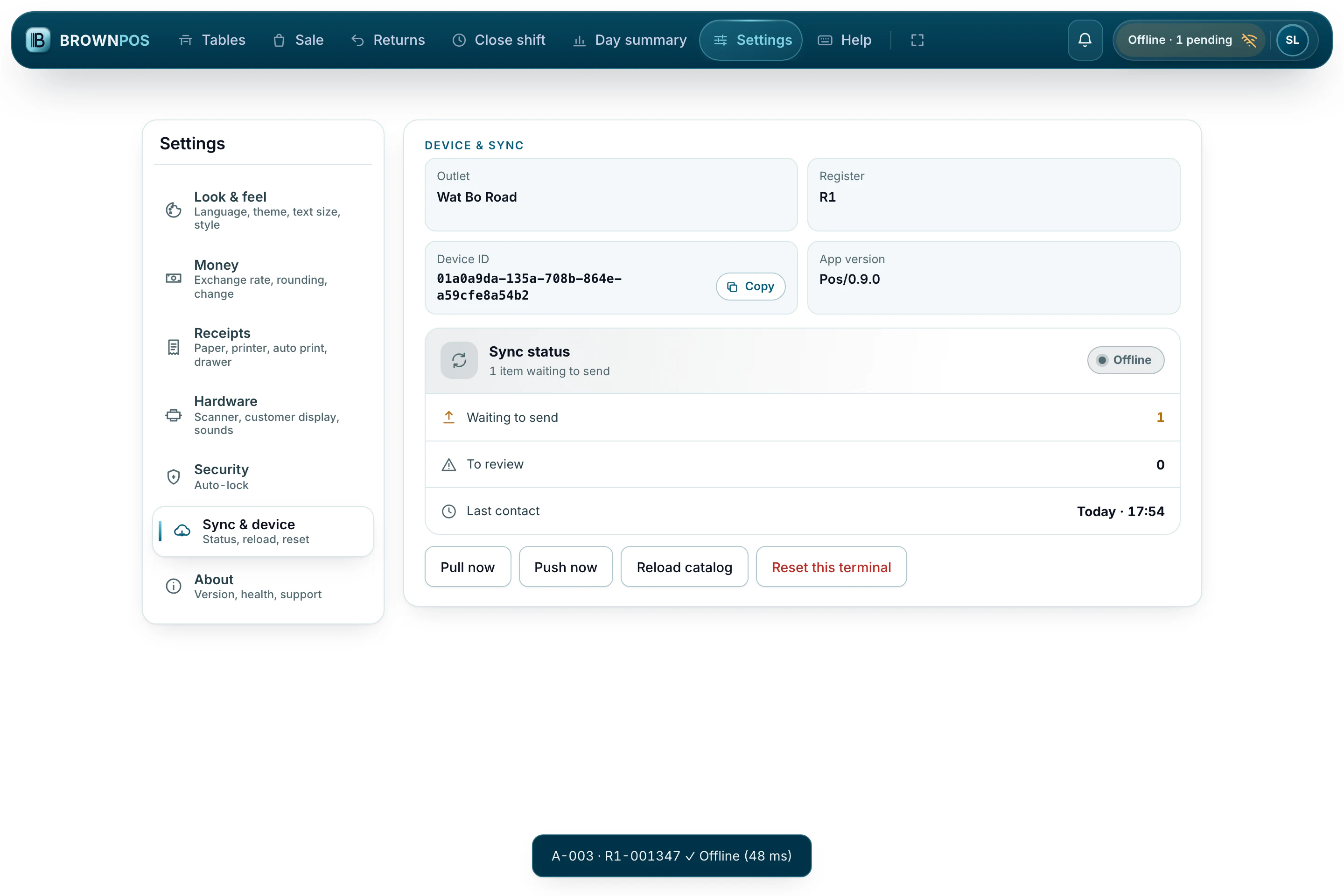
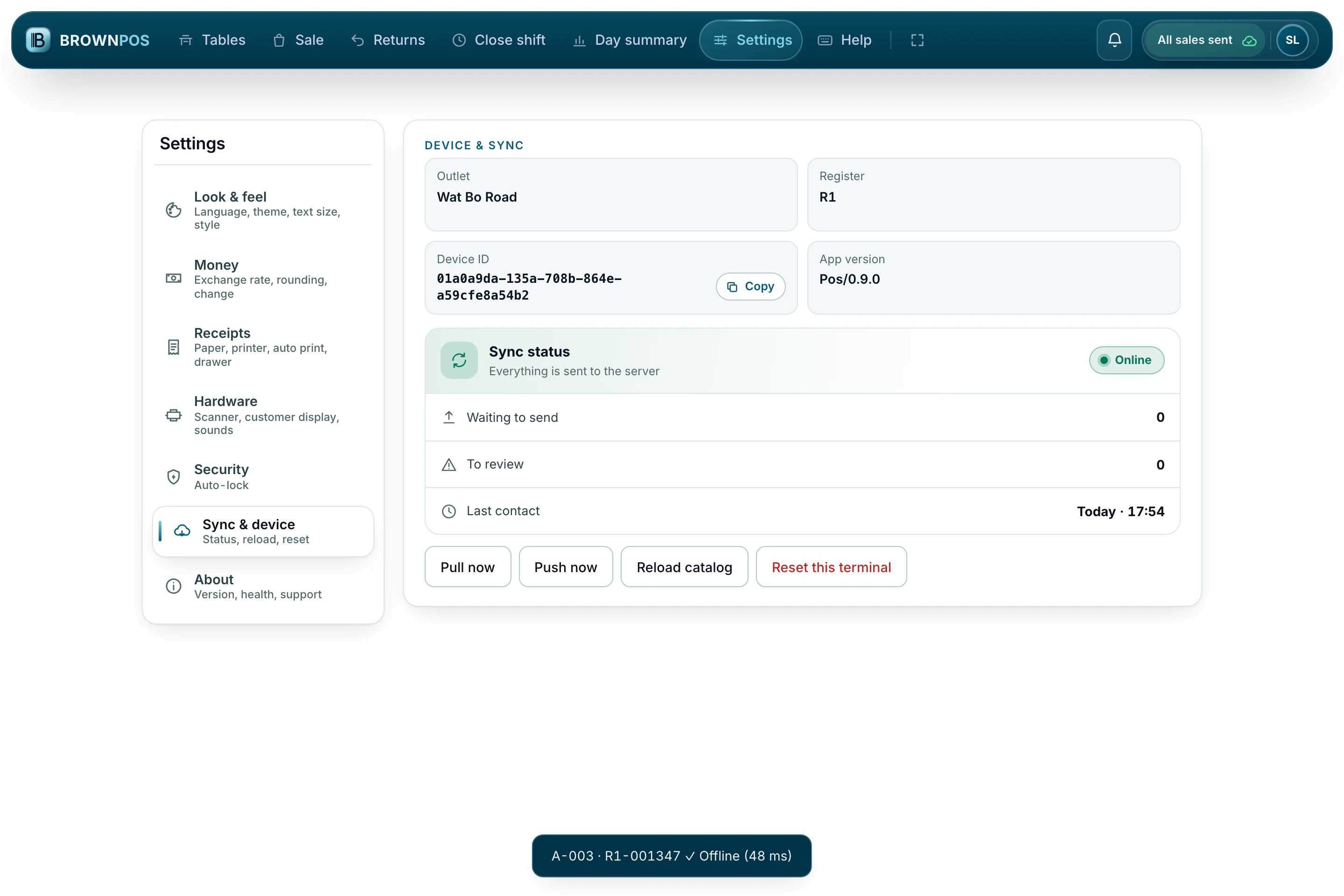
Products, the sale and the total in dollars and riel. The top bar shows the till is online.
What still needs a connection
You should know the limits before you buy, not after.
KHQR payments
The till makes the QR itself, so a customer can still pay by KHQR with the line down — your cashier checks their phone and confirms it. Cash, credit and store credit carry on as usual.
Setting up a new device
A new till has to connect to the server once, to register and download your shop. After that it can run as long as it needs to without one.
Prices changed elsewhere
A price changed in the back office reaches the till the next time it connects. Until then, the till uses the price it already has, which matches the shelf.
Reports for the whole business
Each till knows its own day. Totals for every till and branch are added up on the server, so those wait until the sales have been sent.
What if the device is switched off before the sales are sent?
Nothing is lost. The queue is saved in the device’s storage, not just in memory, so it survives a shutdown, a flat battery or a closed browser. It picks up where it left off when the till opens again.
Can two cashiers sell offline at once?
Yes. Each till keeps its own numbered sequence, so two tills selling during the same outage can’t clash, and the server knows exactly what happened on each one.
How long can it stay offline?
Days, not hours. The real limit is the device’s storage, which is far more than a shop needs for any normal outage.
Do restaurant tables work offline?
Yes. Orders, rounds and table payments wait on the till like any other sale. If two tills take payment for the same table while both are offline, both sales are kept and the owner is told.
Do my reports include what was sold offline?
Yes, as soon as the sales reach the server. Each sale keeps the time it was made.
What happens if a sale is refused when it finally reaches the server?
It’s kept for review, not thrown away. The till shows “Needs a look” with what was refused and why. The most common reasons, stock and credit limits, are already checked on the device when the sale is made.
Can I take KHQR while the line is down?
Yes. The till makes the QR itself, and the money goes straight from your customer’s bank to yours through Bakong — we are not in the middle of that. What the till cannot do without a connection is confirm the payment for you, so your cashier checks the customer’s phone and taps “Payment received”. The sale waits on the till like any other, and when the line comes back it reaches your reports with the payment on it, checked against Bakong.
Does the receipt printer still work offline?
Yes. Printing happens between the device and the printer, over USB, Bluetooth or your own network, so receipts and kitchen tickets print through an outage exactly as they do the rest of the day.
Try it for yourself
Unplug your router in the middle of a sale and keep selling. That’s the demo we give you.