Restaurant

Tables, rounds and bills, the way a restaurant works

Draw your floor plan, open a table, send each round to the kitchen and split the bill however guests want. It all keeps working when the internet drops.

At the table

From the first order to the last receipt

A floor plan

Draw your areas and tables to match your room. See at a glance which tables are free, eating or waiting to pay, and how long each has been open.

Rounds to the kitchen

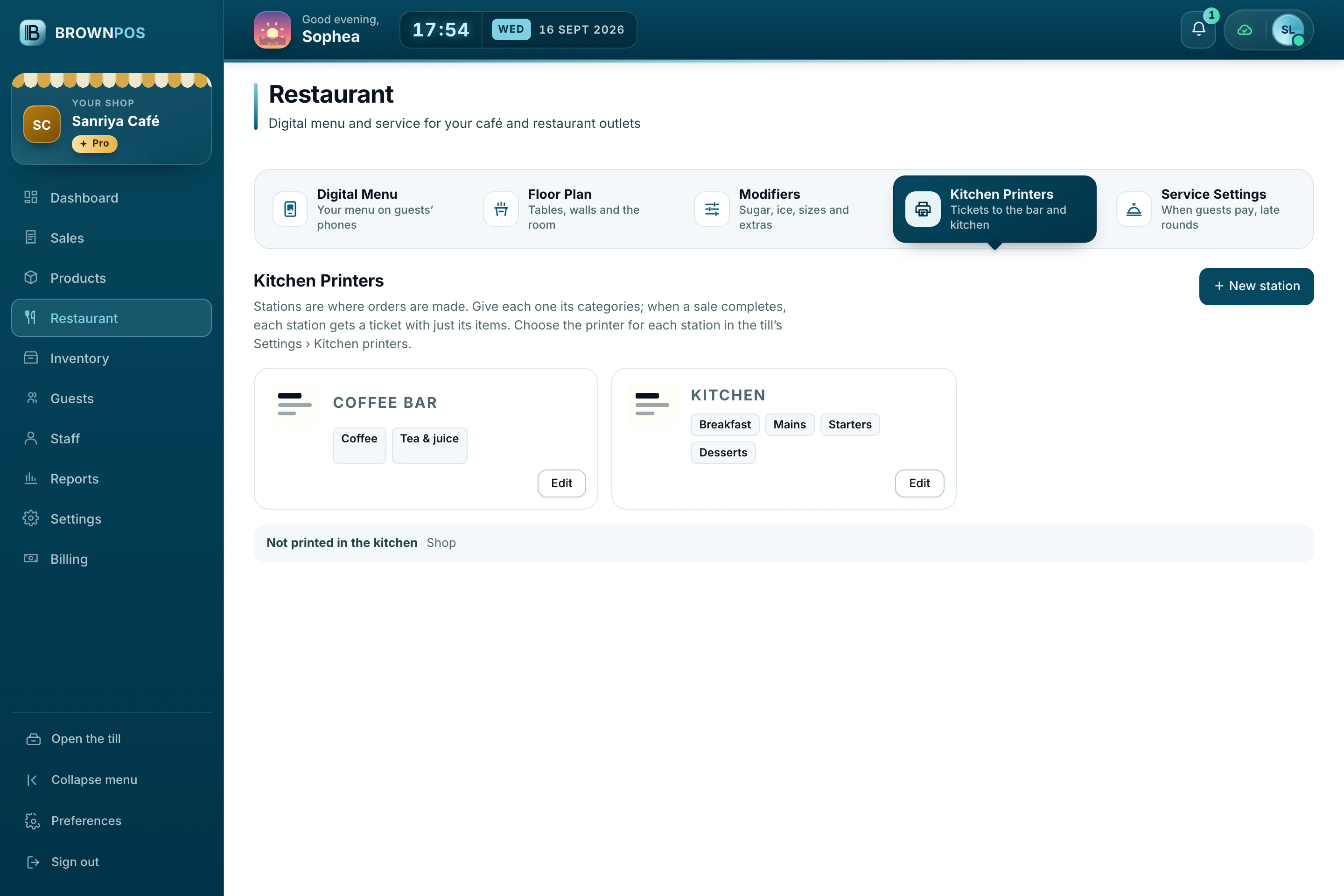
Each round prints on the right kitchen printer with its order number. Removing an item after it’s been sent needs a manager and a reason.

Split and merge

Split a bill by item, into equal shares or by amount, and take each part by cash or KHQR. Merge two tables when a group gets bigger.

For cafés too

Counter service, without tables

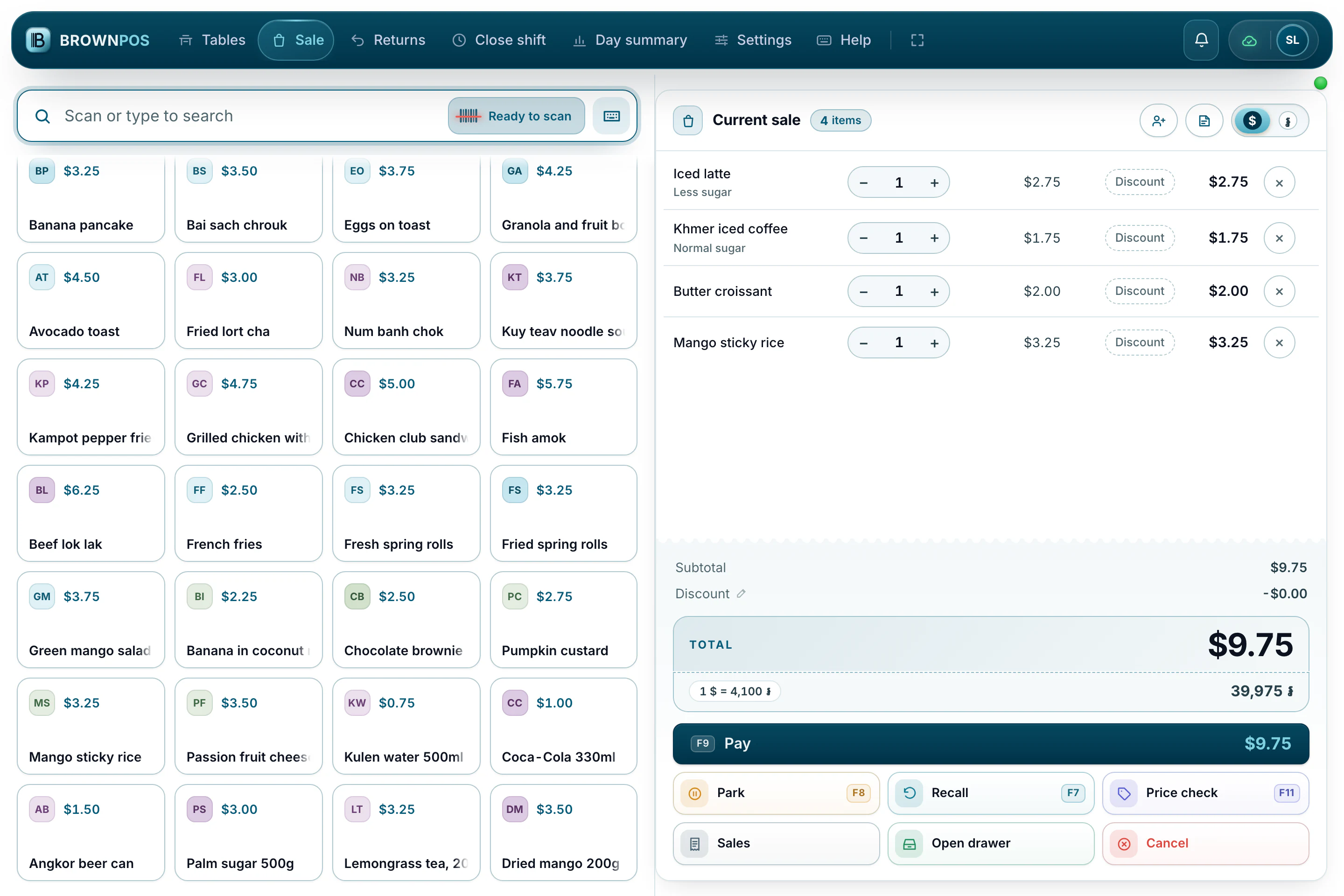
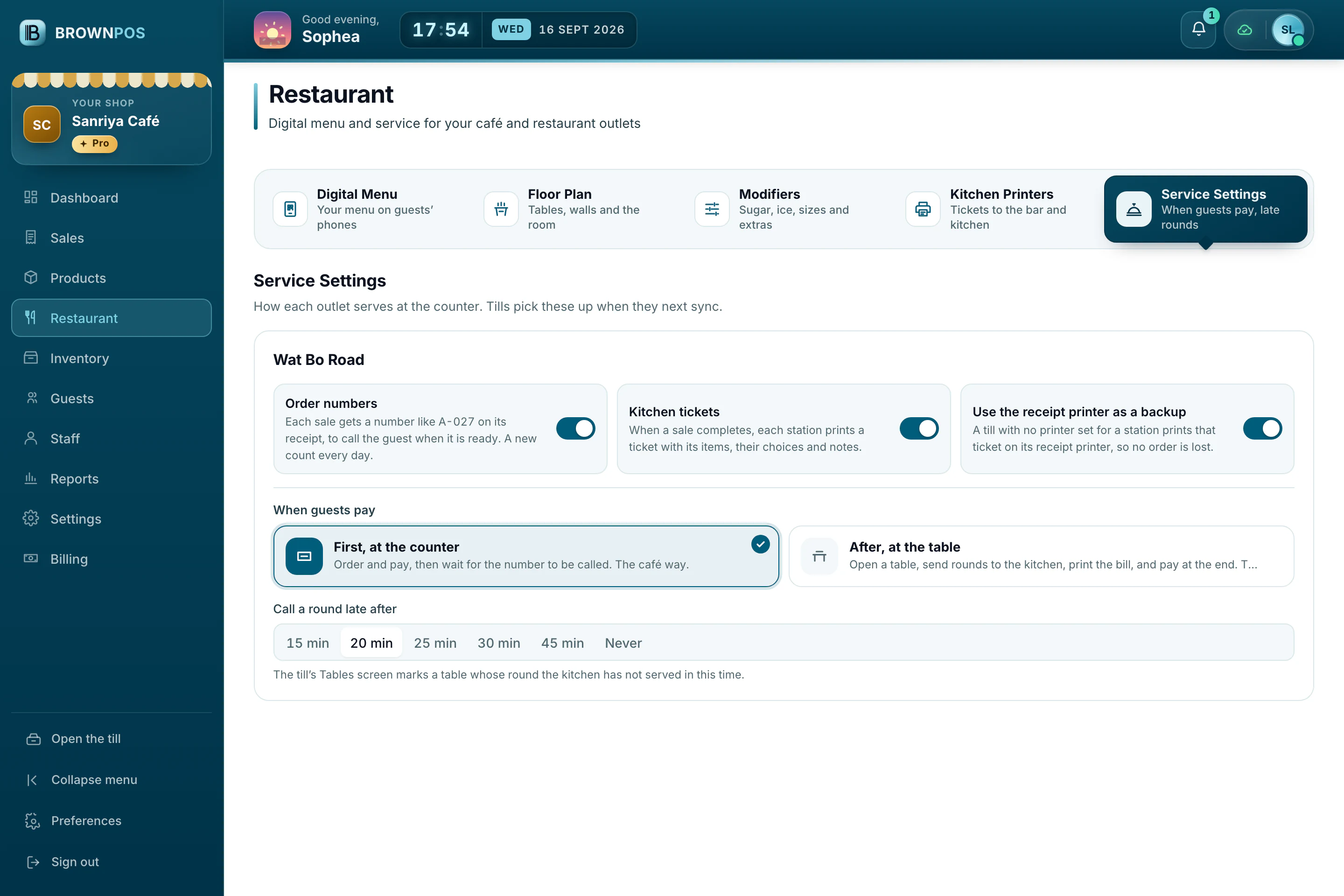
A café gets the same questions at the till (sugar, ice and extras), order numbers to call out, and kitchen tickets, without opening a table.

  • Sugar, ice and extras chosen as each item is added
  • Order numbers for each till, starting again every day
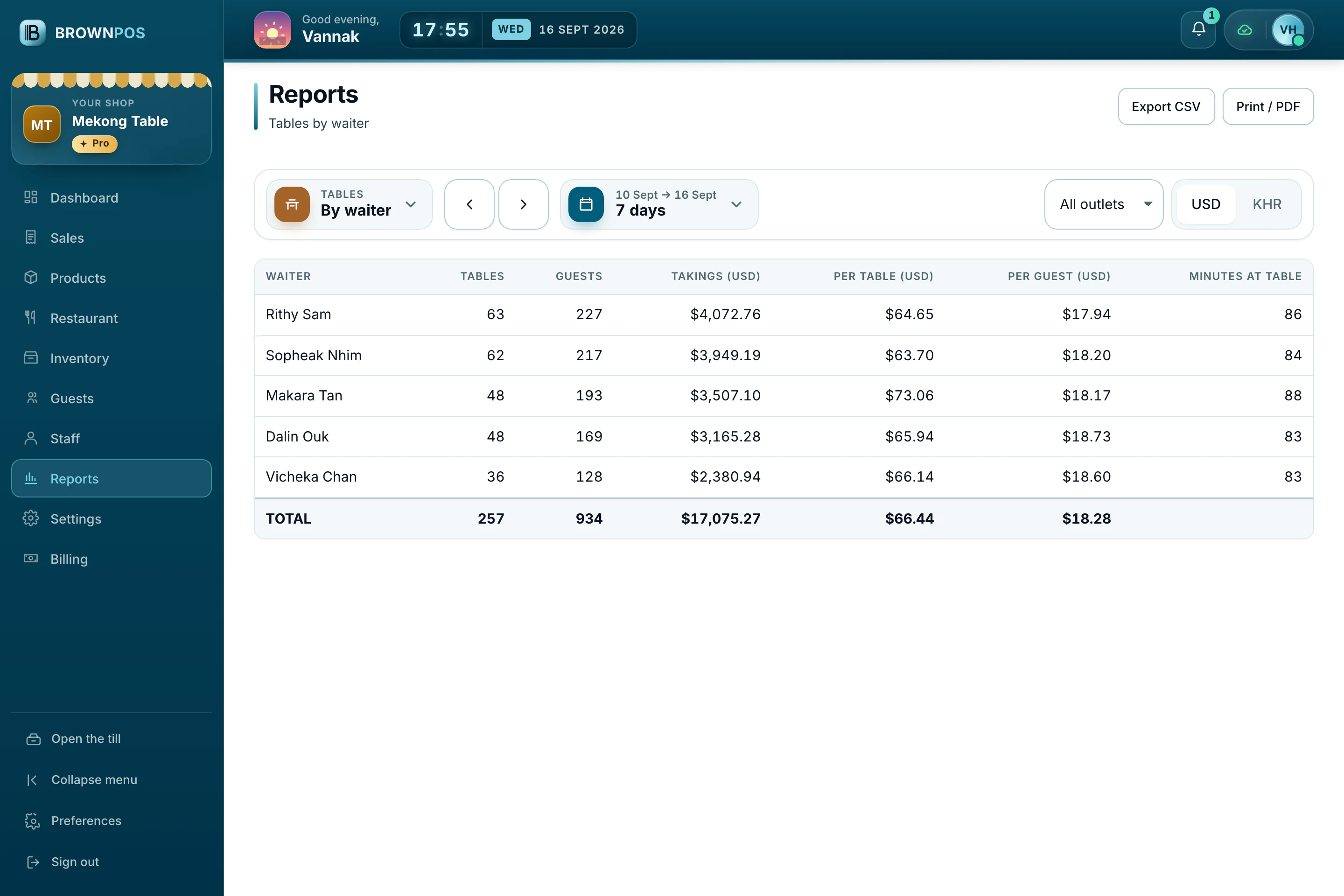
  • Reports by table, by waiter, and for items removed after sending
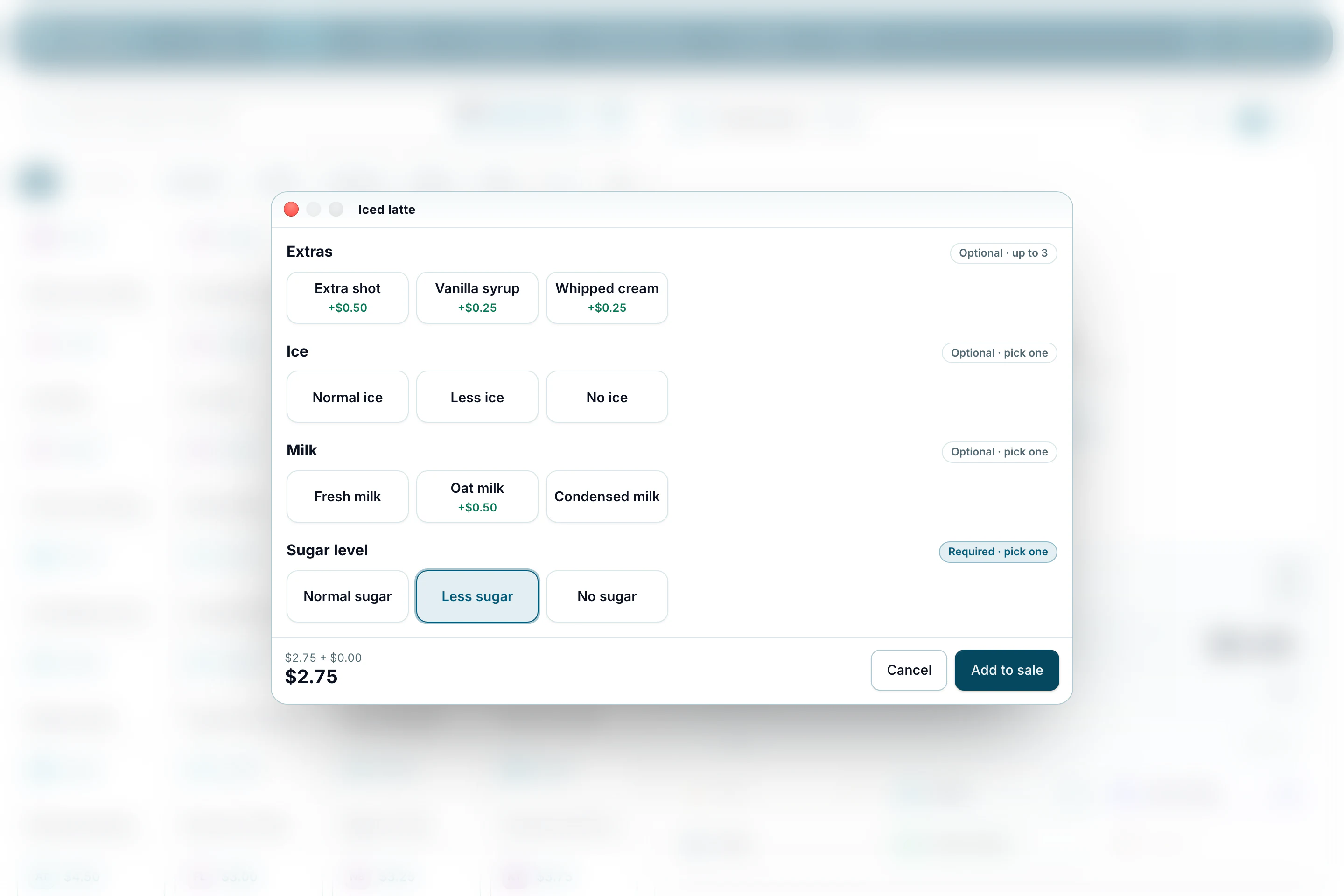
Sugar and ice, as it is added1 / 5
Cambodia POS System — Adding an iced latte at Sanriya Café: the till asks for extras, ice, milk and sugar, each with its price

Tap an iced latte and the till asks how it is made: extras, ice, milk and sugar, each with its price.

Floor plan

Draw your restaurant. Run it from the till.

Managers draw the floor in the back office to fit their own place, with quick tools a right-click away and help built in. Waiters and cashiers get the same room on the till, and one right-click opens everything a table needs.
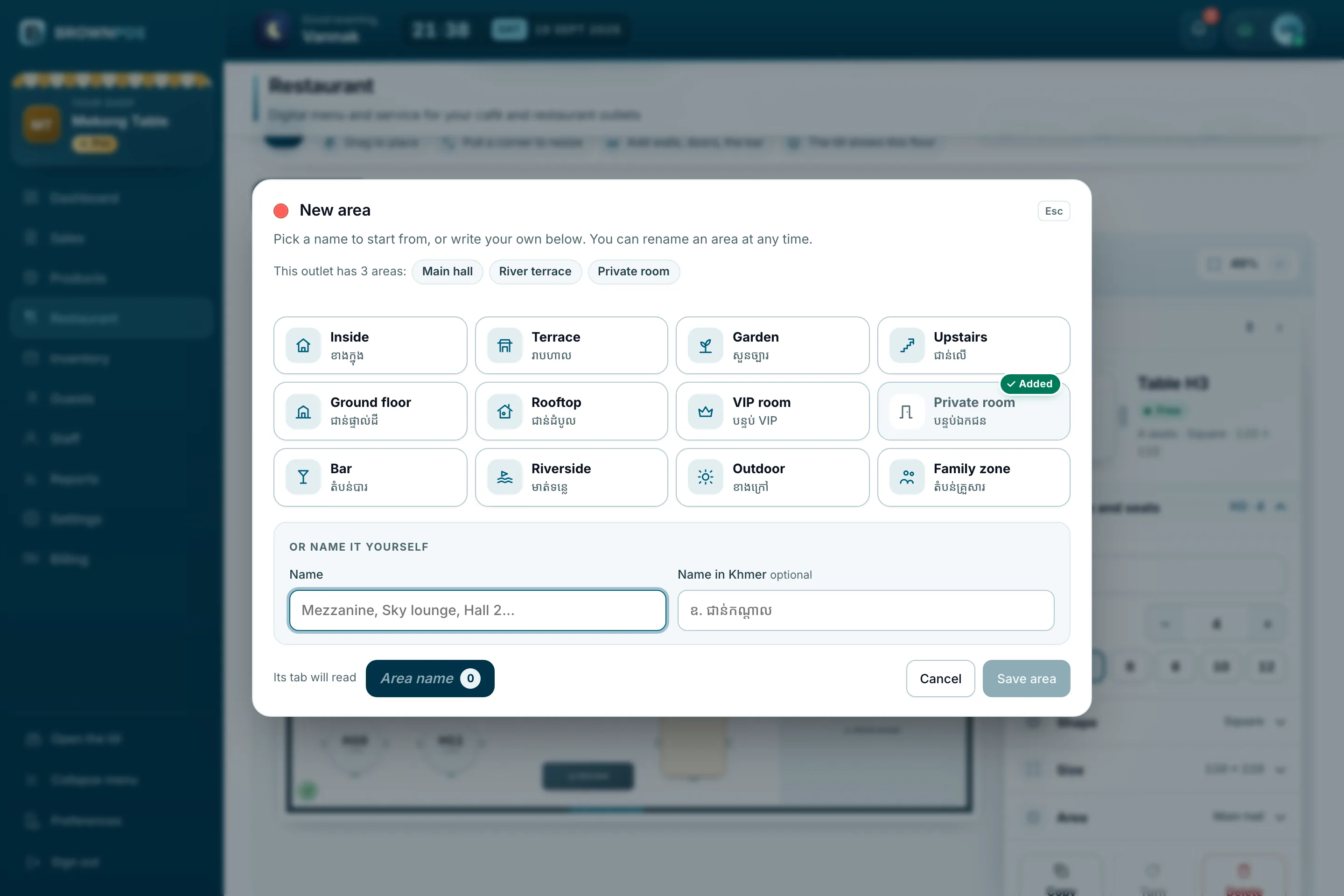
Cambodia POS System — The New area window in the floor plan editor: twelve name ideas in English and Khmer, or a name of your own
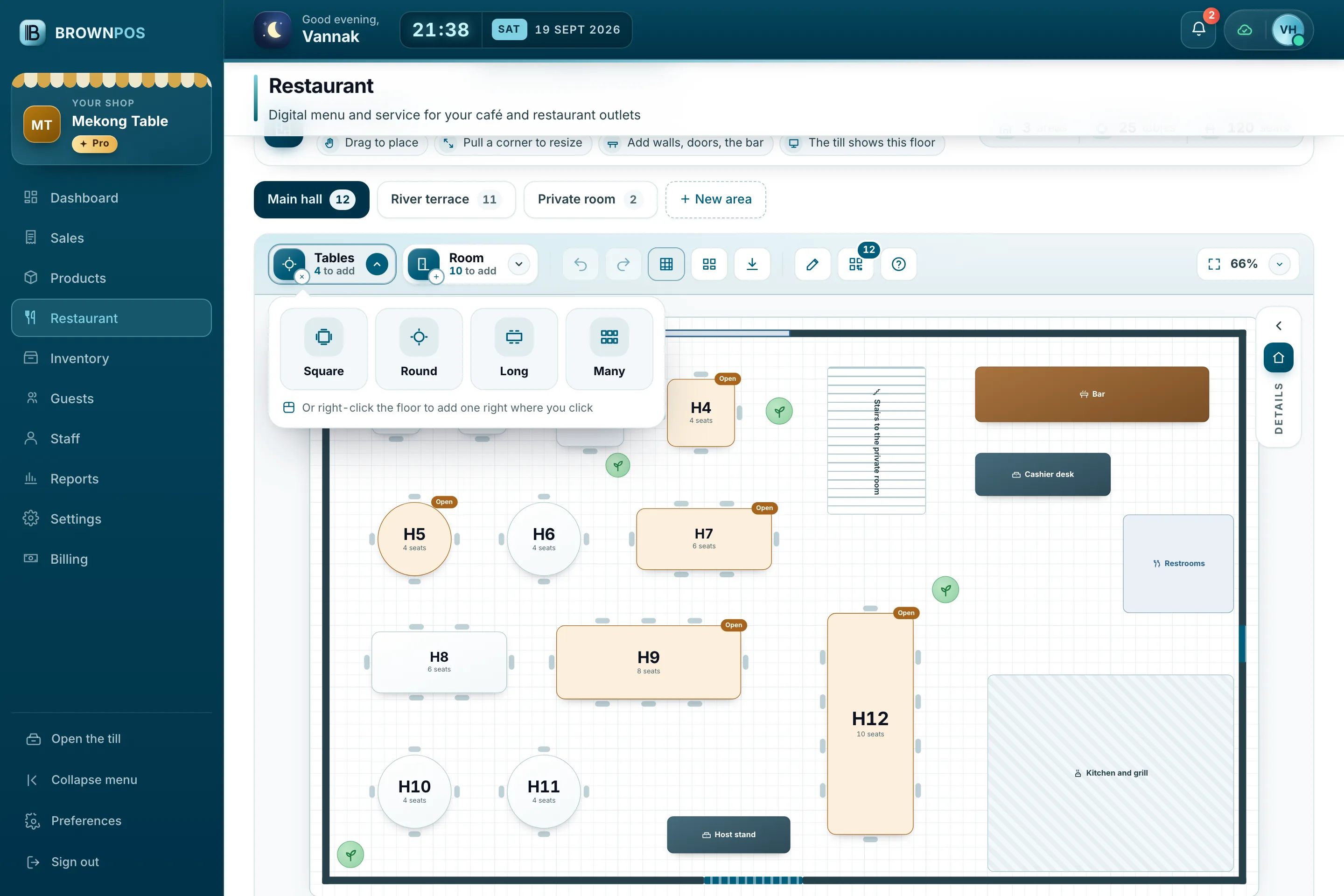
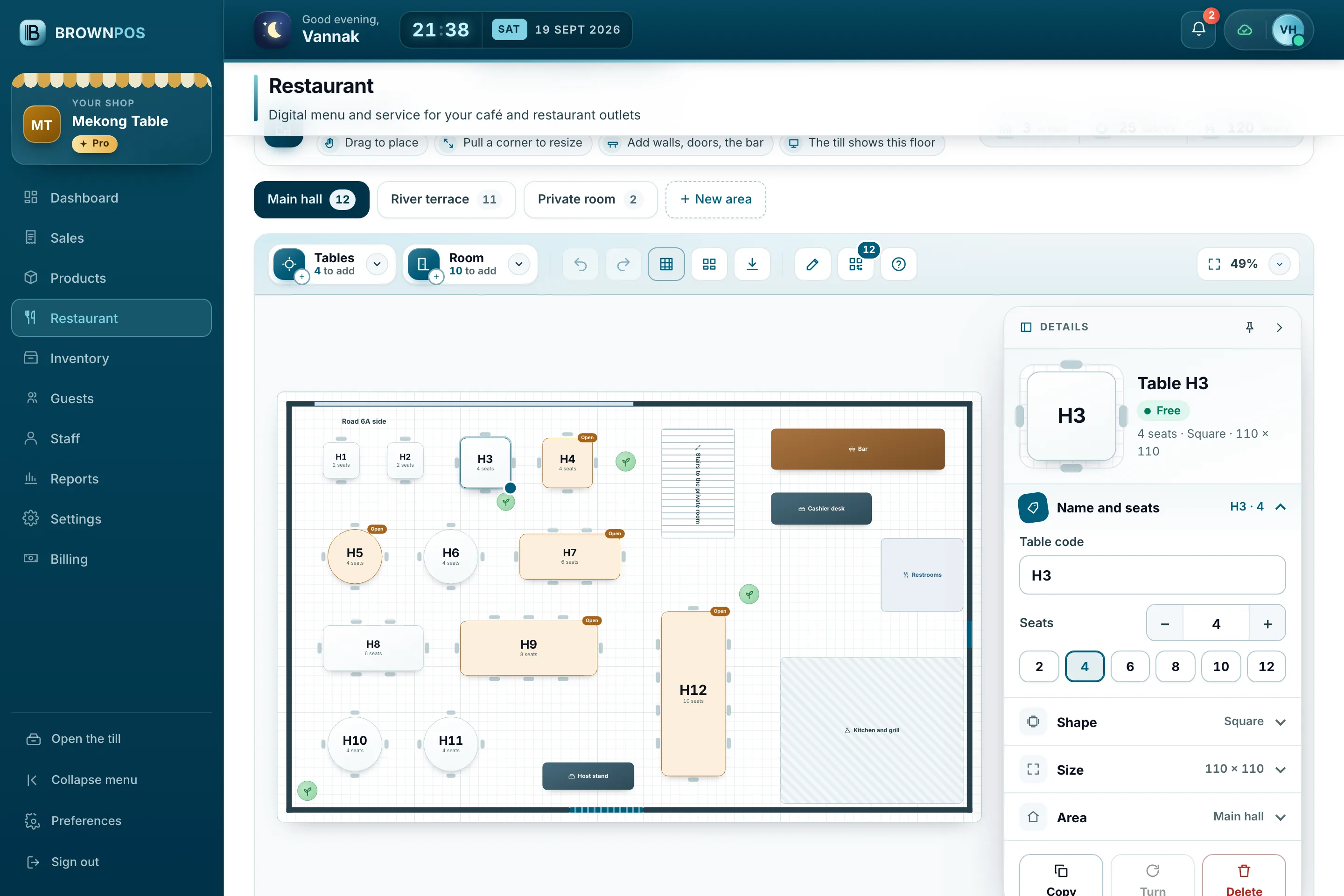
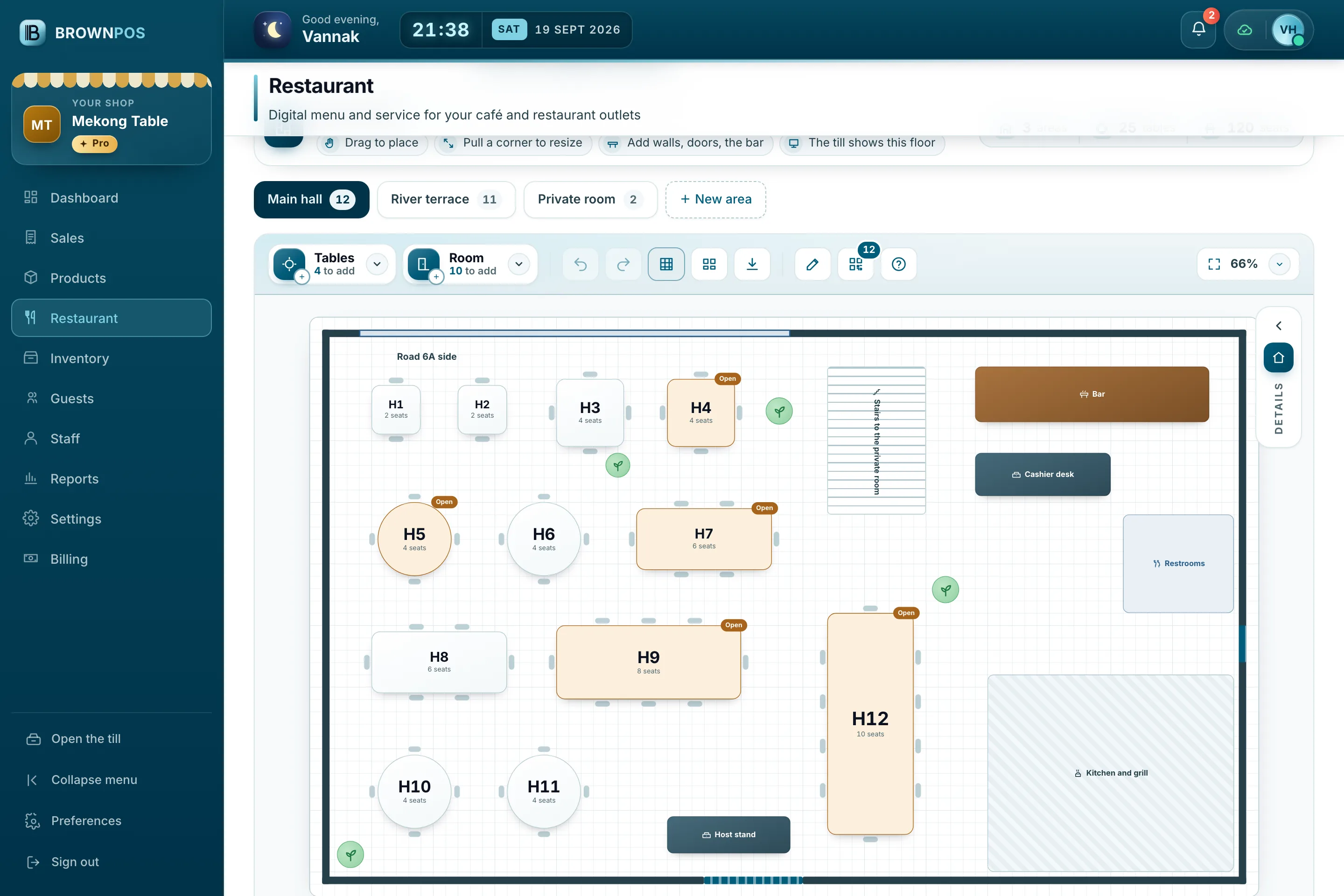
Cambodia POS System — Mekong Table’s main hall in the back office floor plan editor: twelve tables, the bar, the cashier desk, the stairs, the restrooms and the kitchen
Cambodia POS System — The Tables drop-down in the floor plan editor: square, round, long or many tables
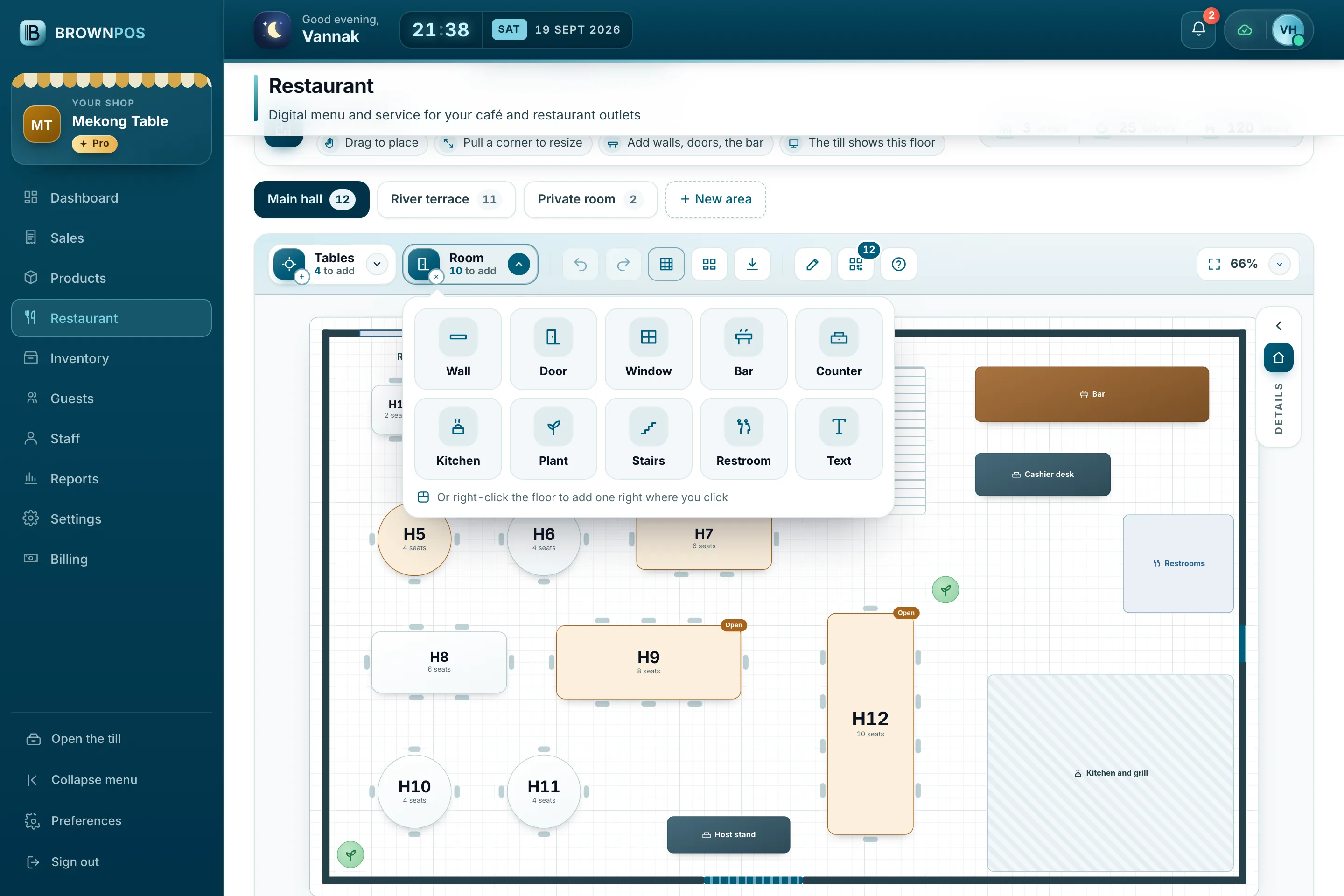
Cambodia POS System — The Room drop-down in the floor plan editor: wall, door, window, bar, counter, kitchen, plant, stairs, restroom and text
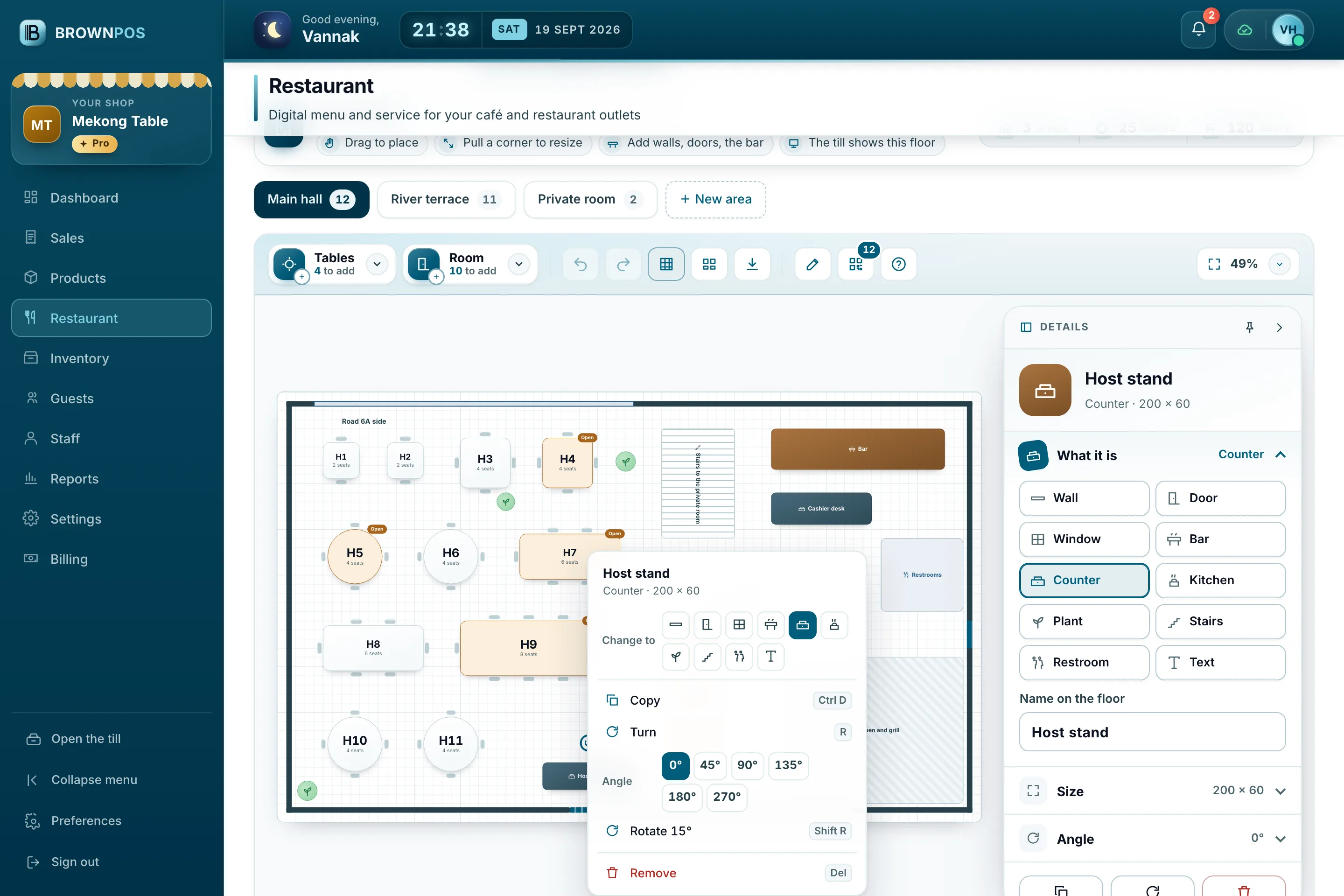
Cambodia POS System — The right-click menu on the bar in the floor plan editor: turn, angles of 0, 45, 90 and 135 degrees, and rotate by 15 degrees
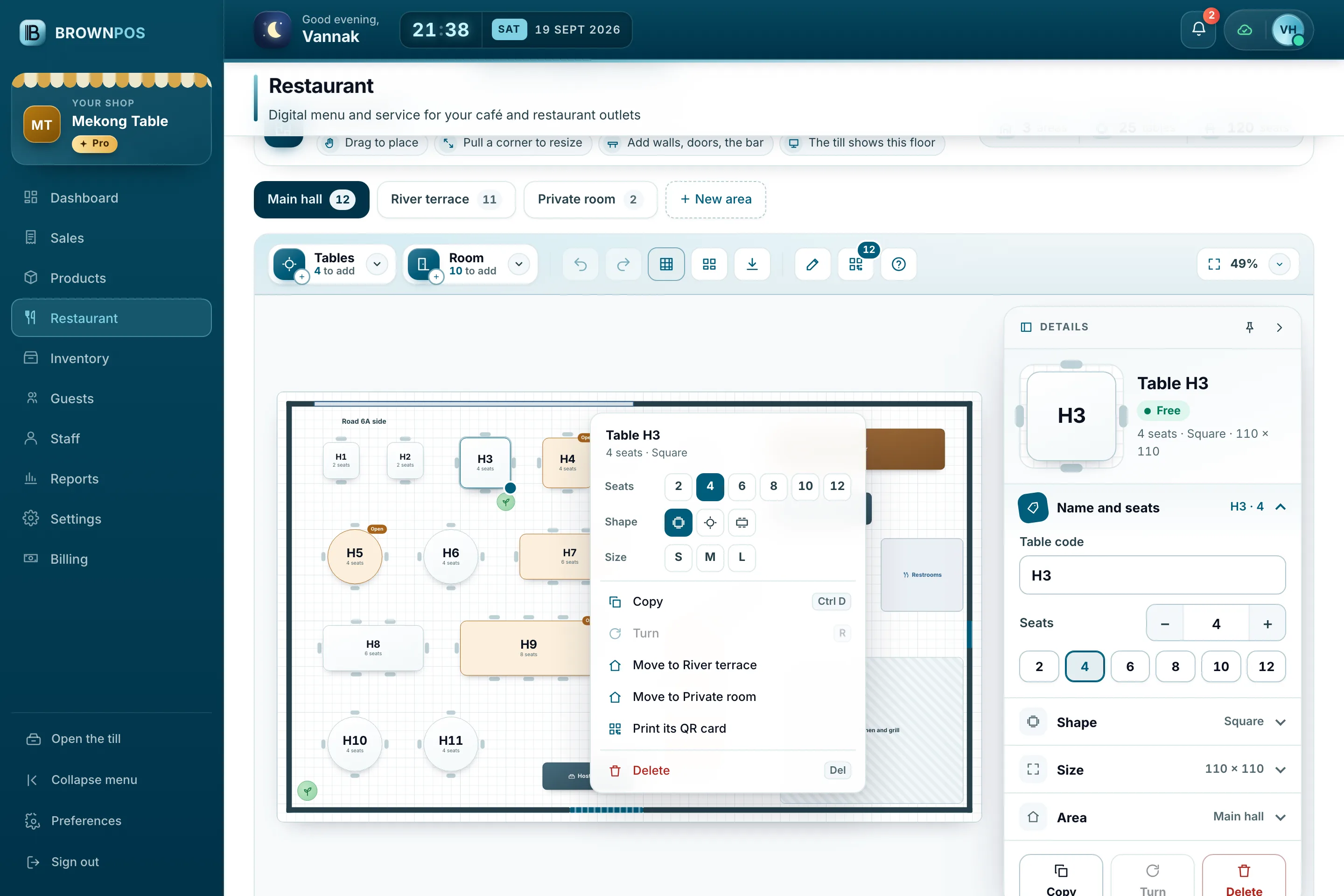
Cambodia POS System — The right-click menu on table H3 in the floor plan editor: seats, shape, size, copy, turn, move to another area, print its QR card and delete
Cambodia POS System — The Details panel beside the floor plan: table H3 with its seats, shape, size and area, each ready to change
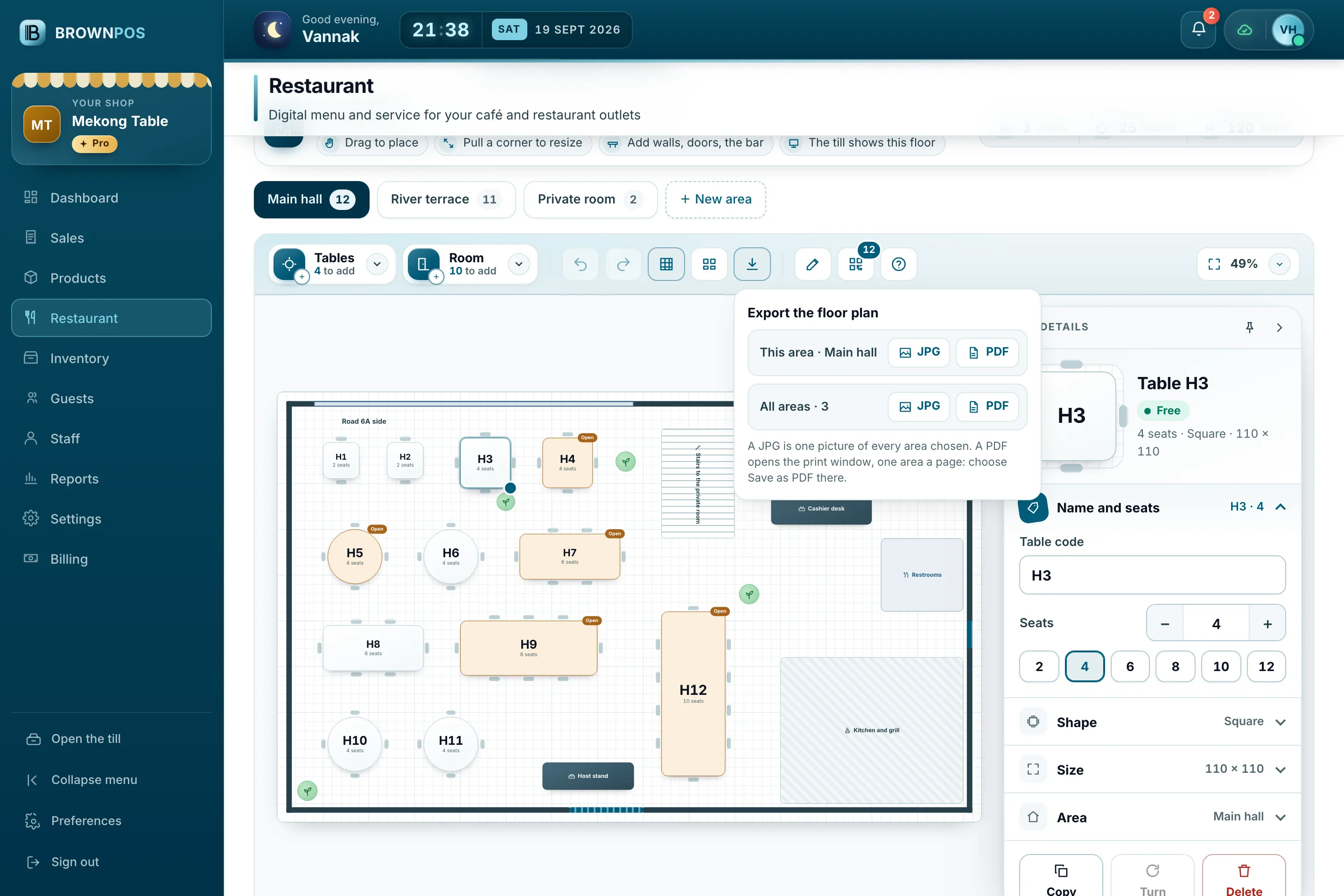
Cambodia POS System — The Export window in the floor plan editor: this area or every area, as a picture or a PDF
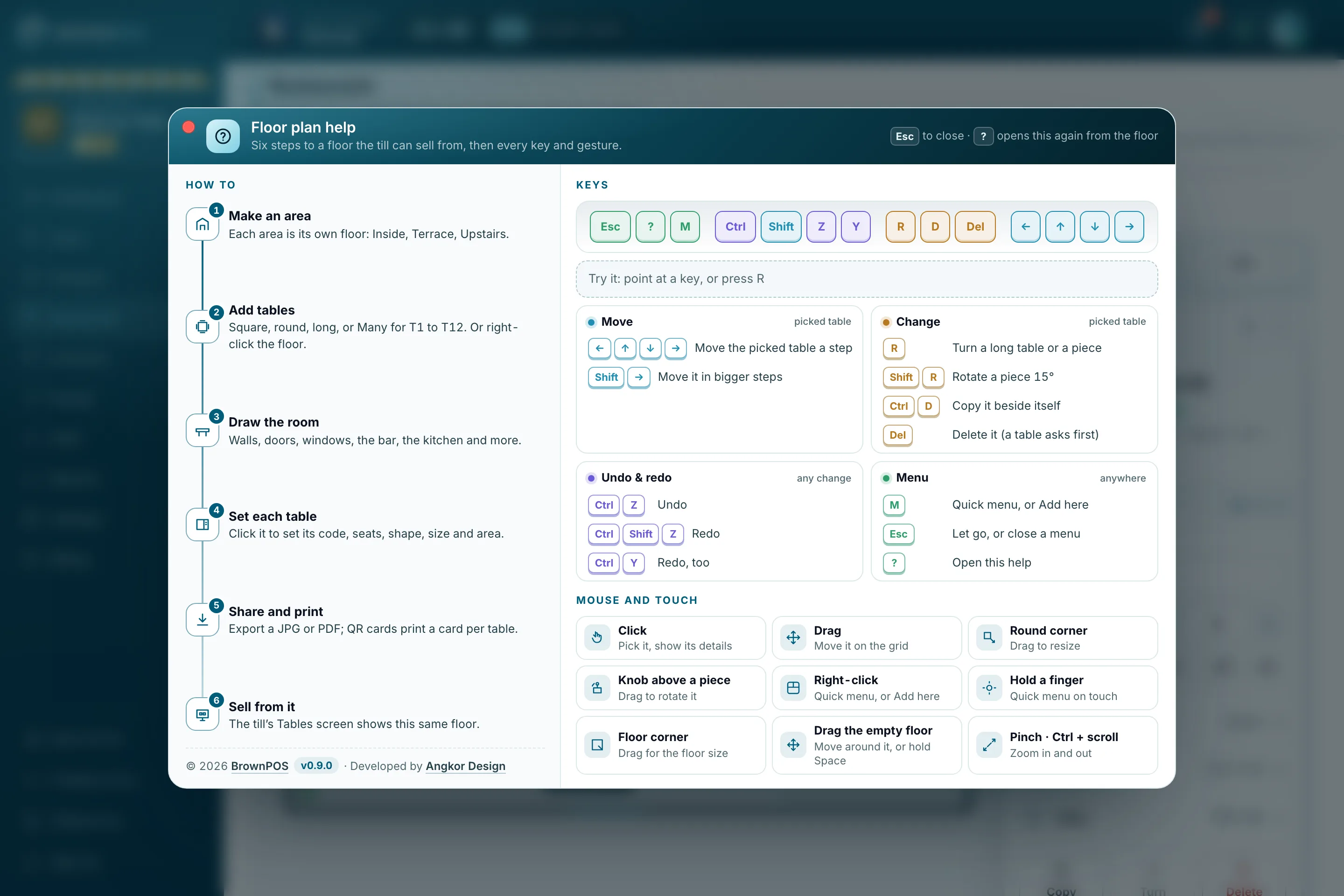
Cambodia POS System — The floor plan help window: six steps to a floor the till can sell from, the keys, and mouse and touch gestures
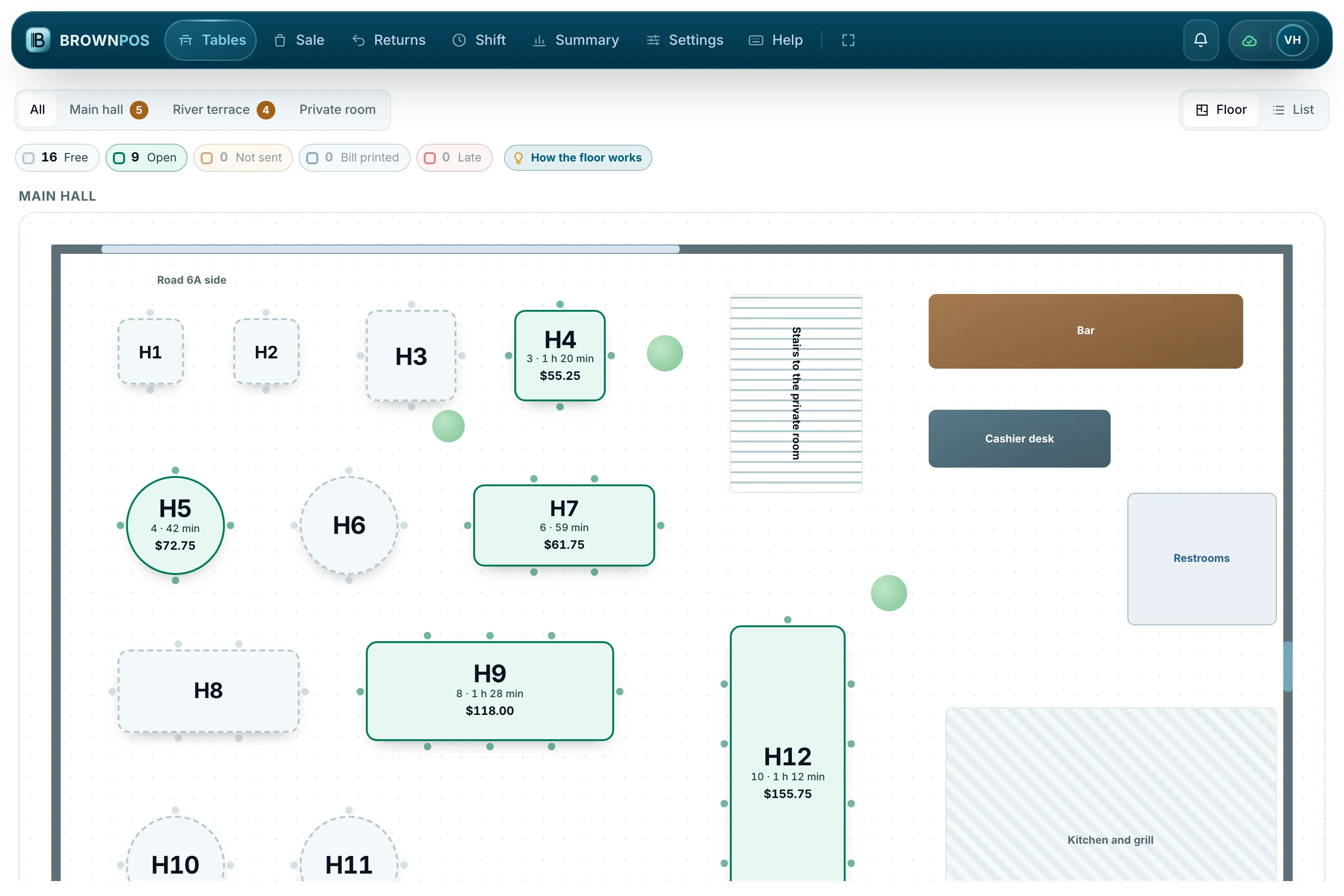
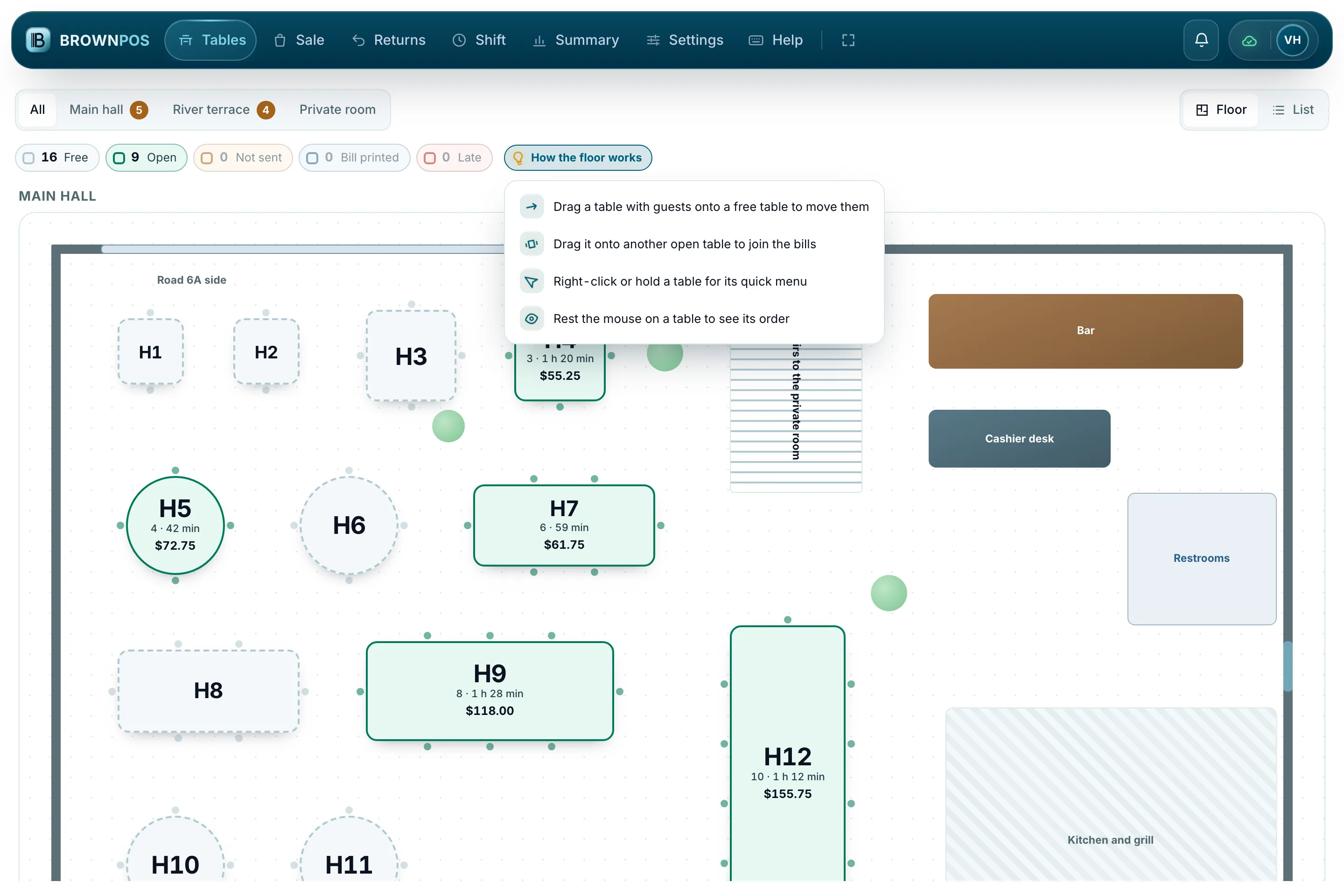
Cambodia POS System — The Tables screen on Mekong Table’s till at dinner: the main hall with open tables, their guests, minutes and bills
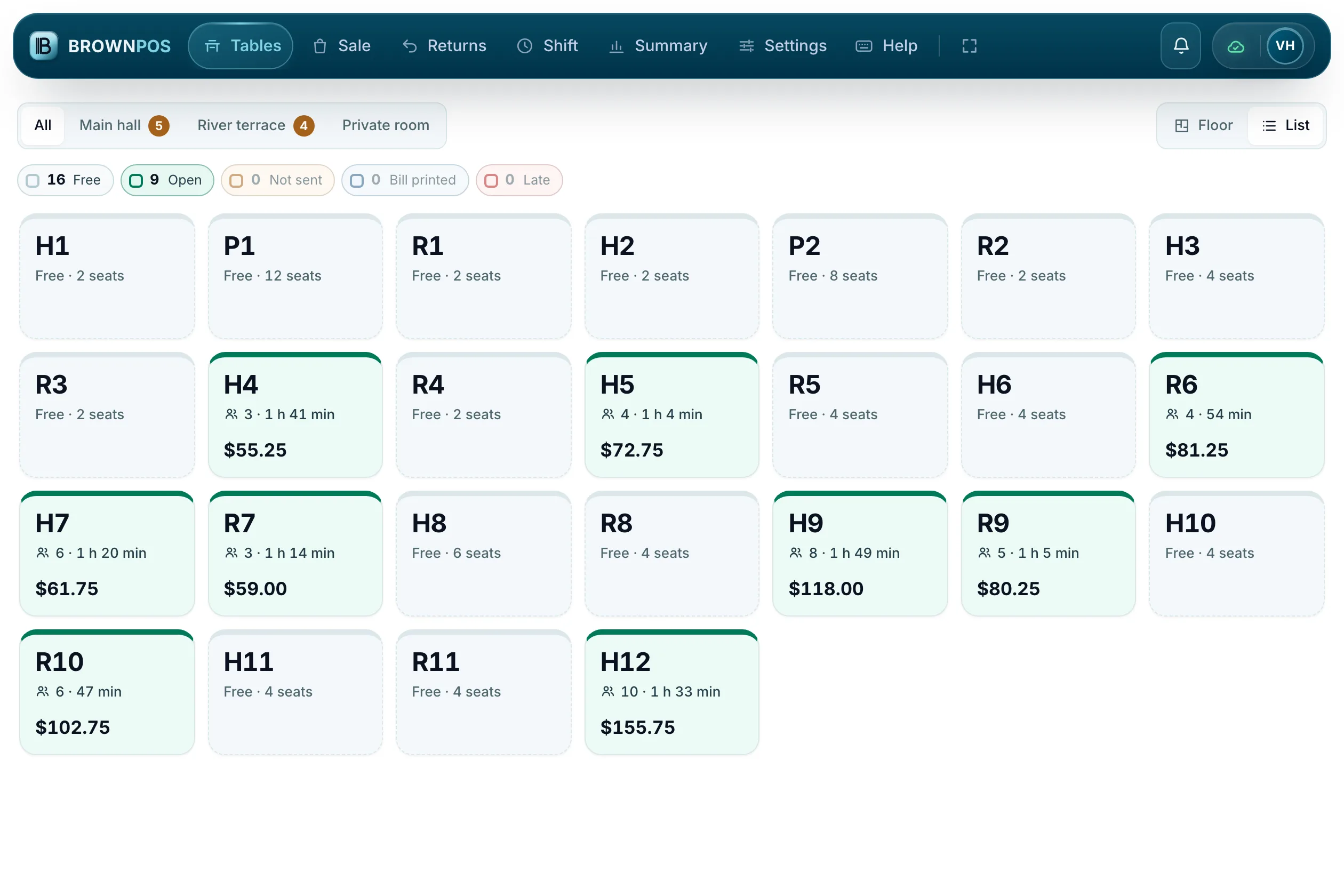
Cambodia POS System — The till’s Tables screen in List view: every table of Mekong Table as a tile in its colour, with the guests, how long they have sat and the bill so far
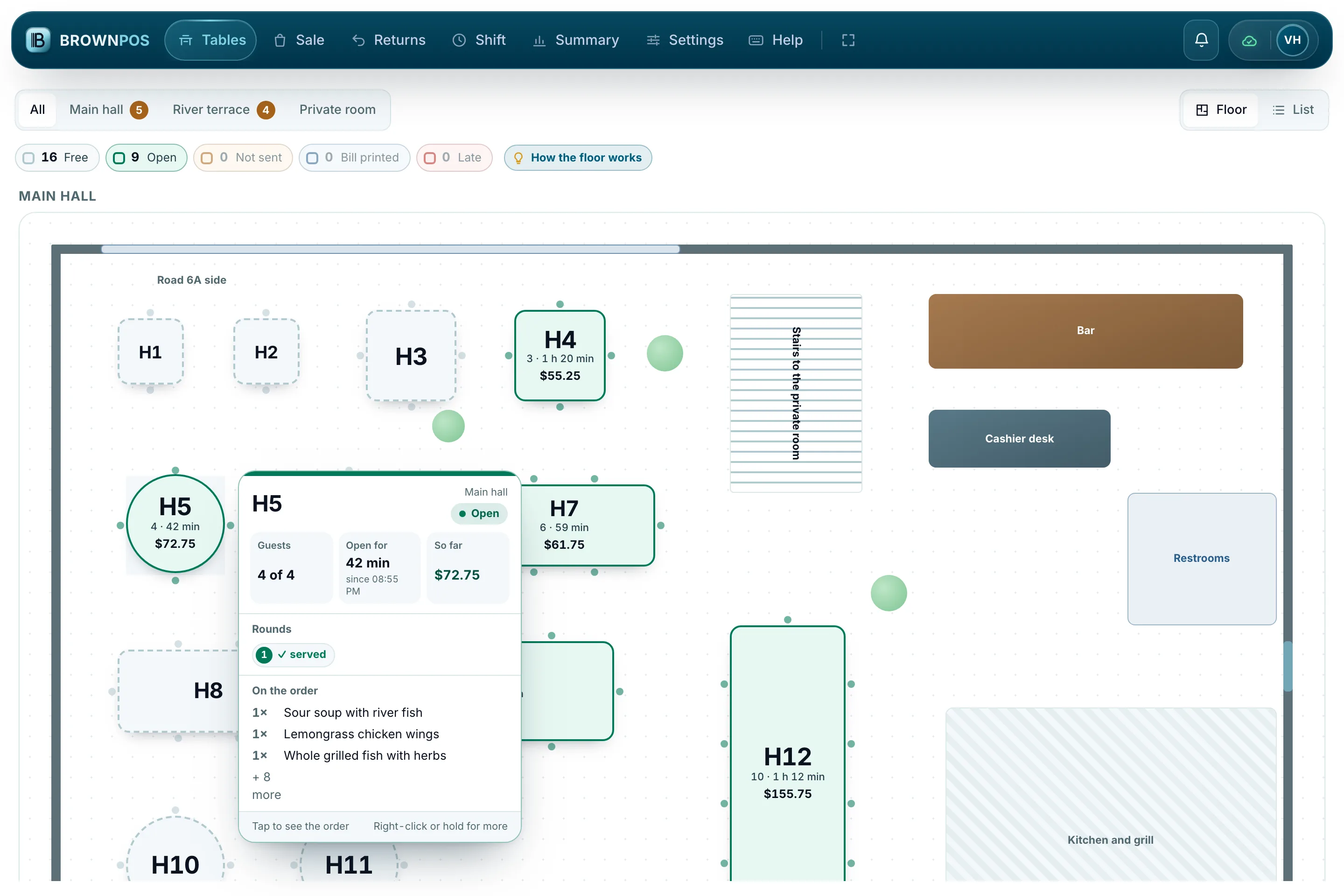
Cambodia POS System — The card that opens when the mouse rests on table H5: four guests, open for 42 minutes, $72.75 so far, its served round and what is on the order
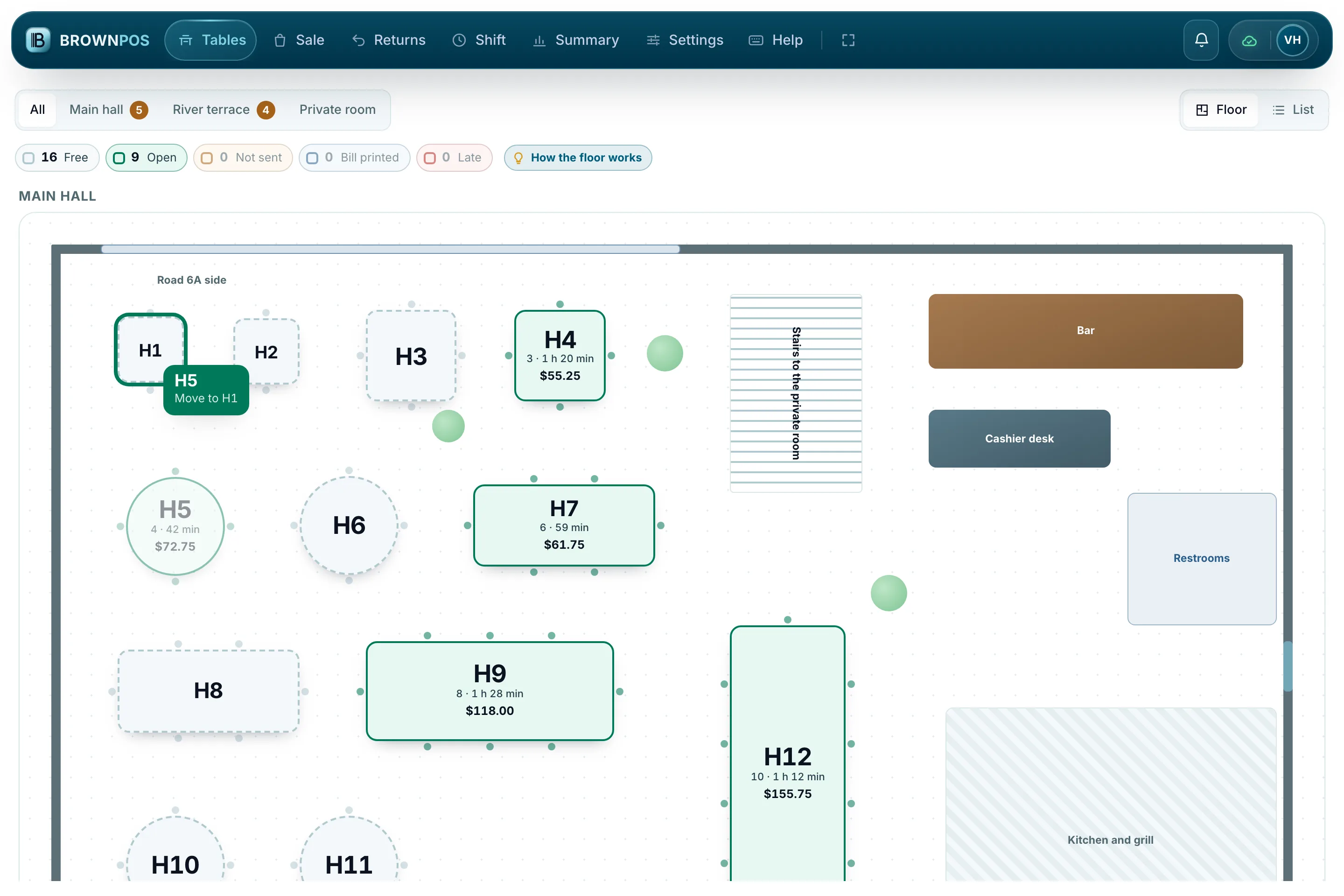
Cambodia POS System — Table H5 being carried across the till’s floor onto the free table H1, the card under the hand reading Move to H1
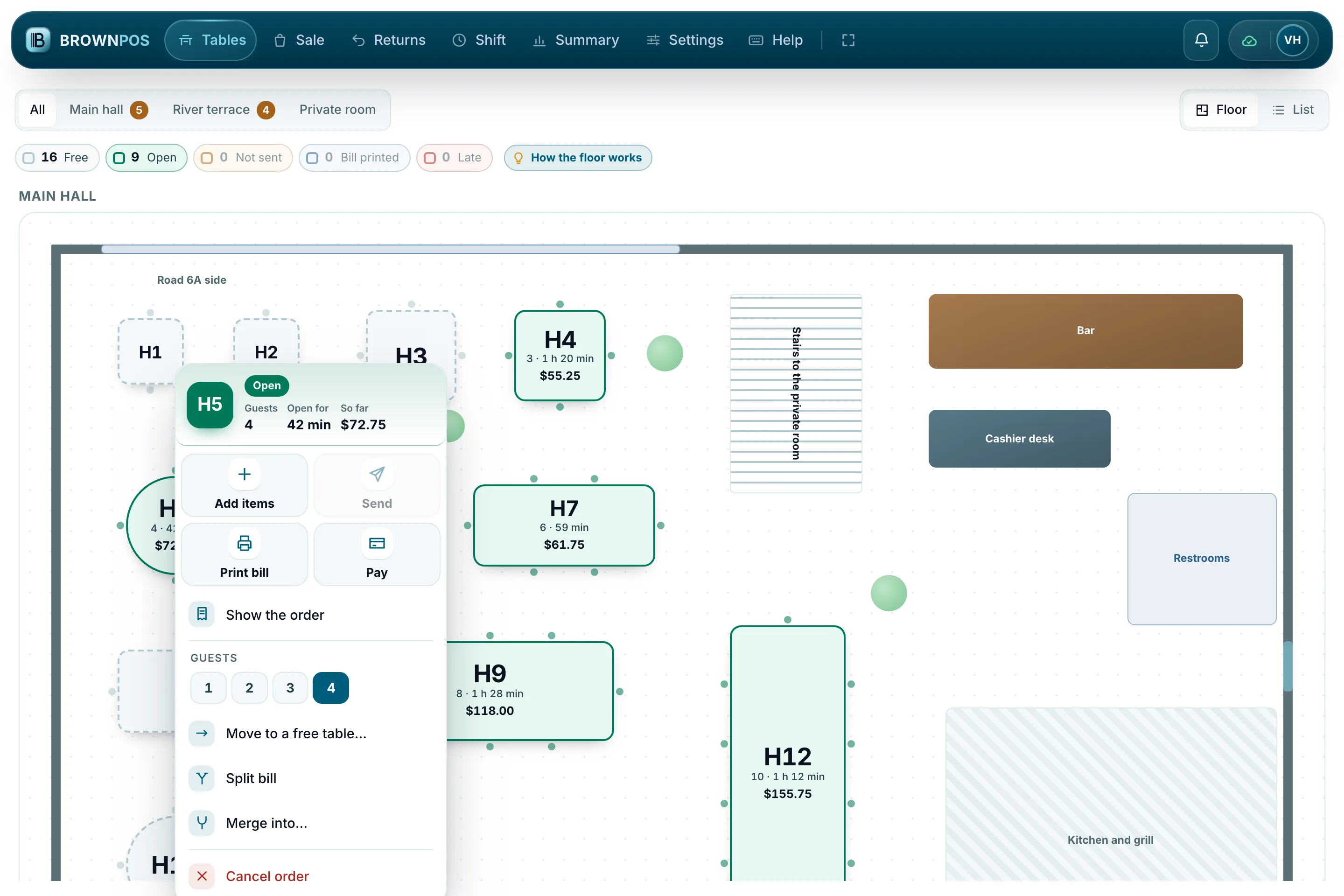
Cambodia POS System — The quick menu of table H5 on the till: add items, send, print bill, pay, guests, move to a free table, split bill, merge and cancel order
Cambodia POS System — The How the floor works card on the till: the five table colours, and dragging to move or join, the quick menu and the resting mouse

Run your tables from one till

We’ll walk you through the whole thing, from the floor plan to the bill.