Guests book on your website, not someone else’s
Put a booking box on the website you already have. The table is held while the guest types their name, and the booking is waiting at the till when they arrive — with no commission to anybody.
From your own website to your own floor
A box on your website
Paste one line into the site you already have — WordPress, Wix, Shopify or hand-written — or use the link and the printed QR for Facebook, Telegram and Google.
One diary, not two
The box reads your hours, your tables and your rules from the back office. Close for a day or add a table and the box knows, because there is nothing to keep in step.
On the floor at the till
Tonight’s bookings are grouped into late, here now and coming. Tap one to seat the party, move it to another table, ring the guest, or mark a no-show.
Where the bookings live
Real screens from Makod Khmer Cuisine, a demo restaurant that takes bookings on its own website. Five in the back office, two at the till, and the box as a guest meets it.
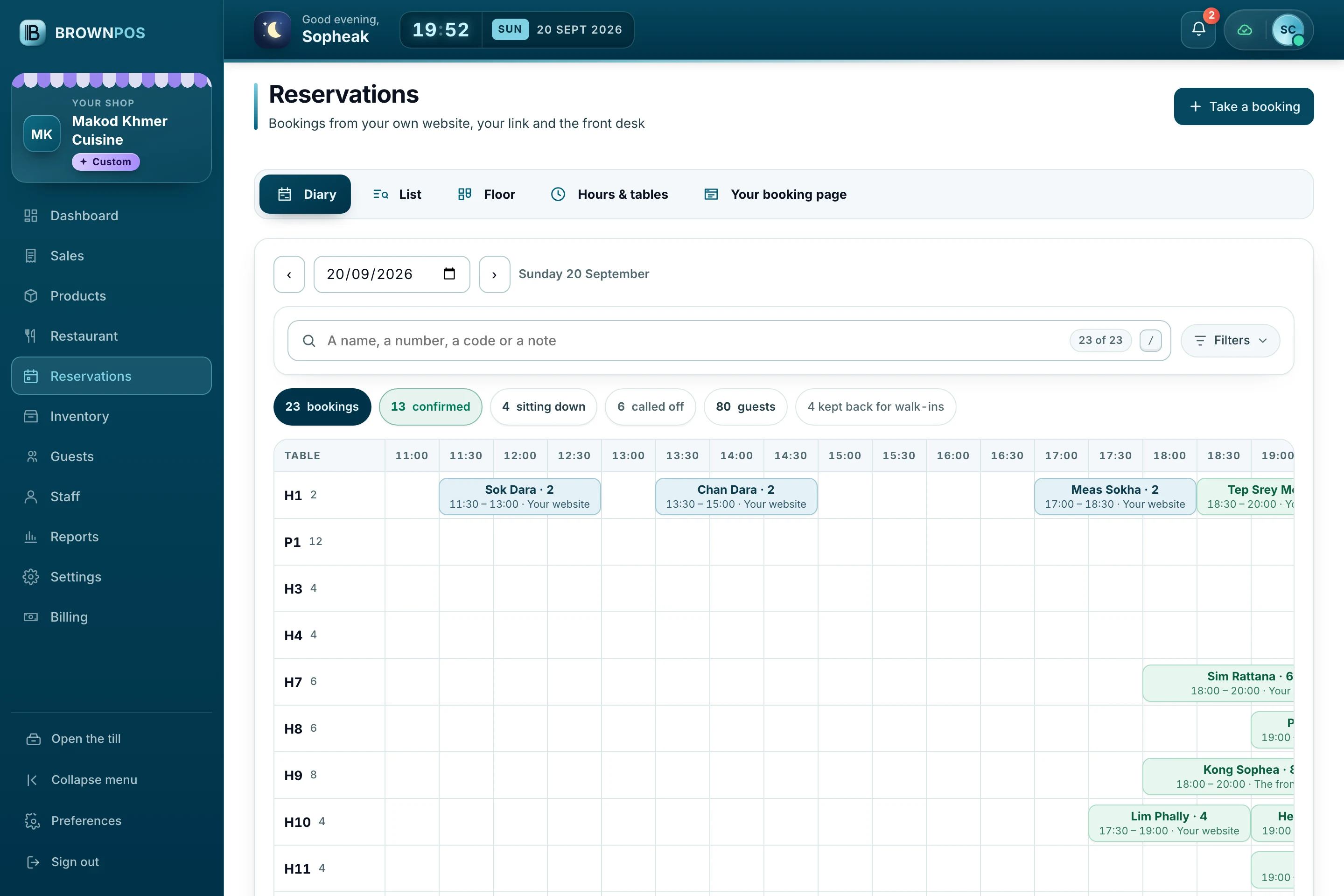
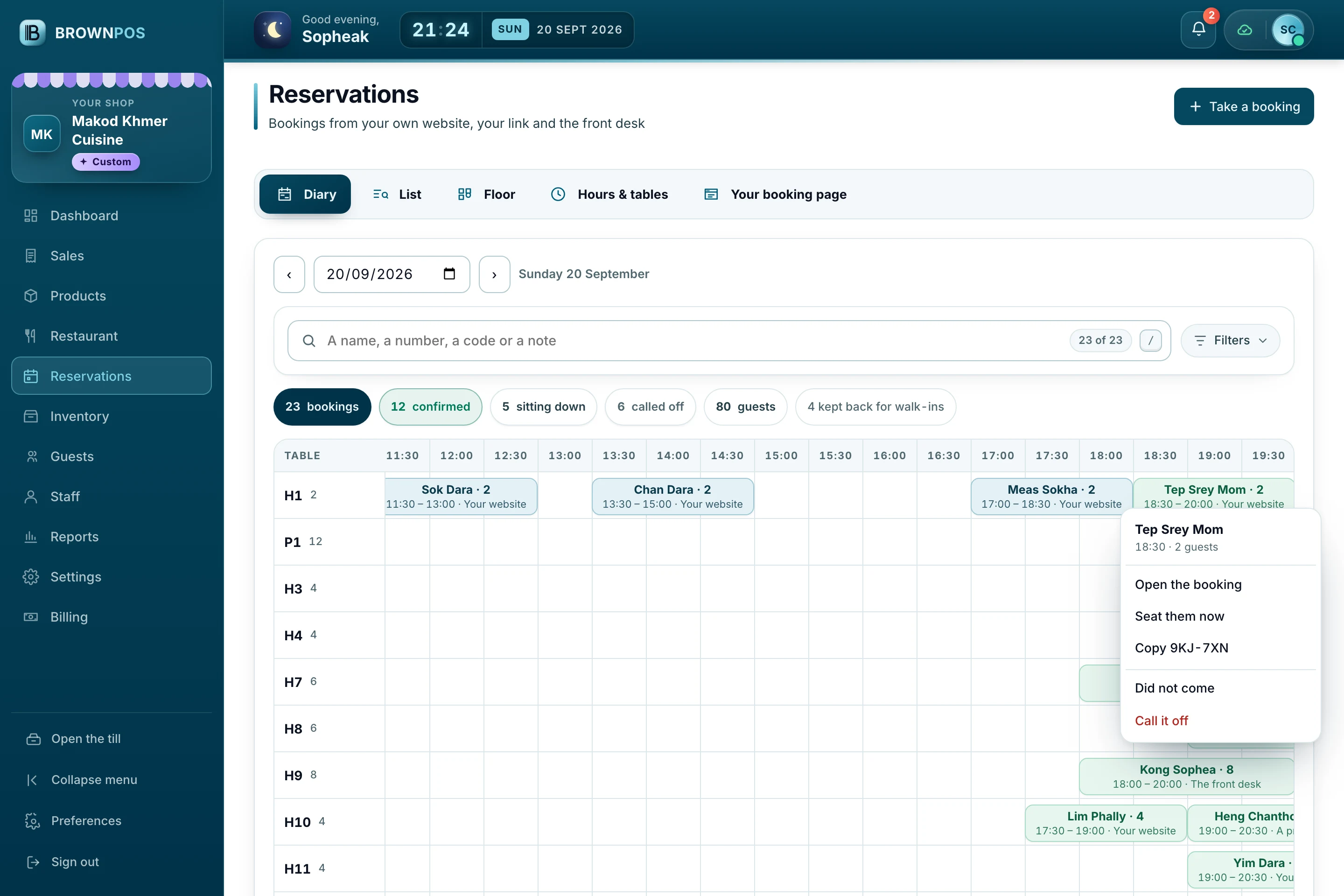
A day, table by table
Every booking on the table it is for and the half hour it starts, whether it came from your website, your link, a printed QR or the front desk.
- Drag a booking to another table
- Right-click to seat, move or call it off
- The day’s guests and covers at a glance
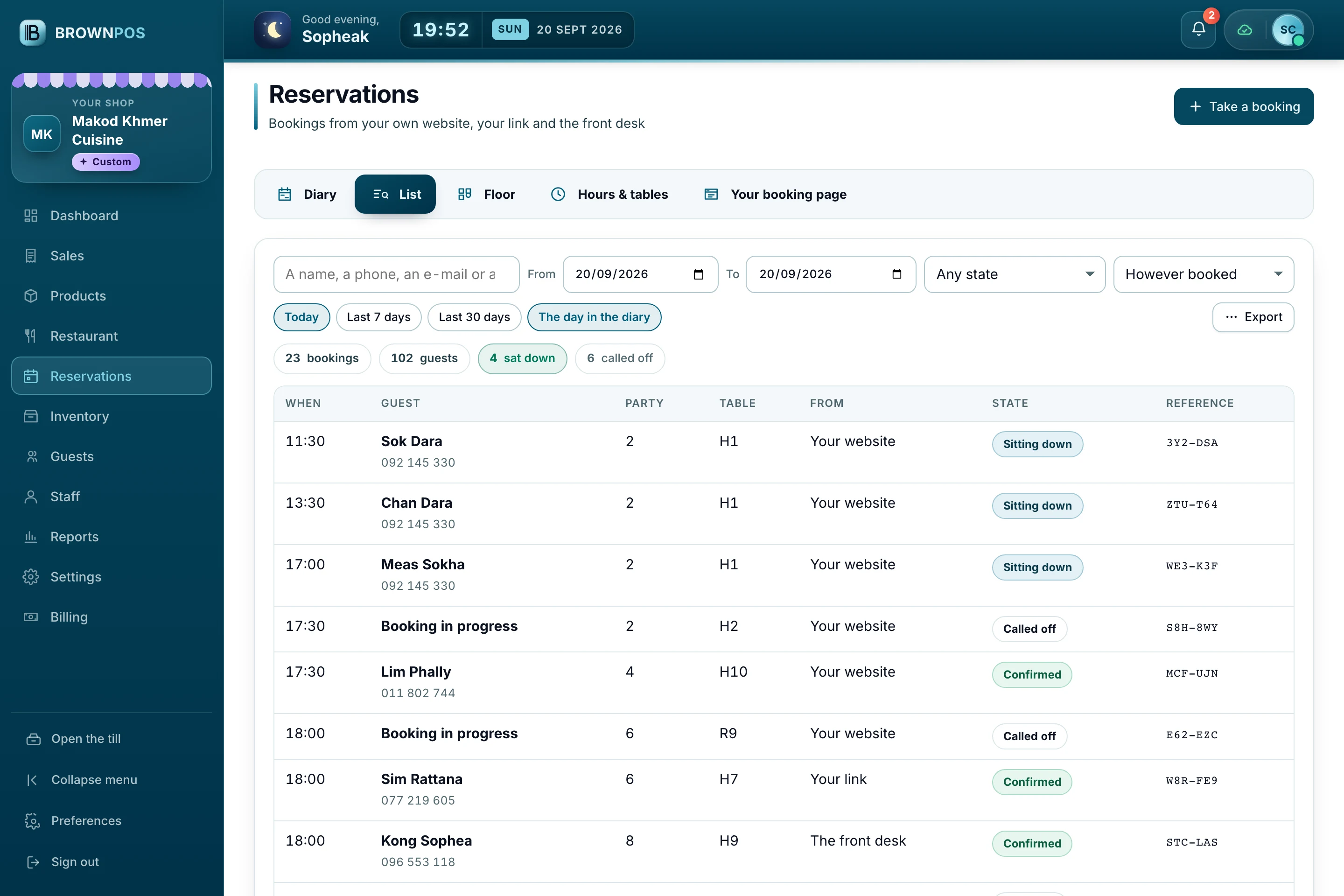
Find one guest
Search a name, a phone, an e-mail or a reference and it looks across every day, not only the one you are standing on.
- Filter by state and by how it was booked
- Export to a spreadsheet or to paper
- Every booking keeps its own history
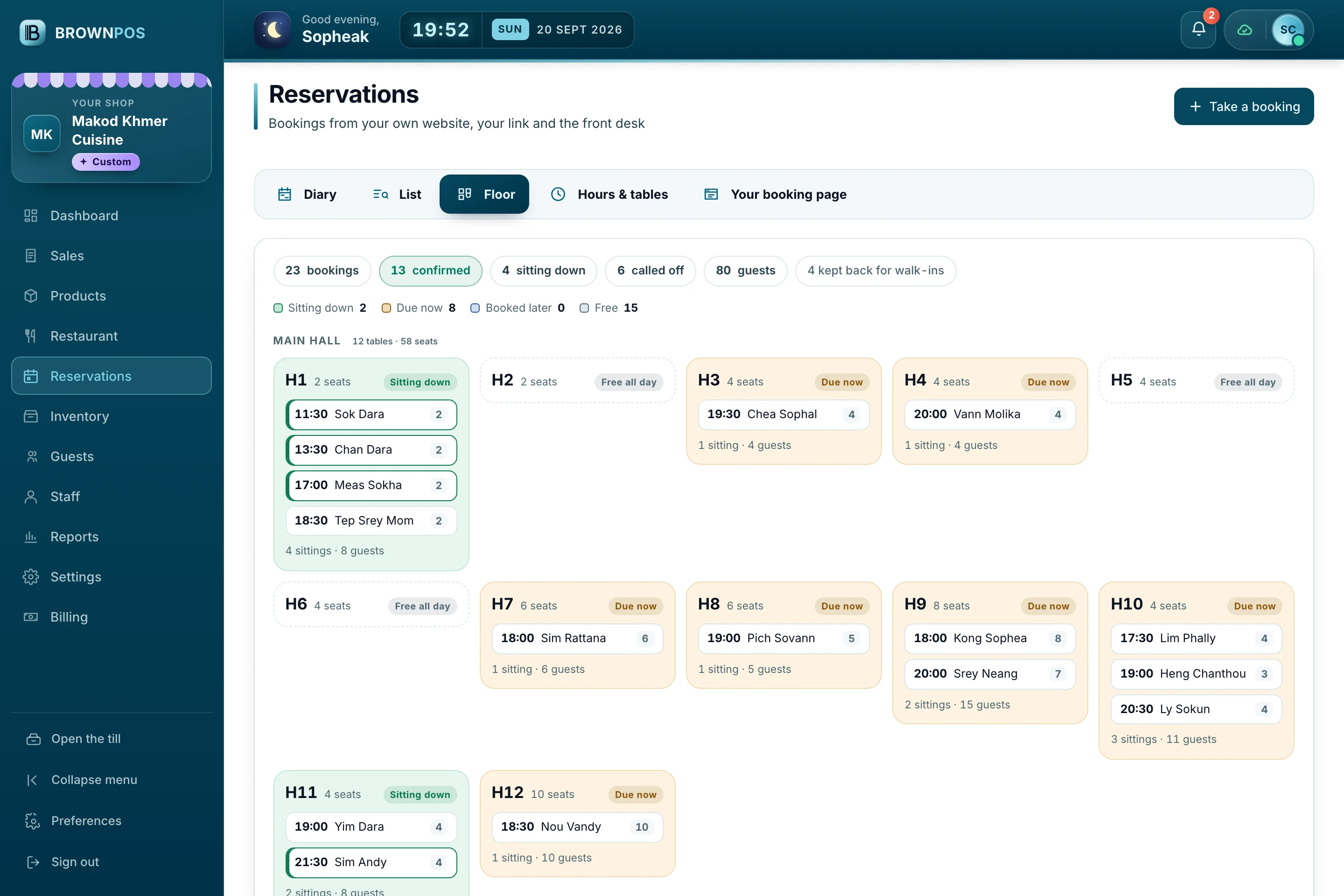
The room as it stands
Tonight’s bookings on the room you drew, so a host can see which tables are spoken for before the door opens.
- The table each party is due at
- What is still free for a walk-in
- The same room the till shows
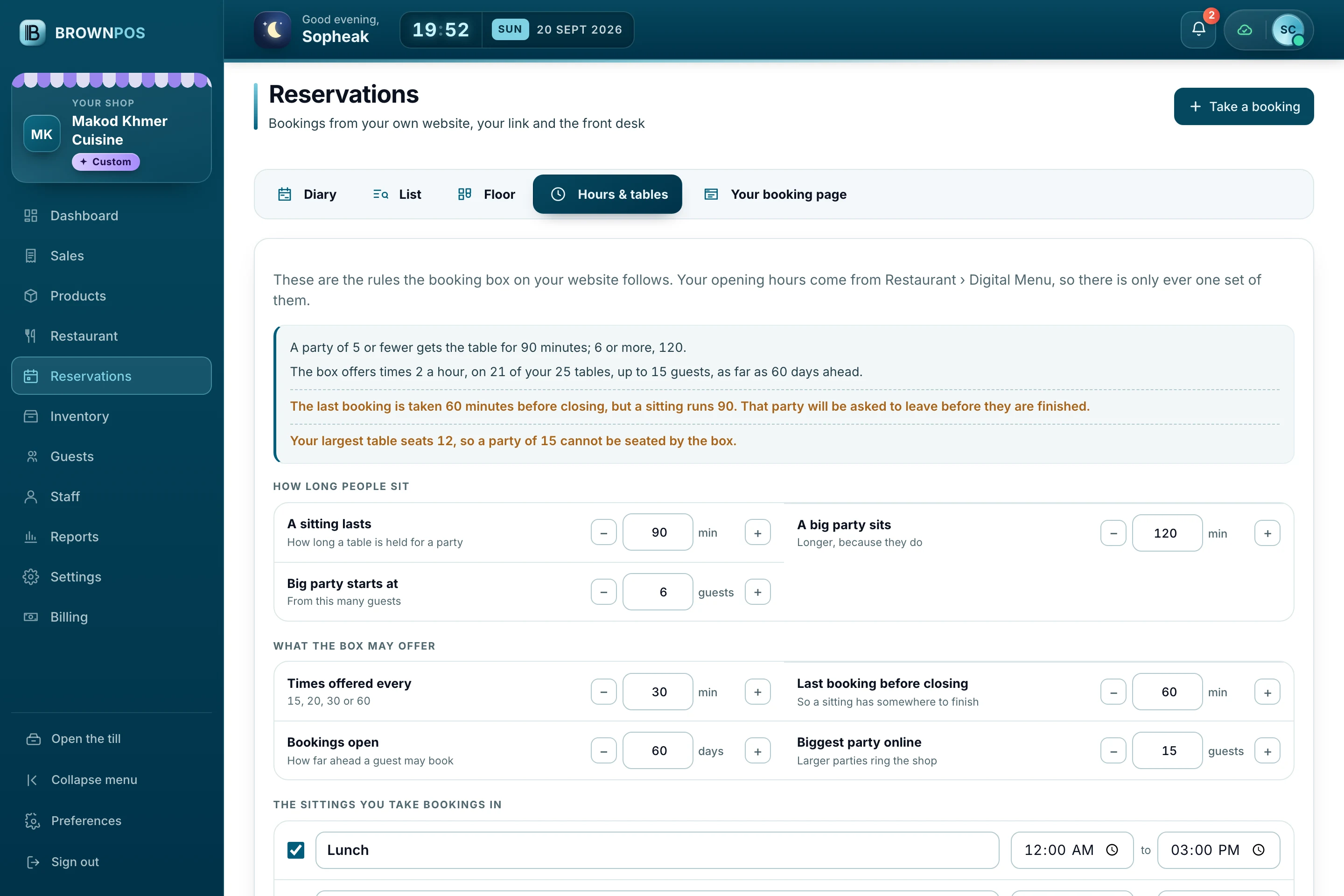
The rules are your rules
How long a sitting lasts, how far ahead people may book, the biggest party you will take online, and how many tables you keep back for walk-ins.
- Warns you when two rules disagree
- Sittings named the way your day runs
- Your opening hours, kept in one place
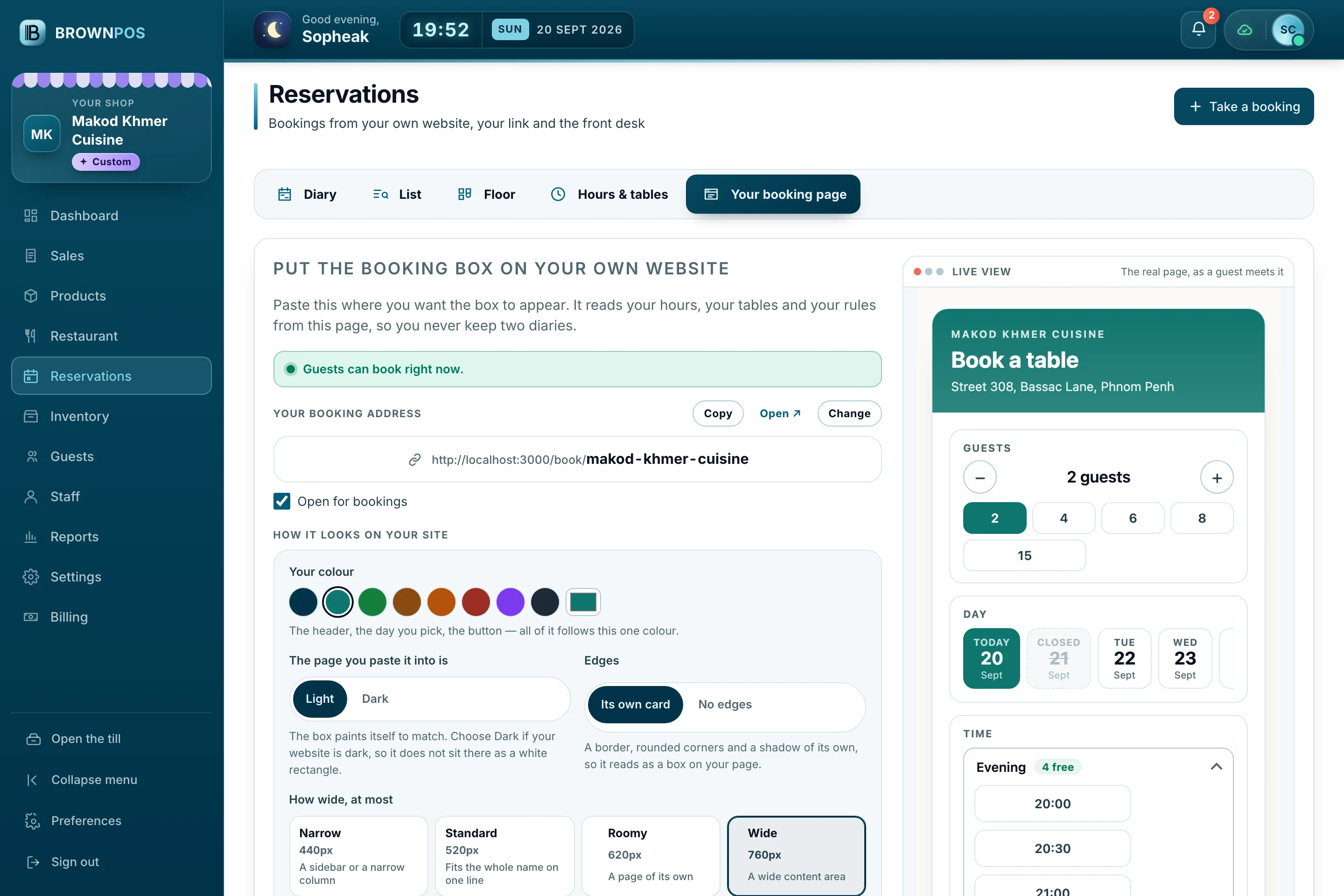
One line to paste
Your booking address, your colour, light or dark, how wide the box may grow, and the embed code — with a live view of the real page beside it.
- Works on WordPress, Wix, Shopify or plain HTML
- A link and a printed QR as well
- Say what you ask guests for
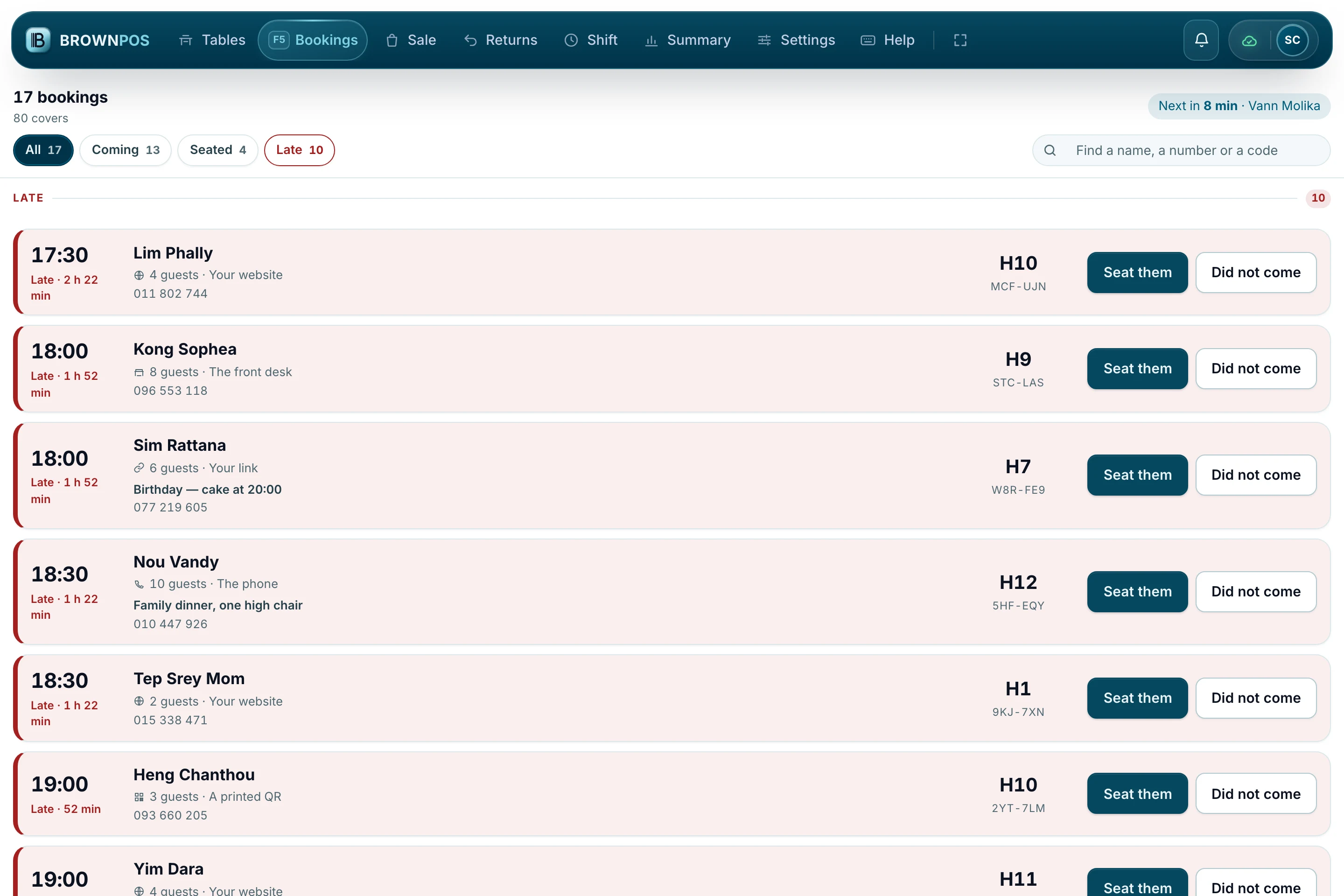
Where the host stands
Tonight’s bookings grouped into late, here now and coming, each with the guest, the party, their note and the table they are for.
- Seat a party in one tap
- Late parties come to the top
- Works the same on a tablet
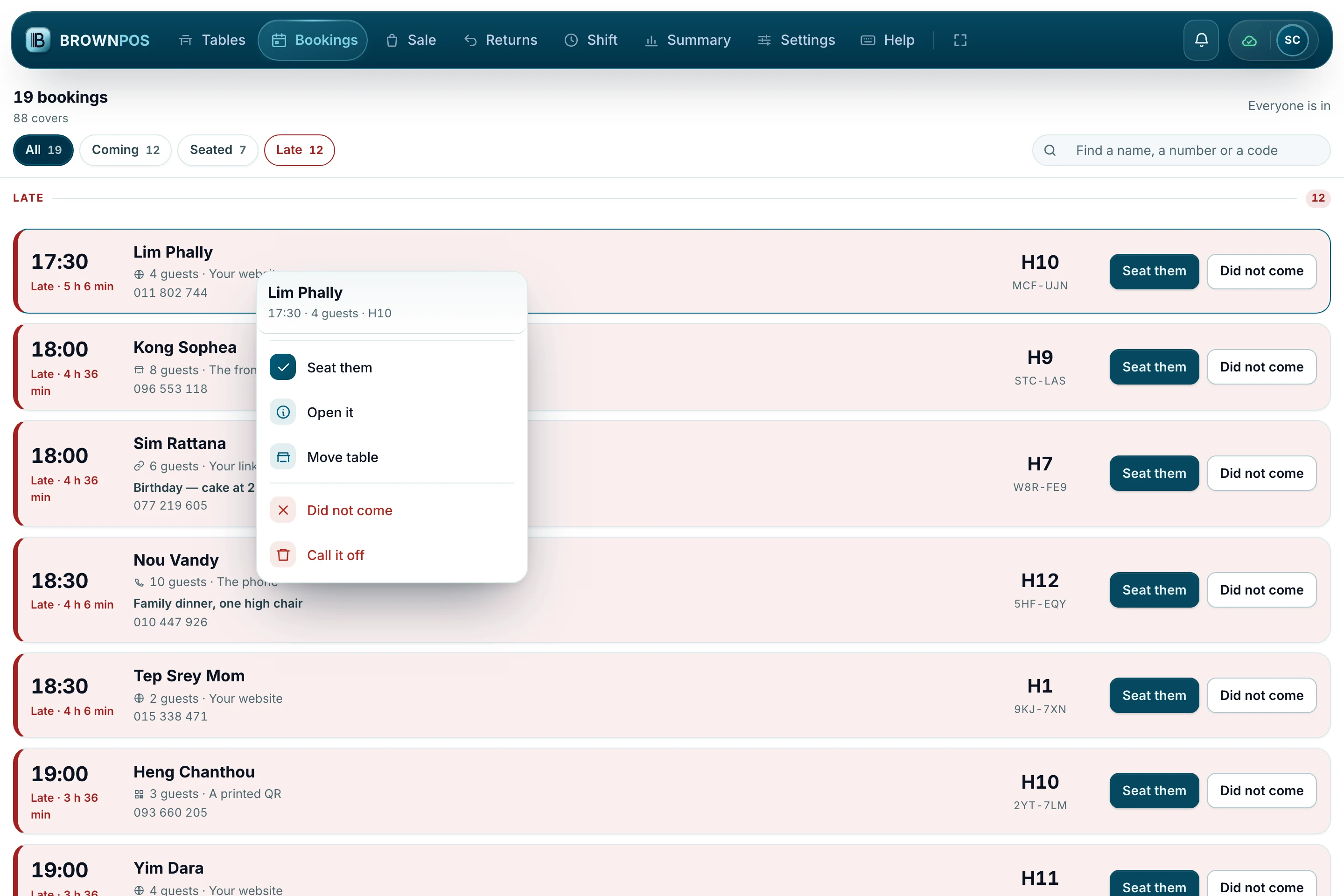
Everything on one booking
Right-click a card — or hold it on a touch screen — for everything you can do with that party, without losing your place in the list.
- Seat them, or mark a no-show
- Move them to another table
- Nothing happens without a question first
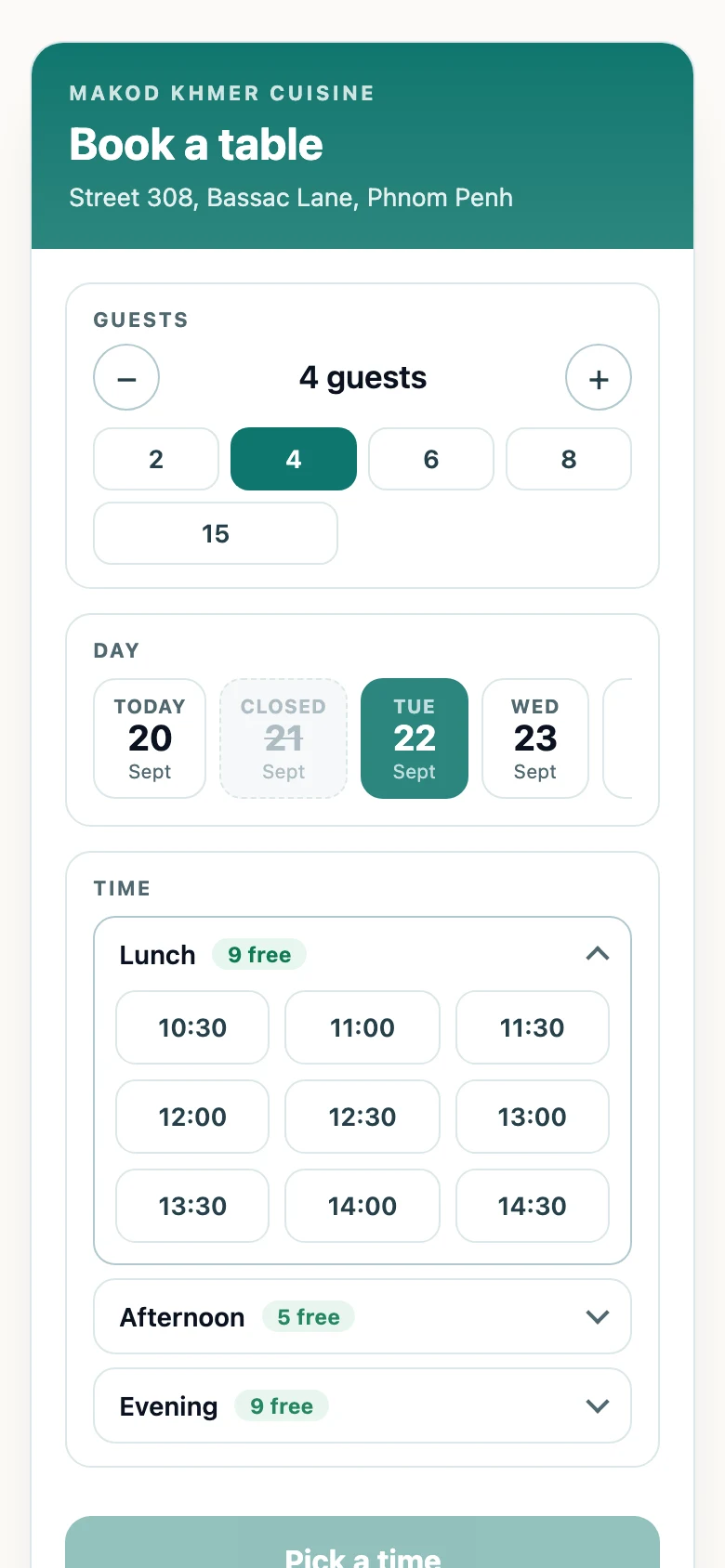
Booked in three taps
The party, the night and a time that is still free. Closed days are struck through, and the table is held while they type their name.
- Your colour and your name, not ours
- Nothing for a guest to install
- A reference they can quote
The rules are your rules
How far ahead people may book, how long a sitting lasts, the biggest party you will take online, the last booking of the night and how many tables you keep back for walk-ins. Where two rules disagree — a sitting longer than the gap before closing — the screen says so before a guest ever meets it.
- The table is held while the guest types their name
- Their phone, their e-mail and their note travel with the booking
- Say what you ask guests for, and what you insist on
- Walk-ins and the front desk go in the same diary
Your booking address, your colour, and the embed code for the website you already have — with a live view of the real page beside it.
What shops ask before they switch it on
8 questions, answered
Still have a question?Ask usCan I take bookings on my own website?
Yes. Turn Reservations on in the back office, open Your booking page, and copy the line of embed code it shows you. Paste that line into your own website where you want the box to stand — it wears your colour and your name — and from then on a guest who books there lands straight in your diary and on the till, with no commission to anybody. If you have no website yet, the box also has an address of its own, something like brownpos.com/book/your-shop, with a printed QR code to match for the door, the table and your Facebook page.
Does it work on a phone?
That is where most of your guests will meet it, and it is built for a phone first. There is nothing for a guest to install, and the box wears your colour and your name rather than ours.
What happens if two guests book the same table at once?
They cannot. A guest is only ever offered times that are really free, on tables big enough for their party, and the table is held while they type their name. A time that goes while they are typing is offered to nobody else.
Can my front desk still take bookings by phone?
Yes, and they go in the same diary. A booking taken at the desk, over the telephone, from your website, your link or a printed QR is the same booking on the same table — there is only ever one diary.
Can I keep some tables for walk-ins?
Yes. Say how many tables to hold back and the box will never offer them, however busy the night looks online. You set it in Hours & tables, with the sitting length, how far ahead guests may book and the last booking of the night.
What do guests have to give us?
A name and a phone number always. The e-mail and the note are yours to choose: leave them out, ask for them, or insist on them. A shop that writes to its guests can refuse a booking without an address; the shop next door would rather have the booking.
Do you take a commission on bookings?
No. It is your website, your guest and your table. BrownPOS takes nothing per booking.
Is it on every plan?
No. Reservations is not part of every package — it is switched on for the shops that ask for it. Our packages and what each one costs are on the Pricing page, and our team will tell you what your room needs and set it up with you.
Take bookings on your own website
We will set up the box, your hours and your rules with you, and show you the diary and the till in the demo.