Your menu on every guest’s phone
Print a card for each table. Guests scan it and see your menu with photos and prices in dollars and riel, straight from your till. There’s nothing to install.
A menu that stays up to date
A card on every table
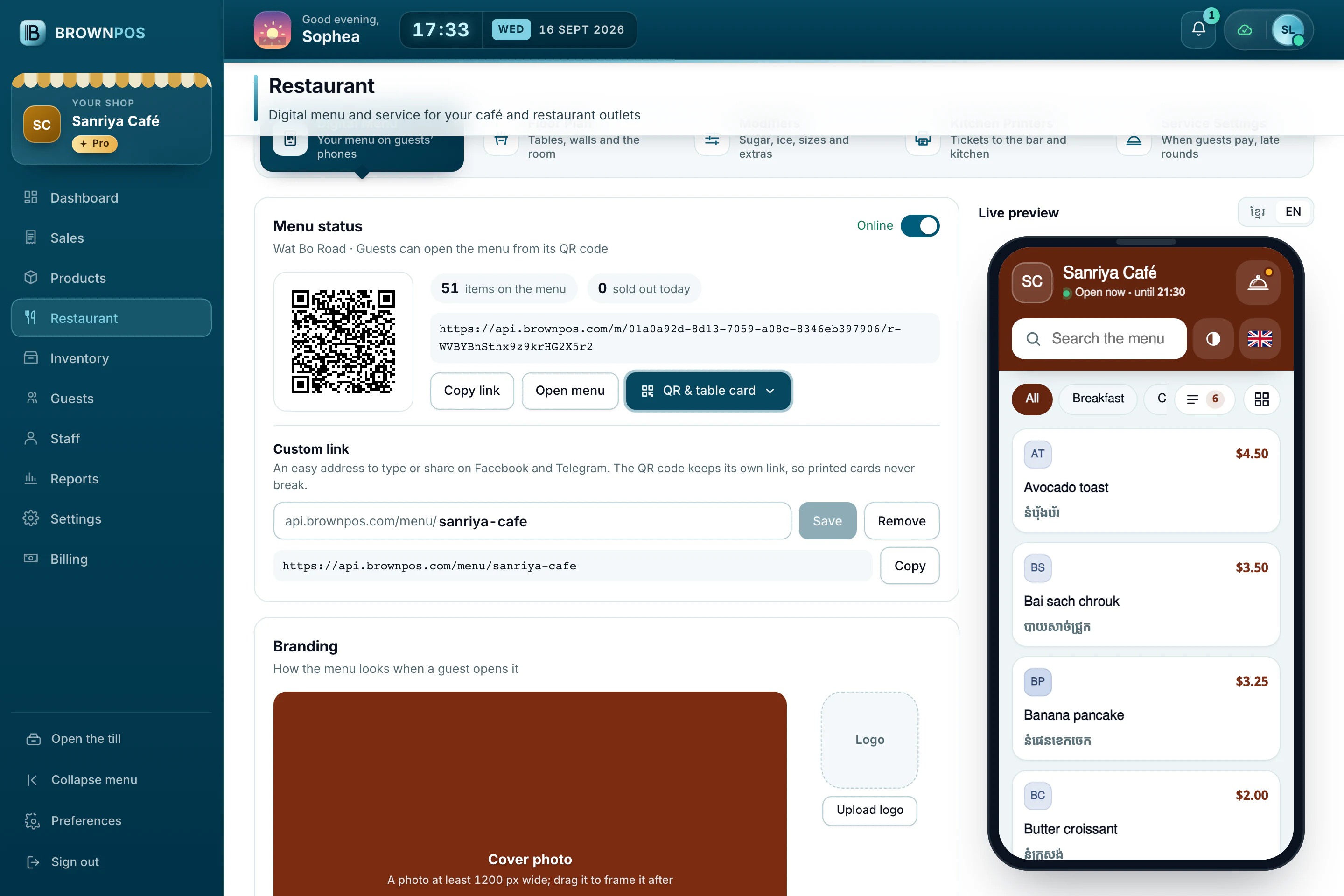
Get your own short link and a printable card for each table, with the table’s name on it.
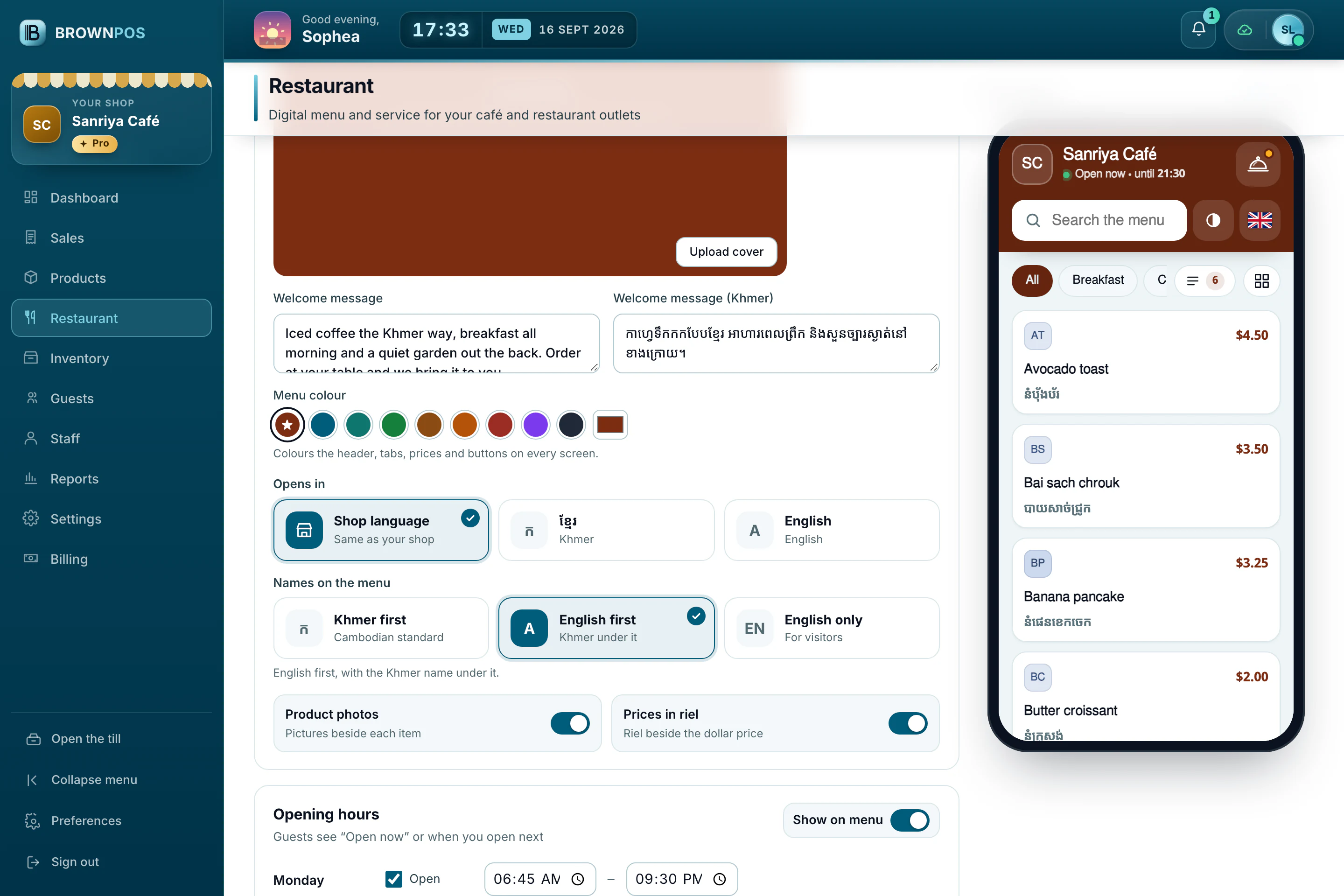
Photos and prices
Dishes, photos and prices come from the same catalogue your till uses, so when you change a price, guests see it too.
Sold out or hidden
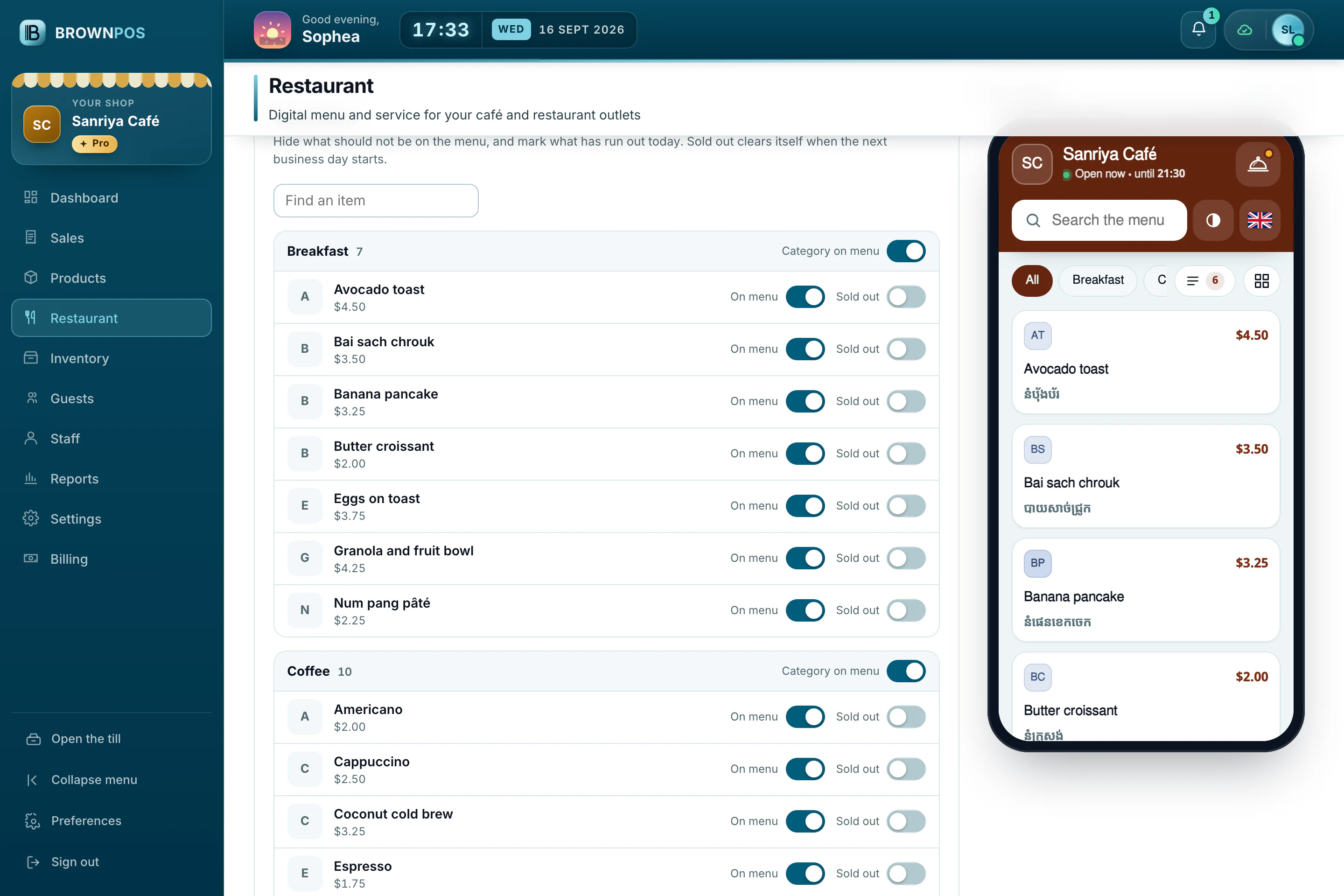
Mark a dish as sold out for the day, or hide a dish or a whole category, and the menu updates straight away.
Opening hours, Wi-Fi and a welcome message
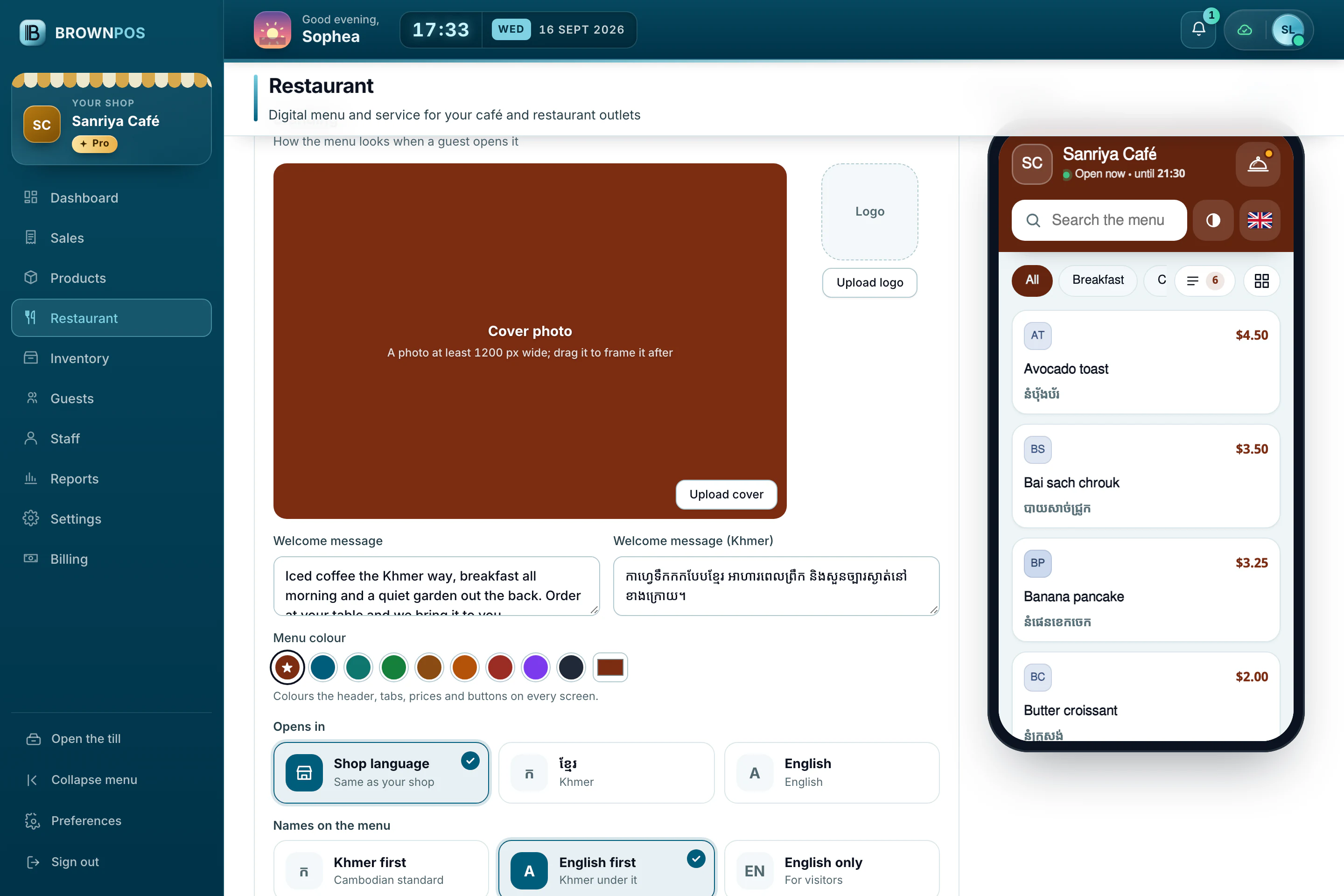
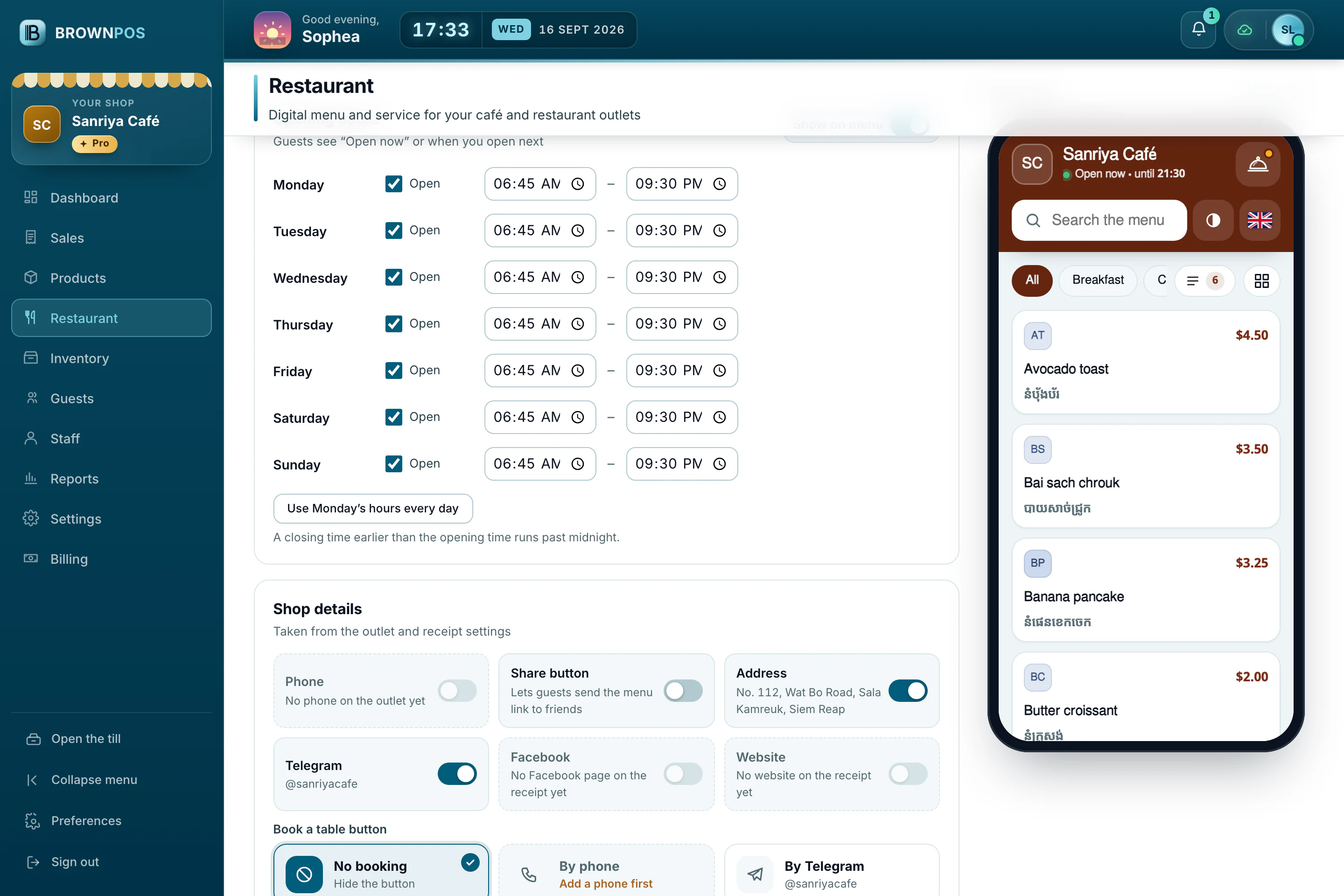
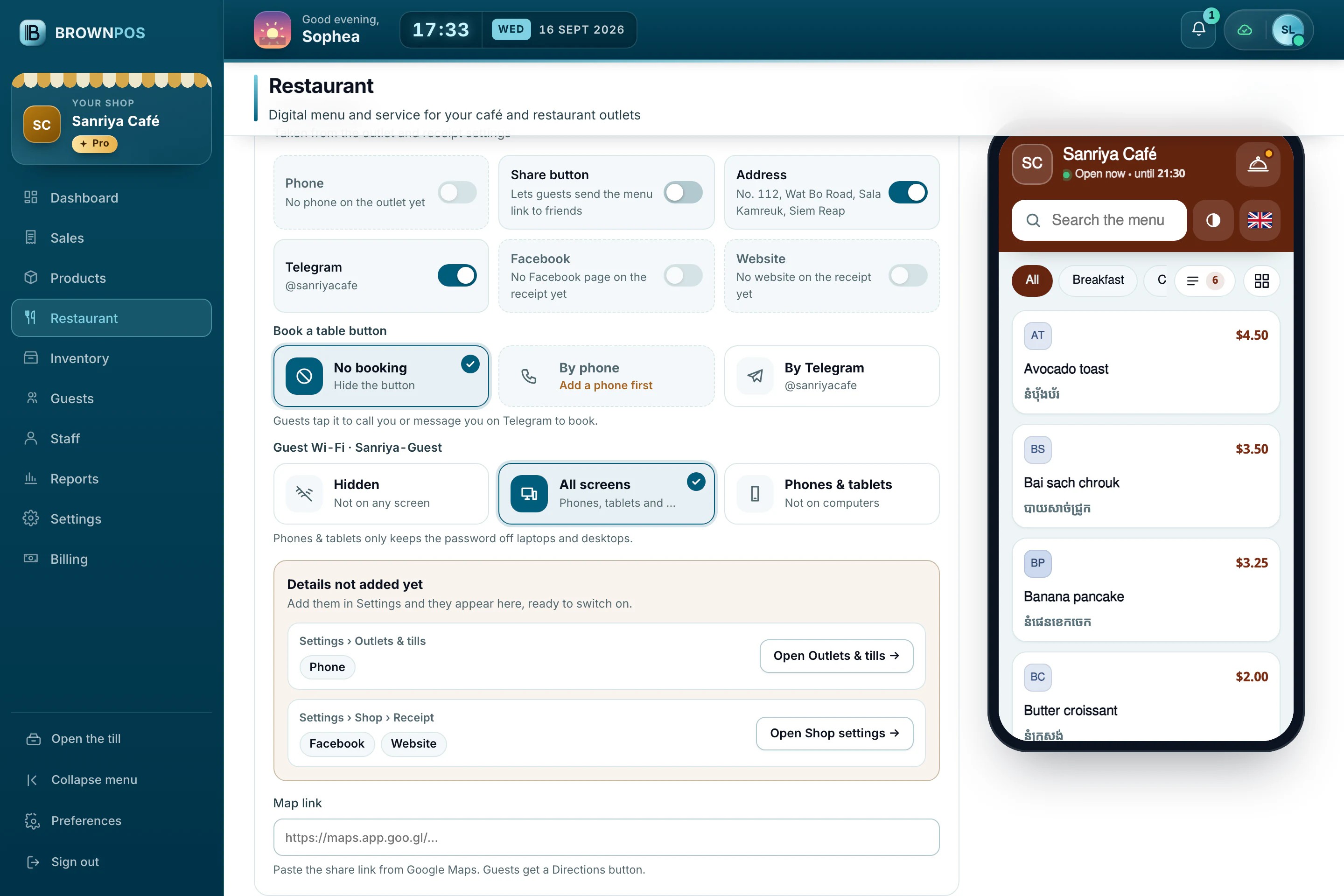
Show your opening hours, the Wi-Fi name and password, and a welcome message for guests, in your shop’s colours.
- Works on any phone, with nothing to install
- Dollars and riel, at your own rate
- Guests read the menu here; orders are still taken at the table or the counter
Every part of the menu, in one place
Restaurant › Digital Menu holds everything guests see, with a live preview beside it. Save a change and every guest’s menu shows it.
- Nothing to install, for you or your guests
- In Khmer, English or both
- Printed QR cards keep working when the link changes
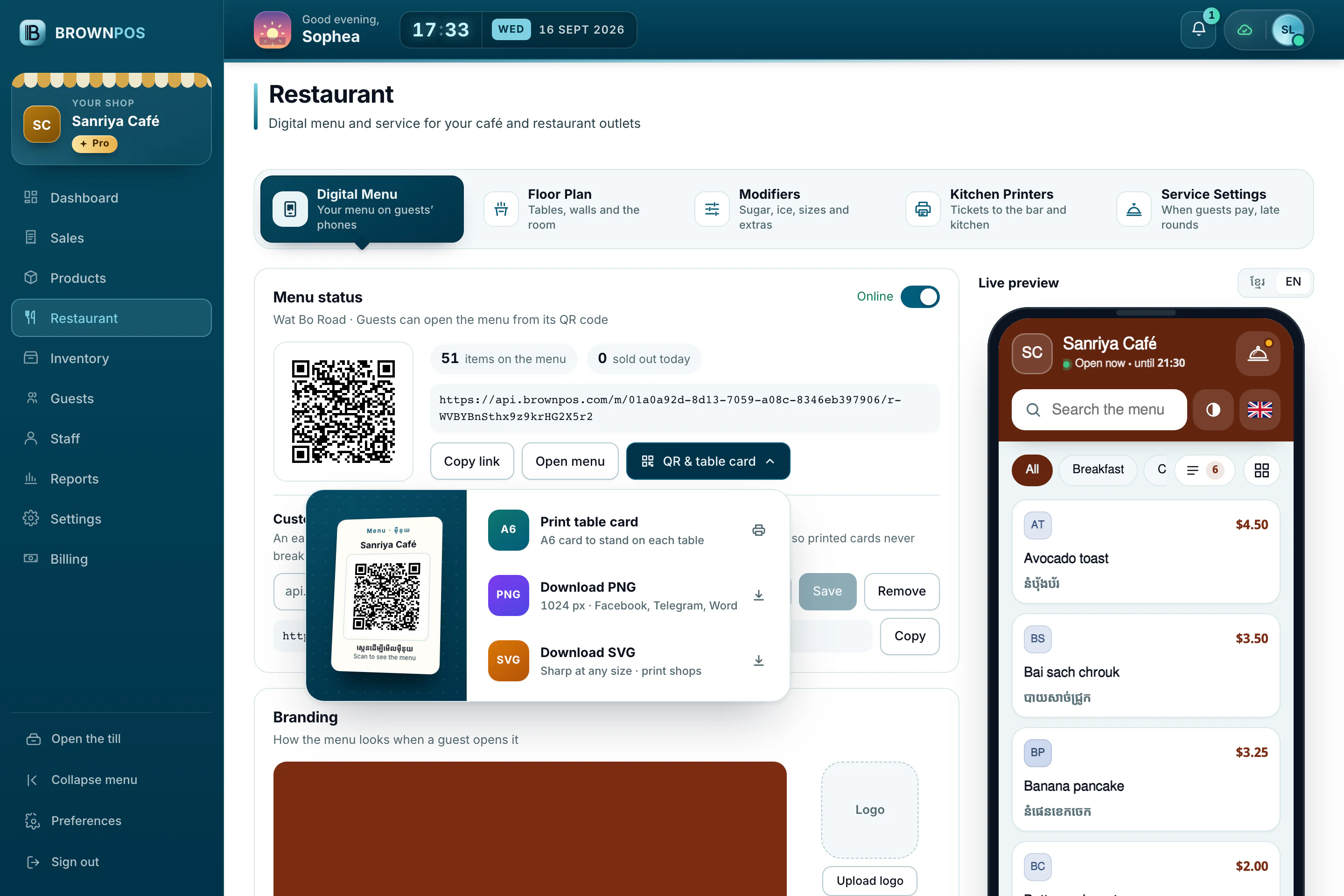
Print an A6 card to stand on each table, or download the QR code as a PNG for Facebook and Telegram, or as an SVG for a print shop.
Put your menu on the table
We’ll set up your link and print the first cards with you.