The till that keeps selling when the internet stops.
BrownPOS runs on your own tablet or computer. Take dollars and riel in the same sale, accept KHQR at the counter, and print Khmer receipts on the printer you already have. If the internet goes down, you keep selling.
No visit needed. We show you everything first, on a shop already selling.
Built for the way Cambodia trades.
Made for the way shops here really work: two currencies, KHQR, Khmer receipts and an internet line you can’t always count on.
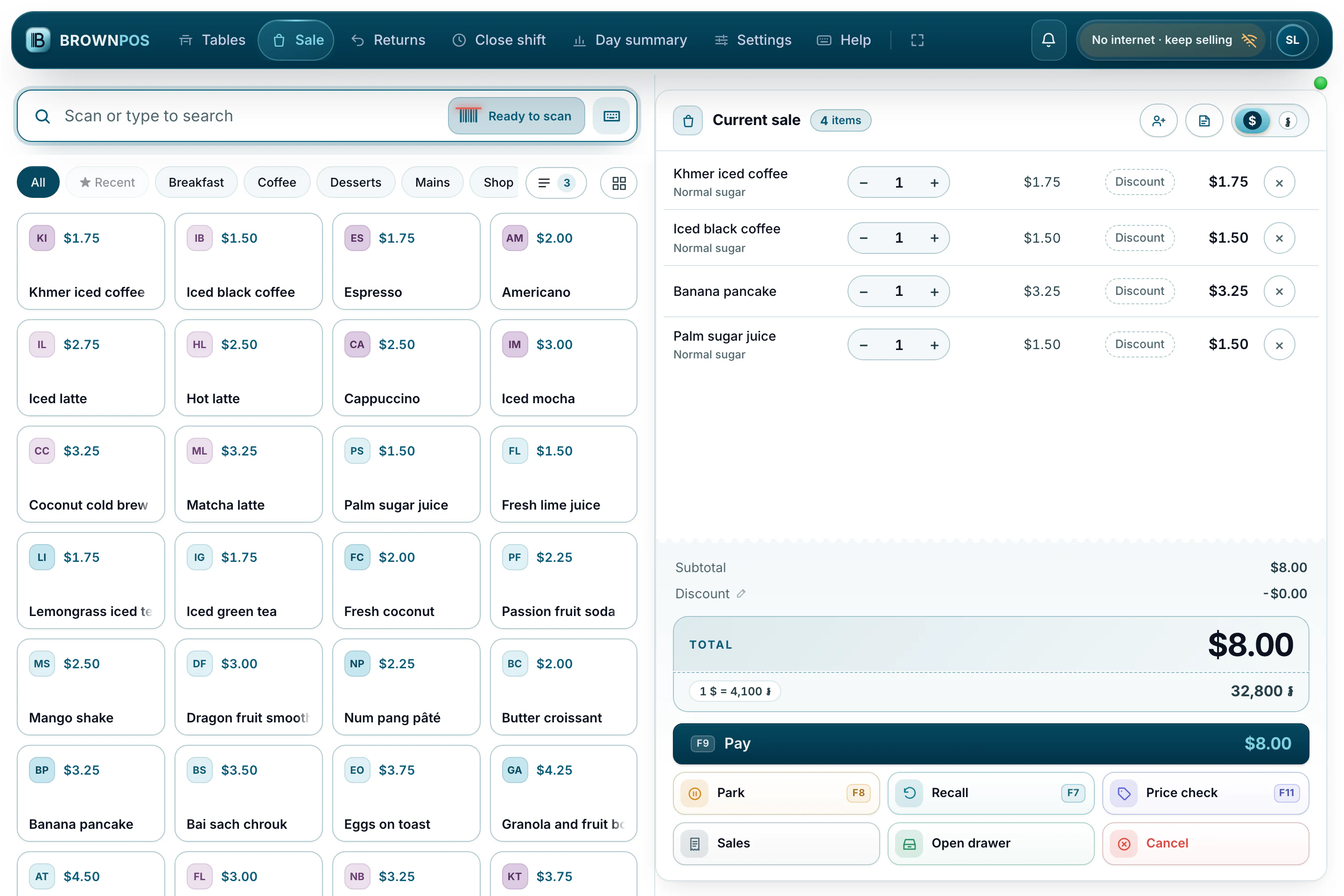
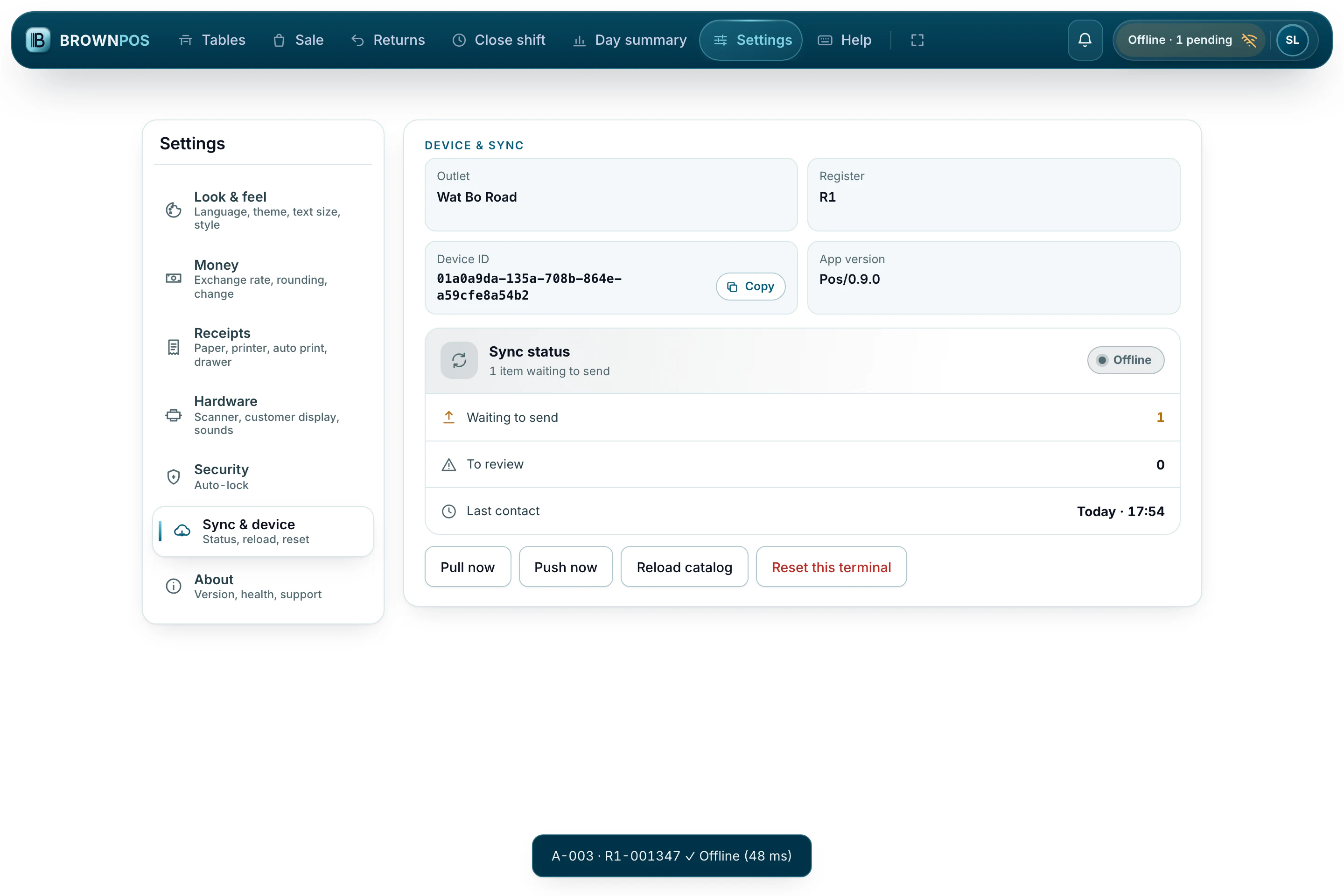
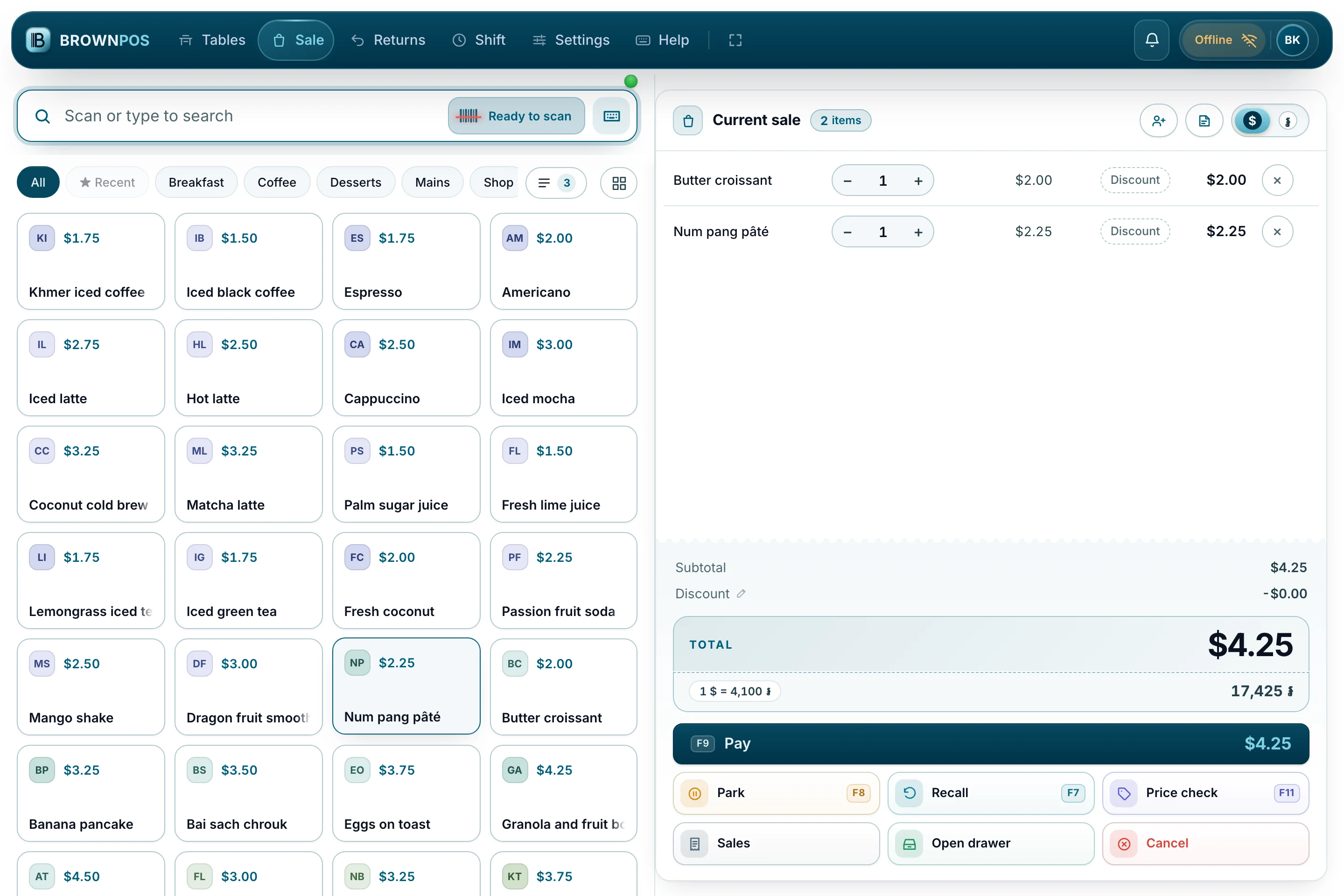
Your products and prices are stored on the device, so every sale goes through. When the connection comes back, the sales send themselves.
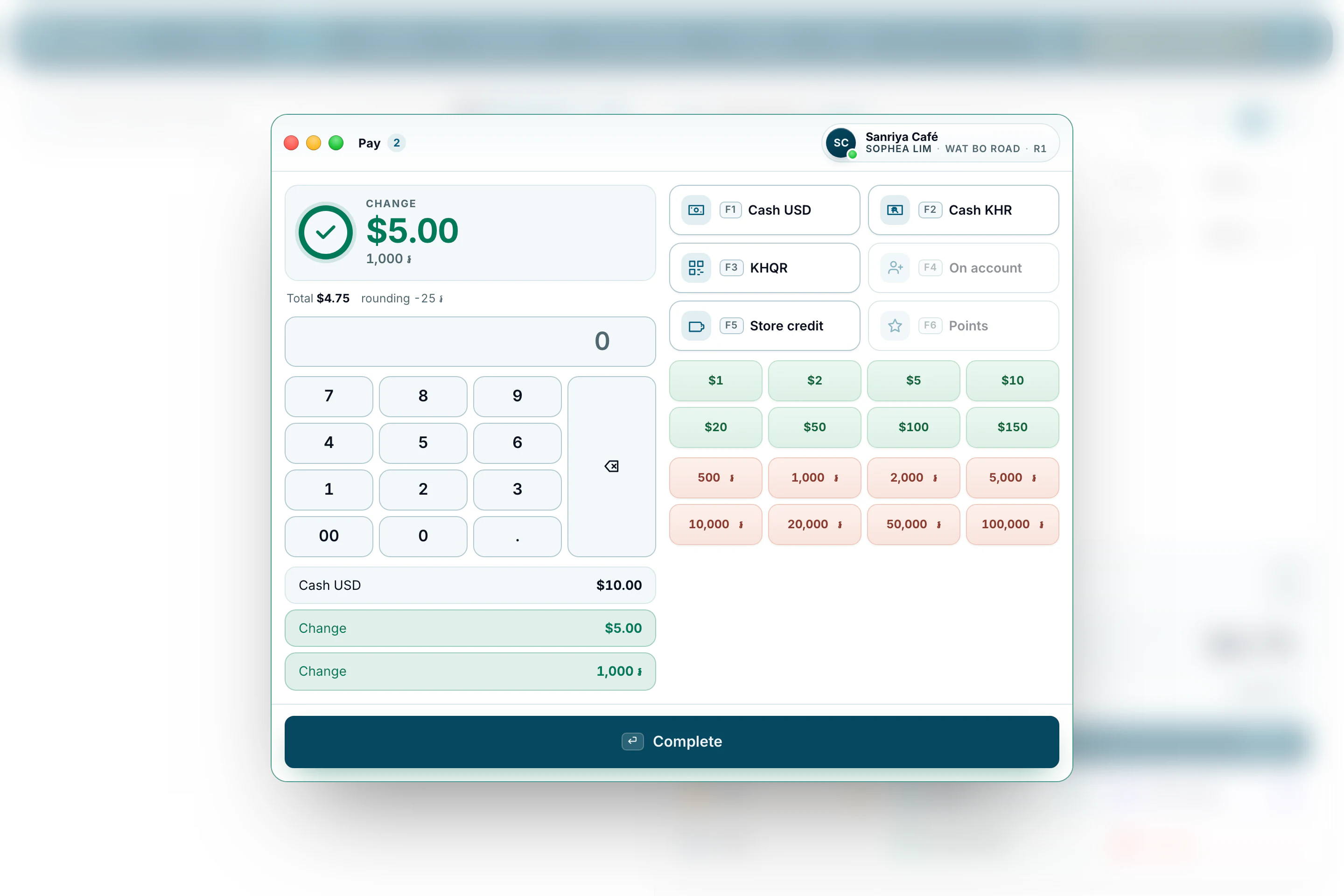
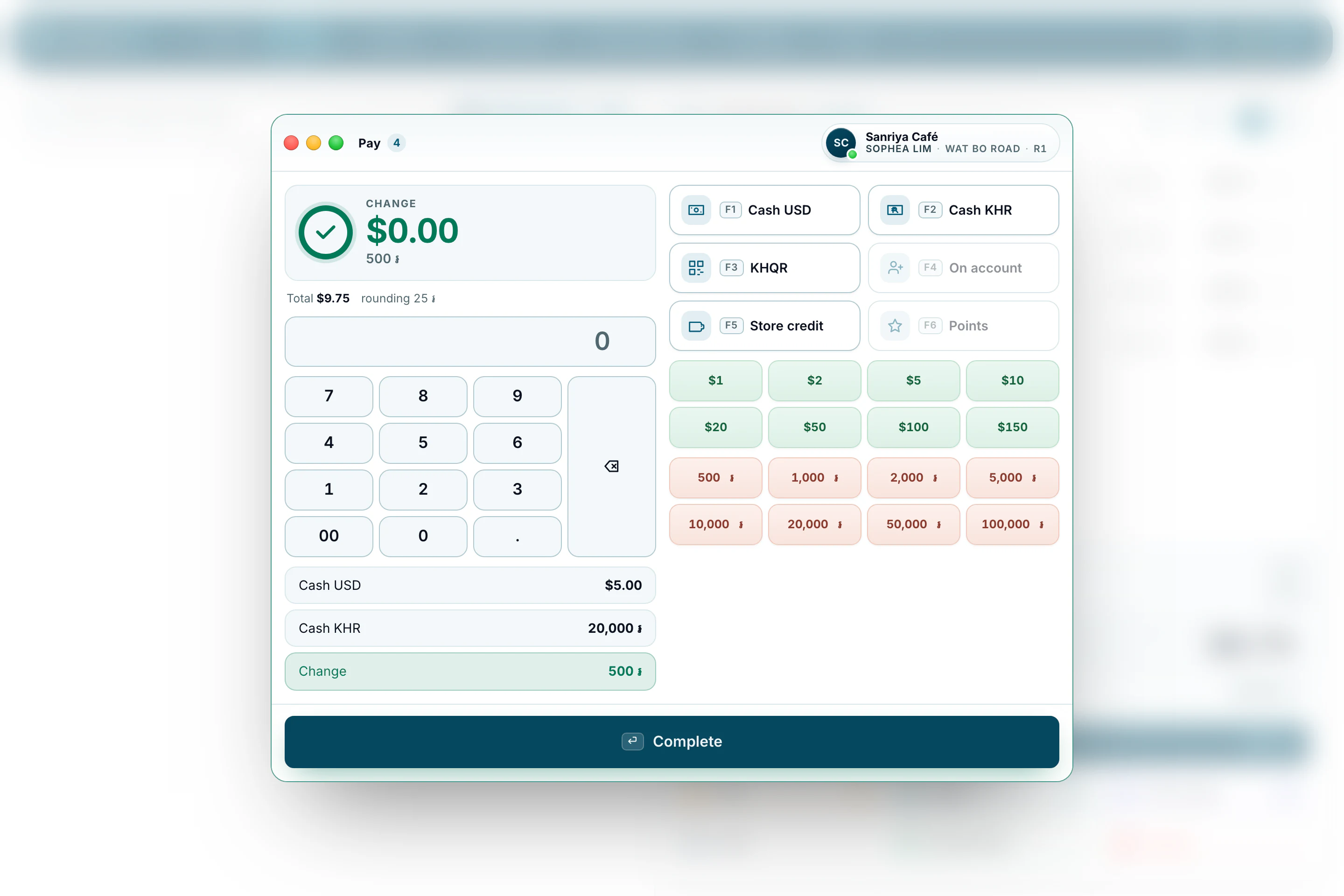
How it worksTake a five-dollar note and give the change in riel, rounded the way your customers expect. Every amount is kept to the exact cent or riel.
Show the code on screen and the customer scans it with their banking app. The payment is recorded on the sale, with no extra device.
Khmer is printed as an image, so it comes out clearly on the low-cost thermal printers most shops already own. No empty boxes where letters should be.
Every evening, the day’s totals, low stock and anything that needs your attention arrive on your phone.
Keep track of regular customers who pay later, with a credit limit for each one and a statement you can hand them.
Put a booking box on the website you already have, in your colours, at your width, under your rules. Every booking lands in one diary that the back office and the till both read — and nobody takes a commission.
Read moreRecord cash in and cash out, count the drawer at closing and print a Z report before you lock up. If the drawer and the till don’t match, you’ll see exactly why.
Most tills stop when the internet does.
Most cloud point-of-sale systems expect a steady internet connection, and many Cambodian shops don’t always have one. When the line drops, customers wait, sales go into a notebook, and someone spends the evening typing them back in.
BrownPOS works the other way round. The shop’s own device keeps the records at the counter, and the server collects and reports the day’s sales when it can. The counter never waits.
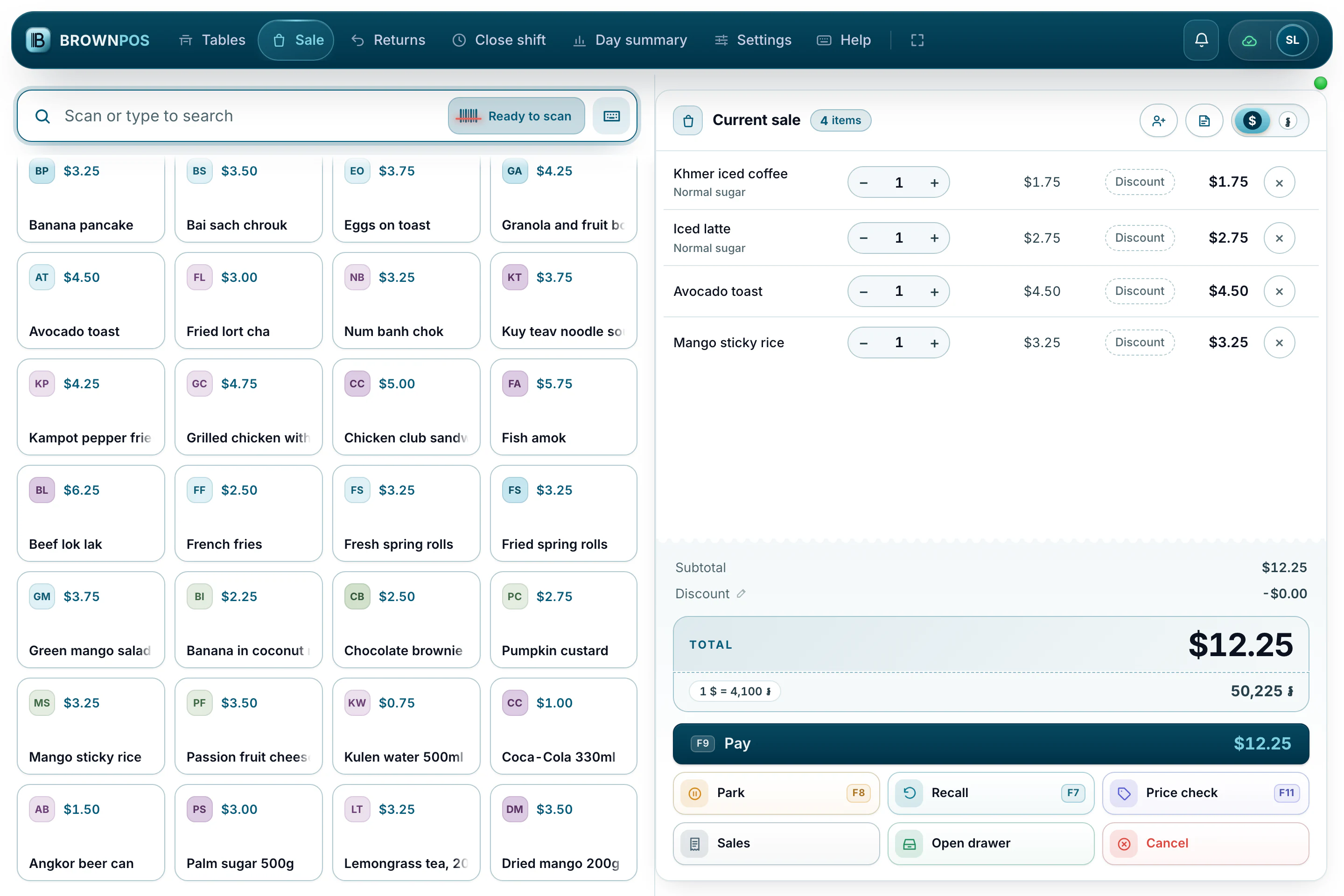
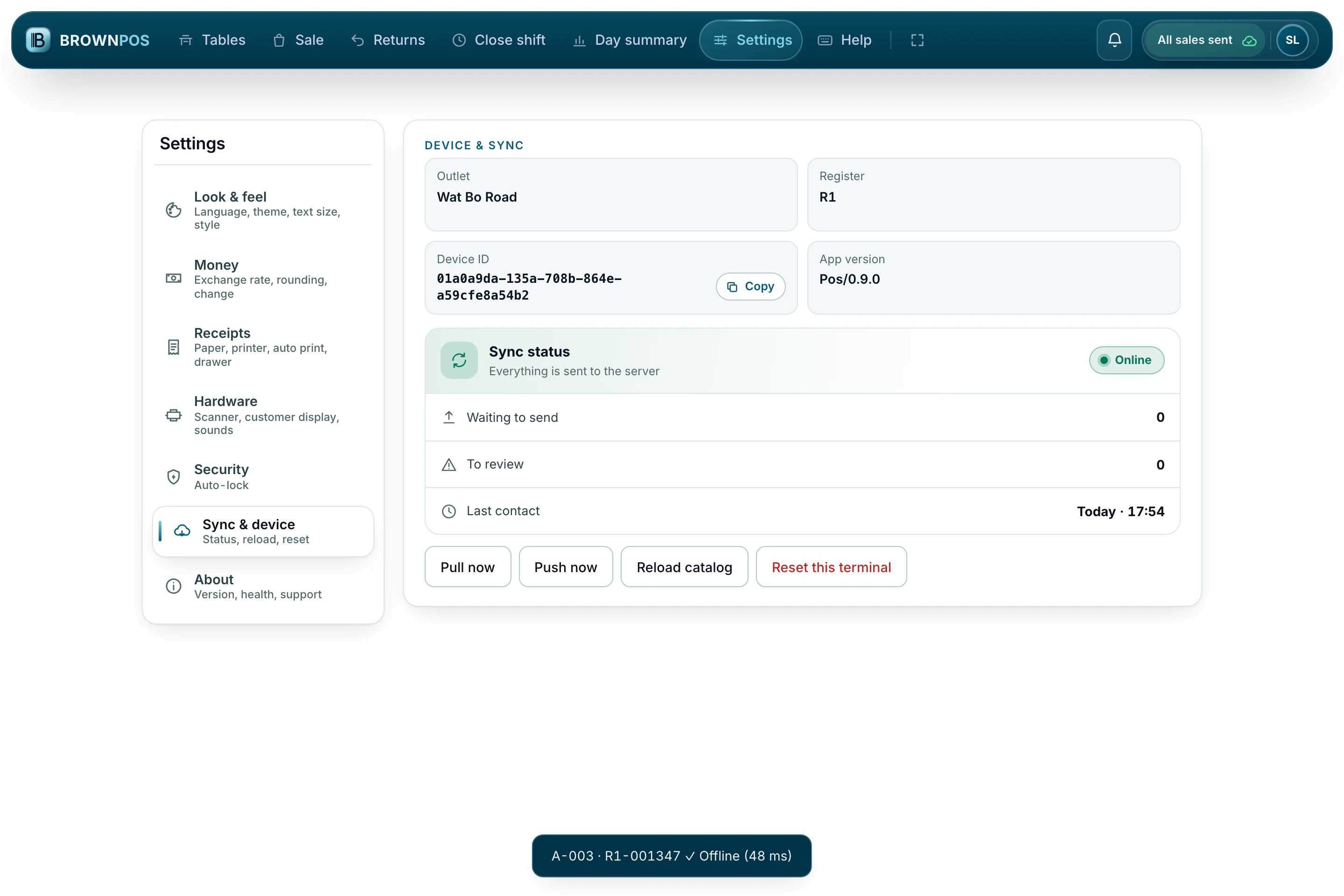
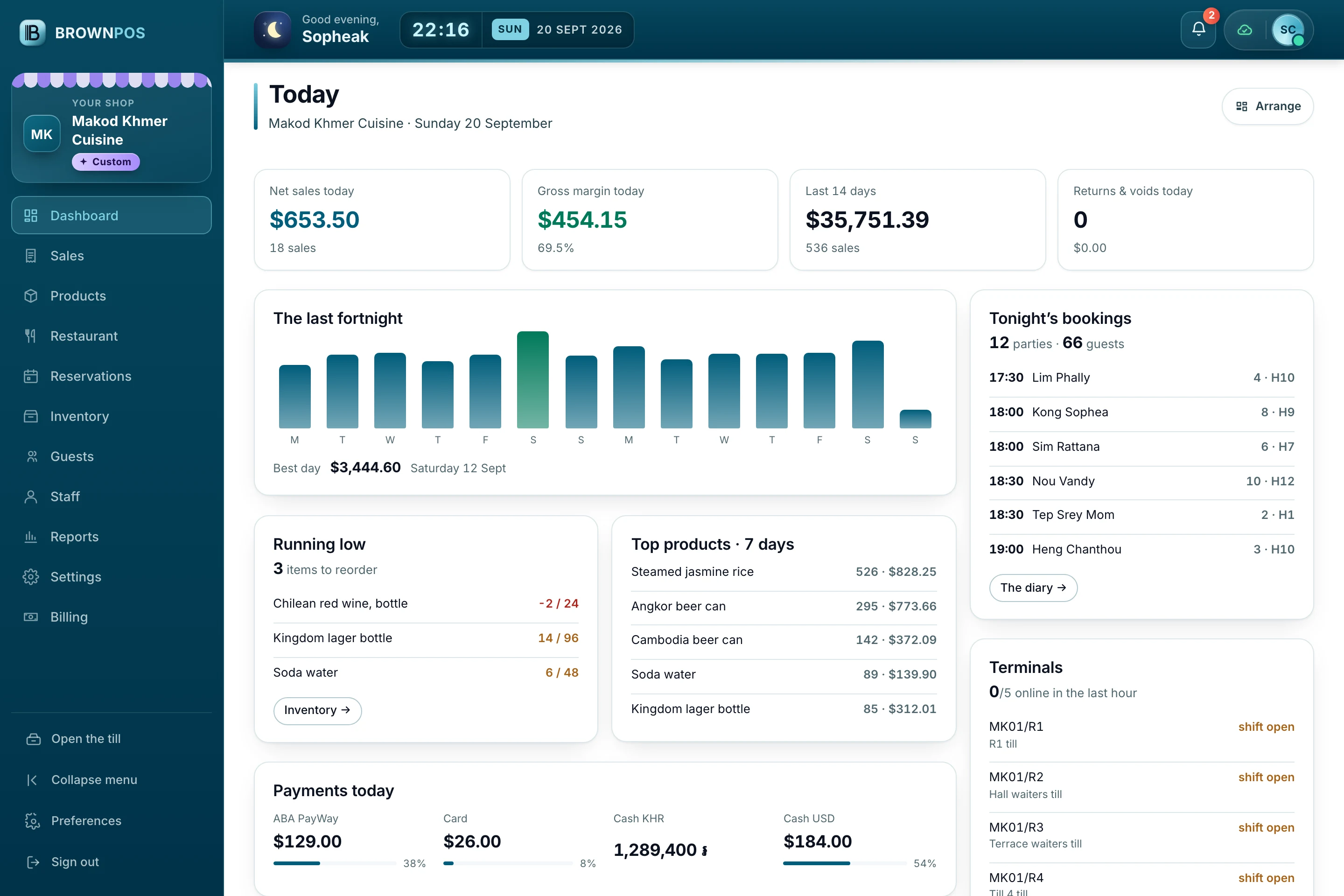
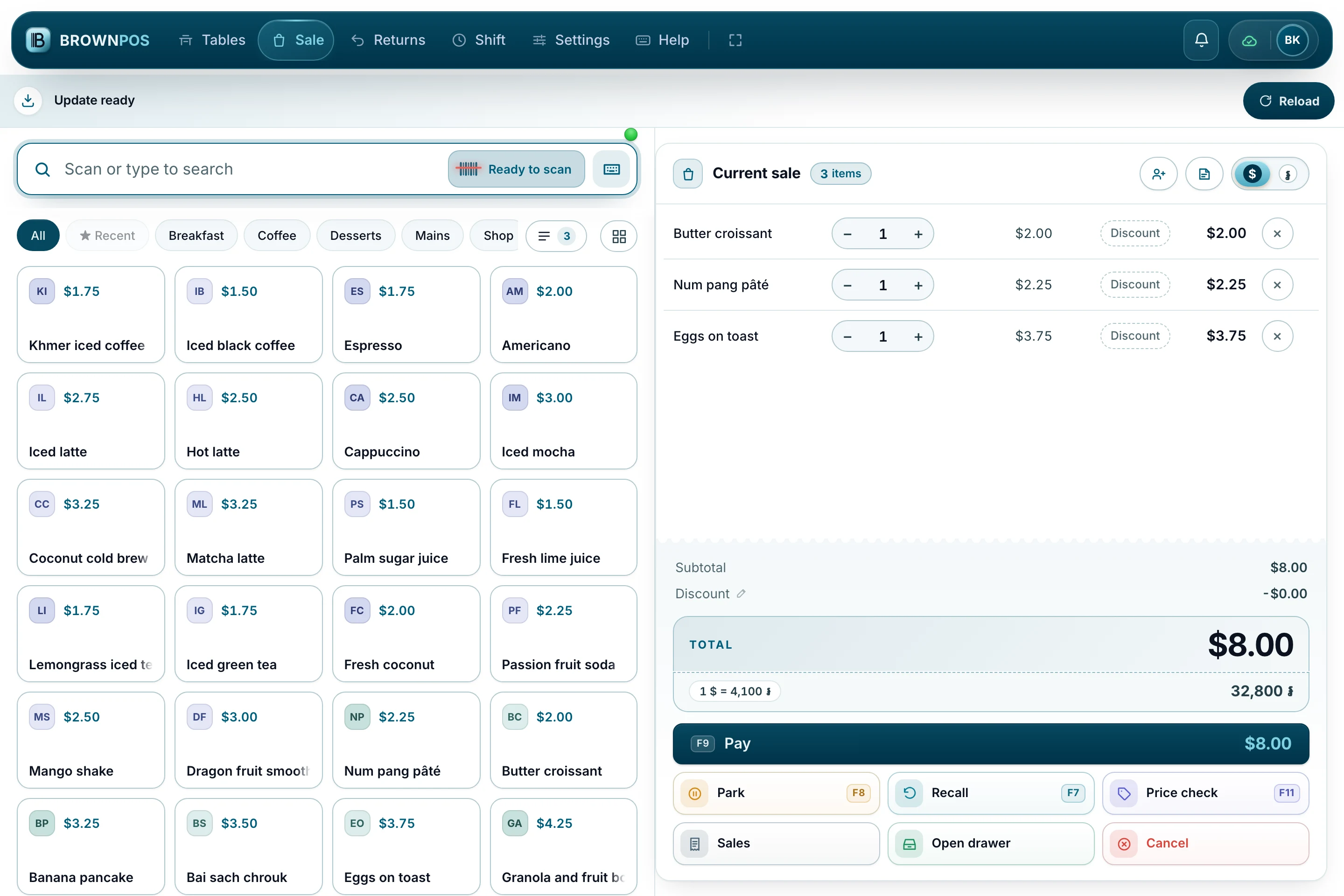
Products, the sale and the total in dollars and riel. The top bar shows the till is online.
Every screen, straight from BrownPOS
Real screenshots of BrownPOS running our four demo shops — Sanriya Café, Mekong Table, SorryBuy Mart and Makod Khmer Cuisine — not mockups. Pick a screen, or let them turn by themselves.
A sale in a few taps
Tap a product or scan its barcode. The total shows in dollars and riel, and every key is on the keyboard too.
- Pictures or names on the buttons
- Park a sale and bring it back
- Works the same with the internet down
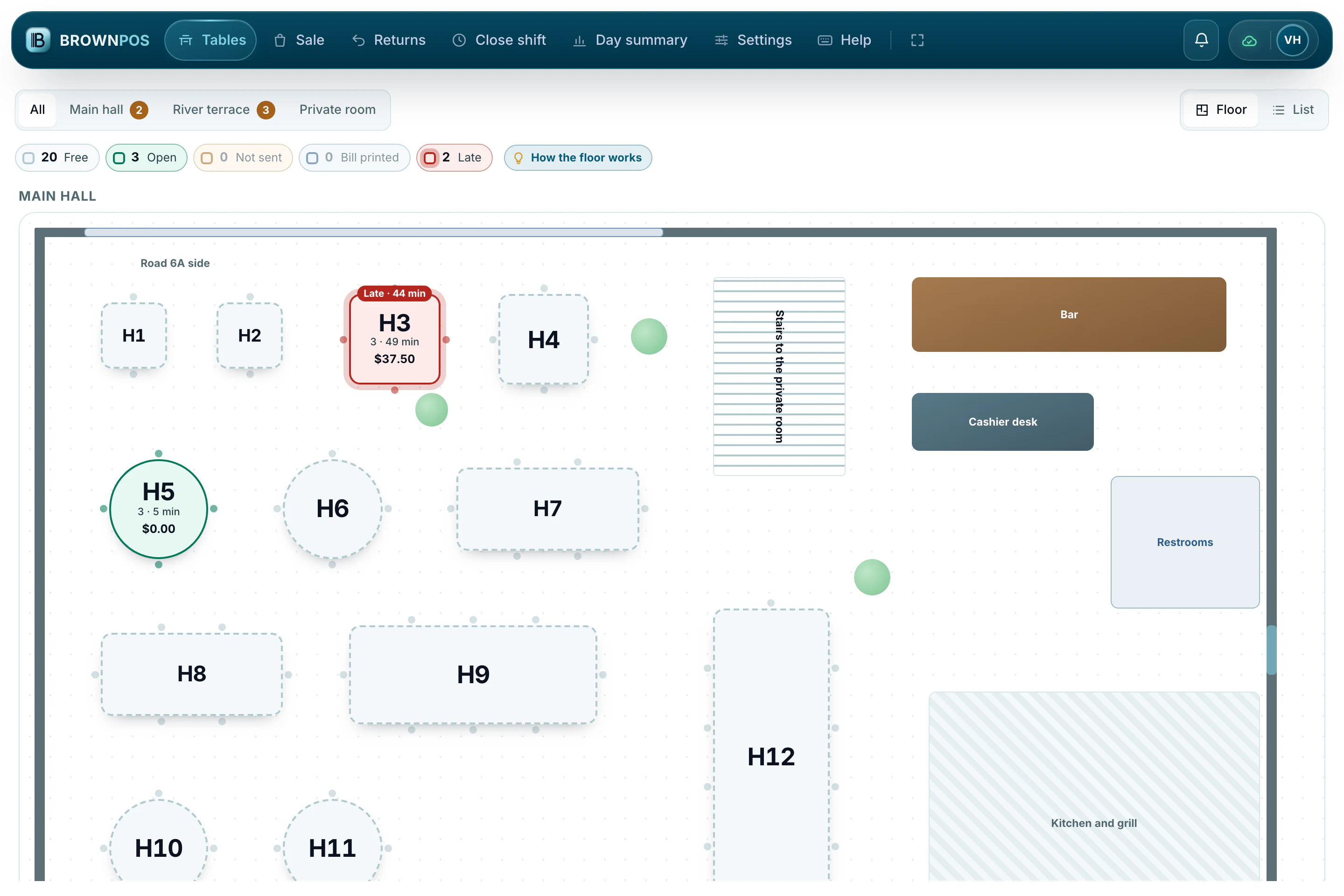
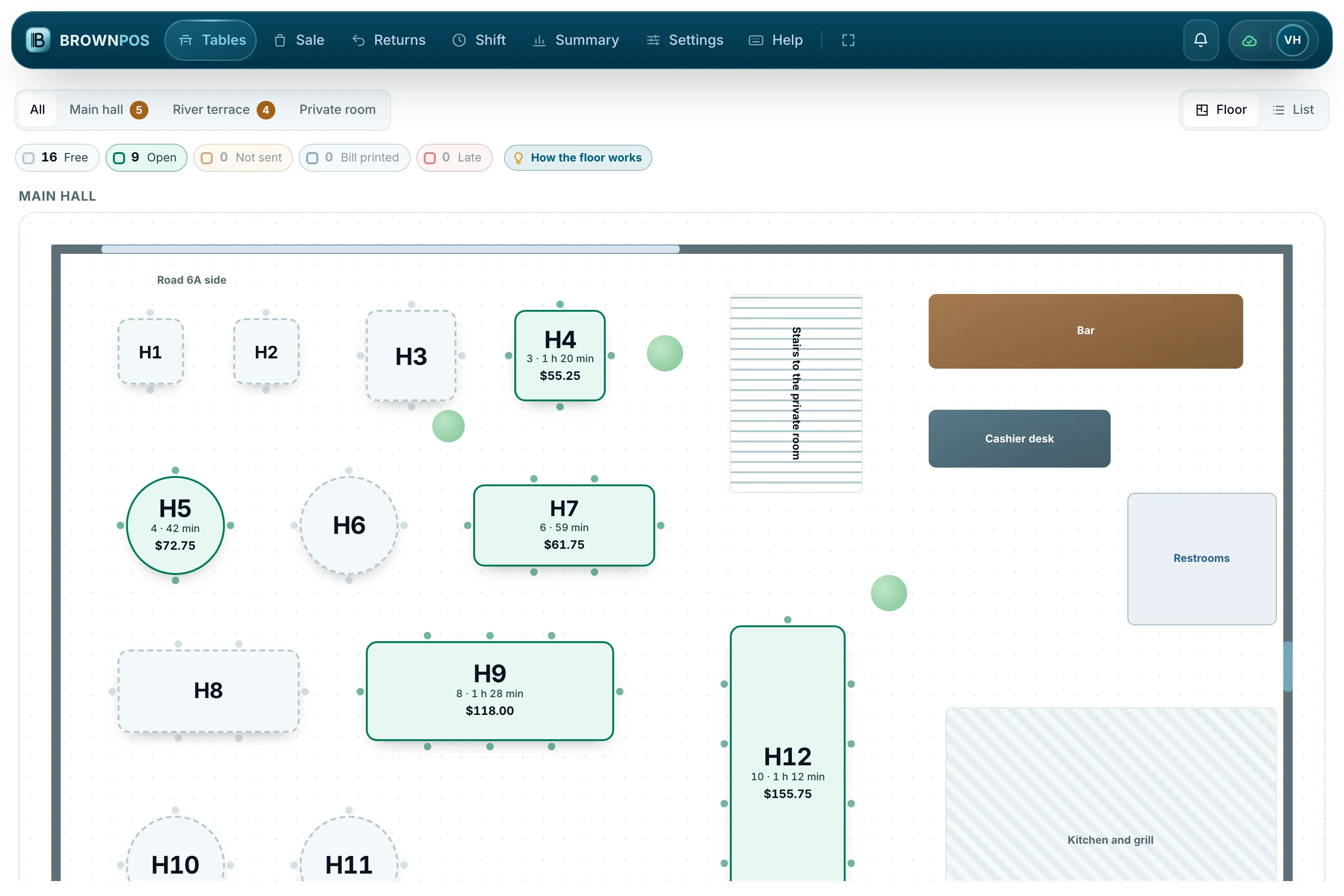
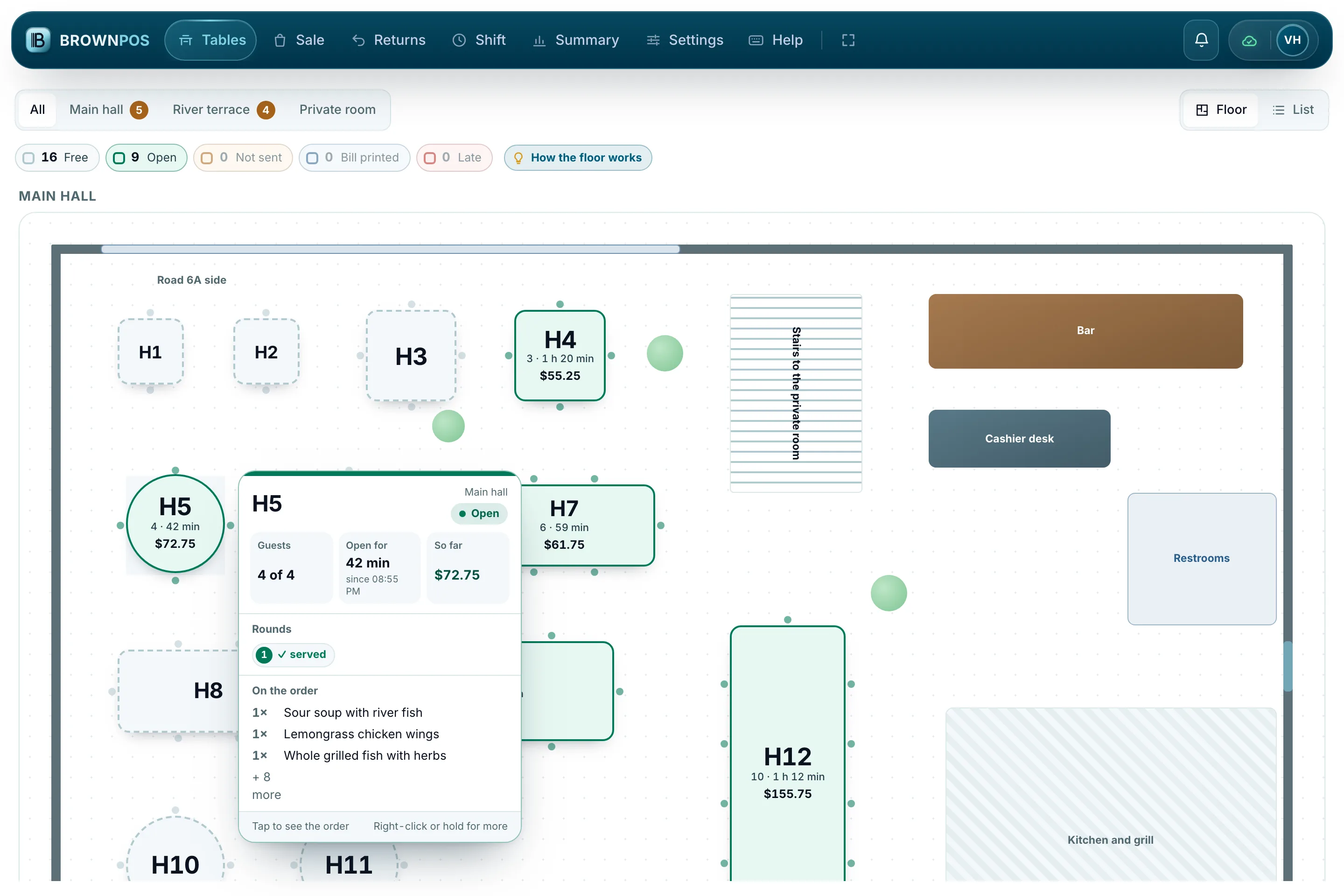
The room, as it is right now
Every table in its place, coloured by what is happening: free, eating, not sent yet, or waiting too long.
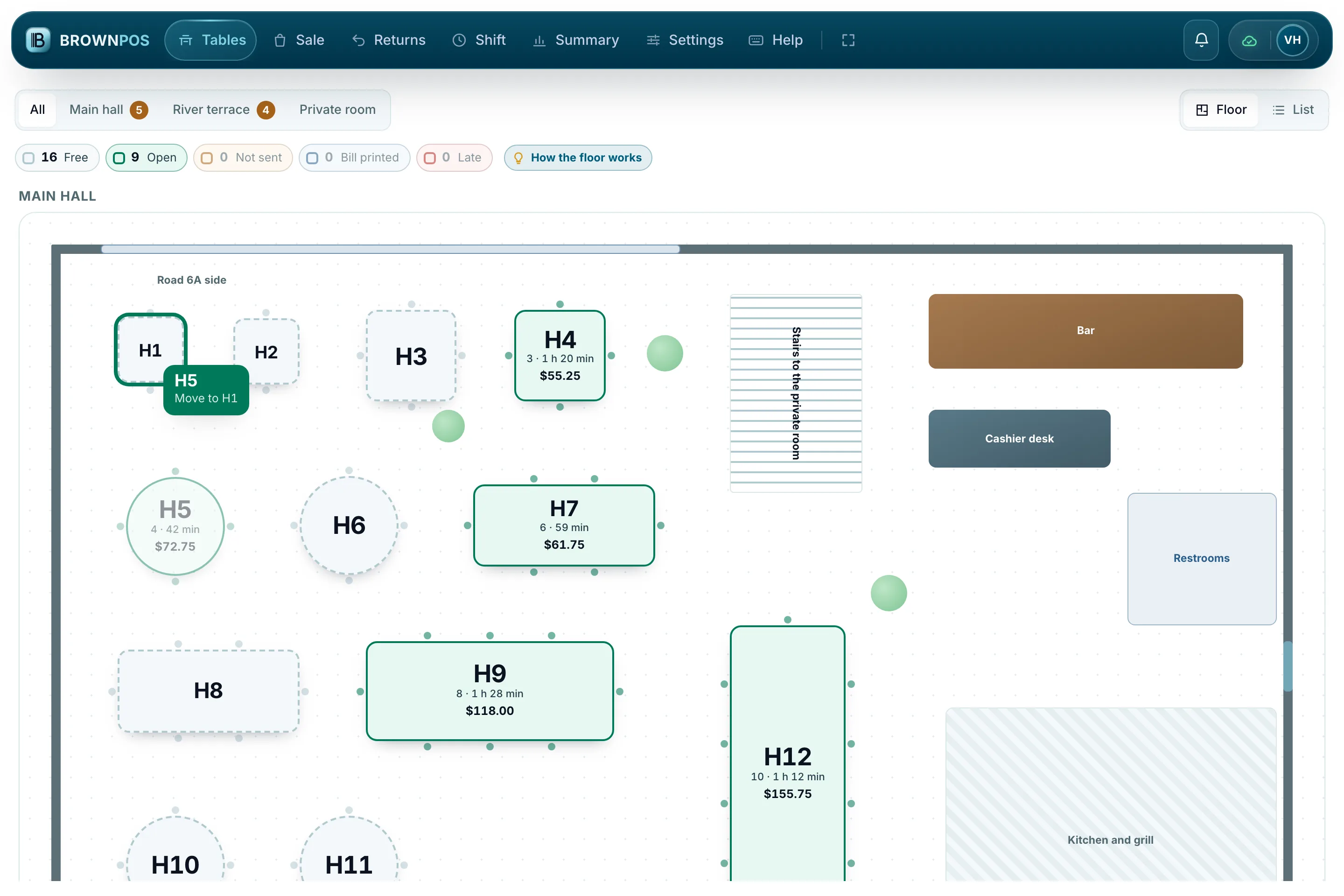
- Open, move and join tables
- Minutes at the table and the bill so far
- Late tables stand out in red
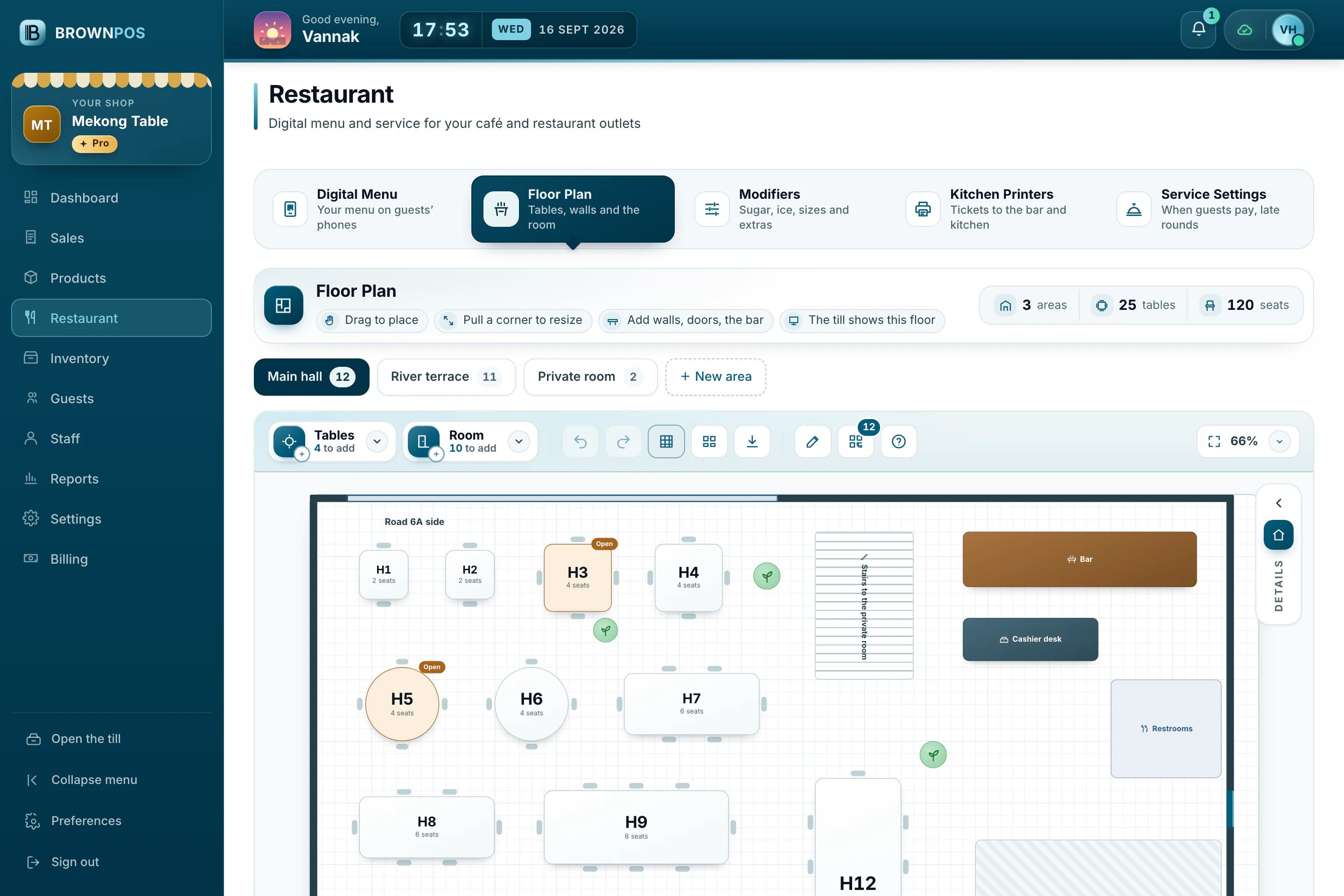
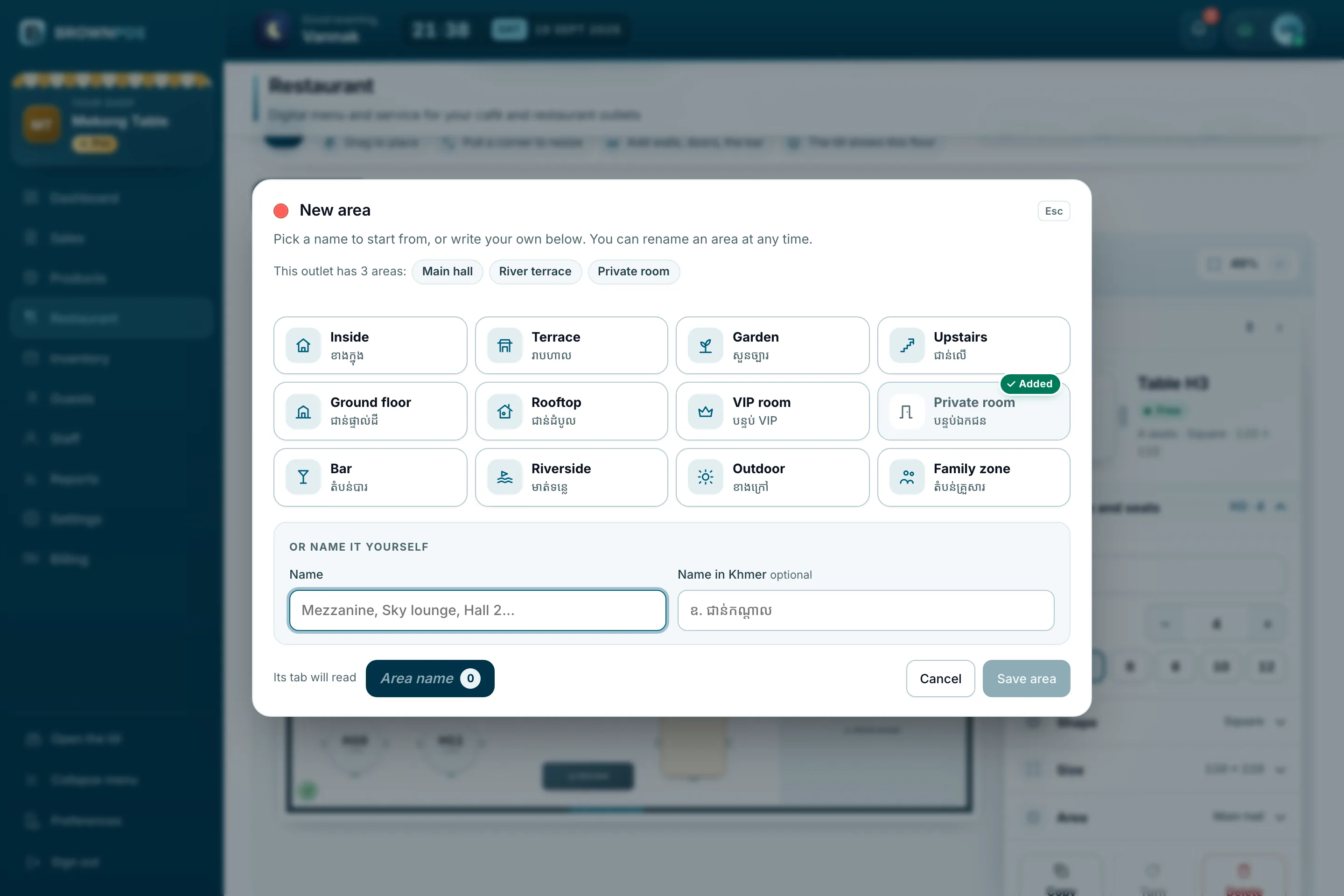
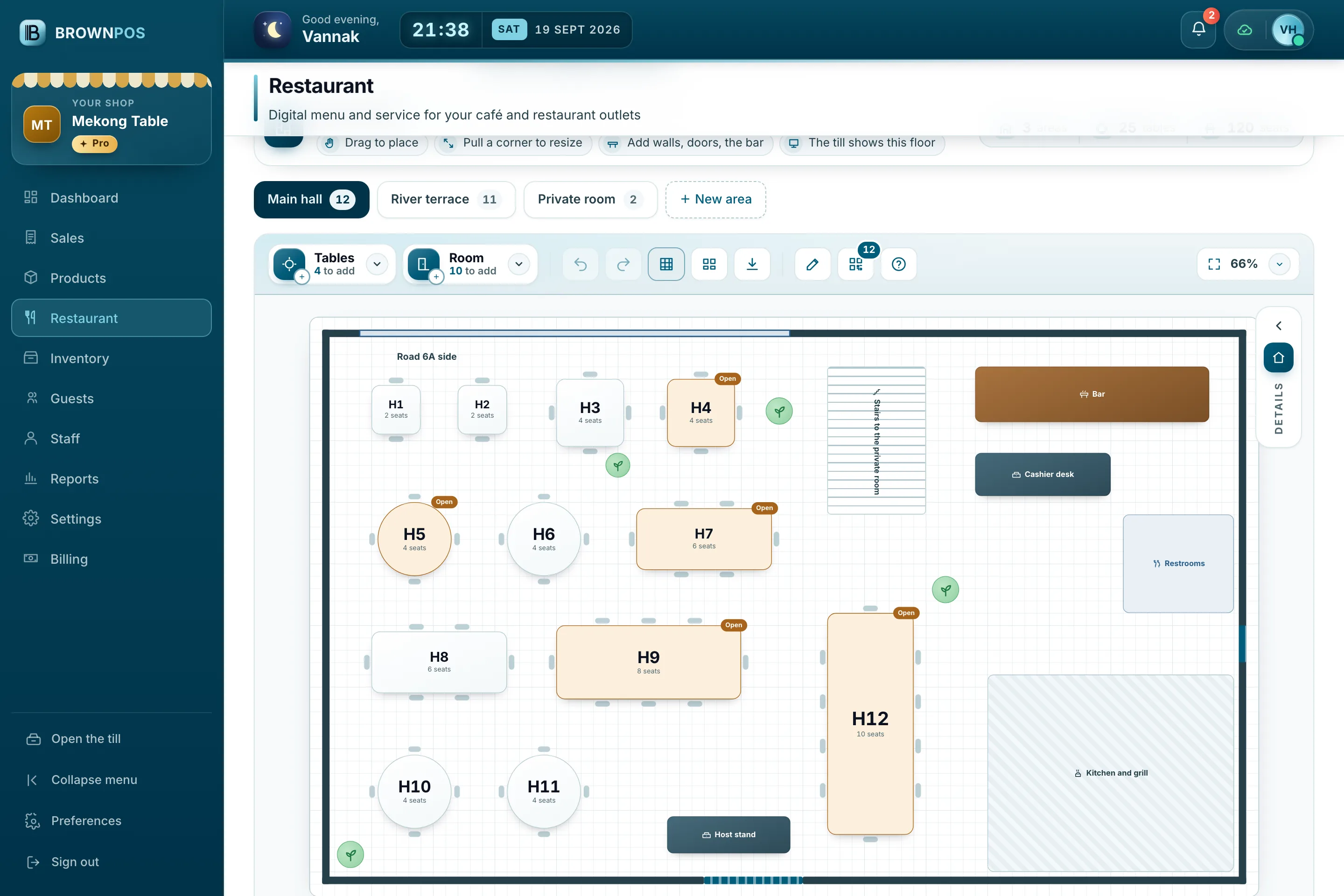
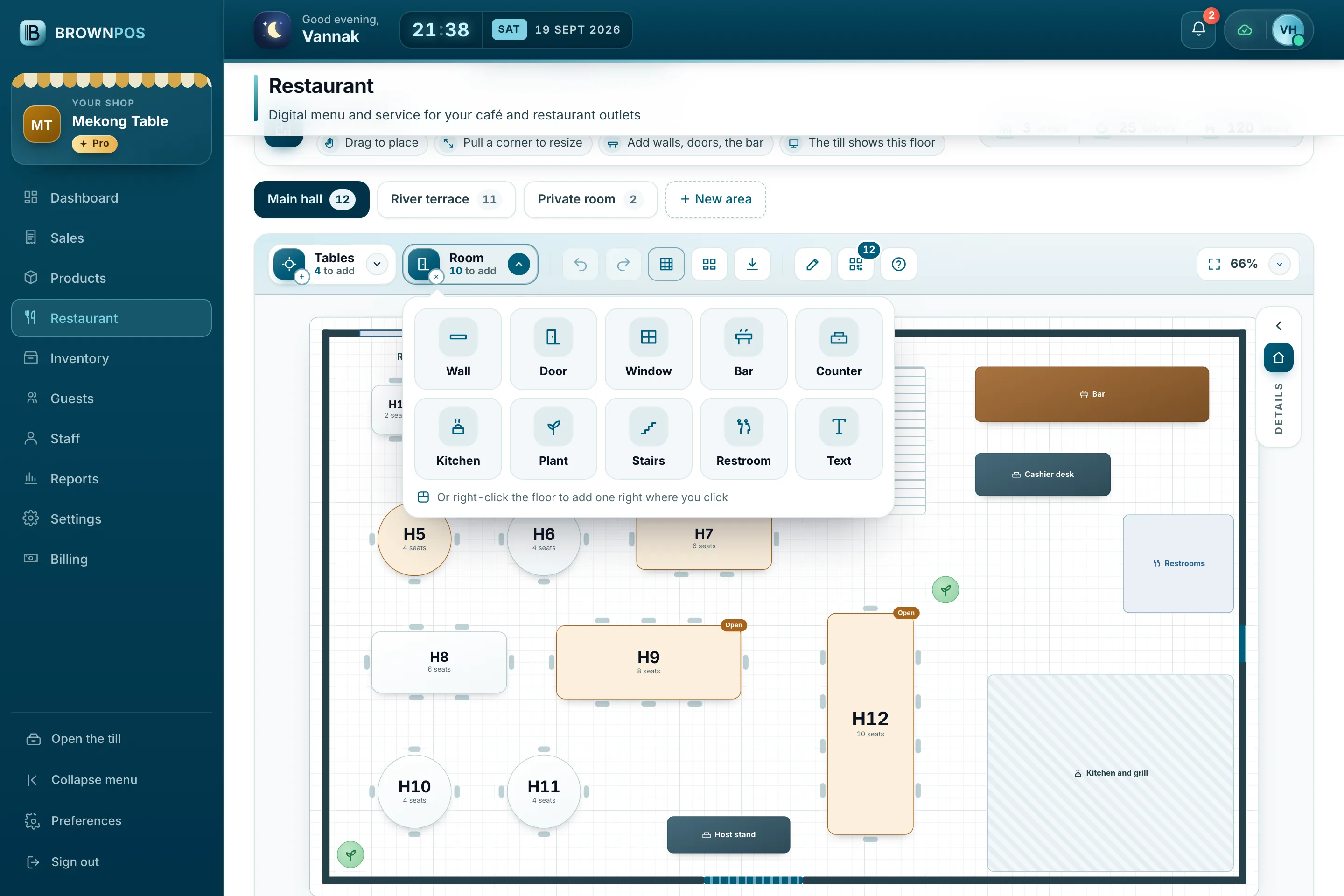
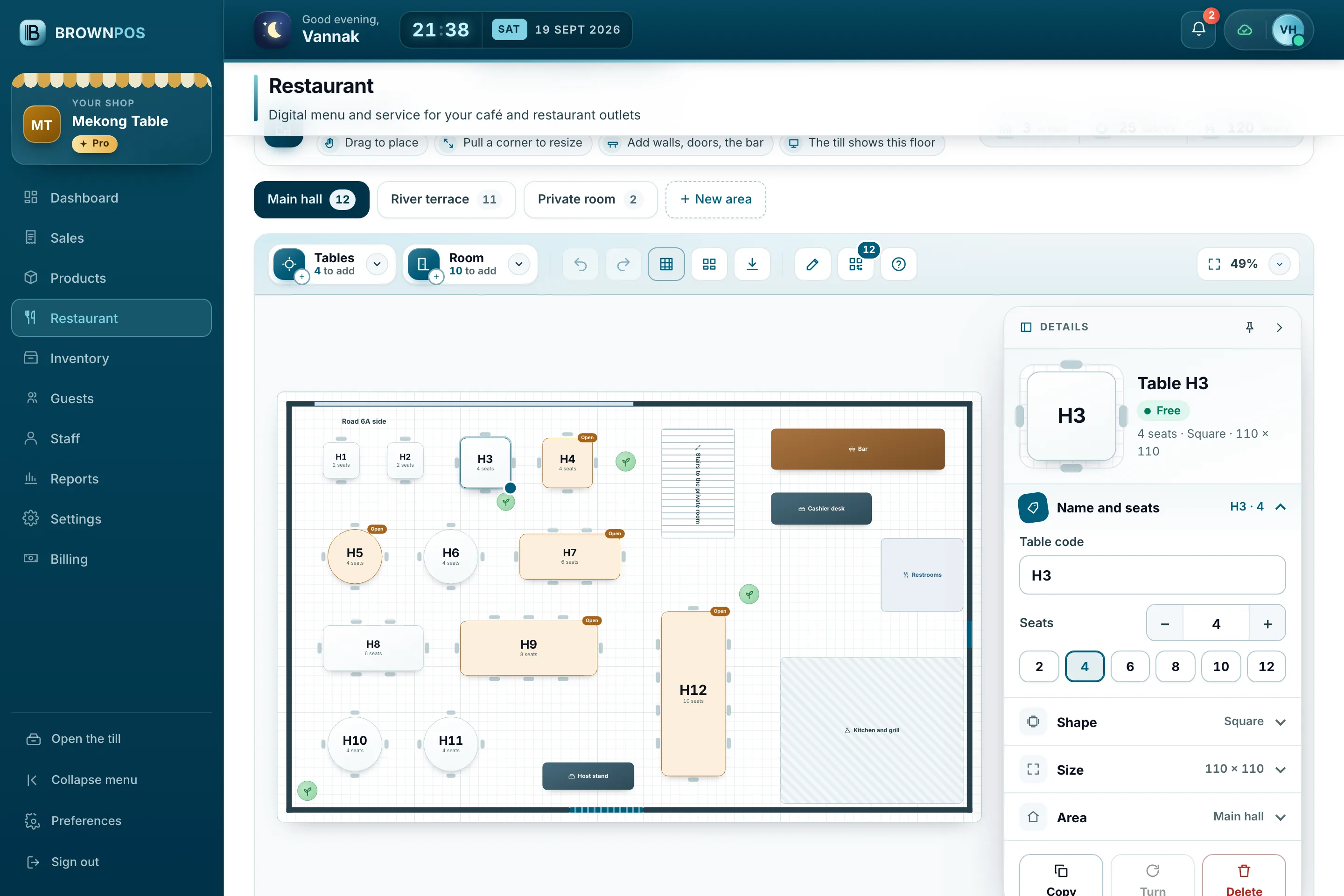
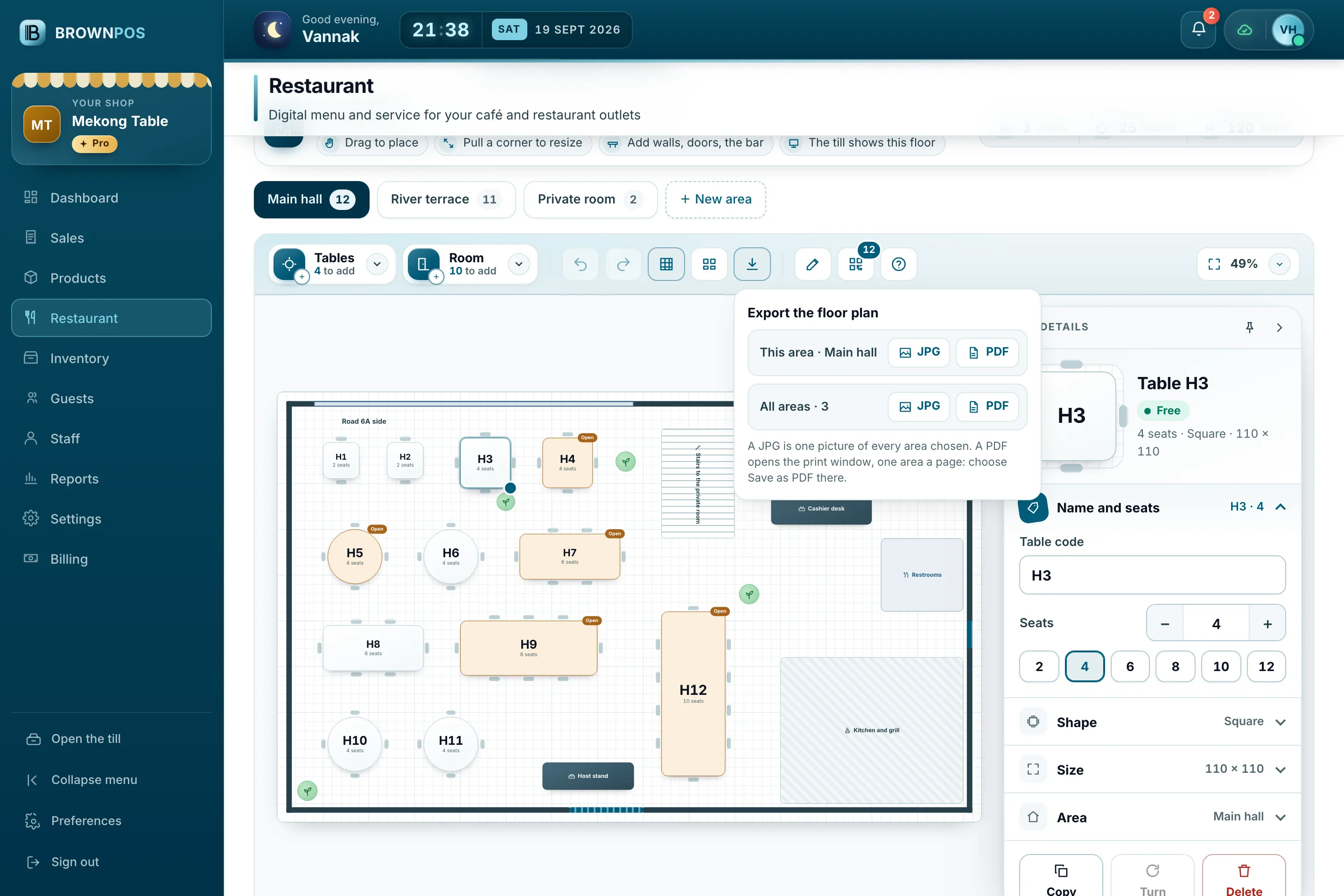
Draw your floor once
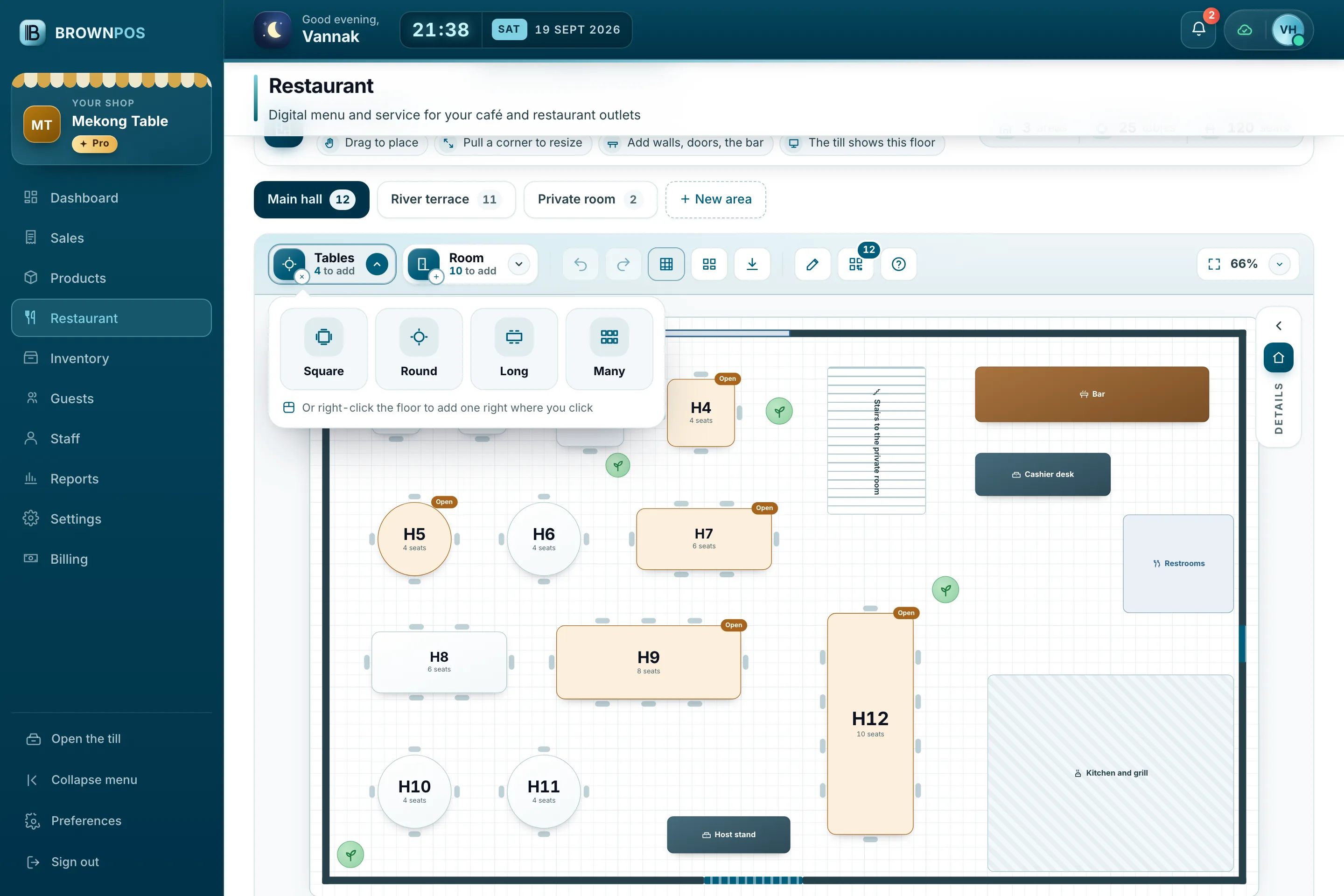
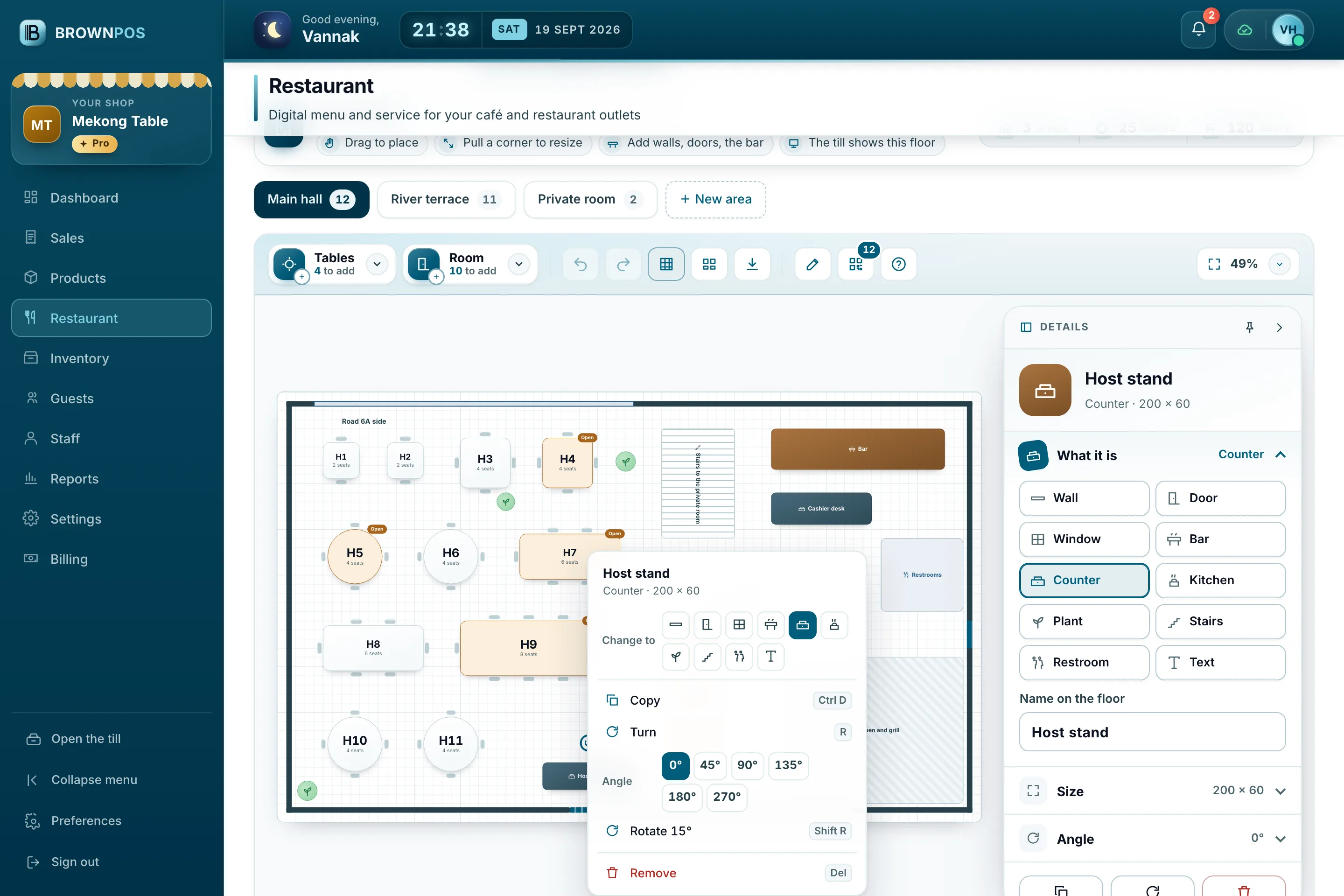
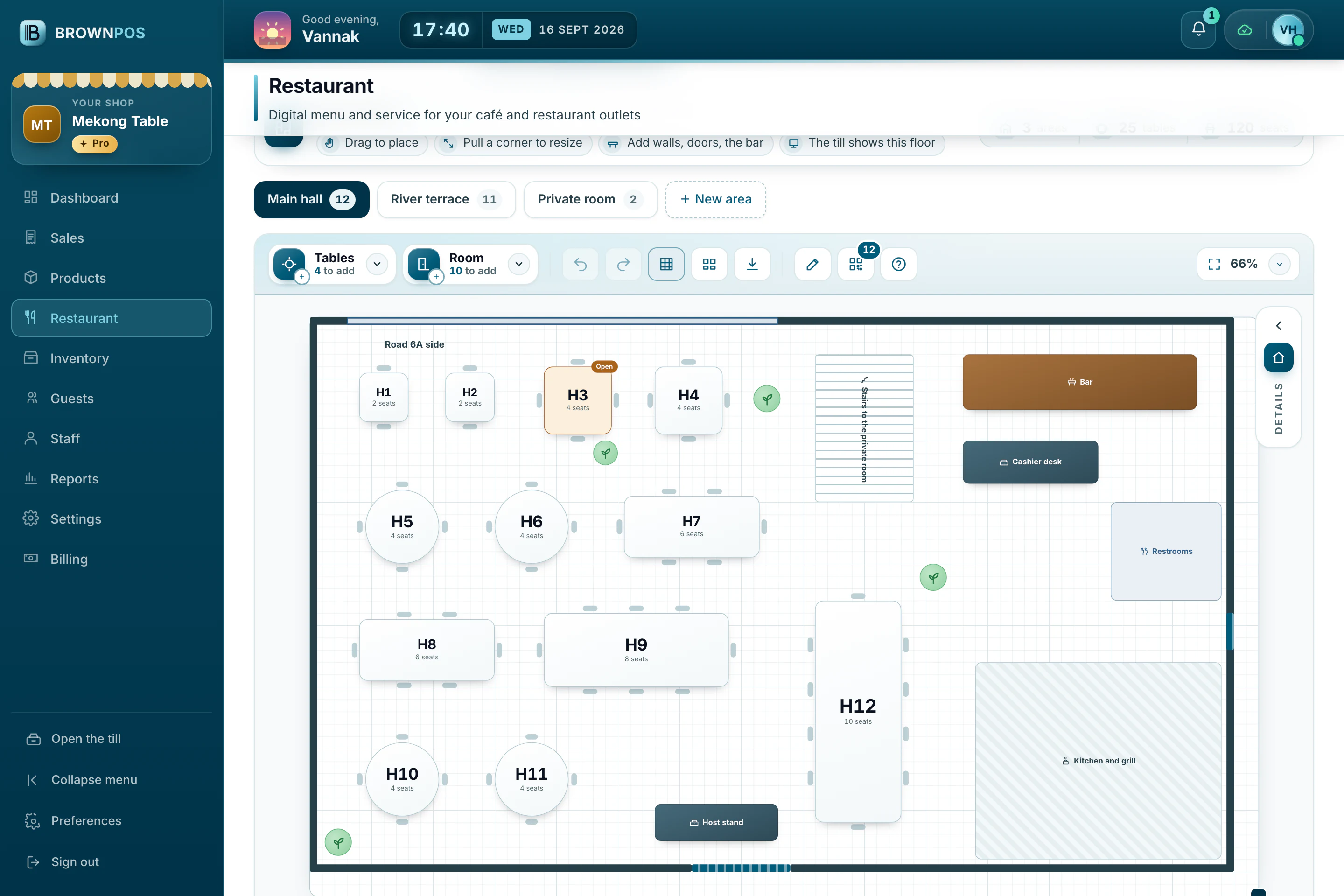
Drag tables where they stand, pull a corner to resize, and add the bar, kitchen, doors and plants. The till shows the same room.
- Square, round and long tables
- Areas like Inside and Terrace
- Undo, zoom and export
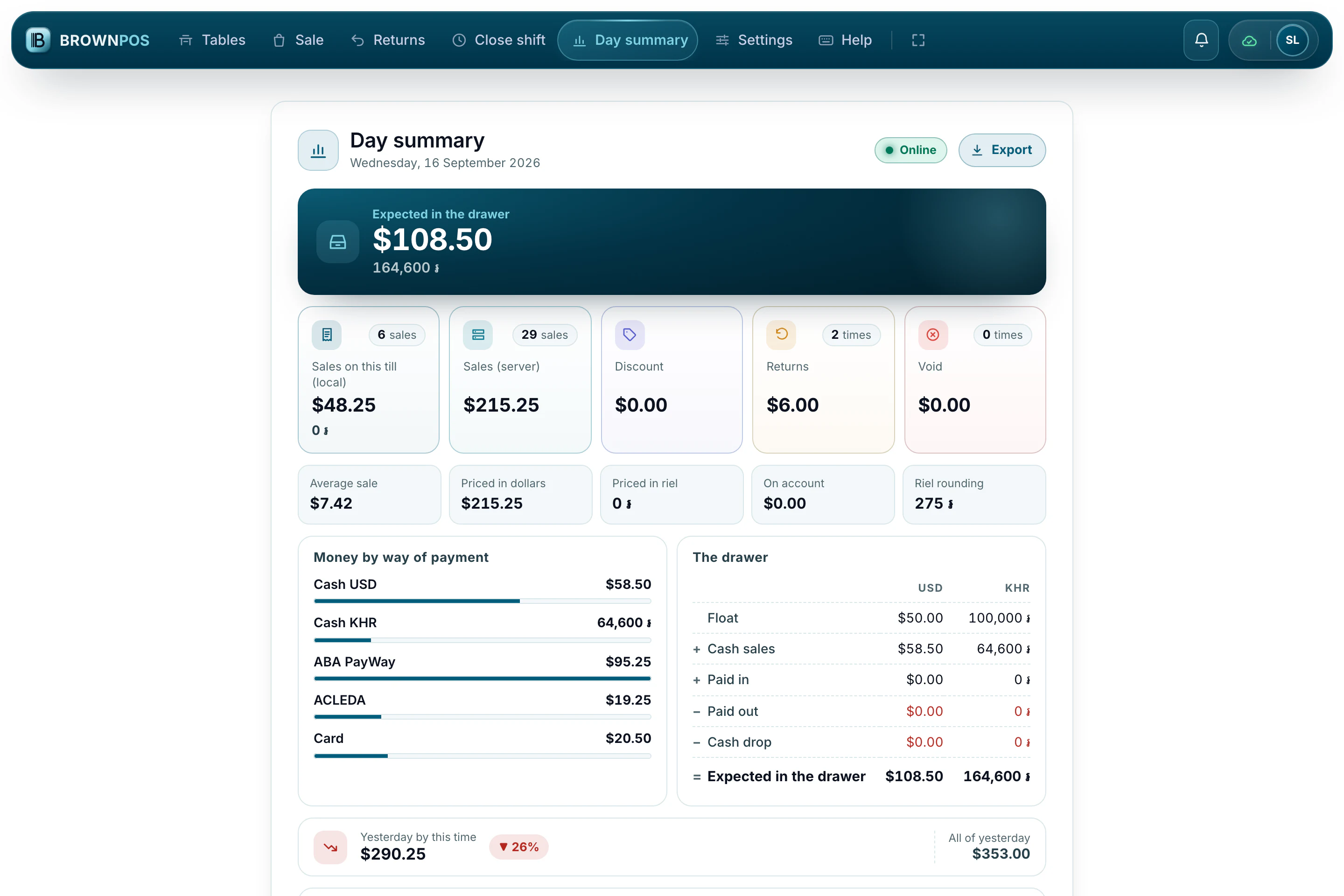
The day, counted for you
What should be in the drawer in both currencies, how each sale was paid, and how today compares with yesterday.
- Sales by hour and top items
- Each cashier’s total
- Save it as a JPG or PDF
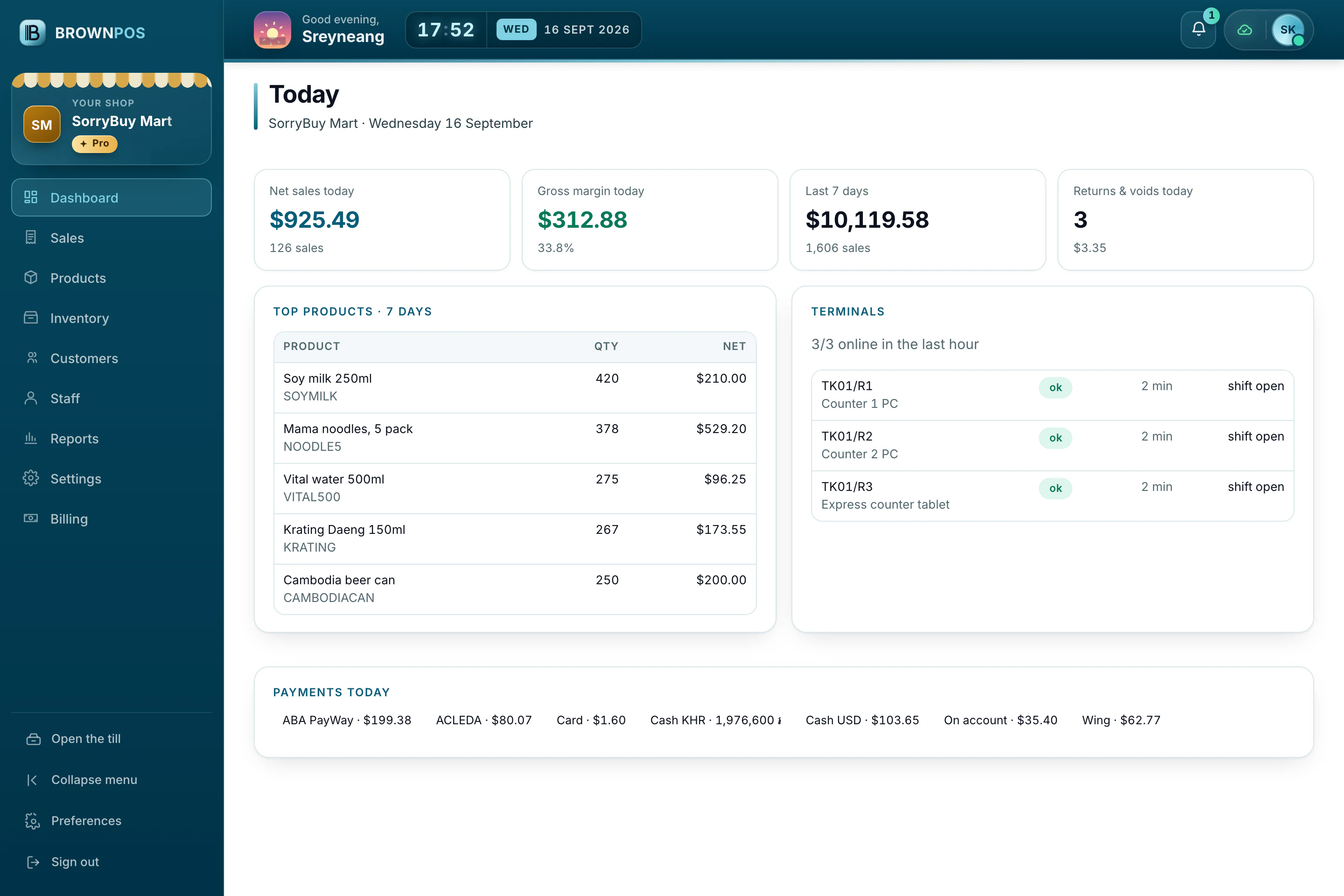
The owner’s view
Today’s sales and margin, the best sellers of the week and every till’s status, from any computer or phone.
- Products, stock and customers
- Reports in dollars and riel
- Staff roles and PINs
Your menu on their phone
Guests scan the card on the table and read the menu in Khmer or English, with the prices your till sells at.
- No app to install
- Sold-out dishes hide themselves
- Your own link and QR cards
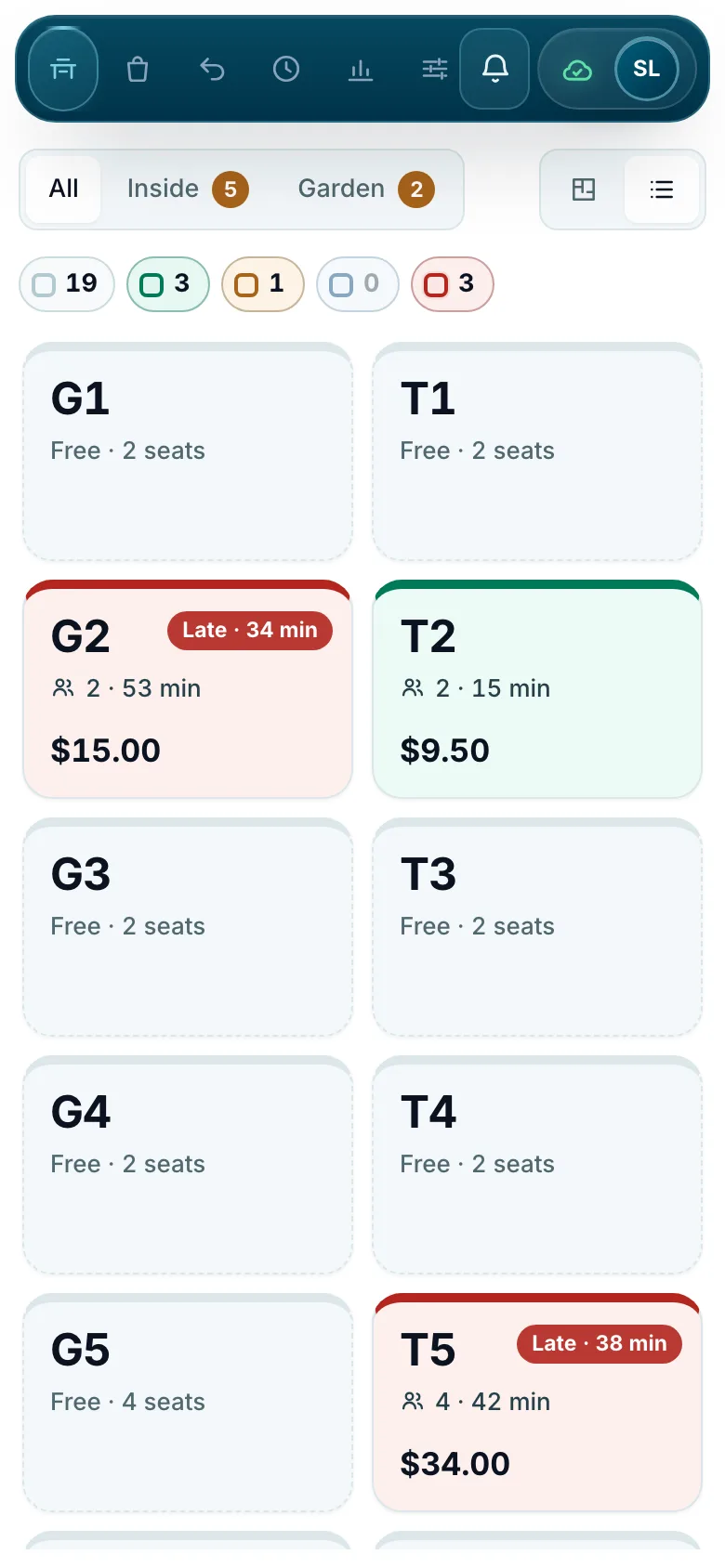
The till fits in a pocket
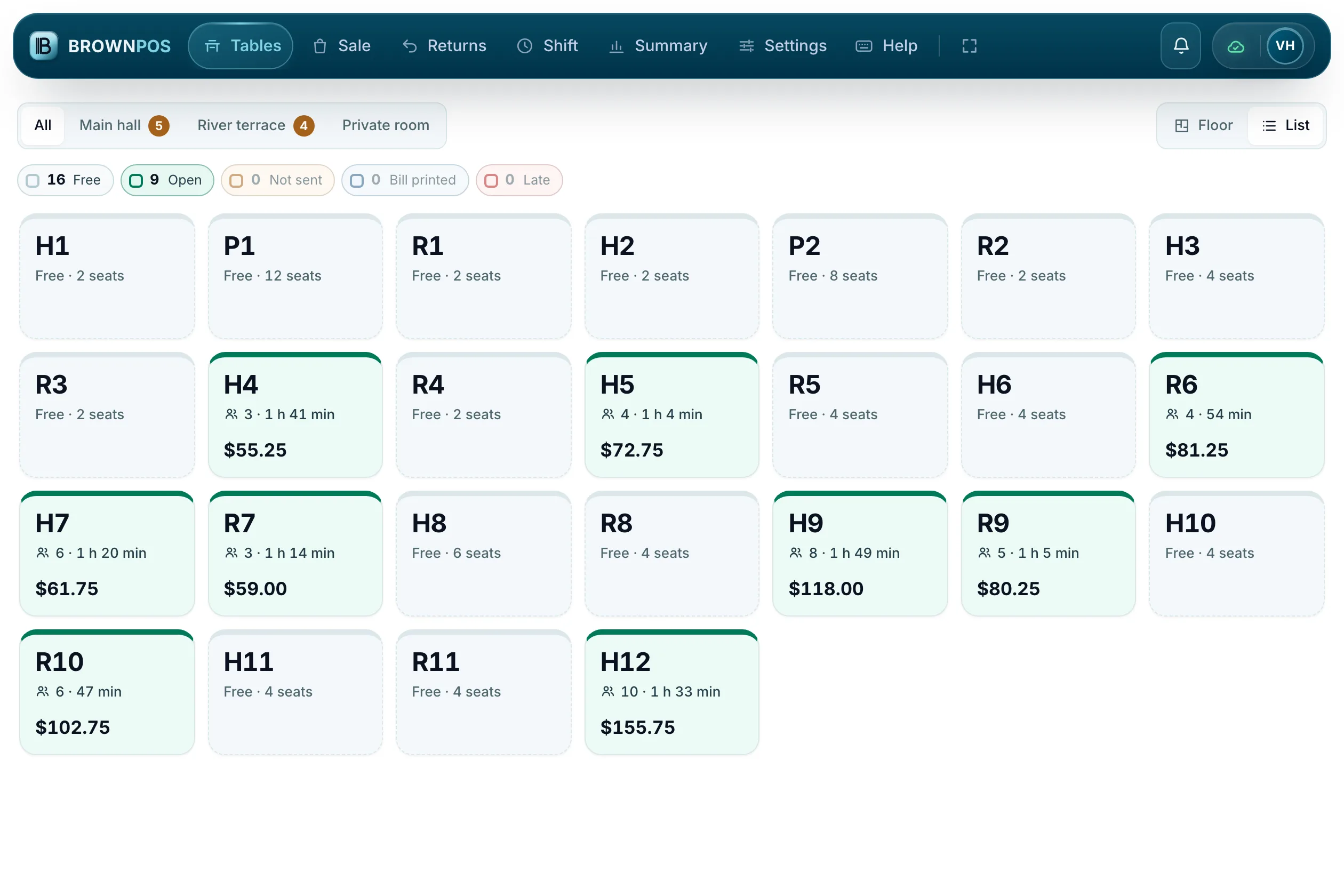
Waiters can take a table from a phone: the same till, laid out for a small screen.
- Tables as tiles
- Big buttons for thumbs
- Stays in step with every other till
A mart, a café and two restaurants, all on BrownPOS
We set up four shops with their products, staff, tables and a month of sales, so every screen you see holds figures you can read. Walk through each one.
- 92 products
- 3 counters
- Fresh food by weight
- Neighbours on account
- 51 items
- Sugar and ice choices
- 26 tables, inside and garden
- A menu on every phone
- 48 dishes
- 25 tables in 3 rooms
- Waiters on phones
- 5% service charge
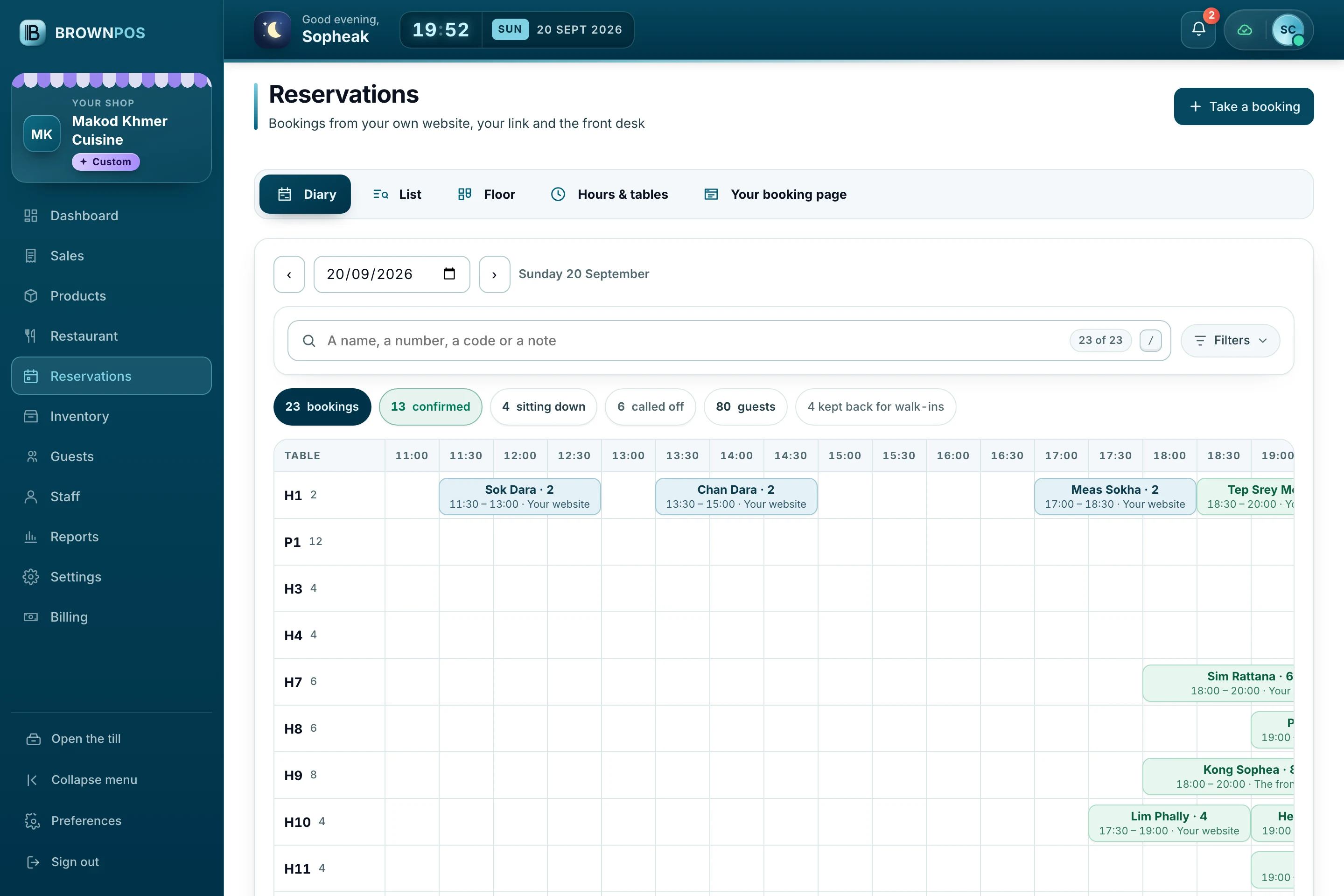
- Bookings on its own page
- A diary, a list and a floor
- 4 tables kept back for walk-ins
- Parties up to 10 online
The same till on every device
BrownPOS runs in the browser, so it adapts to the screen in front of you. These are Sanriya Café’s screens, a demo shop, on a computer, a tablet and a phone.
A laptop or a desktop
The widest layout: products and the sale side by side, with every function on a key.
- USB and Bluetooth printers in Chrome or Edge
- A barcode scanner plugs straight in
- A second screen for the customer
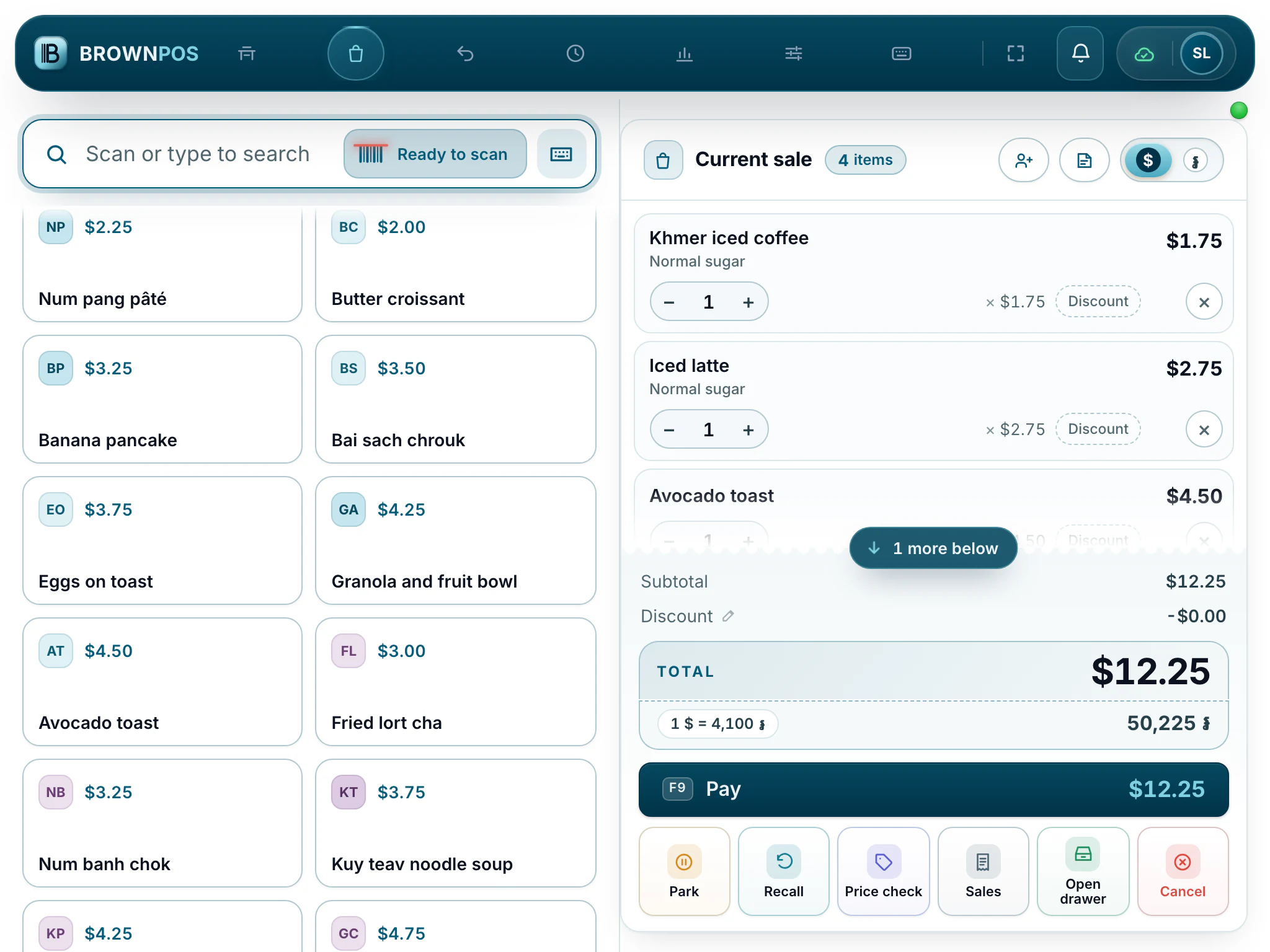
A ten-inch tablet
The layout tightens and the tabs become icons, with buttons big enough for a busy counter.
- Android tablets and iPads
- Print over the shop’s network
- Stays open all day
A phone for waiters
The same till on a phone, for taking orders at the table and checking the floor.
- Tables as tiles
- Send rounds to the kitchen
- Works offline like any till
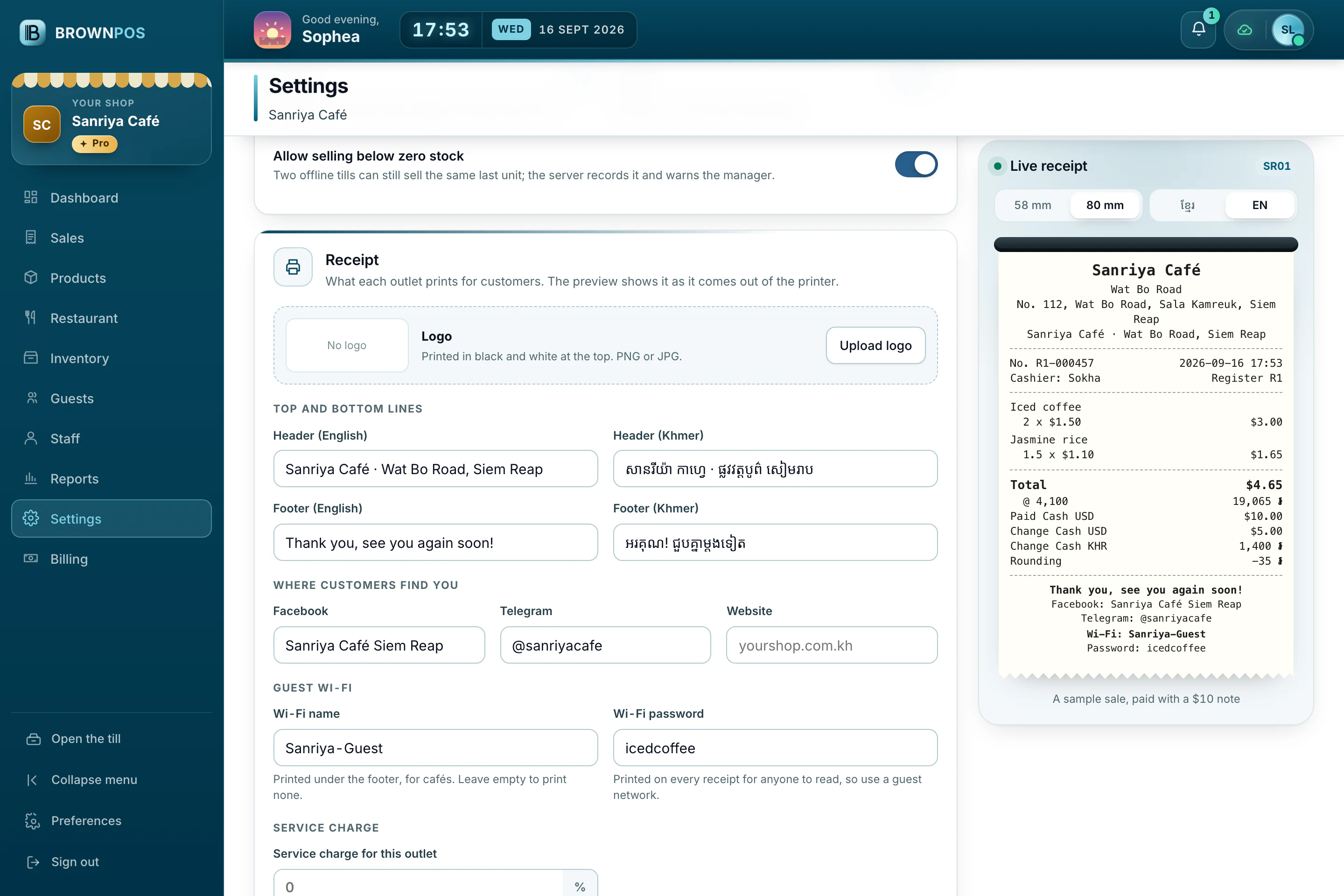
Receipts that read properly
Choose the paper width and see the receipt exactly as it will print, in Khmer or English.
- 58 mm and 80 mm paper
- Your logo and payment QR
- The drawer opens on a cash sale
A till that looks the way you like it
BrownPOS isn’t one grey screen for everyone. Each till can be light or dark, in any of five styles, with the menu where your hands are, text as big as you need, in Khmer or English. Tap a look to see it.
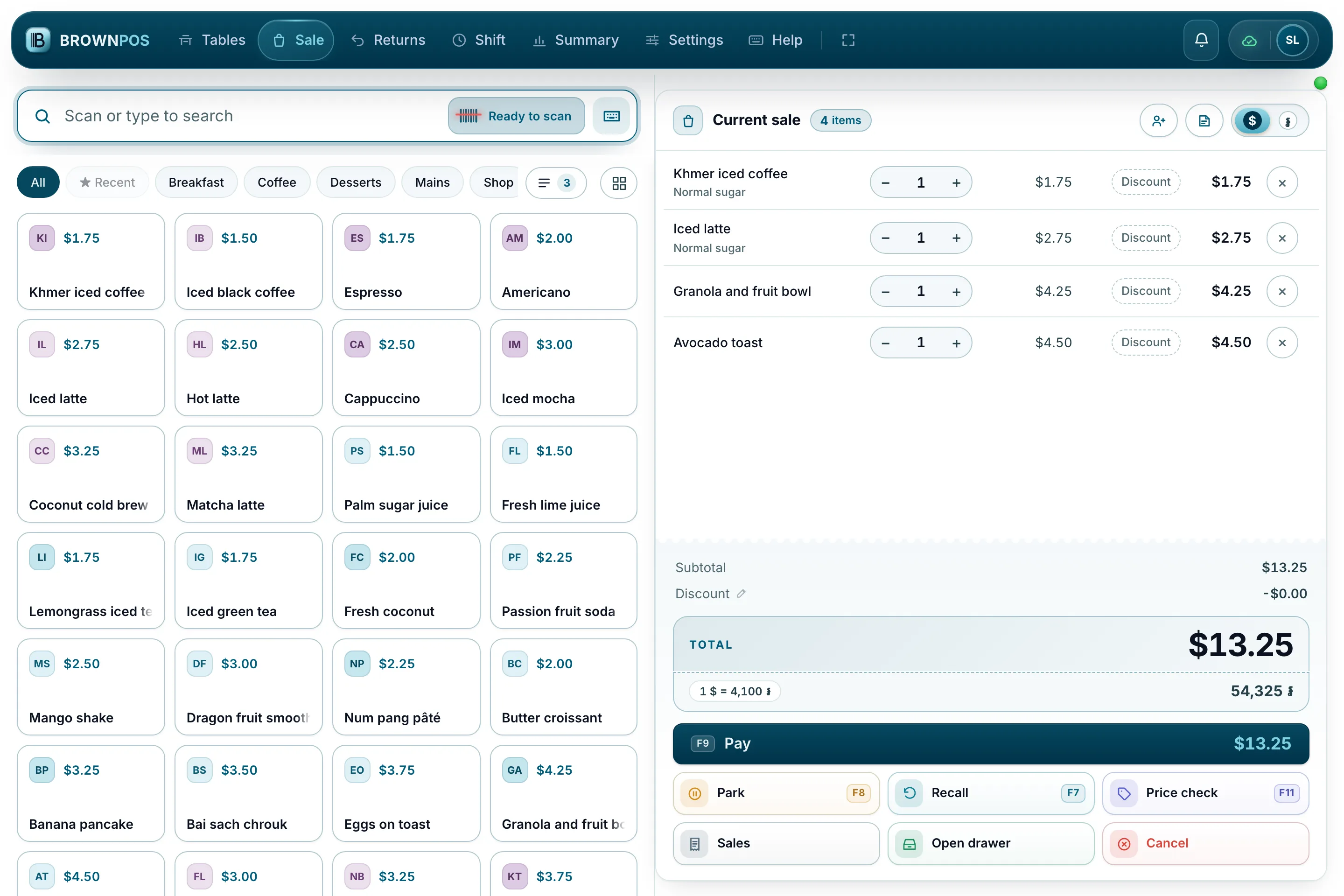
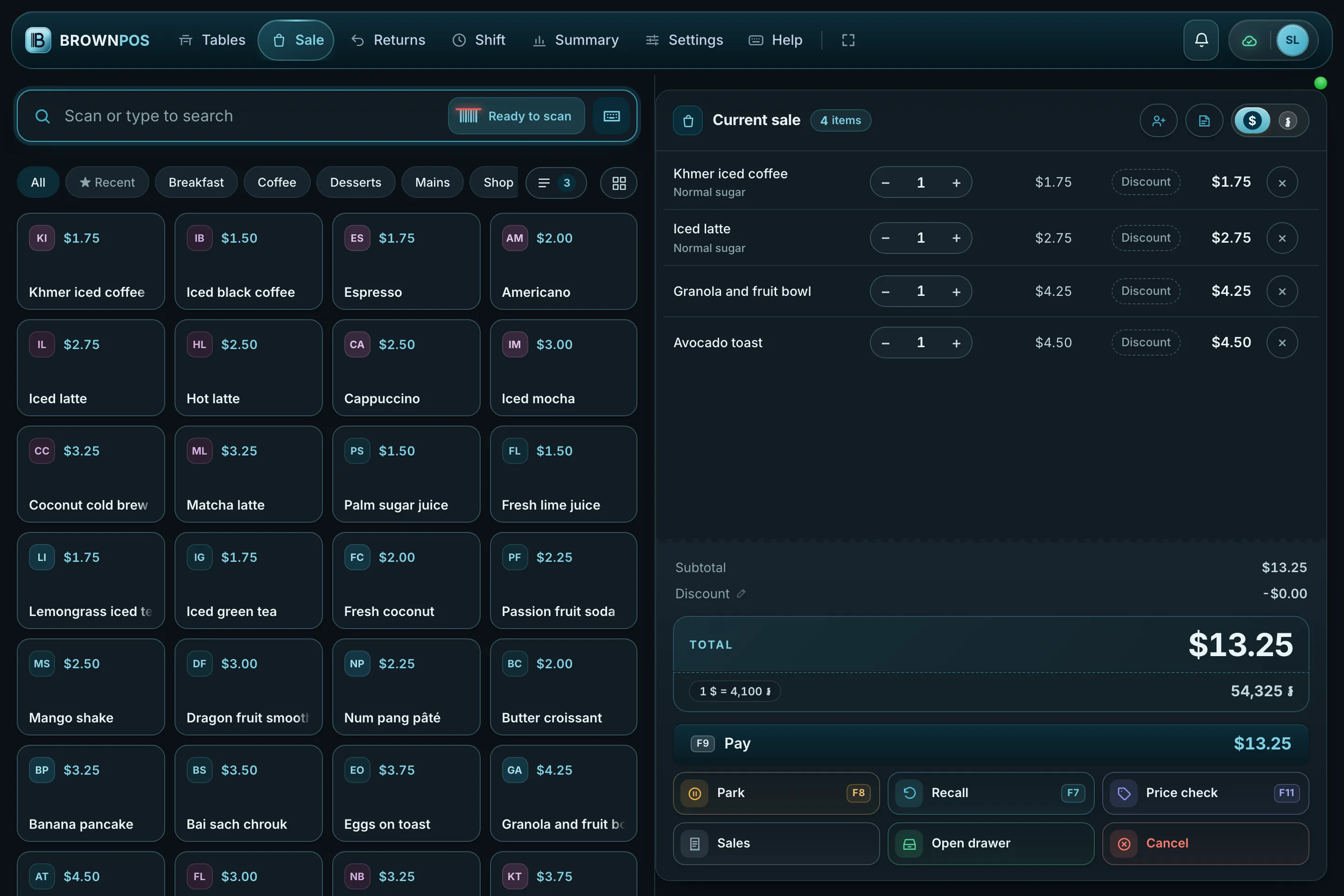
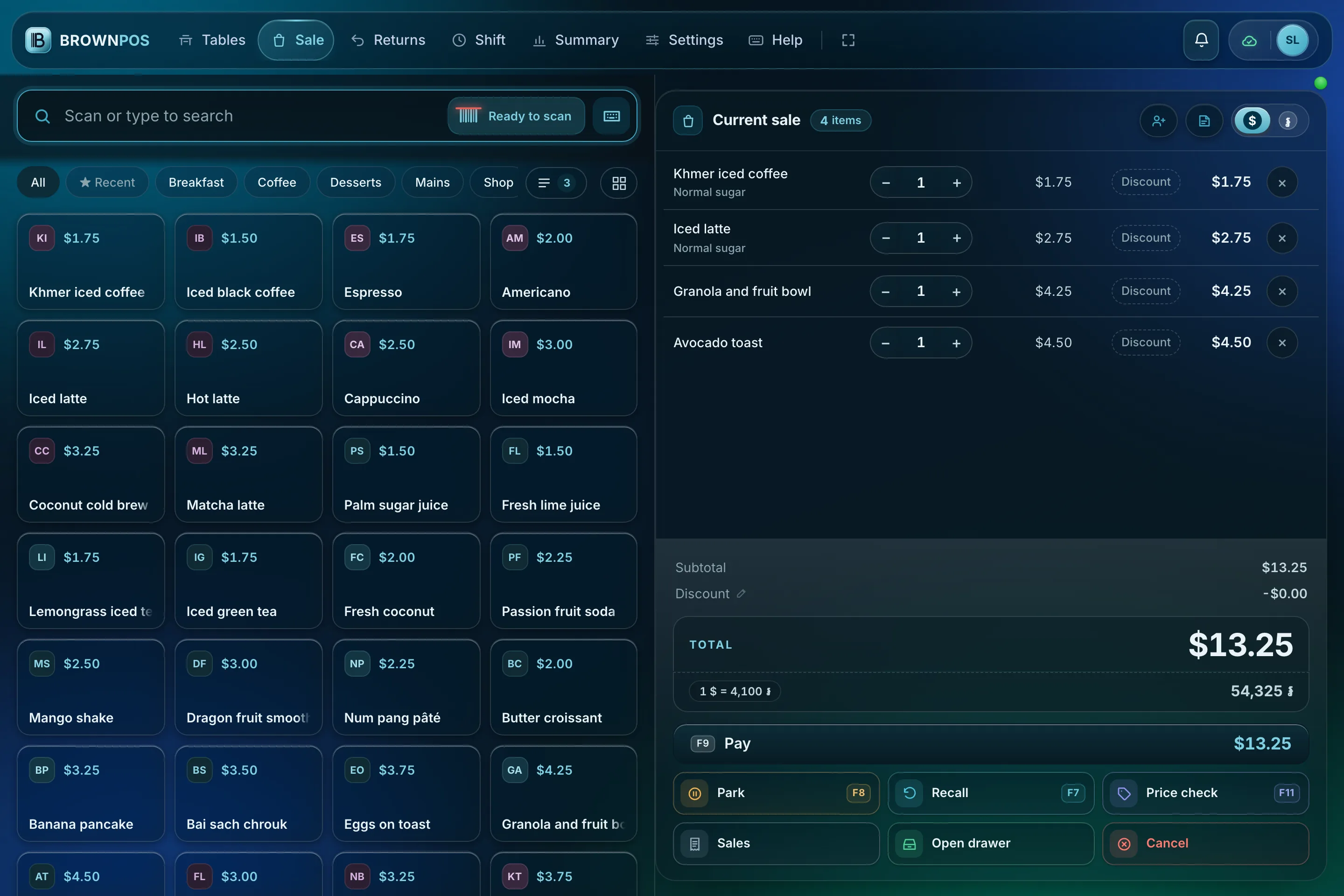
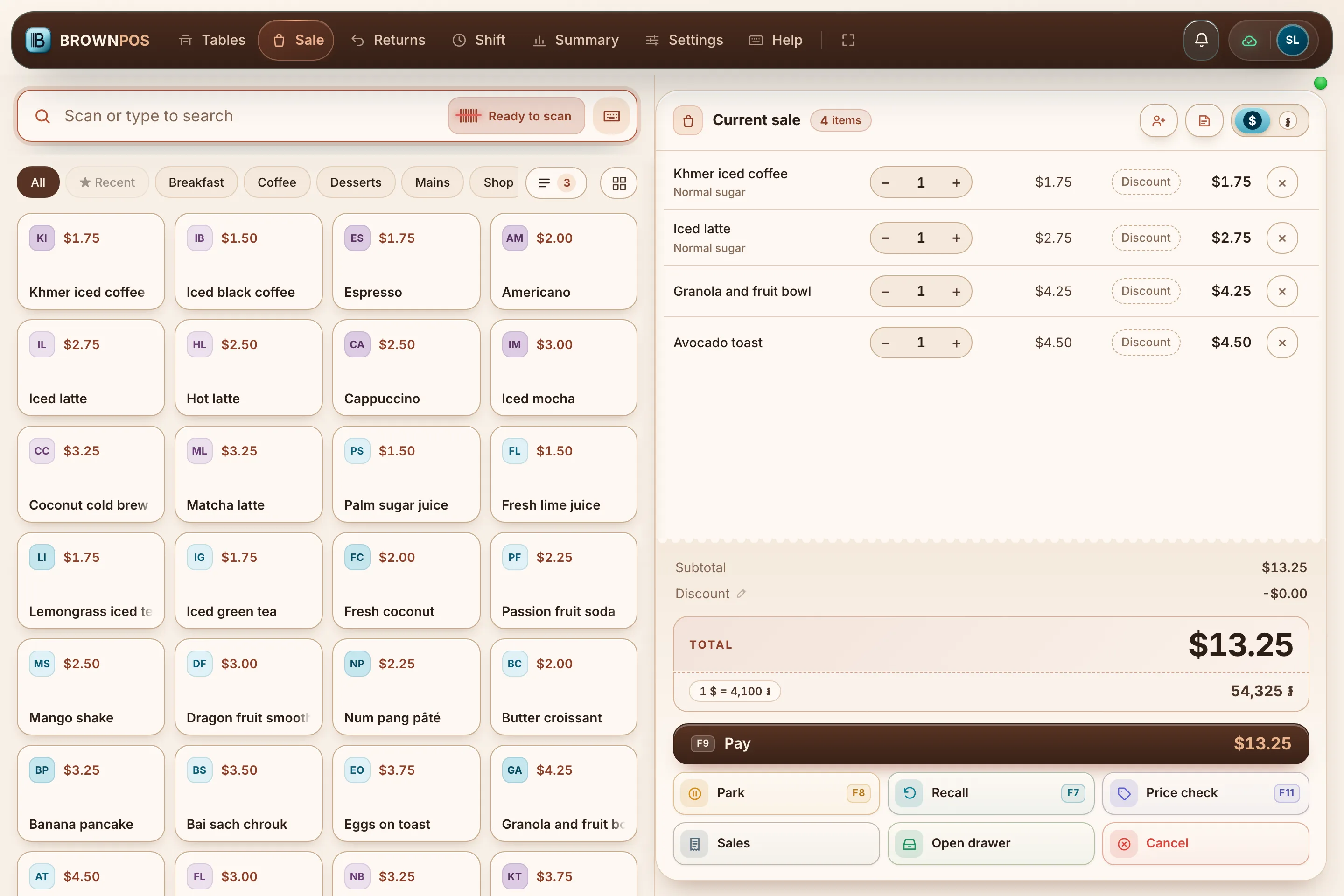
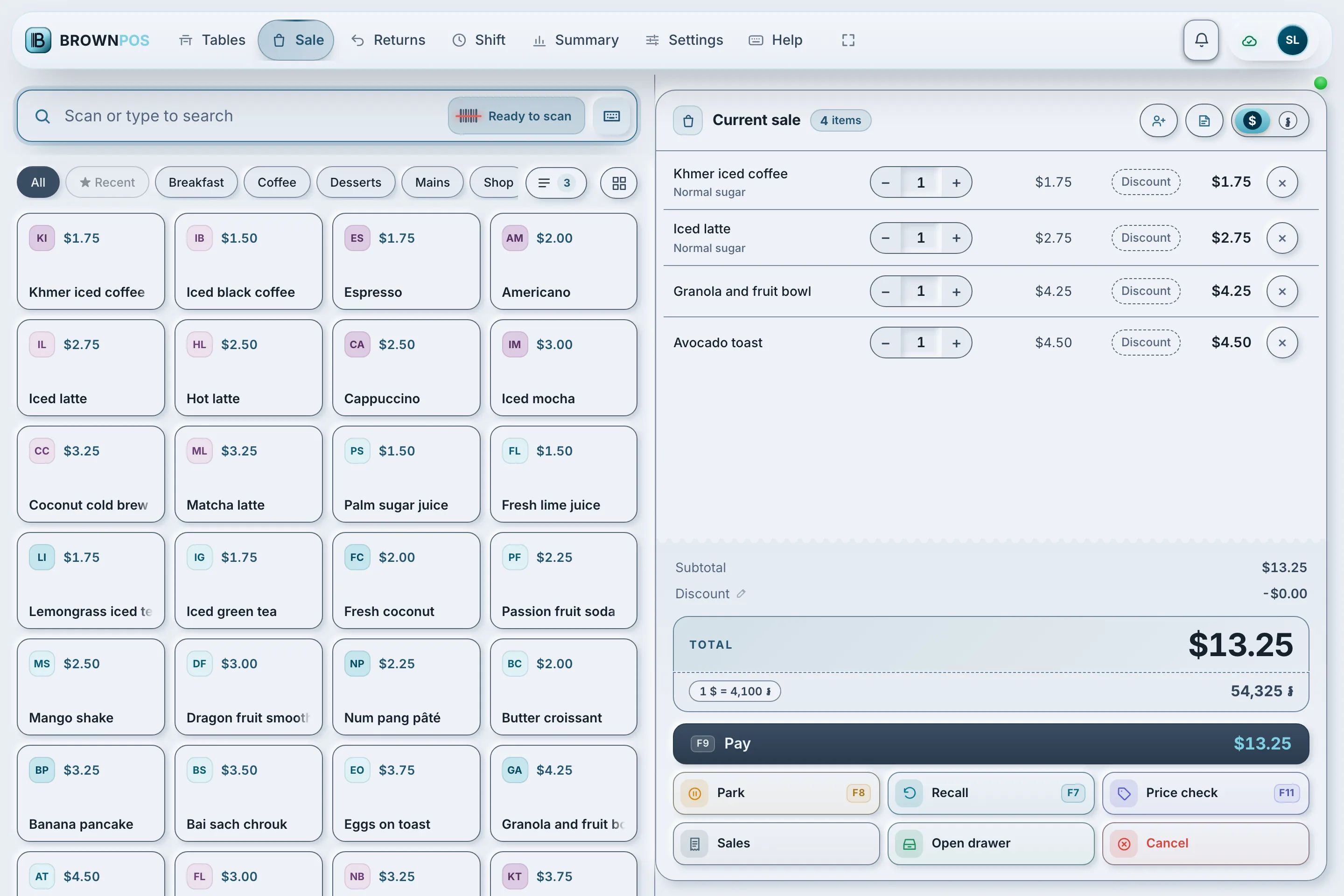
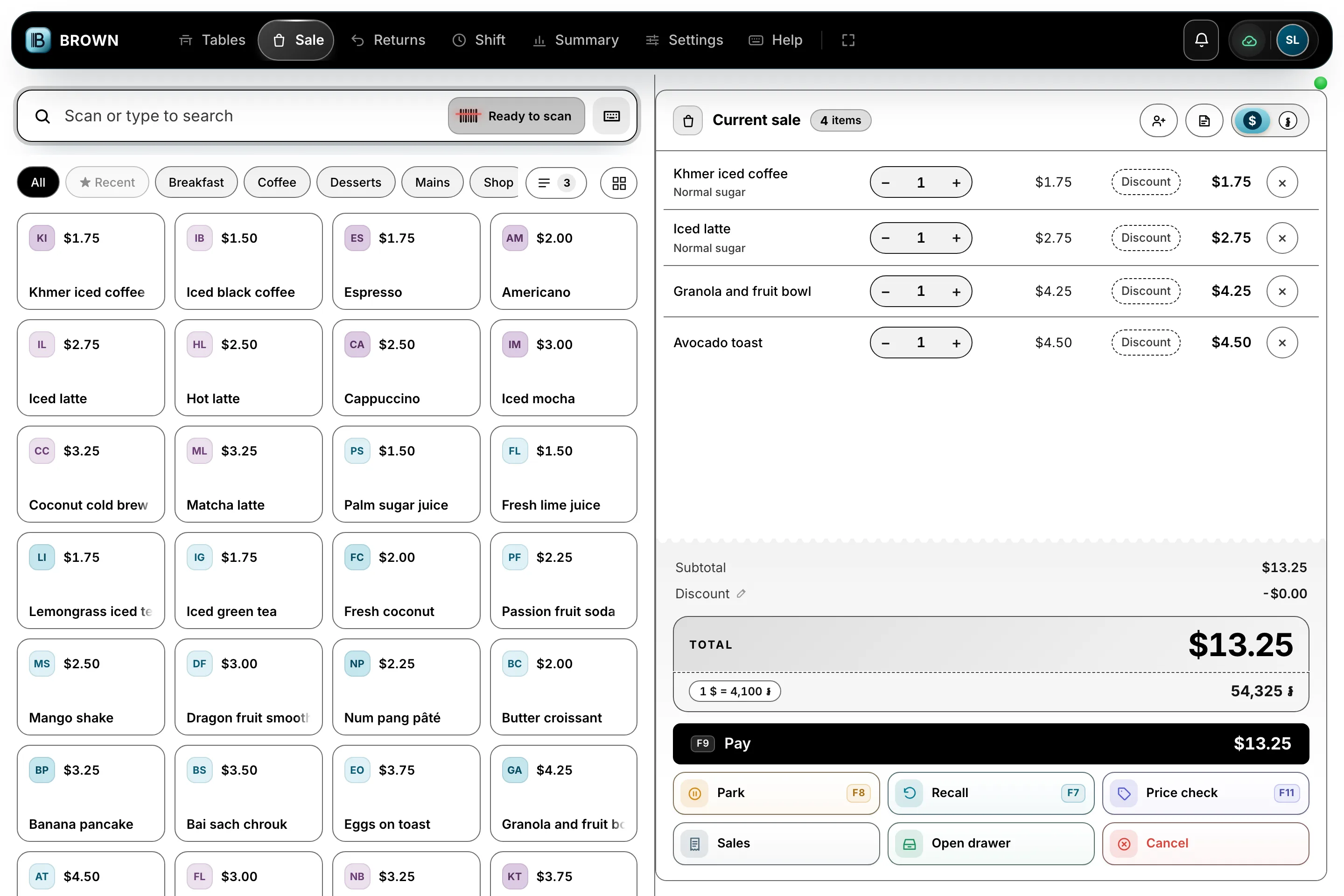
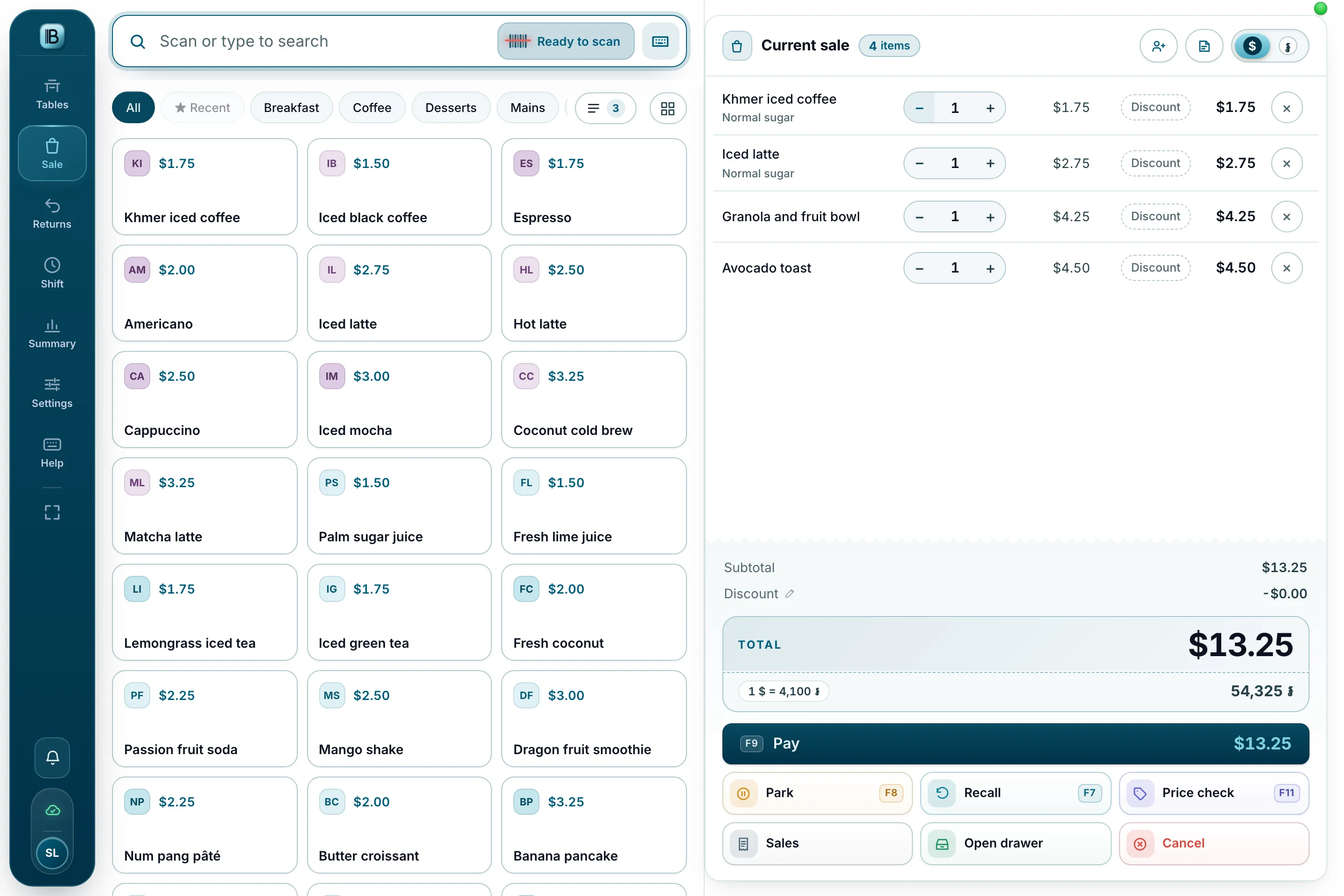
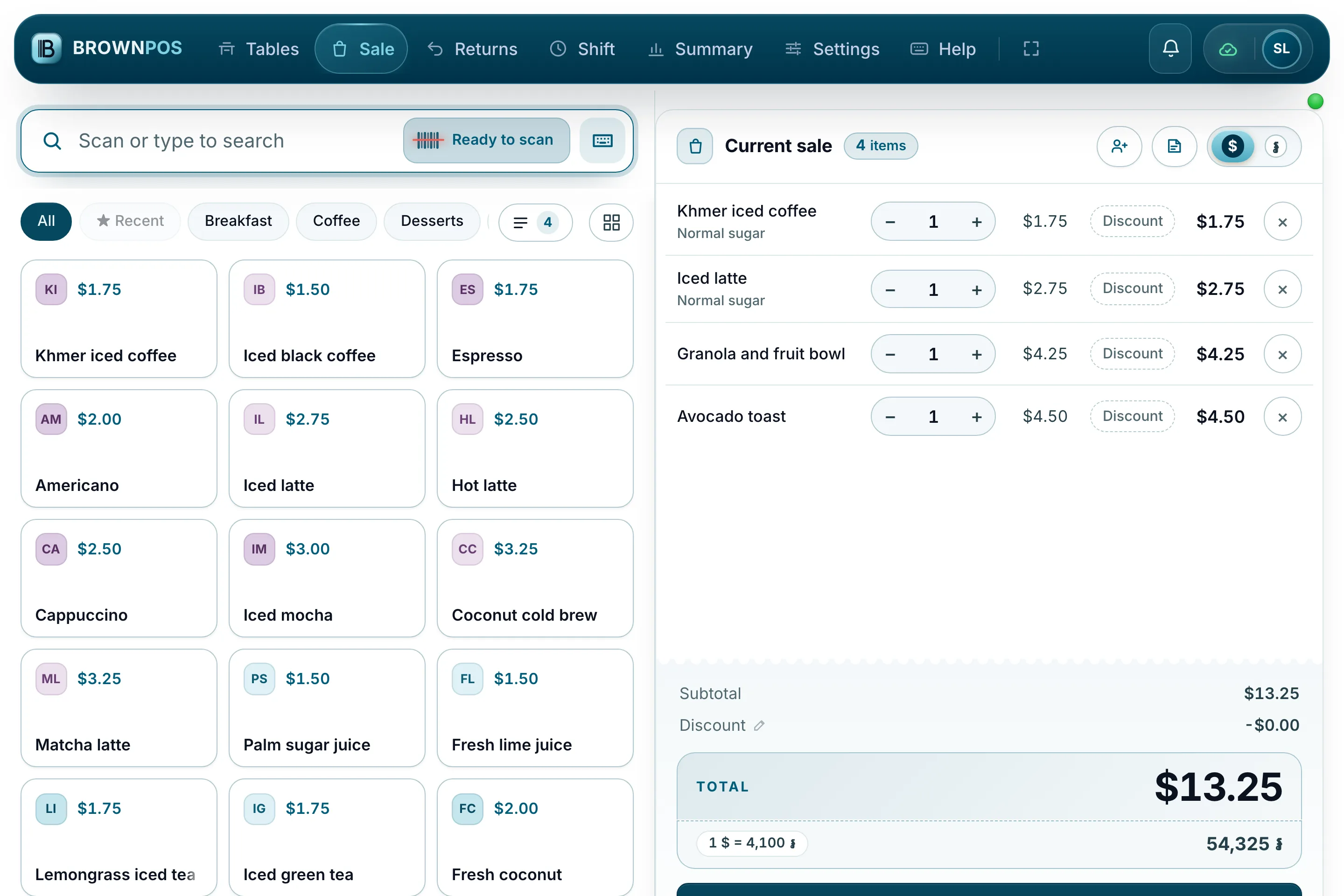
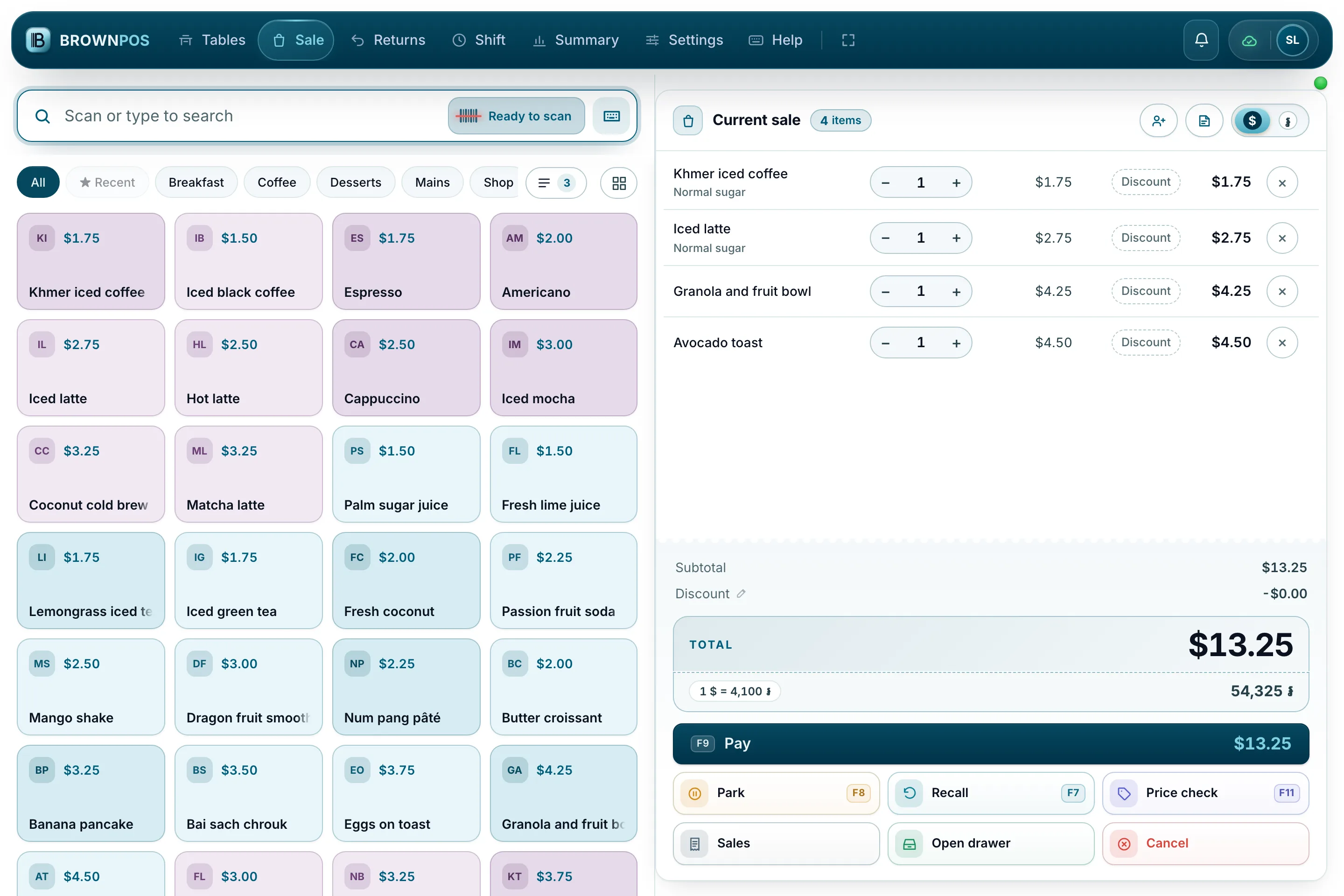
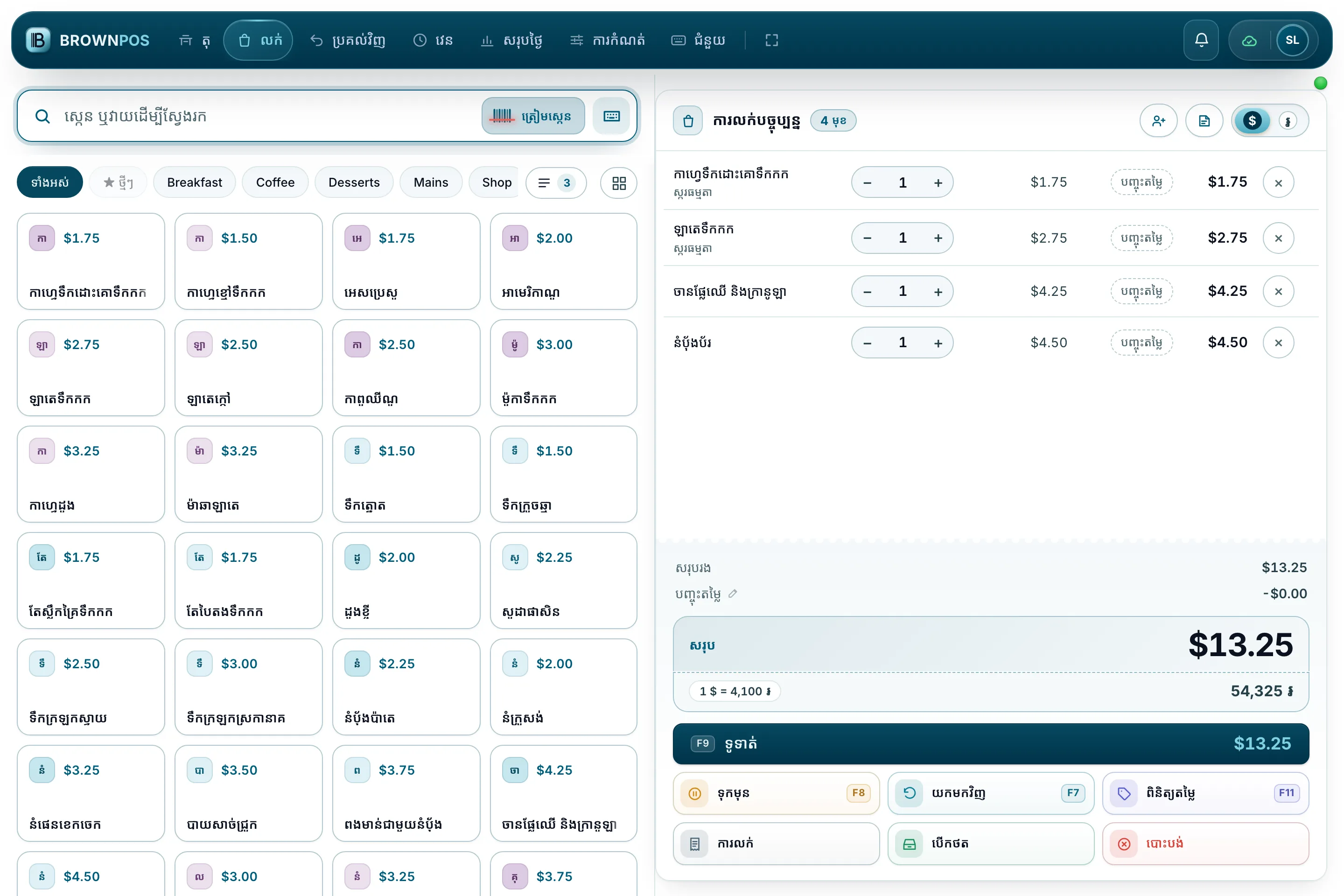
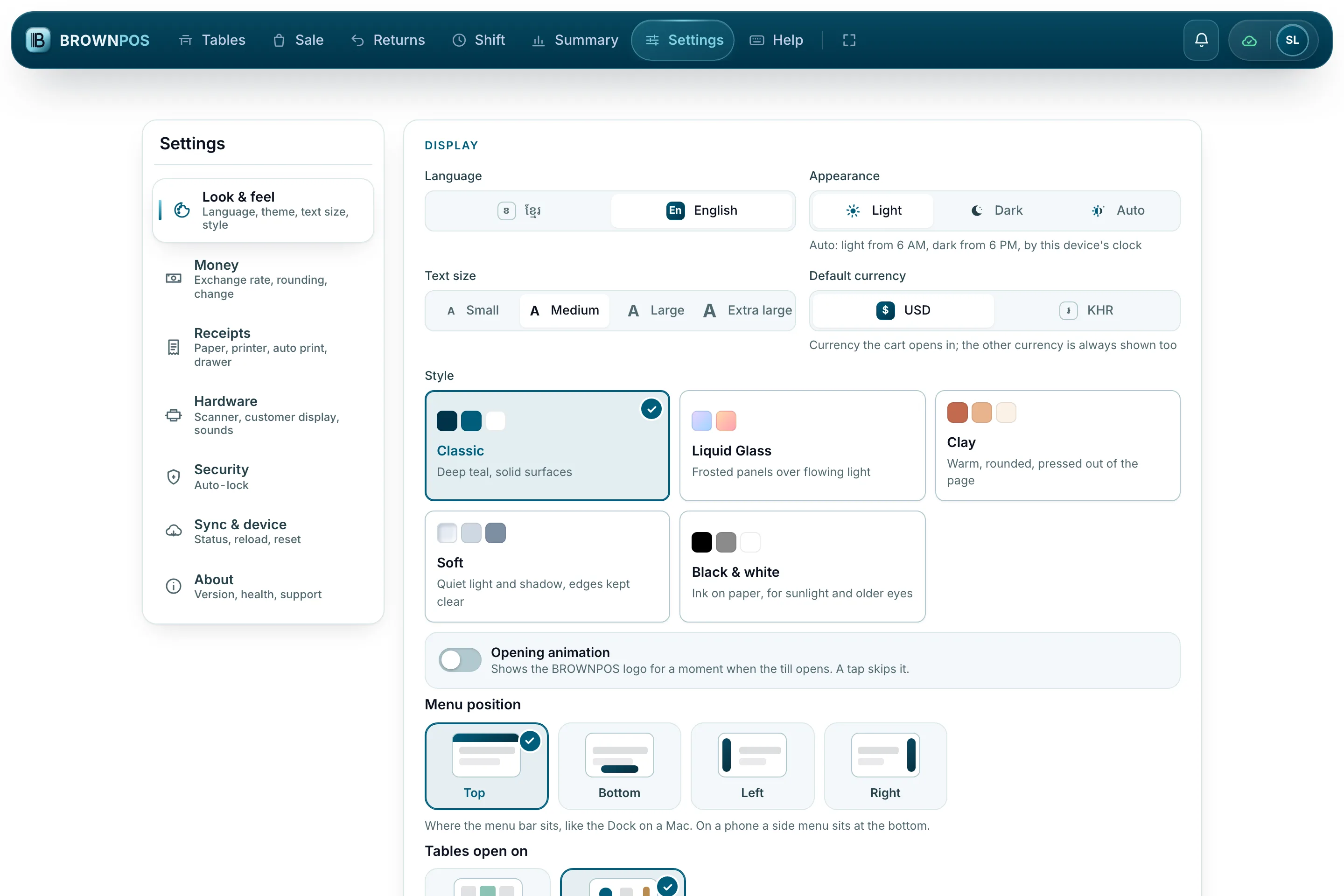
Light or dark
Styles
Made to fit
Bright and clear, for a sunny counter.
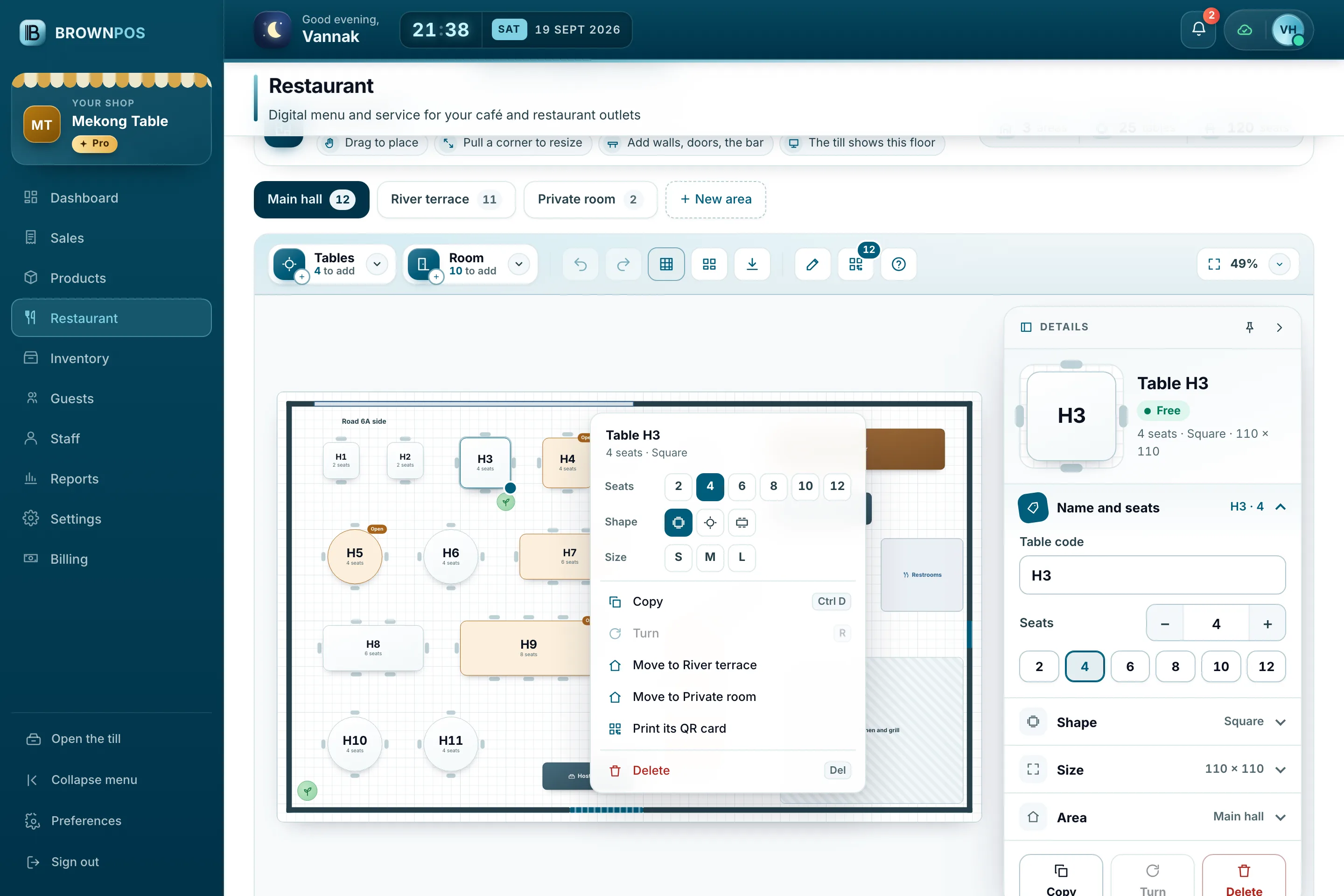
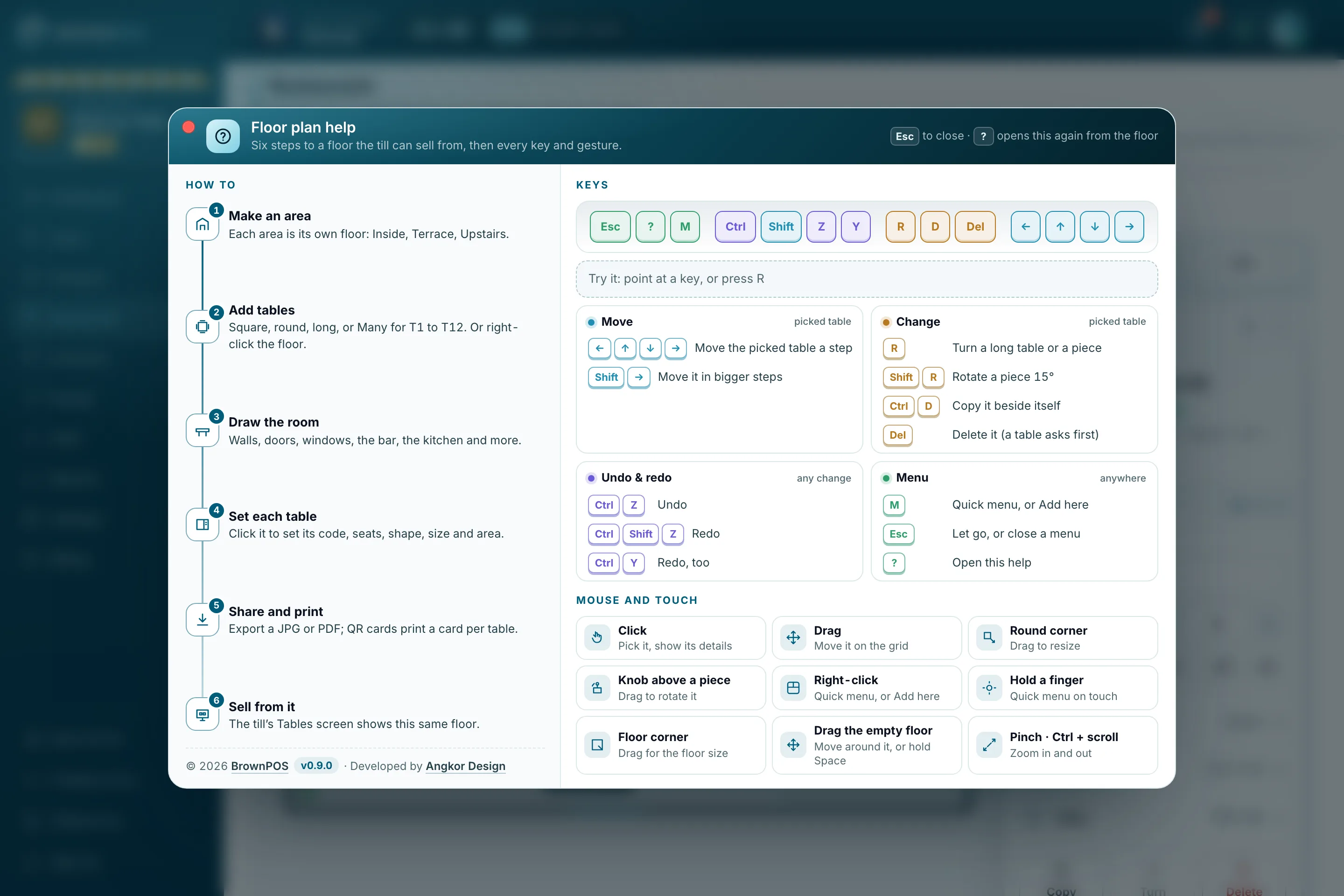
Draw your restaurant. Run it from the till.
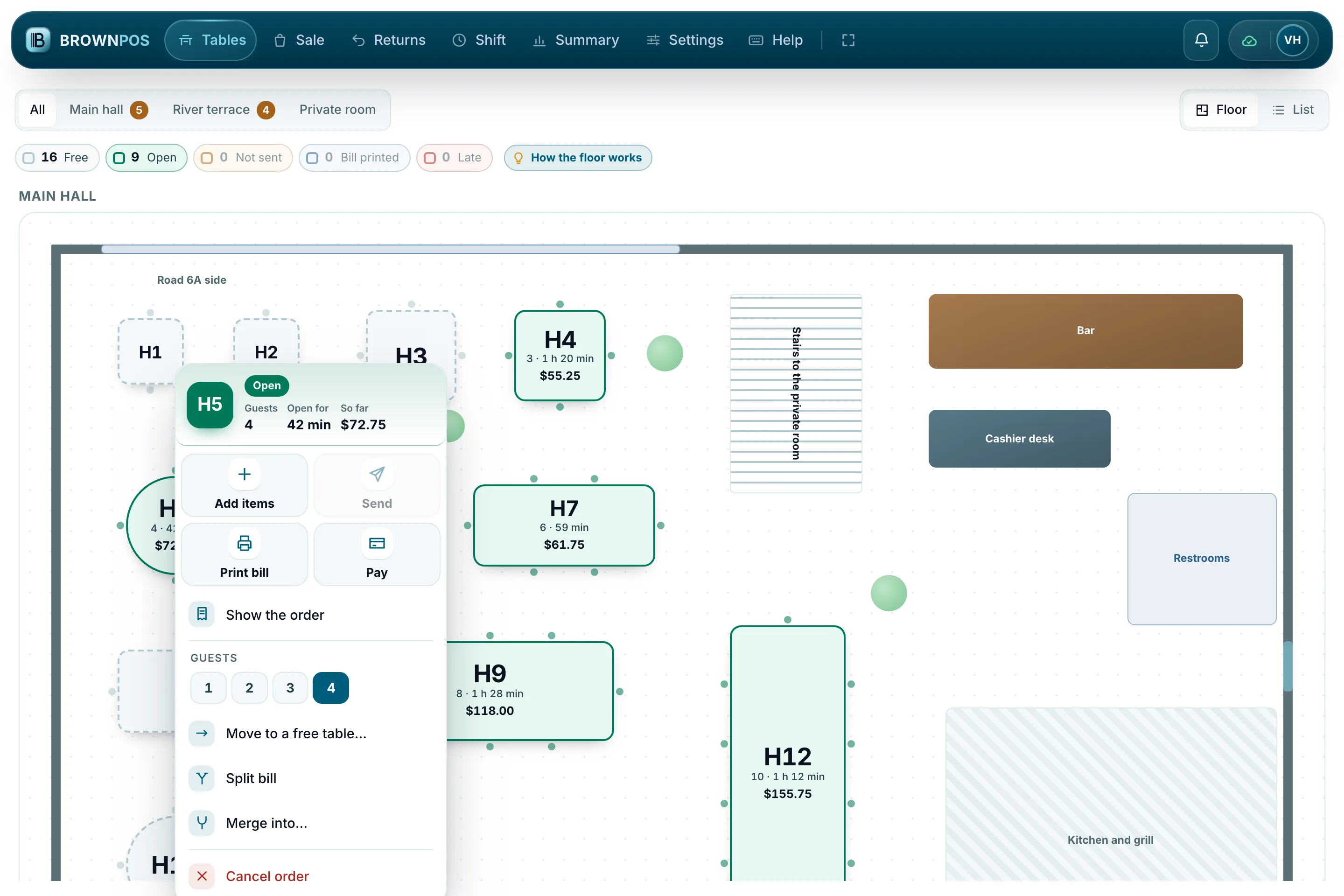
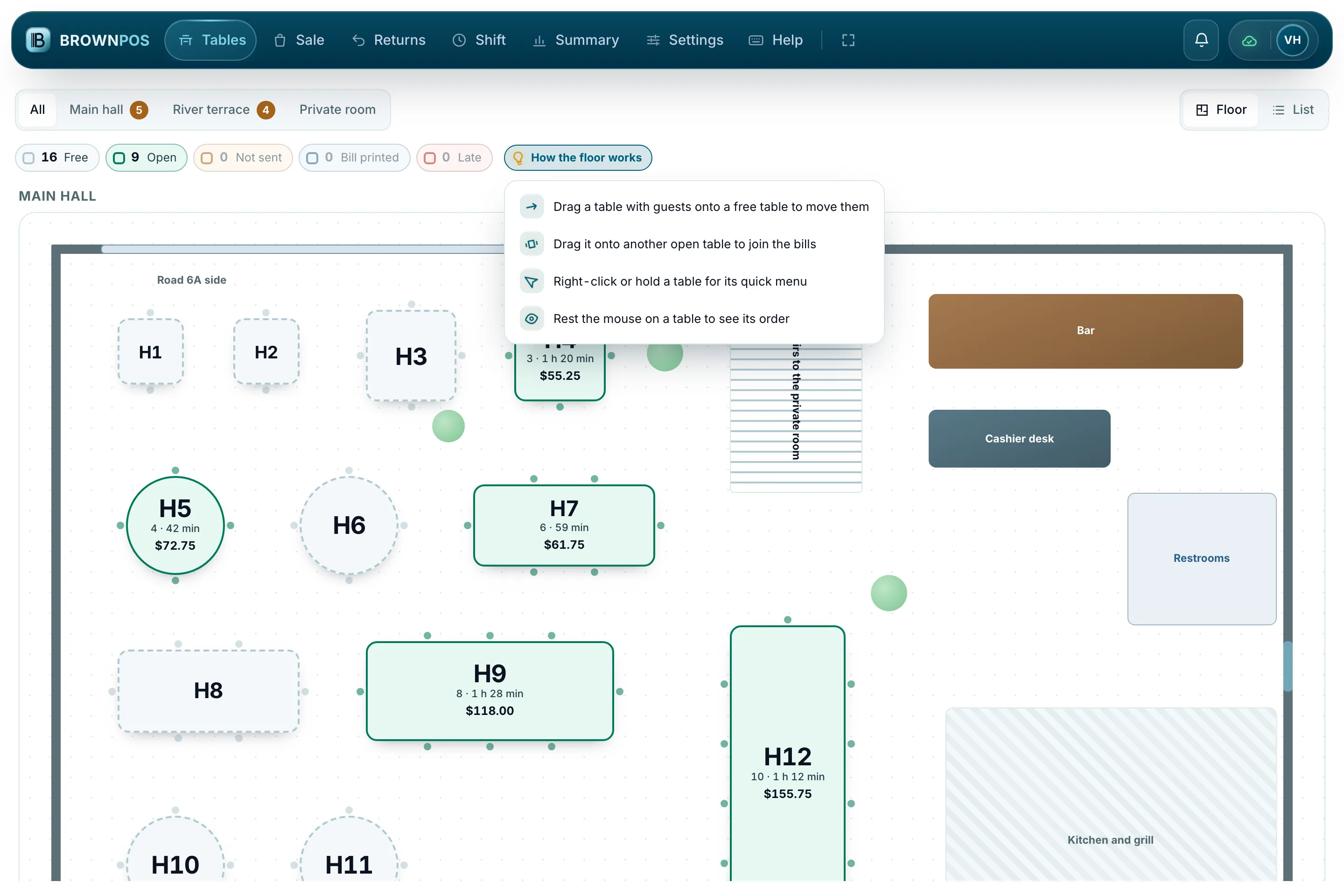
Managers draw the floor in the back office to fit their own place, with quick tools a right-click away and help built in. Waiters and cashiers get the same room on the till, and one right-click opens everything a table needs.
Latest from the news
- ReleaseWhen your till has an update waiting, it waits for you
- ReleaseBrownPOS keeps selling when the internet does not
- GuideDollars and riel in the same sale, with the change worked out for you
- How toHow to draw your restaurant’s floor plan in BrownPOS
Questions people ask
Prices and packagesCan I see it before I pay?
Yes. Book a demo and we’ll walk you through the whole thing on a shop that is already selling — the sale, the stock, the reports. Once your shop is set up, your first invoice is due fourteen days later.
Seeing it firstWhat does a demo cost?
Nothing. It’s a conversation, not a commitment.
When the internet goesWhat if the device is switched off before the sales are sent?
Nothing is lost. The queue is saved in the device’s storage, not just in memory, so it survives a shutdown, a flat battery or a closed browser. It picks up where it left off when the till opens again.
Table bookingsCan I take bookings on my own website?
Yes. Turn Reservations on in the back office, open Your booking page, and copy the line of embed code it shows you. Paste that line into your own website where you want the box to stand — it wears your colour and your name — and from then on a guest who books there lands straight in your diary and on the till, with no commission to anybody. If you have no website yet, the box also has an address of its own, something like brownpos.com/book/your-shop, with a printed QR code to match for the door, the table and your Facebook page.
One evening in the shop.
- 19:12the power goes, and the line with it
- 23 salesrung up while both were still down
- 21:40the line returns and the day syncs itself
“The power cut and the wifi went with it. We kept selling and I did not find out until the boy told me at closing.”
A minimart owner, during the pilotTry it on your own counter.
We set up a demo with your real products, and nobody needs to visit. If it isn’t right for your shop, you can walk away.