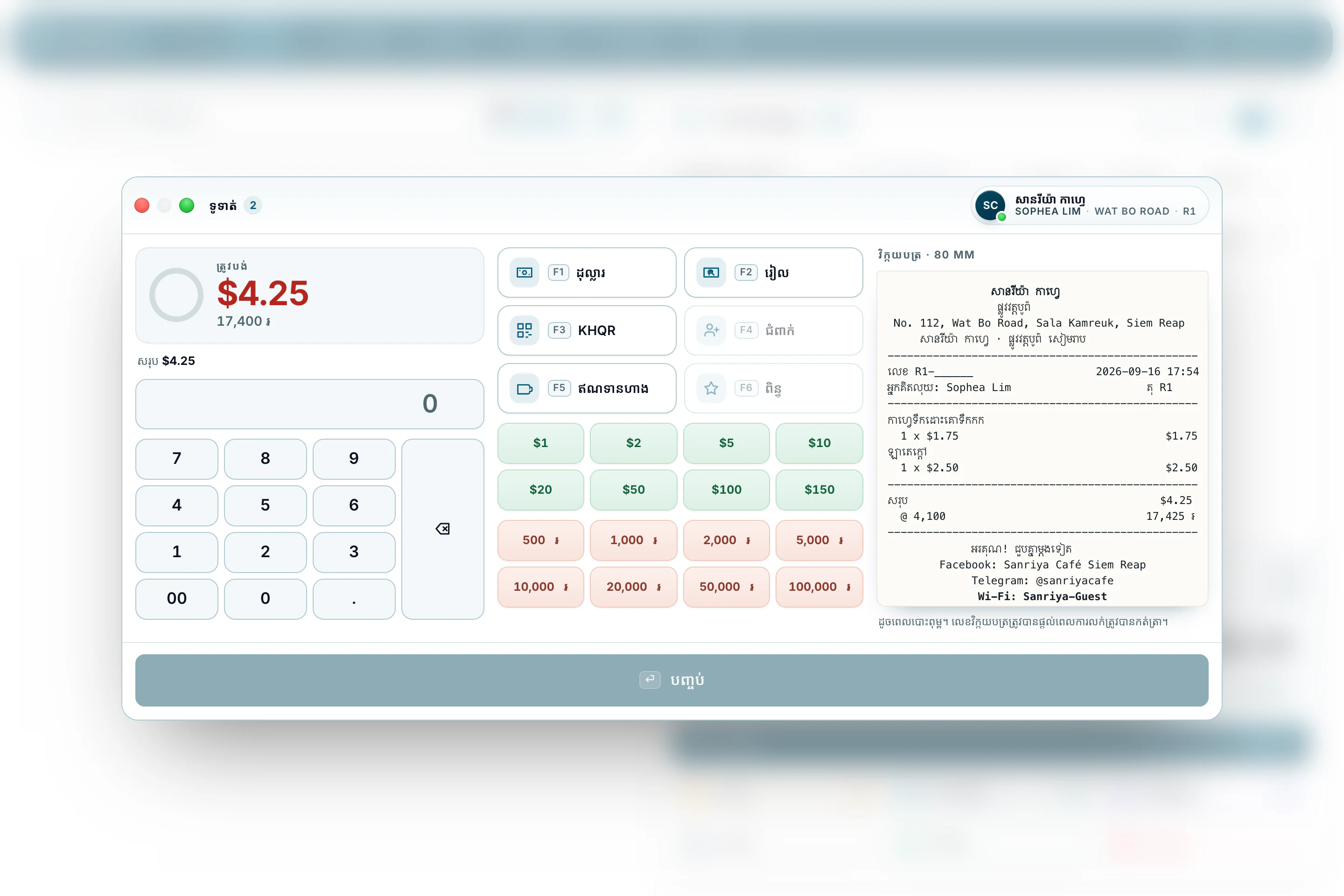
If you have ever printed Khmer on a cheap receipt printer, you know what comes out: empty boxes, letters in the wrong order, or nothing at all. We solved that in BrownPOS, so a receipt reads clearly in Khmer or in English, whichever your customer reads.
Pick the printer on your counter
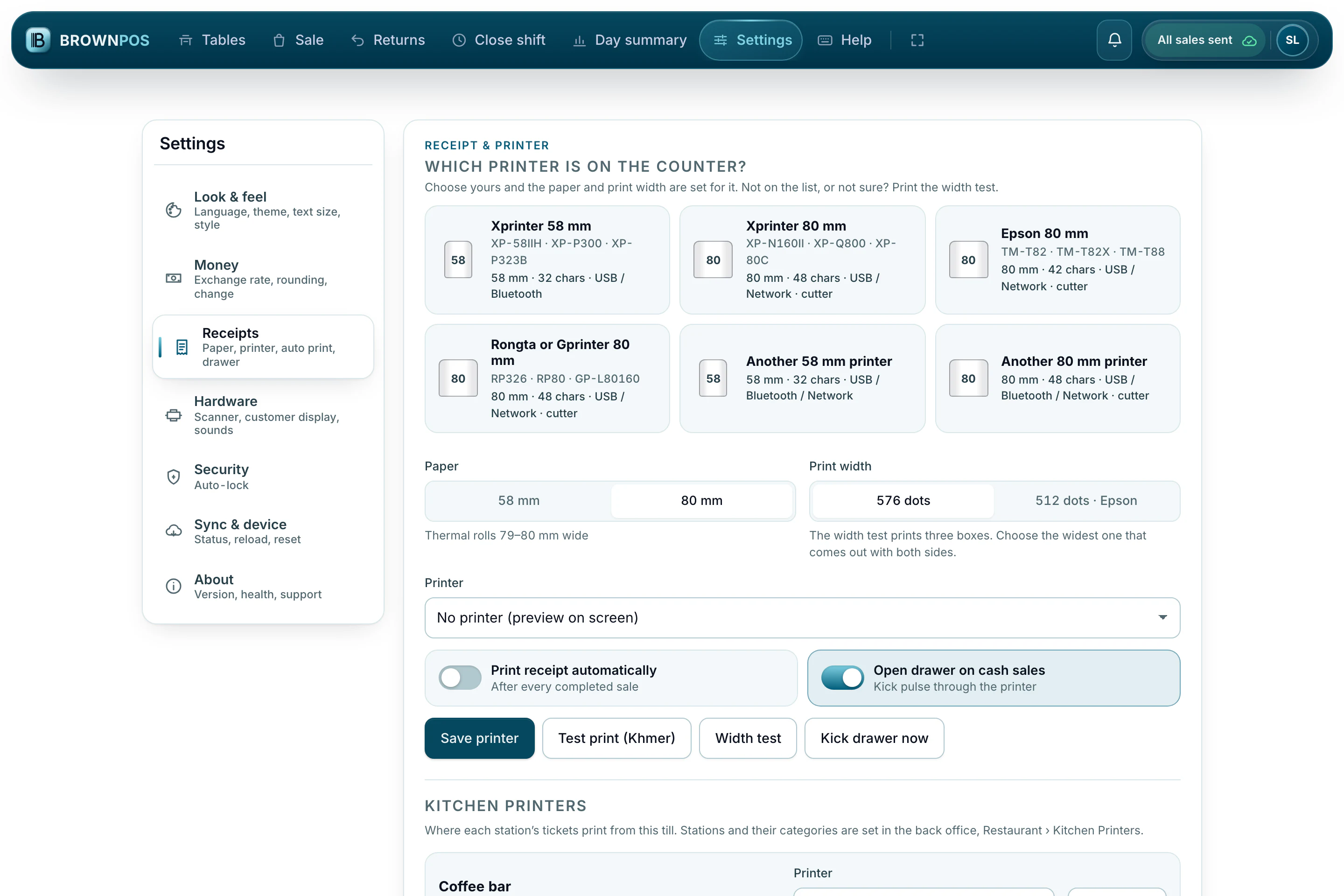
In the till’s settings, choose your printer model, the paper width and the print width, then how it connects. If there is no printer at all, the till simply keeps selling.
See the receipt before it prints
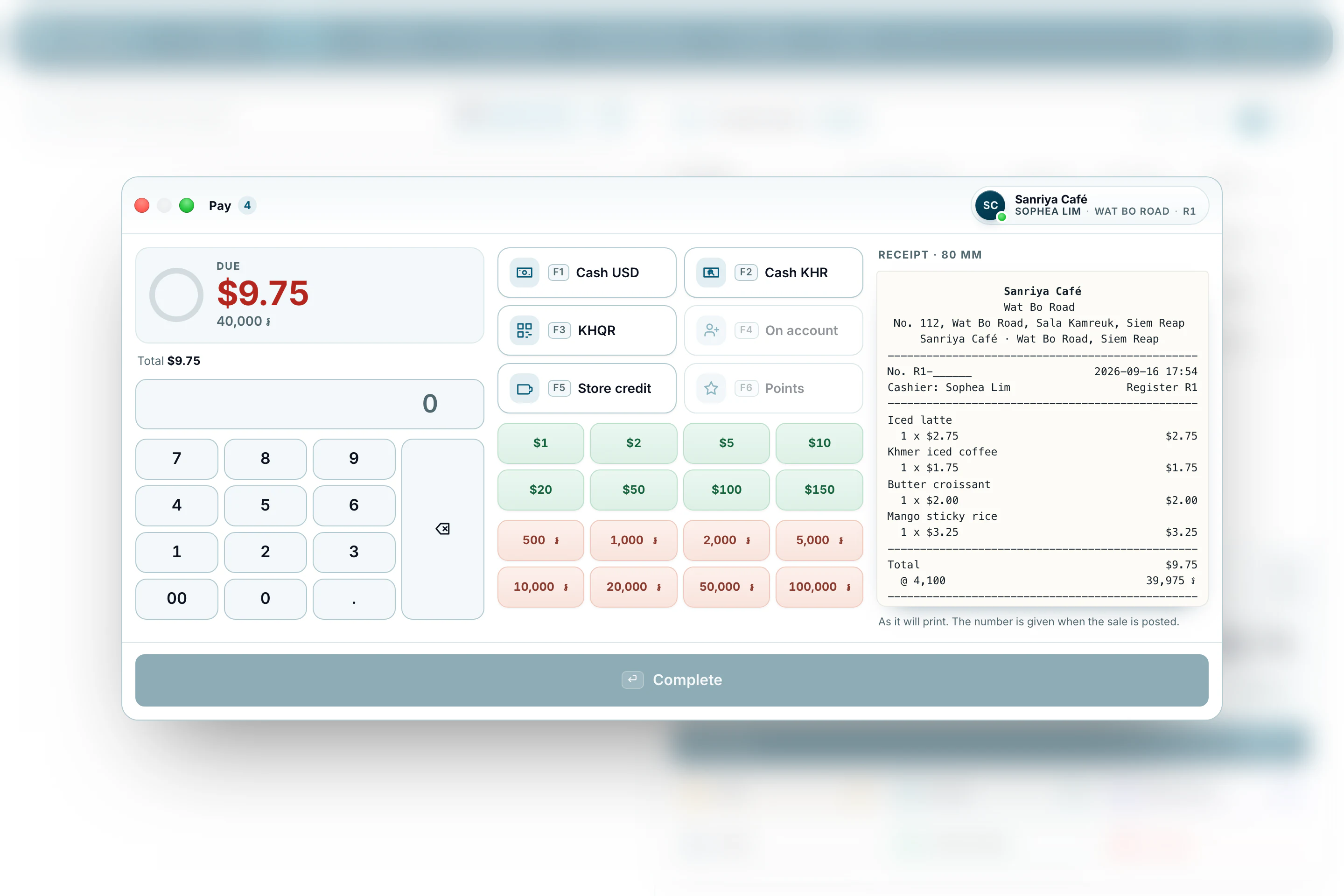
Widen the payment window and the receipt appears beside the sale, line for line as it will come out of the printer.
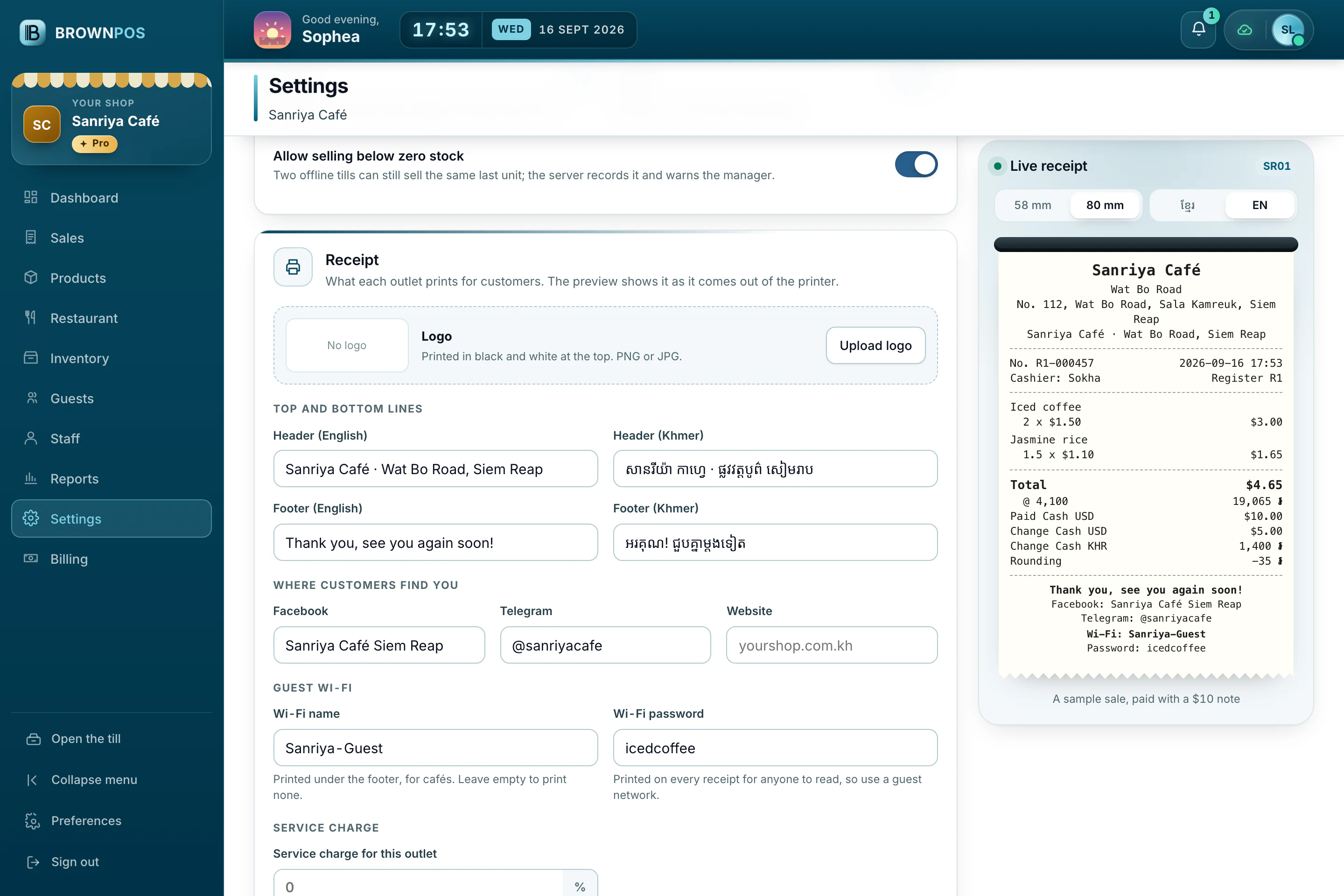
Your receipt, in your words
In the back office, choose what the receipt says, from your address and contacts to the lines at the foot, and see it beside the settings as it will print. The same receipt can be printed in Khmer script for customers who prefer it.
Print it again later
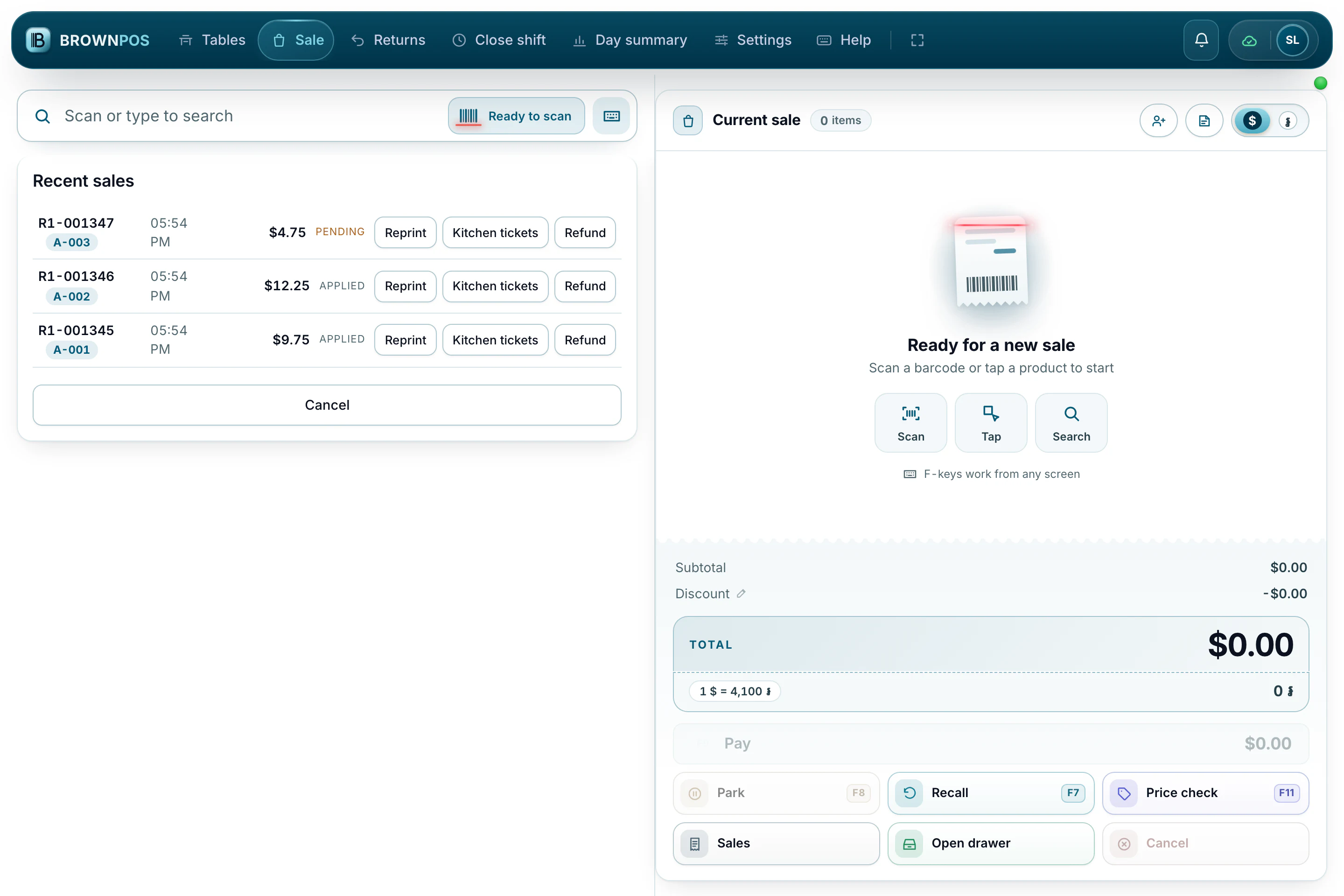
Recent sales stay on the till, ready to reprint, to send the kitchen tickets again, or to refund.