Take a sale, from the scan to the receipt
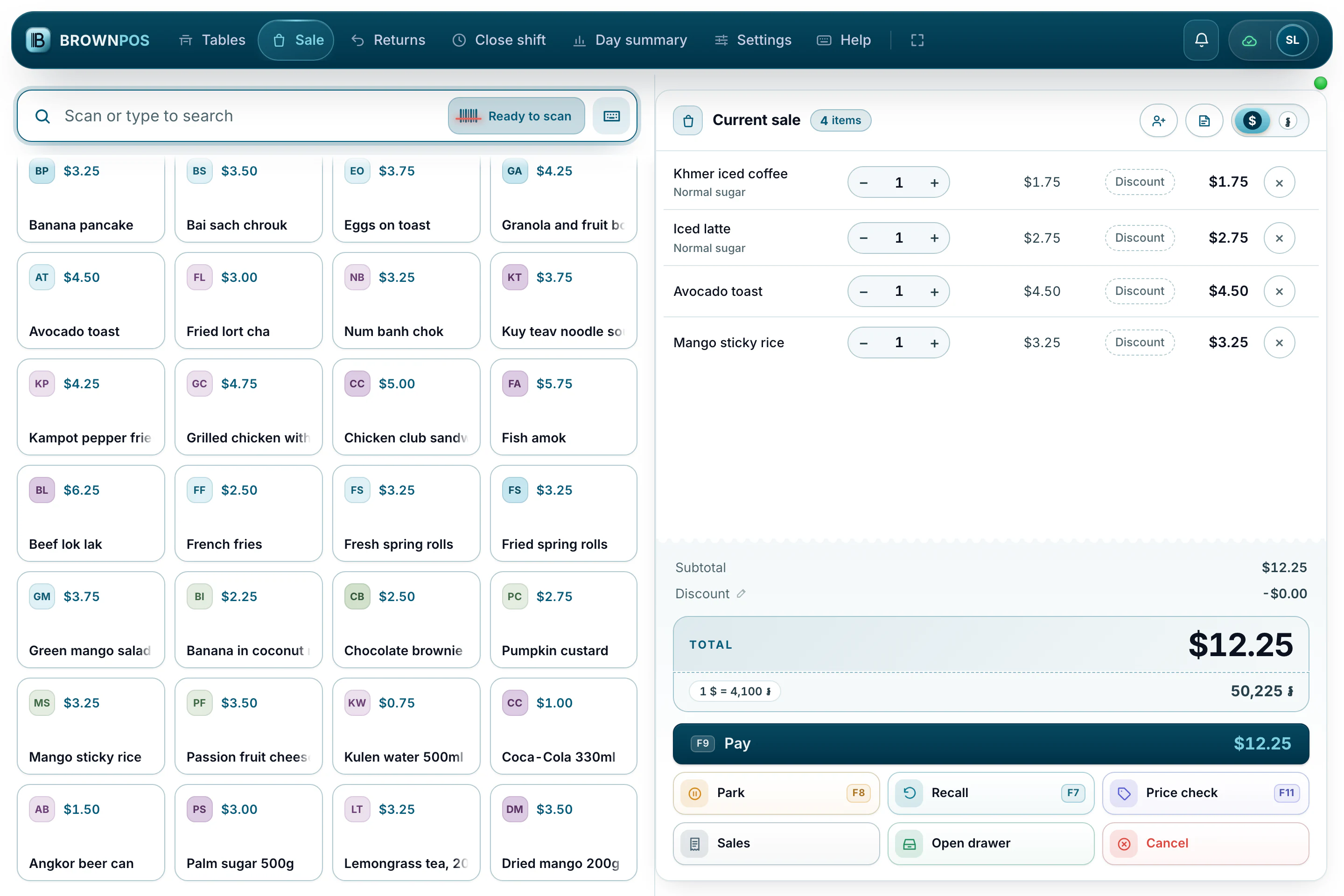
Scan a barcode or type a name, add it to the sale, then press F9 to take payment. Every step has a key, so a busy counter never waits for a mouse.
Putting things in the sale
The box at the top takes both scanning and typing. A barcode scanner works like a keyboard, so it works as soon as you plug it in.
- Scan a barcode, or type a name and press Enter to add the first match.
- Or tap a product button. It does the same thing, without typing.
- With the search box empty, Delete removes the last line.
The keys worth learning
- F9 pay · F8 park the sale · F7 bring a parked sale back
- F5 attach a customer · F11 check a price · Escape clear the search
- F2 sale · F3 returns · F4 open or close the shift · F6 the day summary · F10 settings